
Toolso.AI
Toolso.AI
All ToolsCategoriesTrendingLatest ToolsPricingBlog
Toolso.AI
Toolso.AI
Toolso.AI
Toolso.AI

Discover the best AI tools to boost your productivity

GitHubGitHubTwitterX (Twitter)YouTubeYouTubeTikTokEmail

Popular Categories

  • AI Writing
  • AI Image
  • AI Video
  • AI Coding
  • More Categories

Explore

  • Latest Tools
  • Popular Tools
  • More Tools
  • Submit Tool
  • Pricing

About

  • About Us
  • Contact
  • Blog
  • Changelog

Legal

  • Cookie Policy
  • Privacy Policy
  • Terms of Service
  • Refund Policy
© 2026 Toolso.AI All Rights Reserved
Limited timeLimited-time offerFeatured Listing24h priority review · No backlink · 30 days featured$29.90then $59.90Price rises to $59.90 after Oct 31Ends in--:--:--Submit now
  1. Home
  2. All Tools
  3. Business Tools
  4. Glide
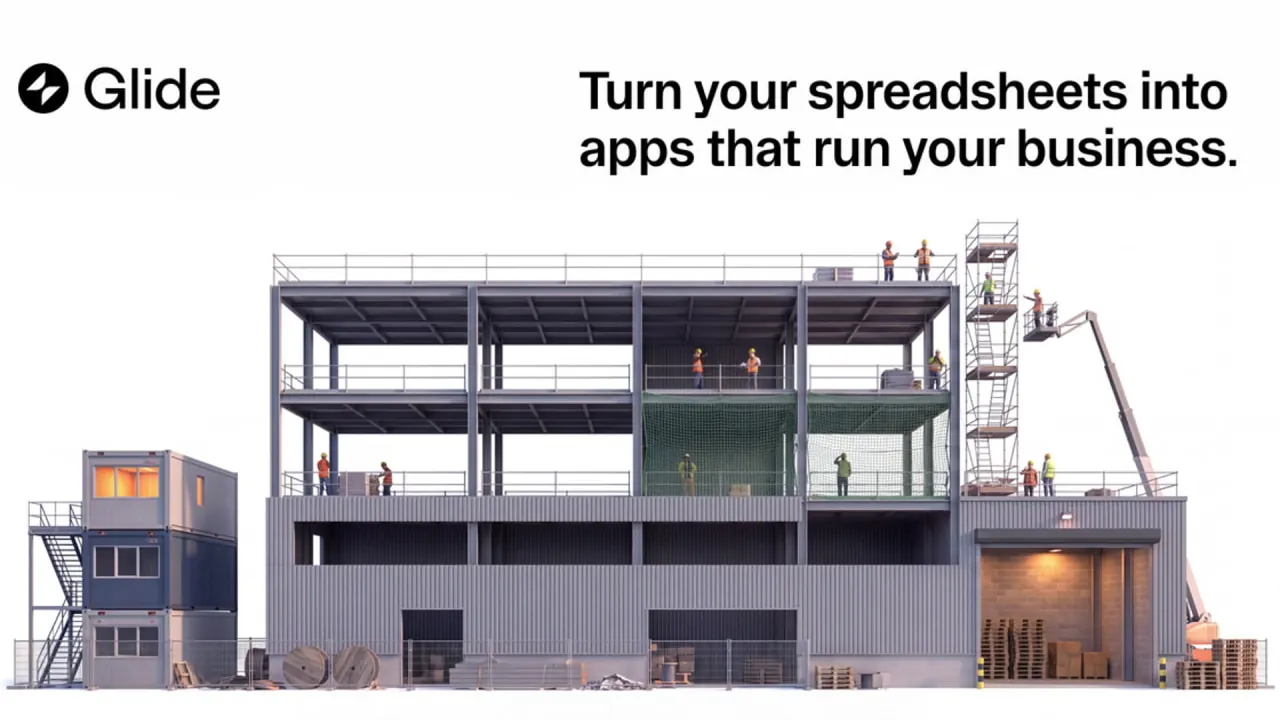
Glide interface preview
Glide logo

Glide

Glide builds internal business apps from spreadsheets, prompts or files. GlideOS uses an AI agent and monthly credits, while Glide Classic is a no-code app builder billed by users, updates and rows.

Business ToolsApplication BuildingAutomation Tools#No Code#Spreadsheet#Workflow Automation
View Pricing
Saves
Visits
Views
Pricing
Paid
Published
Oct 6, 2026
Domain
glideapps.com
Community rating

Used this tool? Rate it

Rate this tool

Glide Product Information

View Pricing
Tool Information
Saves
Visits
Views
Pricing
Paid
Published
Oct 6, 2026
Domain
glideapps.com
Community rating

Used this tool? Rate it

Rate this tool

Featured Tools

Related Tools

View Pricing

What is Glide?

Glide is an AI app builder that turns spreadsheets, prompts and files into working apps for teams, managers, customers and partners. The service is run by typeguard, Inc., which does business as Glide.

Glide now sells two separate products. GlideOS is an AI software development platform that builds business software from a spreadsheet, a prompt, or a file, with an agent working through chat. Glide Classic is the original visual builder, which turns spreadsheets into AI-powered apps without coding.

The positioning targets operators rather than developers. Glide says it "puts the power of internal tool development in the hands of operators, so the people closest to the problems can finally solve them with custom software."

The two products are not interchangeable plans. Glide's launch announcement states that apps built in Glide Classic are unaffected by GlideOS and that the two are separate, co-existing platforms with their own teams, subscriptions and apps. Independent tech press reported in April 2022 that Glide came out of Y Combinator in 2019 and raised a $20 million Series A led by Benchmark.

Core features

GlideOS

  • Chat-based building: You work with GlideOS through chat and can start from a prompt, a spreadsheet, a document, an image, or a combination. Decisions are remembered at the project level, so later requests build on earlier context.
  • One database per project: Every project has one database that can hold multiple tables from one or more sources, and every app in the project can use it.
  • Targeted edits: You can highlight a whole page, a single component or a piece of text and prompt for a change to that element only.
  • AI inside your apps: Features such as AI chat, summarization and image generation can be added to an app by describing them.
  • Workflows: Workflows can run on a schedule, when another system sends a request, when something happens in a connected service, when someone acts in an app, or manually.
  • Integrations: Glide lists more than 1,000 services, including Gmail, Slack, Airtable and Salesforce, whose actions GlideOS can call.
  • External database access: Any tool with a Postgres-compatible connector can read or write project data through a connection string set up as read-only or read/write.
  • Bring your own agent: On Pro and Enterprise, an MCP client such as Claude or Cursor can connect to a Glide organization and work with projects the way GlideOS does.

The shared database ties these pieces together: a field app, a manager dashboard and a scheduled workflow in one project read the same tables, and Glide says a record changed once is reflected in every connected app.

Access is role-based. Viewers see all members and apps, including drafts; Editors create, edit, publish and delete apps; Admins also manage members, billing details, extra credits and the plan itself.

Glide Classic

  • Spreadsheet-like data editing: Classic syncs data from Google Sheets, SQL and other sources and lets you manage it in a familiar, spreadsheet-like interface.
  • Glide AI: Classic can generate custom apps or create AI agents for tasks such as drafting emails and extracting data.
  • Workflow triggers: Classic workflows can start from emails, webhooks, schedules and other triggers.

Guide

Building and publishing a GlideOS app

  1. Click Upload a spreadsheet on the home screen, connect a Google Sheet, or, if you have no data yet, describe the app and ask GlideOS to create a table for you.
  2. Refine the app in chat, then switch the preview to mobile or use Open on phone to scan a QR code and preview it on a mobile device.
  3. Ask for a task that needs an outside service. When the project has no connection for it, GlideOS posts a card in the chat naming the service, and you can connect or dismiss it.
  4. Click Publish and choose access: members with project access, public with sign-in, or public for anyone with the link.
  5. Optionally swap the auto-generated URL for a custom Glide subdomain or your own domain, verified with a DNS TXT record.

Because credits are spent per message, chat hygiene affects cost. Glide's own guidance notes that conversations with more context use more credits when the agent responds, and recommends starting a new chat to reduce the credits spent on a large context window.

Glide use cases and examples

  • Connected app sets on shared data: Glide's example of internal business apps is a mobile app for a field team, a dashboard for executives and a portal for customers, all connected to the same data.
  • Asking questions of business data: Instead of building a report, you can ask GlideOS a question such as "What's today's spending by zone?" and get answers from your data.
  • Replacing spreadsheet-based planning tools: In a customer quote published by Glide, ITV's Head of FinOps says GlideOS turned a quarterly planning tool into an app with a visual front end and the data behind it.
  • Consolidating several tools: Another quote on the pricing page says a team that was "paying for three tools and losing twelve hours a week" replaced them with GlideOS Pro. Both are vendor-selected testimonials, not independent results.
  • Prototypes, communities and schools on Classic: Glide Classic's Maker plan is designed for MVPs, prototyping, communities and schools and allows unlimited personal users.

Who is it for

Good fit:

  • Teams growing from one builder to a department: GlideOS plans step from building personal apps (Basic) to apps you can share (Plus), tools for your team (Pro) and enterprise-grade security and permissions (Enterprise).
  • Operations leaders replacing workarounds: Glide pitches GlideOS as one secure workplace for teams that are already building their own unofficial fixes.
  • Educators and community projects on Classic: Glide does not offer nonprofit discounts, but says the Maker plan's unlimited personal users suit tools for educators, students and nonprofit communities.

Poor fit:

  • Anyone under 18: The service is available only to individuals who are at least 18 years old, or the age of majority in their jurisdiction if higher.
  • Regulated advice or high-stakes decisions: Glide's terms state that its AI agents must not be used for legal, medical, financial, tax or other professional advice, and must not drive decisions that materially affect a person's rights, health, finances, employment or housing without appropriate human review.

Platforms

  • Apps on desktop and mobile: GlideOS apps can be launched on desktop or mobile and shared with teams, customers or partners. Glide's general FAQ says all Glide apps are responsive across desktop, tablet and mobile, and can be shared via link or QR code.
  • Integrations by plan: Every GlideOS plan can connect integrations; Free is limited to one, paid plans have no limit, and some services require a specific plan.
  • MCP clients: Connecting your own agent needs an MCP client that supports remote servers over HTTP, and each connection belongs to one organization.
  • Hosting: Glide says it is hosted on Google Cloud Platform with servers in Iowa, USA.

Pricing

Glide pricing is split across two products: GlideOS has its own plans and needs a separate subscription from Glide Classic.

GlideOS plans (credits)

PlanListed priceIncluded creditsTeam membersPublished appsProjectsEnabled workflows
Free$0Limited, does not renew20100
Basic$25 / month10022101
Plus$50 / month250 (options up to 10,000)35205
Pro$125 / month500 with 5 members, +50 per memberFrom 5Unlimited100Unlimited
EnterpriseCustomCustomCustomUnlimitedUnlimitedUnlimited

A credit is the unit GlideOS uses to measure AI work: chatting with the agent, changing an app, and AI features running inside your apps all use credits, while actions you take yourself do not. Monthly credits reset each billing cycle and do not carry forward. Extra credits are sold only on paid plans, are drawn after monthly credits run out, and stay valid for 12 months. Plus and Pro list larger allowances (up to 10,000 credits on Plus, or 5,250 credits with 100 members on Pro), but the captured pricing page does not show the prices for those options.

Paid plans let you choose the model mode. Balanced uses about 3x the credits of Light and Heavy about 5x; the pricing page labels the modes light, medium and heavy. Automation is metered separately: the first 100 workflow steps in a run cost 0.1 credits each and the next 900 cost 0.05 each, so a 500-step run costs 30 credits, and each integration call costs 0.01 credits. When you drive GlideOS from your own MCP client, the agent's reasoning moves to your plan with that AI provider, but workflows, integrations and in-app AI still use Glide credits.

Higher tiers add features rather than just credits: Pro adds bring-your-own-agent access, org-level roles and human support, and Enterprise adds single sign-on, enterprise integrations, a choice of LLM provider, 30-day data backups and a dedicated success manager.

Refunds cover base subscription fees requested within 14 days of the initial purchase, including per-seat fees; credits granted per seat and all usage-based charges are non-refundable. A downgrade takes effect at the next renewal with no refund for the current cycle, and upgrading mid-cycle adds a prorated share of credits immediately. GlideOS accepts credit cards and Cash App Pay.

Glide Classic plans (users, updates, rows)

PlanListed priceUsers includedUpdates includedEditorsPublished appsHigh-scale rows
FreeFreePersonal useNo updates needed1Unlimited draftsUp to 25k
ExplorerNot shown100 personal users2502125,000
MakerNot shownUnlimited personal users5002350,000
Business$199 / month billed yearly30 users5,00010Unlimited100,000
EnterpriseCustomCustomCustomCustomUnlimitedCustom

Classic meters three things. A personal user signs in with a personal or education email domain such as Gmail or .edu, while Business and Enterprise accept any domain. Updates are consumed when data changes or syncs from sources like Google Sheets or Airtable, and integrations and the Glide API also use them. Extra updates cost 2¢ each on Explorer, Maker and Business; extra Business users cost $6 per month on monthly billing or $5 on annual billing.

If an app exceeds its updates limit, users see an alert when they log in, and the team must upgrade or turn on unlimited updates on the Billing page. Annual billing saves 20%, but the Explorer, Maker and monthly Business prices did not appear on the captured page. Business includes a 14-day free trial. Enterprise supports any data source including SQL and up to 10 million rows with Big Tables. Classic offers a full refund within 14 days of the initial subscription payment, with all subscriptions billed in US dollars.

Glide alternatives

  • Google AppSheet: Pricing starts at $5 per user per month for Starter or $10 for Core, and apps can be tested with up to 10 users at no cost. It suits teams that want per-user billing instead of credit or update metering.
  • Bubble: Plans are chosen per project, a Mobile or Web + Mobile plan can publish to the Apple App Store and Google Play Store, and usage is metered in monthly workload units. It fits builders who need app-store distribution.
  • Glide Classic versus GlideOS: Within Glide, Classic suits teams that want a visual no-code app builder with user-based billing, while GlideOS suits teams that prefer to describe changes in chat and pay for AI work in credits.

Limitations

Product and plan limits

  • No write-back to Google Sheets: GlideOS pulls a connected sheet into its own database table, and edits made through the app stay in GlideOS rather than flowing back to the sheet.
  • Publishing needs a paid plan: Only organizations on paid plans can publish apps. Both public options require Plus or higher, and Basic apps are limited to members of your organization.
  • Workflows only run on paid plans: Workflows can be created on any plan but need a paid plan to run.
  • Credits can stop work: When monthly credits are used up, GlideOS stops new AI requests until more credits are available, and Free users must upgrade once their credits are exhausted.
  • Costs are hard to forecast: Many factors affect usage, so credit use per message is not reliably predictable, and unexpected credit usage via an MCP client is not refundable.
  • Some services cannot be connected: A few integrations use a sign-in method Glide does not support and cannot be connected at all.
  • Cancelling shrinks the team: When a cancelled plan reverts to Free, everyone except the admin who cancelled moves to a waiting-for-a-seat state and cannot act until given a seat.
  • Glide owns your URLs: Subdomains, app URLs, share links and similar identifiers belong to Glide and are licensed to you on a limited, revocable basis.
  • AI output needs review: The terms describe AI agents as probabilistic systems whose output may be incomplete, inaccurate, biased or outdated.

Privacy, data and AI training

  • AI training policy: The GlideOS privacy policy (last modified July 24, 2026) says Glide uses your prompts, instructions and conversations, plus the structure, configuration and formulas of your apps and spreadsheets, to train its AI features and models, but not the specific data values or personal data in your data sources. Where an account type offers an opt-out, opted-out inputs are not used.
  • Opting out later: The terms add that if you opt out after a period of training, Glide is not required to remove or revert training done before the opt-out date.
  • Conflicting statement: Glide's general FAQ page says, "No, we never train our AI models on customer data." The FAQ and the privacy policy describe AI training differently.
  • Ownership of outputs: As between you and Glide, you retain rights in your content, including AI-generated content.
  • Security certification: The GlideOS product page describes its infrastructure as SOC 2 Type 1 certified, GDPR and CCPA compliant, with AES-256 encryption, while Glide's security center says Glide is SOC 2 Type 2 certified. The two pages state different SOC 2 report types.
  • Retention: Glide's security center gives 30 days as the period it retains data after deletion.
  • Credentials and visibility: GlideOS stores integration credentials so the agent never sees them. Projects and apps are visible to all organization members by default, and data in a public-link app is accessible to anyone with the link.
  • Model providers: Glide's FAQ says Glide AI uses OpenAI, Azure ML and Google Cloud, and GlideOS Enterprise lets an organization choose its LLM provider.

FAQ

Q1. Do unused GlideOS credits roll over?

Monthly plan credits do not. Extra credits bought on a paid plan roll over and remain valid for 12 months from purchase.

Q2. Can I get a refund?

On GlideOS, base subscription fees are refundable if requested within 14 days of the first purchase, but credits and usage charges are not. Glide Classic offers a full refund within 14 days of the first subscription payment.

Q3. Does GlideOS keep my Google Sheet in sync?

It imports the sheet into a GlideOS table but does not write changes back, so the app becomes the place where data is edited.

Know a Similar Tool?
If you know other great AI tools, feel free to submit them to us