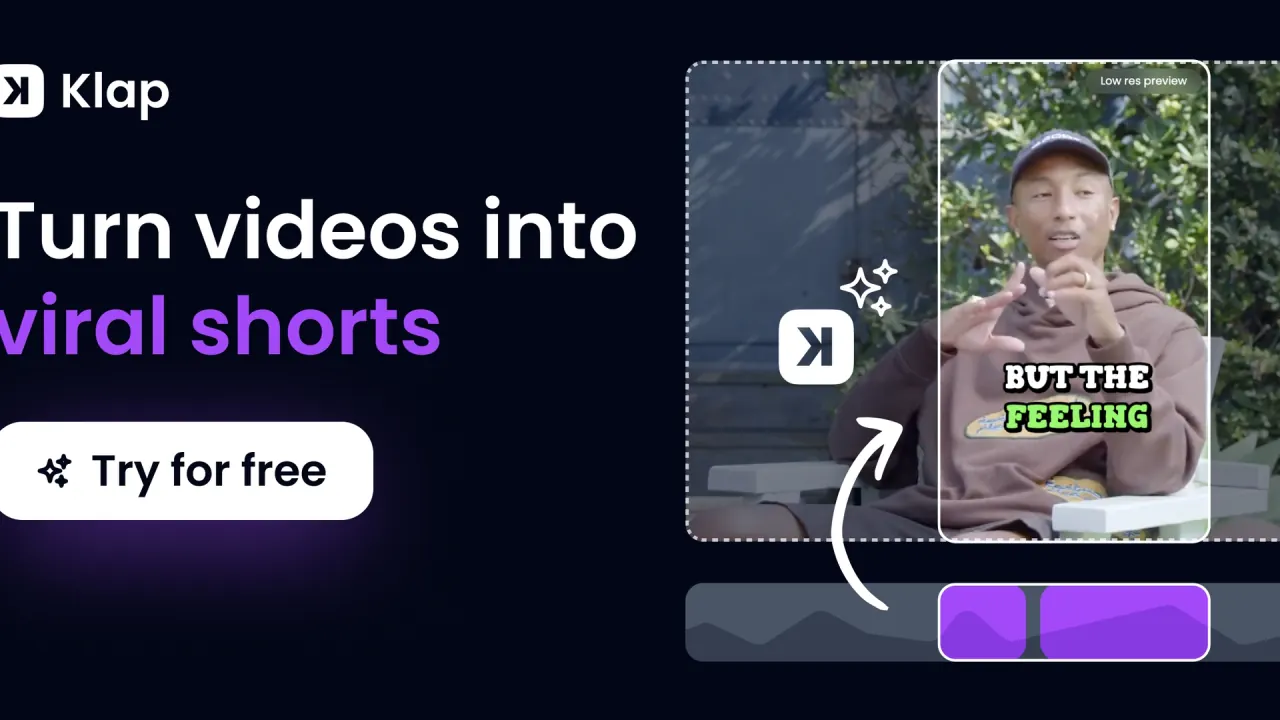

Klap cuts long videos, podcasts and webinars into vertical clips with a virality score, speaker-aware reframing and animated captions, then schedules them to TikTok, YouTube, Instagram, LinkedIn and Facebook.
Used this tool? Rate it
Used this tool? Rate it


Natural AI photo editing for portraits and projects

Turn images, clips and sound into video


Chat Your Way to a Finished Video


Edit, caption, and generate video in one place


Generate new shots and rework existing footage


AI image editing from a reference photo


Multi-model image studio, free to start


AI assistant for writing, analysis and tasks
Klap is an AI video clipping tool that turns long videos into vertical shorts with virality scores, active-speaker reframing, captions and scheduling. You start with a link to a YouTube, Twitch, Kick, Vimeo, Loom, Google Drive or Dropbox video, or with an MP4, MOV or WebM file, and finish with a set of separate clips sized for TikTok, Reels, Shorts, LinkedIn and Facebook.
The product belongs to ZIGG SAS, a software company registered in France, and Klap has been on the market since 2023. More than 3.5 million creators have used Klap to make more than 8.5 million clips as of November 2026.
The unit Klap sells is the clip, not the minute. A three-hour webinar and a ten-minute interview consume the same allowance when they produce the same number of shorts, so the cost of a long recording does not grow with its length. That choice shapes the plans, the trial and the way a heavy publishing month feels.
Klap's own language is promotional, and clips are described as viral-worthy. The measurable mechanism behind the word is a 0–100 score attached to every clip, with an explanation and a ranking, so the strongest candidates surface first.
The feature set covers four steps: find the moments, reframe them, caption them, publish them. Everything else is adjustment.
Klap transcribes the source, then reads the timestamped text looking for passages that survive without the rest of the video. The rule it applies is editorial rather than statistical: a clip has to make sense to someone who never saw the full recording, reach its point in the first seconds, and end when the idea resolves. Material that only works inside a longer argument is left out.
Selection also filters housekeeping. Intros, filler, tangents and sponsor reads are passed over, and the model is restricted to words that appear in the transcript, so it cannot invent dialogue to make a clip look better. A one-minute video produces about five clips as a rule of thumb, which is a planning figure rather than a guarantee.
A written prompt can redirect the search: funny moments, key takeaways, hot takes, best stories, surprising facts, or a specific request such as the part where pricing is discussed. The prompt changes what the model looks for across the whole file; it is not a manual timeline selection.
Every clip receives a number from 0 to 100. The score estimates how well the clip could stand alone as a short, and it arrives with a short explanation so the number is not opaque. Clips are then ordered by it, which turns a list of a hundred candidates into a queue.
The score is produced before publication, so it is a guide to which clips to review first rather than a record of how earlier posts performed.
Reframing decides whether a horizontal recording looks native on a phone. AI Reframe 2 detects what's in each scene, such as faces, the active speaker, screen recordings, slides and game footage, then picks a layout and keeps the active speaker in frame. The layout is chosen per scene, so a clip that cuts between a wide shot and a slide does not have to keep one crop throughout.
| What is on screen | Layout |
|---|---|
| One person talking | Full frame on the active speaker |
| Two people talking | Split |
| Three or four people | Split 3 or Split 4 |
| Screen recording, slides or graphics | Blur or Bubble |
| Gameplay with a facecam | Split, Gaming or Gaming 2 |
Any layout can be changed or its crop adjusted per clip, so an automated decision that misses can be corrected rather than re-rendered from scratch.
Klap adds animated captions in the video's language, and the words, style and translation can all be edited. Translation matters for creators who publish the same clip in several markets: the caption track is a first draft rather than a final decision.
Opening a clip in the browser editor exposes cuts, framing and captions, plus b-roll, a hook title and a logo. A finished look can be saved as a template, which is the difference between styling one clip and styling a hundred.
Clips export as MP4 in 9:16, 1:1, 4:5 or 16:9 at up to 4K, with no watermark on paid plans. They can also be posted or scheduled from a calendar to TikTok, YouTube, Instagram, LinkedIn and Facebook, and Klap reports how the published clips perform.
Social media scheduling inside the clipping tool removes an export-and-reupload step, but it also means a publishing account is connected inside Klap. Disconnecting a social account deletes the access token Klap holds for it.
Automation is available at several levels: a self-serve REST API with per-use pricing, an MCP server, a ChatGPT app and a Claude connector, plus a Zapier app in public beta, an n8n community node and a Make app still in review. The API is the option for a pipeline that clips on upload; the assistant connectors are for ad hoc requests in a chat window.
Klap works in 99+ languages. The API is priced per call rather than per seat, which makes it usable inside a larger content pipeline where nobody logs into Klap directly.
The workflow is deliberately short, and each step can be repeated without starting over.
Step two is where most of the time is saved, and step three is where most of the judgment remains. The model can find a self-contained story; it cannot know that a client appears in the clip, that a claim is out of date, or that a joke will not travel outside its original audience.
Clip selection works on any content where there's speech: podcasts, interviews, webinars, gaming and sports commentary, and tutorials. The layout library follows the same list — split frames for conversations, Blur for slides, Gaming layouts for a facecam over gameplay — which is why the tool behaves differently on a two-person interview and on a screen-share lesson.
Tutorials need a caveat. The AI keeps the screen visible through Blur or Bubble, but an explanation that depends on a mouse pointer or a specific menu position is still better clipped by hand.
Klap suits people who already publish long, spoken content and want more short posts without hiring an editor.
It is a weaker fit for:
The plans do not separate features. Every plan includes AI clipping, with a virality score, active-speaker reframing and animated captions on each clip. You also get 99+ languages, scheduling and publishing to TikTok, YouTube, Instagram, LinkedIn and Facebook, unlimited social accounts, post analytics, and an editor with b-roll and hook titles. The choice is therefore about volume: the length of your source video doesn't use up your plan, and a video can run up to 3 hours, so the only question is how many shorts a month you actually publish.
Klap runs in the browser, with no install. Sources arrive as links or uploads, and the finished clips leave as files or as scheduled posts.
| Input or output | What is supported |
|---|---|
| Video links | YouTube, Twitch, Kick, Vimeo, Loom, Google Drive, Dropbox, direct video links |
| Uploads | MP4, MOV, WebM up to 10 GB |
| Source length | Up to 3 hours per video on paid plans |
| Languages | 99+, detected automatically or chosen |
| Clip length | Auto, under 30 seconds, 30-60 seconds, 1-2 minutes |
| Export | MP4 in 9:16, 1:1, 4:5 or 16:9, up to 4K, no watermark on paid plans |
| Publishing | TikTok, YouTube, Instagram, LinkedIn, Facebook, with scheduling |
| Automation | REST API, MCP server, ChatGPT app, Claude connector, Zapier, n8n, Make |
Clip length can be set to Auto, under 30 seconds, 30-60 seconds or 1-2 minutes. Two limits deserve attention. The 10 GB ceiling applies to uploads, so a very long high-bitrate recording may need to be supplied as a link instead. The three-hour source limit is tied to paid plans, which means the free trial is not a way to test a full conference recording.
Klap sells three clip volumes, each available monthly or yearly. Billed monthly, Klap costs $29, $79 or $189 a month. Billed yearly, it costs $174, $474 or $1,134 a year, which comes to $14.50, $39.50 or $94.50 a month.
| Plan | Monthly | Yearly, per month | Clips a month |
|---|---|---|---|
| Basic | $29 | $14.50 | 100 |
| Pro | $79 | $39.50 | 300 |
| Pro+ | $189 | $94.50 | 1,000 |
Basic includes 100 clips a month, Pro includes 300 clips a month, Pro+ includes 1,000 clips a month. Each short Klap generates counts as one clip, and your clips refill every billing period. Yearly plans get the whole year's clips at once: 1,200, 3,600 or 12,000, which matters when a launch month needs more output than a steady calendar.
The trial is one video. You can try Klap free on 1 video with no credit card, and you can preview and edit the clips it produces, but downloading and posting clips needs a paid plan. A team that wants to compare output across a podcast, a webinar and a vertical interview cannot do that inside the trial alone.
Yearly billing is the official discount: 50% off the monthly price, with no code needed. The monthly price is therefore the real entry cost for a short project — twice the figure printed on the yearly cards.
Refunds follow the billing period. On a monthly plan, you can ask for a refund any time in your first month, and for up to your last 3 months in a row if you haven't used Klap. Cancel on your billing page whenever you like, and your plan stays active until the end of the period you paid for.
For developers there is a separate meter. The API is self-serve and priced per use: $0.44 per input video, $0.32 per generated short and $0.48 per export, with no subscription and no sales call. Adding a card brings $5 in free API credits. One video rendered into ten shorts and exported costs $8.44 on that meter, which is a different buying decision from a monthly quota — and the only sensible route for a project that runs for a fortnight.
The segment has converged on the same promise and diverged on the unit. A vendor comparison of the category lists OpusClip as counting minutes of video, with a free plan of 60 minutes a month that carries a watermark, while Klap counts only the shorts it produces. Minute-based tools charge for the length of the recording you feed in; clip-based tools charge for what comes out. Neither is cheaper in every case: a long recording cut into few clips favours the clip meter, while many short sources favour the minute meter.
Most constraints follow from how the product works, and they are worth knowing before a subscription starts.
The last point is the one to read twice. Klap's privacy policy describes an explicit consent screen before the first video in the mobile app, then states that the website is still being brought in line. The policy does not state when the web version of that step will ship.
Retention follows the same policy. Content is kept until you delete it or your account closes, plus up to 30 days in backups. An account is permanently deleted 14 days after the request. Transcription runs on an open-source model hosted for Klap; transcripts and clipping instructions go to external model providers. Contractors may review samples of video frames to improve reframing. Billing records are kept for 10 years as French law requires.
No. Selection is driven by the transcript, so the tool needs spoken content before it can find and score moments.
It is enough to judge one video. The trial produces clips you can preview and edit, but downloading and posting require a paid plan.
One generated short counts as one clip. Source length does not consume the allowance, and drafts that you never generate do not count.
Yes. Clips can be posted or scheduled to TikTok, YouTube, Instagram, LinkedIn and Facebook from Klap's calendar, and performance is tracked afterwards.
The API is metered per video, per short and per export, with no subscription, which suits one-off projects better than a monthly plan.