
A browser studio that runs GPT Image 2, 2.5 and 2.6 on one credit balance, built for posters, product shots and assets that need transparent PNG, SVG, GIF or layered PSD output.
Used this tool? Rate it
Used this tool? Rate it


AI image editing from a reference photo


Multi-model image studio, free to start


Natural AI photo editing for portraits and projects


Build random generators, share them free


Anime art, powered by a million community models


Real-time answers, images, and code in one chat


Community-Trained Models for Art, Video and Characters


Browser-Based AI Photo Editing and Image Generation
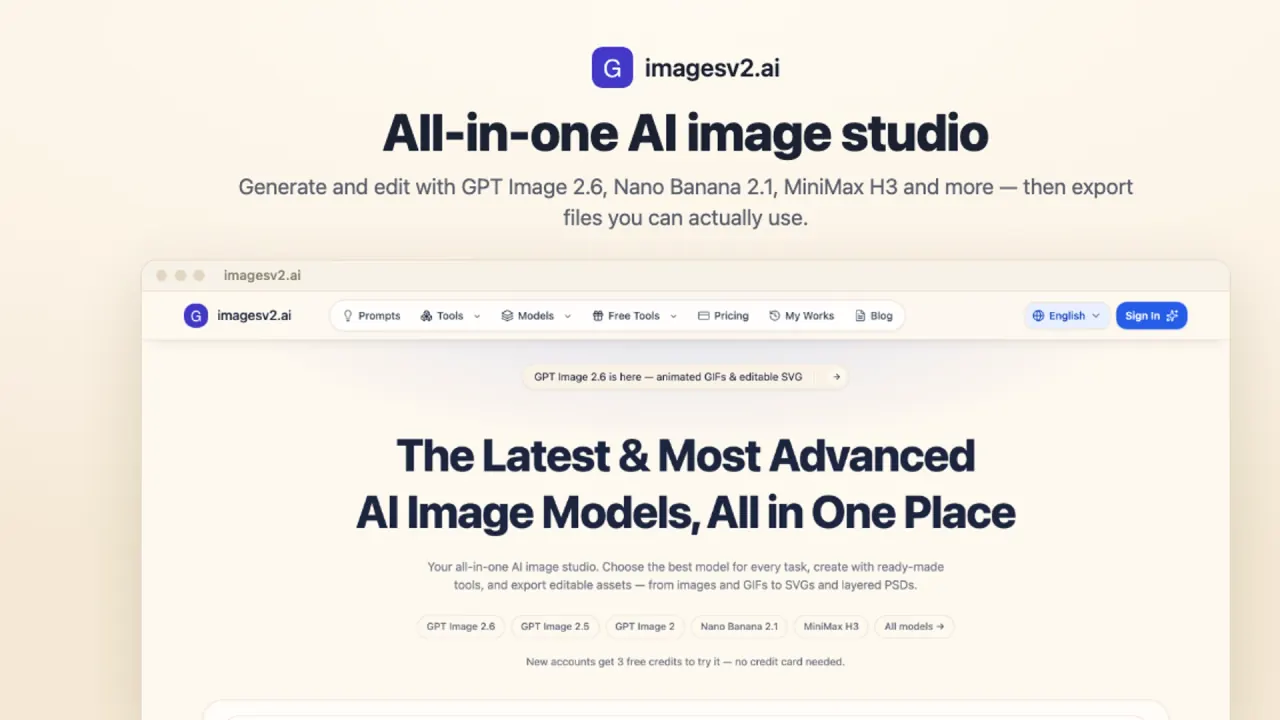
GPT Image 2 Online Generator is the browser interface that imagesv2.ai runs for the GPT Image 2 family, with 2.6, 2.5 and the original model beside Nano Banana options on one credit balance. You prompt or upload a photo, pick a model and a quality tier, and download the result as a flat image, a transparent PNG, an editable SVG, an animated GIF or a layered PSD.
The site describes itself as an AI image generator that "puts several of the current image models behind a single interface, so you can generate, edit and vectorize images without separate accounts, API keys or one subscription per model". Directories file it under AI image generators, freemium with paid plans.
GPT Image 2 is the model; imagesv2.ai is a service that calls it. The site describes the model as "the next-generation image model that succeeds GPT Image 1.5". It adds that it "provides easy access to this model via a simple web interface". Ownership is stated on the site itself, identically in the privacy policy and the terms: "GPT Image 2 (imagesv2.ai) is an independent third-party tool. We are not affiliated with, endorsed by, or officially connected to OpenAI." No other page checked this round describes a relationship with OpenAI.
A subscription here buys access through this front end, not an OpenAI plan, so the limits below are the site's own.
What changes your deliverables is the export format and the model choice, not image quality alone.
At 1024×1024, an image costs 10 / 40 / 110 credits on GPT Image 2 at low, medium and high quality, 10 / 40 / 60 on 2.5, and 30 / 50 / 60 on 2.6; 2.5 and 2.6 add xhigh at 100 and max at 220.
GPT Image 2.6, released November 4, 2026, keeps what 2.5 has — native transparency, up to 16 reference images, the xhigh and max tiers — and adds animated GIFs and native SVG with editable text. GPT Image 2.5 carries the same quality tiers and reference limit at a lower per-image price.
Add-ons are charged per image on top: a transparent background adds 10 credits where it is not native, SVG output adds 10, and image-to-image editing adds 20. Posters with words go to 2.6 for the vector output; photoreal shots stay on GPT Image 2, the cheapest of the three.
Editing runs on plain language: upload an image, describe the change — remove the background, change a shirt colour, add neon signage — and image-to-image keeps the original composition. Drag-and-drop upload and reference-guided generation are supported. That reference-image support is what makes a character or product shape reproducible across a set.
The model renders text in Simplified Chinese, Traditional Chinese, Japanese, Korean, Arabic and more than 20 other scripts, which is the difference between a menu you can print and one you have to retype. Long paragraphs and very small type can still carry wrong letters, so anything destined for print is worth proofreading.
The size picker offers 1:1 at 1024×1024, 4:3 at 1536×1152, 16:9 at 2048×1152, 3:4 at 1152×1536 and 9:16 at 1152×2048, plus Auto. Custom sizes take each side between 256 and 3,840 pixels in multiples of 16, with a long side at most three times the short one.
Generation happens on one screen, with the cost of each setting visible before you commit.
Cost follows quality more than size, because quality changes how much detail the model renders, not the pixel count. The site's own routine is drafting at Low until the composition is right, then re-running the prompt once at High. Prompts can be as long as a full art-direction brief, and fifty-plus built-in prompt templates cover product photos, social covers, posters, avatars and children's book illustrations.
The site's own examples cluster where the words inside the image matter and the file has to be usable afterwards. Its list of outputs runs from product photos and social covers to YouTube thumbnails, posters with accurate text, restaurant menus, UI mockups and game concept art.
Because 2.6 writes SVG with live text, a poster headline stays a text object rather than pixels; the same holds for menus, labels and packaging copy. Non-Latin scripts are covered, so a Japanese menu or an Arabic poster comes back in the right script.
A photoreal product on transparency is a common job: the file drops into a marketplace listing, a slide or a mockup without a manual cutout. Reference images keep one bottle, garment or gadget consistent across a set of angles.
Social covers, YouTube thumbnails, avatars, article illustrations, infographics and app mockups are in the template library, and one prompt can be re-rendered at 1:1, 16:9 and 9:16 per platform. Animated GIF output covers small loops where a video file would be overkill.
The audiences follow the export formats rather than image quality alone.
It fits less well when the deliverable has to be a true vector of a photograph. Photographs do not convert well to SVG because tracing produces thousands of tiny shapes, so the vector route is for logos, icons and flat art.
This is a website, not an app: generation, editing, the SVG editor and the PSD splitter all run in the browser.
An account on the site carries the credits and is how a new user receives the free ones; the terms state that an account is required to access certain features. What you do not need is a second subscription or the model owner's account: the site says it provides direct browser access to GPT Image 2 with no other account and no extra subscription required, and that models are called on its side.
Everything is metered in credits, and the same credits cover every model and tool. Prices below are as listed on the pricing page when checked on November 28, 2026; a limited-time 50% off banner applied to yearly billing.
| Plan | Billed yearly | Billed monthly |
|---|---|---|
| Starter | $49.9 per year, 12,000 credits | $8.4 per month |
| Pro | $199.9 per year | $33.9 per month |
| Ultra | $499.9 per year | $84.9 per month |
A year of Starter credits shows the spread: $49.9 paid yearly, $8.4 a month on monthly billing, $9.9 for a one-time pack. The same half-price logic runs up the tiers: Pro is $199.9 a year against $33.9 a month, Ultra $499.9 against $84.9, and each tier lowers the price per credit.
A new account gets 3 credits, and the first GPT Image 2 image at Low quality is priced at exactly 3 credits instead of 10. That first image can be text-to-image or an edit of an uploaded photo, at any size, with a transparent background included at no extra cost. It is one image per run; Medium and High quality and SVG output unlock after the first purchase. No credit card is needed to start.
Images made before any purchase carry a watermark, and buying any credit pack or plan unlocks watermark-free downloads of the originals. Every paid option includes a commercial licence, subscriptions and one-time packs alike, so marketing, product, social and client work are covered, subject to the model's content policy.
Refunds are narrow: charges already processed are non-refundable, and one-time credits are not refundable either, though packs do not expire. Cancellation is one click in account settings — the next billing cycle is not charged, and access runs to the end of the paid period.
Monthly plans deliver the cycle's credits in full at the start and they expire when the cycle ends, with no rollover. Yearly plans split the year into twelve monthly allowances, the first on payment and the rest on the same day each month, each lasting until the next unlocks. Packs never expire, so a light user can buy once and spend slowly.
Three routes cover most of what this site is chosen for.
Calling the model's API yourself. The site is explicit that this is a different job: with the API you need a developer account and an API key, you write code to send requests, and you are billed by token usage. That route gives control and no interface, and skips the background removal and vectorizing steps added here.
Using the model inside ChatGPT. The same family ships in OpenAI's own product; independent launch coverage reported that all ChatGPT and Codex users would be able to access Images 2.0. It is the shortest path to the model itself if a chat interface and its own plan are acceptable, and it is the baseline this site prices against.
Another front end hosting the same model. OpenArt, a competing studio, says every new account gets 40 free credits there, a larger trial than three credits. Comparing the two comes down to export formats, credit expiry and price per image.
You keep the images: the terms state that you retain ownership of what you generate, subject to OpenAI's usage policies. The privacy policy adds that the site does not claim ownership of your generated images. Paid plans add an explicit commercial licence.
Generated images "may be stored temporarily for delivery purposes", so the site does not present itself as a permanent image archive. Retention is stated by data type. IP address and network or risk signals are kept for up to 12 months and then aggregated or deleted. Payment records are kept for at least 5 years for tax and accounting reasons.
The policy names account details, prompts, generated-image metadata, quota usage and device identifiers among the data collected, with fraud prevention and prohibited-content filtering among the purposes. On using prompts or images to train models, the pages checked this round state no position in either direction.
One image on GPT Image 2 at Low quality, at any size, with a transparent background included, one image per run. Medium and High quality and SVG output stay locked until you buy credits.
A Low image at 1024×1024 costs 30 credits on 2.6 against 10 on GPT Image 2, but 2.6 is the only tier returning native SVG with editable text and animated GIFs, and its stills come back faster. For photoreal stills alone, the original is cheaper.
Yes, through the Image to PSD tool, which splits a finished image into background, objects and text and exports PNGs or a layered PSD. SVG is the better route when the text has to stay editable rather than the layers.
Credits are returned automatically when a run fails on a safety-policy restriction, and the price is shown before you generate so a bad setting is visible before it costs anything.
Not on subscriptions: monthly credits expire at the end of their cycle, and yearly plans unlock twelve allowances that each expire when the next arrives. One-time packs never expire.