
Vexels pairs a library of print on demand design templates with an online merch designer, an AI image generator, a mockup generator and a vectorizer. Sellers can edit a design, preview it on a product and download a print-ready file under a merch licence.
Used this tool? Rate it
Used this tool? Rate it


AI image editing from a reference photo


Multi-model image studio, free to start


Natural AI photo editing for portraits and projects


Browser-Based AI Photo Editing and Image Generation


Product photo editing for online stores


AI photo editing and design in one browser tab


Fashion concepts, model photos and video in one workspace


Prompt-Based Images, Edits and Video
Vexels is a merch design platform that combines a stock library of graphics and templates with browser-based design tools. Its terms describe the site as a merch graphic platform featuring a library of royalty-free commercial and non-commercial graphics, designs and resources, sold either as stand-alone files or through a subscription.
The product is aimed at people who sell printed merchandise: T-shirts and other apparel, mugs, packaging and similar items. A design can start from scratch or from an editable template, and the same workspace covers the steps from choosing a product to downloading a print-ready file. The library is described as holding more than 200,000 vectors, PSDs, PNGs and SVGs, and the toolset includes an AI image generator, a mockup generator and an image vectorizer. Vexels sells print on demand design templates alongside individual graphics, quotes and the editing tools.
Vexels is operated by Vexels Inc. S.A., a company based in Montevideo, Uruguay. The terms note that Vector Open Stock is the former name of Vexels. Access is sold as a subscription or as individual licences, while a limited free tier covers graphics that are not marked Premium.
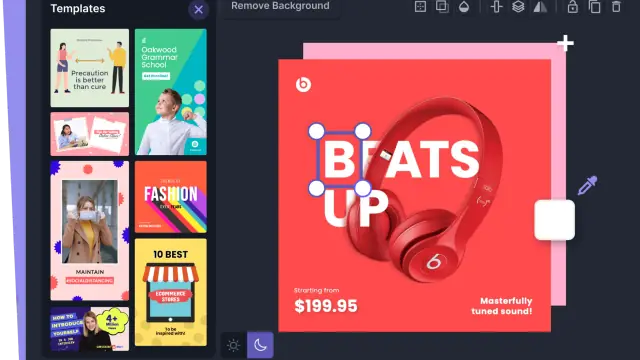
The Merch Designer is the editing surface where a design is assembled. Users can start from a template, a ready graphic or an AI prompt. The canvas resizes to the print dimensions of the chosen product, and custom sizes can be added when a product is not in the list. Templates are built for composition, readability and print quality, and one layout can be turned into several variants.
Editing works at element level: text, colours, fonts, graphics and layers can each be changed. The T-shirt maker page lists the image vectorizer, a background remover and the AI design generator as tools integrated into the same workspace. The page also cites 135K+ design graphics and an average design time of 10 minutes, figures it presents as product statistics rather than independent measurements.
The product list runs beyond shirts: hoodies, tote bags, phone cases, posters, mugs and pillows are all named as design targets, and each one brings its own canvas size.
Templates are described as crafted by designers and illustrators with print on demand knowledge, alongside the composition, readability and print-quality tuning already noted.
The AI design generator creates images from a typed description; the T-shirt maker page describes stating an idea, choosing a style and letting the tool create the design. A separate redesign flow works on an existing element, returning new versions that keep the structure and appeal of the original design while changing what was asked for. The merch maker page groups three helpers around the editor: text transformations, the AI generator and the graphic library.
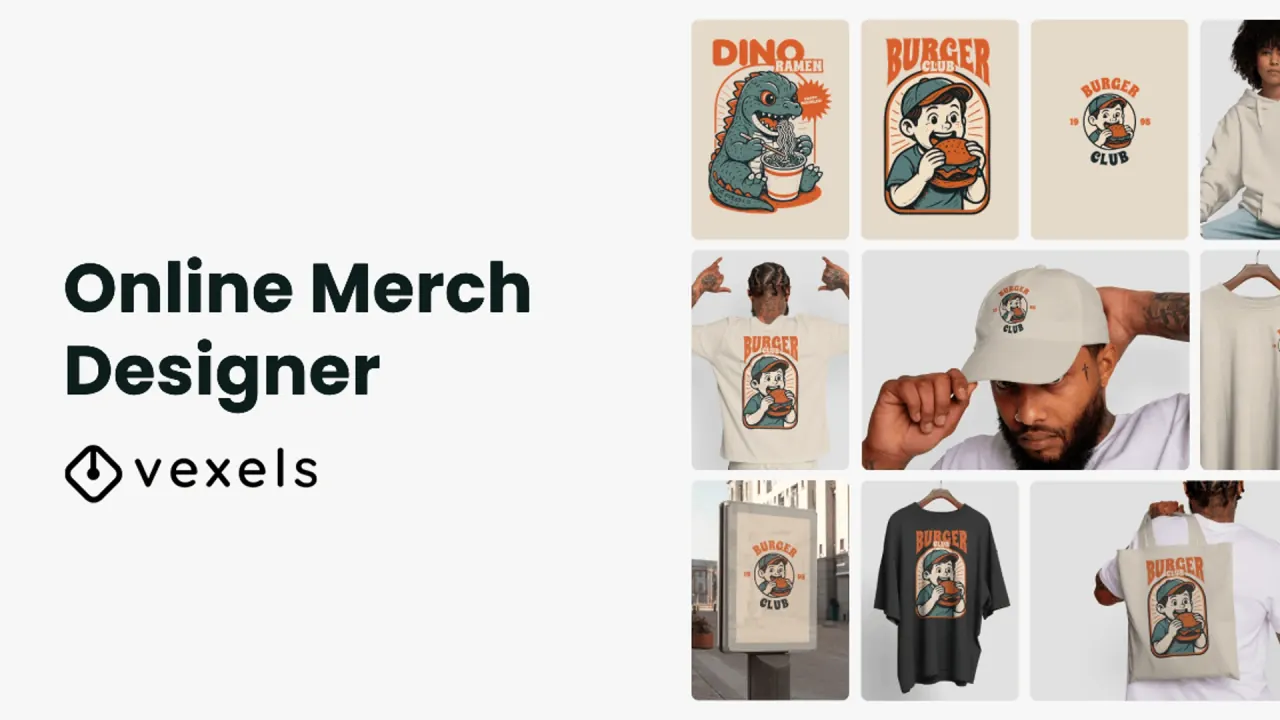
The mockup generator places a design on product photography so a listing can be previewed before printing. The vendor says the mockup templates are based on real print on demand products. The print colours used for the chosen product can be selected in the preview.
Product coverage is broad for a merch tool: T-shirts from long sleeve to oversized with front and back views, hoodies and sweatshirts, tote bags, hats, onesies, socks, tank tops, phone cases for models including iPhone and Samsung, and home items such as mugs, books and throw pillows. The mockups come with models or flat-lay scenes, and backgrounds can be removed or changed before the image is exported. The vendor says the scenes are created in-house by professionals rather than sourced from a stock library.
The vectorizer converts a raster image into an editable vector file for scaling and print. On its dedicated page the input is described as PNG or JPG and the output as SVG, with the tool offered free to start.
Beyond templates, the library includes individual graphics and a quote generator that suggests niche-oriented text and places it into the design. An inspiration panel lets a user mix niches, styles and moods when starting a design, which is aimed at sellers looking for a direction before committing to a layout. Both quote and inspiration tools sit inside the same editor, so a quote or a single illustration can be combined with a template without leaving the workspace.
The workflow described across the product pages follows five steps.
For artwork that arrives as a bitmap, the vectorizer can be used before or after editing: it converts PNG or JPG into SVG so the design can be scaled without the pixelation that raster files show when enlarged.
The vectorizer has its own short flow, described on the tool page.
Three situations come up repeatedly in the product material.
Vexels fits sellers who need a steady output of merch designs and are willing to work inside a template library rather than a general-purpose design suite. The subscription tiers are named merch Starter, merch Seller and merch Expert and are metered in monthly downloads and AI credits.
The free tier works through a guest or free account and covers graphics that are not marked Premium, at no cost. The paid plans differ in what they meter: monthly downloads, AI credits and, on the higher tiers, custom design credits.
Buyers who need only a handful of designs, or who need design work outside merch, sit outside the plans on offer: the templates, the plan names and the quotas are all organized around print on demand production.
Organisations are covered within limits. When a licence is bought on behalf of a client or a company, the client or the organisation's employees may use the graphics, and printers or mailing houses may use them to distribute the project, but the account itself is not transferable.
The design tools run in the browser, and the site says the online tools are included with every subscription. The pages reviewed do not describe a desktop application or a plugin dependency.
Compatibility is expressed through the marketplaces and print providers the templates are made for: Etsy, Shopify, Printful, Printify and Amazon Merch are named on the home page. The output described is a print-ready PNG from the T-shirt maker and SVG from the vectorizer, so the files map to what those channels accept rather than to a proprietary format.
The terms add a longer list of channels where on-demand products made with the graphics may be sold, including Merch by Amazon, Redbubble, Etsy, Printful, Zazzle, CafePress and Kindle Direct Publishing. That clause covers made-to-order products such as postcards, mugs, T-shirts, posters and puzzles.
Prices below are as displayed on the pricing page on 25 November 2026, during a Black Friday promotion that advertises up to 60% off annual and lifetime plans and a starting rate of $7/mo. All amounts are in US dollars.
| Plan | Price shown | Billed annually | Downloads / mo | AI credits / mo | Custom design credits / mo |
|---|---|---|---|---|---|
| merch Starter | $7.00/mo (list $14) | $84 | 30 | 200 | — |
| merch Seller | $13.00/mo (list $29) | $156 | 100 | 600 | 2 |
| merch Expert | $19.58/mo (list $49) | $235 | 200 | 1,000 | 4 |
| Merch Lifetime Pro | $415 one-time (list $923) | — | 200 | 12,000 | 2 |
| Merch Lifetime Expert | $1,000 one-time (list $2,500) | — | 2,000 | 24,000 | 4 |
The three subscription tiers include unlimited designer projects at the Seller and Expert levels, while Starter caps designer projects at 100. Seller and Expert also list unlimited online tools. The lifetime plans are one-time payments, and their AI credit allowances are marked as limited to the first two years of the subscription.
Two conditions sit outside the table. The discounts and the struck-through list prices belong to the promotion, and the page states that standard monthly plans remain available alongside it. The lifetime credits are therefore a two-year allowance rather than a permanent monthly refill. Against monthly billing, the annual page shows savings of $84 on Starter, $191 on Seller and $353 on Expert, and merch Expert carries the most-popular label. Individual licences are sold separately from subscriptions in the terms, though no per-file price appears on the pricing page reviewed here. Custom design credits appear on Seller, Expert and both lifetime plans, and the page does not describe what one credit buys.
The licensing terms draw several boundaries that matter before subscribing.
Two more limits come from the library itself. Vexels does not warrant that its graphic descriptions are accurate, and some graphics come from third-party designers, whose ownership is stated on the preview page of the graphic.
A paid licence survives cancellation in one respect: after an account is terminated, graphics remain licensed under the individual licences or subscriptions that were purchased. Buying a subscription or an individual licence requires an account. Some tools and sections of the site are available only while signed in.
Vexels lists the categories of personal data it may collect, including email address, name, username, IP address, location and, for purchases, tax information and transaction IDs. The policy states that Vexels never shares or sells this information, while also describing transfers to service providers that deliver parts of the service.
Payments go through three external processors, BlueSnap, PayPal and Stripe, and the policy says card details are not stored. Data may be transferred across borders to service providers, with the policy naming the European Union, the United States and Canada as places where data may be held, and retention lasts for the period needed for the purposes described unless the law requires longer. Cookies are placed when the site is used.
Purchasers must be of legal age, and the policy says the site does not knowingly collect data from children under 13. The privacy page reviewed here does not state whether uploaded designs or prompts are used to train models.
Yes, for some graphics. A guest or free account can use graphics that are not marked Premium at no cost, but free graphics cannot be used for merchandise where the graphic is the main reason for the purchase, and Vexels must be credited.
Paid plans include a merch licence, and the T-shirt maker downloads a print-ready PNG with that licence. The terms add limits: files cannot be resold or redistributed, and graphics containing brands or public figures are restricted to editorial use or authorised resellers.
No. The terms state that downloading does not transfer copyright or intellectual property; it grants a licence to use the graphics within the stated purposes.
According to the terms, graphics remain licensed under the individual licences or subscriptions purchased even after the account is terminated.
The T-shirt maker page describes a print-ready PNG file delivered with the merch licence. The vectorizer, separately, produces SVG output from PNG or JPG input.
The home page names Etsy, Shopify, Printful, Printify and Amazon Merch as the print on demand companies the templates are designed for.
Yes. The terms require an account to purchase a subscription or an individual licence, and parts of the site work only for signed-in users.