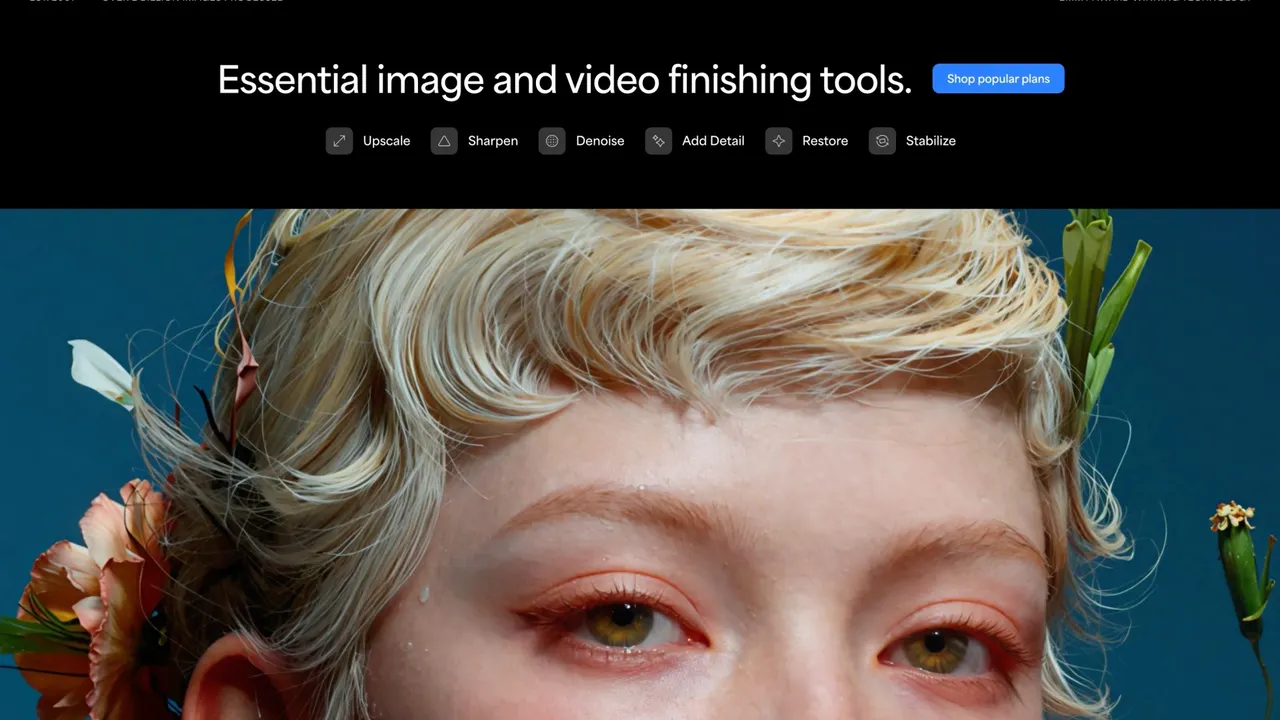

Topaz Labs builds desktop, browser and mobile apps that upscale, denoise, sharpen and restore images and video using AI models that can run on your own hardware. Since October 2025 every product is subscription-only, and in June 2026 Adobe announced an agreement to acquire the company.
Used this tool? Rate it
Used this tool? Rate it
Topaz Labs is a Dallas-based software company that builds AI models for enhancing images and video — upscaling, denoising, sharpening, stabilising, interpolating frames and restoring degraded footage. Its own homepage describes the offering as professional photo and video enhancement powered by AI, and the product line now spans four delivery surfaces: desktop applications for Mac and Windows, browser-based cloud apps, an iPhone app, and an enterprise track with custom solutions, an API and the Starlight model family. The company lists its contact address as 14555 Dallas Pkwy, Dallas, United States.
Two facts matter more than any feature list when you are deciding whether to adopt this software in 2026, and both are recent.
The first is that Topaz no longer sells perpetual licences at all. The last day to buy one was 3 October 2025. Before that date you could buy Gigapixel for $99, Photo AI for $199 and Video AI for $299 as one-time purchases. After it, every product — desktop included — is available only by subscription. If you arrived here expecting the buy-once-own-forever model that made Topaz popular with photographers who resent recurring bills, that model is gone, and the section on pricing below explains exactly what the old licences still entitle their owners to.
The second is that Adobe announced on 25 June 2026 that it had entered into a definitive agreement to acquire Topaz Labs. The transaction is expected to close in the second half of 2026, subject to regulatory approvals and customary closing conditions, and the purchase price was not disclosed. Adobe stated that after the transaction closes, Topaz Labs products will remain available as standalone offerings through the company's website, and that Topaz Labs CEO Eric Yang will continue to lead the Topaz Labs team. As of this writing the deal has not closed, so nothing about post-close integration should be treated as settled.
What Topaz does technically is narrower and deeper than a general photo editor. It does not compete with Lightroom for cataloguing or with Photoshop for compositing. It solves a specific class of problem: you have a file that is smaller, noisier, softer or more compressed than you need it to be, and you want a model to reconstruct plausible detail rather than merely interpolate pixels. Gigapixel's own marketing frames this as "don't just add pixels, add the right pixels," and that framing is a fair summary of the whole catalogue.
The company's credibility in professional restoration is not purely self-asserted. At the 76th Annual Technology & Engineering Emmy Awards, held in New York on 4 December 2025, the National Academy of Television Arts and Sciences recognised Topaz Labs — jointly with MTI Film — for AI Image/Video Enhancement for High Quality TV Catalog Restoration. That joint attribution is worth noting because most secondary coverage mentions only Topaz.
Gigapixel is the product that built the company's reputation and remains the clearest expression of AI image upscaling as this company practises it. Topaz states that it upscales images up to 16x pixels and ships nine enhancement models, and the company claims it was the first commercially available AI image upscaler, dating to 2019.
The nine-model structure is deliberate rather than decorative. Different degradation modes need different reconstruction priors: a soft portrait, a noisy astrophotograph, a low-resolution logo with text, a piece of CG art and a scanned print all fail in different ways. Topaz exposes that choice rather than hiding it. Standard is the balanced default that improves detail and sharpness without over-processing. High Fidelity, Low Res, Text & Shapes, Art & CG, Recover, Redefine and Face Recovery each target a specific case. Two newer additions change the workflow shape: Wonder upscales, sharpens and denoises in one click with no settings to tune, which Topaz aims at photos with extremely low resolution; and Standard MAX, which the company describes as a new series for precise, true-to-input restoration and claims runs 100x faster than first-generation diffusion models.
Gigapixel also offers a 6x lossless-style zoom for cropping into a subject without collapsing quality, which is the practical use for most photographers — not printing billboards, but recovering a usable frame from a shot composed too wide.
Topaz Photo is positioned as the on-location photographer's tool rather than the upscaler. Topaz describes it as intelligent image enhancement software that lets you sharpen details, restore focus and adjust levels on every shot, offering 11 AI-powered tools plus an autopilot mode that picks a starting point for you. Its published model and tool list includes Wonder 2 and 3, Standard MAX, Dust & Scratch, Super Focus, Remove, Denoise, Sharpen, Upscale, Adjust Lighting, Balance Color, Recover Faces, Preserve Text and a Healing Brush.
Two entries there deserve attention because they address failure modes that generic enhancement handles badly. Preserve Text exists because upscaling models routinely hallucinate letterforms into illegible mush — anyone who has upscaled a photograph containing a street sign knows the problem. Dust & Scratch targets scanned film and print rather than digital capture, which signals that archival work is a first-class use case rather than an afterthought.
Topaz Video is the desktop video enhancement software in the line-up, and its published model list is the largest in the catalogue: Starlight Precise, Proteus, Iris, Nyx, Rhea, Rhea XL, Artemis, Gaia, Theia, Apollo, Chronos, Aion, Themis, SDR to HDR conversion and stabilisation, plus cloud access to the Starlight Mini, Sharp, HQ and Fast variants.
That list encodes a division of labour. Proteus and Iris handle general upscaling with different detail characteristics; Nyx targets noise; Chronos and Apollo handle frame interpolation and motion; Themis addresses stabilisation-adjacent problems; SDR to HDR is a dynamic-range operation rather than a resolution one. Astra is the browser-based counterpart for creative and precision video upscaling, sold separately with its own credit allowance.
Every product offers a choice between local and cloud rendering, and Topaz is unusually explicit about the trade-off. On local rendering the company states plainly that your files never leave your computer, and positions this as being for professionals handling confidential or proprietary material. On cloud rendering, the pitch is speed and taking pressure off your own hardware.
This distinction is written into the licence agreement rather than being marketing language. The EULA defines exactly two processing options: you can process media on your own computer at no additional cost — which it calls Personal Processing — or you can upload your media to Topaz's cloud service and have Topaz process it on its machines for an additional cost, which it calls Cloud Processing. For anyone under an NDA, working with unreleased client material, or subject to data-residency obligations, that contractual line is the single most useful thing on this page.
The on-device capability is also the part Adobe singled out in its acquisition announcement. Adobe stated that Topaz brings its proprietary Neurostream technology, which enables large, complex AI models to run locally on consumer devices, describing the effect as democratising advanced image and video models previously limited to high-end systems or cloud-only usage.
Gigapixel and Photo run both as standalone applications and as plugins to Photoshop and Lightroom Classic, so the enhancement step can sit inside an existing editing workflow rather than forcing an export-and-reimport detour. There is also a Premiere panel for video work and a public API on the enterprise track.
Archival photo restoration and family footage. This is where the software produces its most dramatic before-and-after results and where user reviews are most consistently positive. Scanned prints, degraded home video and out-of-focus negatives respond well because the models were trained on exactly this class of degradation. The Dust & Scratch and Recover Faces tools exist specifically for it.
Print preparation. Photographers preparing work for large-format output use Gigapixel to reach the pixel dimensions a printer requires without the softness that bicubic interpolation produces. Topaz's own positioning for this is "use before every print, from poster to billboard."
Recovering a shot you composed too wide. In practice this is the most common daily use: crop aggressively into a frame, then upscale the crop back to delivery resolution. The 6x zoom feature is built for this.
Post-production and catalogue remastering. The Emmy recognition was specifically for high-quality TV catalogue restoration, which is the industrial version of the archival case — taking a library of older material to a standard that modern distribution demands. Adobe's announcement named Asteria Film Co and filmmaker Robert Stone among the professionals using it.
Cleaning up AI-generated footage. This is a newer and fast-growing case. Generative video models output at limited resolution with characteristic artefacts, and Topaz has leaned into it visibly — the site now hosts dedicated landing pages for upscaling output from Sora 2, Veo 3, Kling, Seedance, Midjourney and Grok Imagine. Adobe's announcement framed this as creators working in hybrid workflows that combine captured footage with AI-generated content.
Noise reduction for high-ISO and astrophotography. Denoise models handle the sensor noise that appears in low-light capture, and the CG community also uses the tools to render at lower sample counts and clean up the remaining noise afterwards — a use case that CG Channel notes explicitly.
Feed the model the best source you have. Upscaling a JPEG that was already re-compressed twice gives the model compression artefacts to amplify. Go back to the RAW or the original scan whenever it exists.
Use Preserve Text deliberately. If your frame contains any legible text — signage, a licence plate, a book spine, a watermark — enable it. Without it, upscaling models are prone to inventing plausible-looking letterforms that are simply wrong, which matters enormously in documentary, journalistic and evidentiary contexts.
Treat face recovery as a claim about a person. Recover Faces and Face Recovery reconstruct facial detail that was not captured. The output can be beautiful and can also be a fabrication of features. For family photos this is usually fine; for anything published as a record of a real person, disclose the enhancement.
Do your enhancement before your grade, not after. Denoising and upscaling change the noise floor and micro-contrast that colour decisions depend on. Running them after a grade means re-grading.
Budget cloud credits against actual footage length. Topaz's own guidance is that the Astra Standard allowance of 400 credits per month enhances roughly ten minutes of HD video. Measure your monthly output against that before assuming a plan covers you; additional credits are $0.10 each.
Keep the installer and note your version. Because model behaviour changes between releases, and because reviewers report that some updates degrade output on their particular material, knowing which version produced a given result is worth the trivial effort of recording it.
Prefer local rendering for anything under NDA. The contractual guarantee that files never leave your machine only applies to Personal Processing. Uploading the same file to the cloud path moves it onto Topaz's infrastructure.
Photographers with archive and print work get the clearest value. If a meaningful share of your output involves rescuing older files or preparing large prints, the tools do something no adjustment slider can.
Video post-production and restoration specialists are the audience the Emmy recognition speaks to, and the deep model list for Topaz Video only pays off if you know why you would pick Proteus over Iris.
Creators working with generative video now form a substantial and openly courted segment, given the dedicated landing pages for major generative model outputs.
Enterprises and studios are served by a separate Pro and Enterprise track with seat management, an API, on-premise deployment options and full commercial rights.
Who should probably not buy it: casual users who enhance a handful of photos a year. Trustpilot's own summary of recent reviews notes that subscription pricing is expensive for casual users and the learning curve can feel steep. With perpetual licences gone, there is no longer a low-commitment way in — the cheapest continuous route is a monthly subscription that stops working when you stop paying.
Desktop applications run on Mac and Windows. Browser-based apps — Topaz Image Web, Astra and Bloom — run without installation. Topaz for Mobile is available on iPhone. There is a Premiere panel, plugin support for Photoshop and Lightroom Classic, and an API on the enterprise track.
The exclusions are as important as the inclusions, and Topaz publishes them plainly for Topaz Video: Intel-based Macs are not currently supported, nor are Snapdragon processors, virtual machines, external GPUs, or Linux operating systems. On Mac the requirement is an M-series processor with macOS 13 or newer, with Proteus Natural and scene detection requiring macOS 15 or newer. On Windows the minimum is an Intel or AMD CPU with AVX instructions released after 2016, 16 GB of RAM, and a dedicated graphics card with 6 GB of VRAM — with Aion, Hyperion and Rhea requiring 8 GB. Topaz notes that while integrated graphics are technically supported, very few processes will run at a usable speed without a dedicated card. Local storage requirements start at 45 GB and are recommended at 60 GB, because models download to your machine.
One further point that undercuts a common assumption: even with local rendering, the application needs internet access after installation for activation, model downloads, updates and cloud rendering. Local processing is not the same thing as offline operation.
Interface language support is narrower than many buyers expect. Topaz states that Topaz Gigapixel (v1.0 and above) and Gigapixel (v8.4 and above) are available in English, Spanish, German, Portuguese, French and Japanese, and that similar language options for Photo AI and Video AI are still being worked on. Chinese, Korean and Russian interfaces are not on the delivered list.
Everything below is subscription pricing, because subscription pricing is all that exists now. Prices are as listed on the official pricing page at the time of writing and Topaz was running a promotion on several tiers; check the pricing page directly before purchase.
Topaz Studio is the all-in-one bundle: $399 billed annually, which the site presents as $34/month, or $69/month with no annual commitment. It includes every app — Topaz Video, Topaz Photo, Topaz Gigapixel, Topaz Mobile, Bloom, Astra and Topaz Image — plus unlimited local rendering, unlimited cloud image rendering and 300 monthly video cloud credits. Those monthly credits expire at the end of each month and do not roll over.
Individual desktop apps, on annual commitment: Topaz Gigapixel at $19/month, Topaz Photo at $25/month and Topaz Video at $39/month. Without the annual commitment the same apps are $29, $39 and $59 per month respectively.
Browser apps: Topaz Image Web at $12/month promotional (from $19), which includes Topaz for Mobile, up to 32 MP export and two concurrent jobs. Astra Standard at $19/month promotional (from $39) with 400 credits per month, 4K output and all render modes. Bloom is listed separately.
Pro tier, sold annually: Topaz Photo Pro $599/yr, Topaz Gigapixel Pro $499/yr, Topaz Video Pro $699/yr, Topaz Image Web Pro $329/yr promotional (from $599), Bloom Pro $490/yr, Astra Plus $832/yr and Astra Pro $2512/yr. Studio Pro adds every Pro app, 600 monthly video cloud credits, seat management and up to four concurrent cloud image renders.
The commercial-use line is drawn by your organisation's revenue. Topaz states that personal plans include personal and commercial use for organisations under $1M USD annual revenue, and that Studio Pro adds full commercial use for larger organisations plus seat management. This is unusually clear compared to most creative software licensing, and it means a solo freelancer is generally covered by a personal plan.
Seats are tightly limited. All subscriptions, whether bundles or individual apps, come with one seat. You may install the desktop applications on multiple computers but can only use one at a time, and web apps likewise allow only one device logged in at a time per account. Using more than one machine simultaneously requires a Pro licence; additional seats can only be added on Pro and Enterprise subscriptions.
The refund terms are strict and you should read them before buying, not after. Refund requests must be submitted within two days of purchase, and refunds are not available for a change of mind after that window. Topaz does not issue retroactive refunds for previous subscription months. Critically, annual-commitment subscriptions cannot be cancelled or refunded during the 12-month term without paying an additional fee — Topaz states this is confirmed at checkout. Used cloud credits are generally non-refundable. Cancellation should be done at least 24 hours before the renewal date; a cancellation made on the renewal date itself may not stop that charge and will instead apply to the following cycle.
This is the question that brings most people to this page, and the EULA answers it precisely.
For perpetual personal software licences, the agreement states that a perpetual licence allows you to use the version of the software available at the time of purchase indefinitely — but that access to software updates is limited to a one-year period following purchase, which may be optionally renewed. If not renewed, you may continue to use the last eligible version, but you will not receive further updates or potentially full support.
So the answer to "buy once, own forever?" is: you own that build forever, you got one year of updates, and everything after that year required a paid renewal. That is the classic buyout-plus-update-window model, and it is stated in Topaz's own contract rather than inferred.
There is a second layer, and it is the one that has practical teeth. Topaz has now classified those products as legacy. Its documentation states that legacy programs are discontinued programs that it is no longer developing or selling, and lists Photo AI, Gigapixel AI and Video AI explicitly as the perpetual licensed products, superseded by their respective Studio apps. On continued usability it makes no promises: legacy programs may not work in the future due to changes in your operating system, hardware, drivers or conflicting software, and as a result the support Topaz can provide for these programs is increasingly limited. Legacy installers remain downloadable, function as trial software by default, and — in Topaz's own hedged phrasing — if you have a user licence and compatible hardware, they should still work in most cases.
For subscriptions the contract is blunter. Your right to access the services is contingent on an active, fully paid subscription, terms automatically renew unless terminated, and upon expiration or termination your right to access and use the services ceases immediately. Professional licences are offered exclusively on a subscription basis.
One naming trap worth knowing: the creative editing applications called Topaz Studio and Topaz Studio 2 were discontinued in 2019 and 2020. Today's Topaz Studio is a subscription bundle of current products and, as Topaz itself clarifies, is not a replacement for those older applications despite sharing the name.
The honest comparison set depends on which half of the product you care about.
For image upscaling, the direct competitors are Adobe's own Super Resolution in Camera Raw, ON1 Resize, and a range of browser-based upscalers. The Adobe comparison is about to become complicated: Adobe has stated it will expand its video and image model offerings with Topaz enhancement models in Firefly, Firefly Services and Creative Cloud apps. If you are already a Creative Cloud subscriber, waiting to see what lands natively is a defensible position.
For video upscaling and restoration, the comparison set includes DaVinci Resolve's Super Scale, dedicated restoration suites used in post houses, and a growing set of cloud upscaling services aimed at generative video output. Topaz's differentiator remains model breadth and the ability to run heavy models locally.
For casual, occasional enhancement, the honest alternative is often not buying this at all. Browser-based single-purpose upscalers handle a handful of family photos adequately, and Trustpilot's review summary makes the casual-user cost objection directly.
The strongest argument for Topaz over alternatives is the local processing guarantee combined with model depth. The strongest argument against is total cost of ownership under a subscription-only regime, plus hardware requirements that quietly exclude a large installed base of Intel Macs.
Hardware requirements exclude a lot of working machines. Intel-based Macs are not supported at all for Topaz Video. Windows users without a dedicated 6 GB GPU are, by Topaz's own admission, unlikely to see usable speeds. Trustpilot's summary of recent reviews independently corroborates this, noting customers found the software extremely demanding on hardware.
Crashes during large batch sessions are a recurring complaint. The same review summary reports software prone to unexpected crashes during large batch processing sessions, which is precisely the workload people buy this software to run.
Output quality is genuinely contested. Trustpilot's aggregate is 3.7 out of 5 across 56,437 reviews, with 65% five-star and 5% one-star — a strongly polarised distribution rather than a mediocre average. The summary notes that several individuals reported certain features producing unnatural results or failing to integrate easily with other editing programs. Two caveats on that number: the profile is claimed, carries a paid Trustpilot subscription, actively invites customers to review, and has replies to 98% of negative reviews, all of which are selection-bias signals; and the underlying reality is that results vary enormously with source material.
Satisfaction appears to track licensing model. Trustpilot's per-product breakdown shows the perpetual-era products rated markedly higher than the subscription SKUs: DeNoise AI at 4.6 across about 7,000 reviews and Sharpen AI at 4.3 across about 6,000, against Topaz Studio Annual at 3.7 (82 reviews), Topaz Photo Annual at 3.4 (78), Topaz Studio Annual Commitment at 3.1 (65), Topaz Video Monthly at 2.6 (49) and Topaz Studio Monthly at 1.9 (45). The subscription samples are two orders of magnitude smaller than the legacy ones, so treat this as directional rather than conclusive — but the direction is consistent.
The annual commitment is a real lock-in. You cannot cancel or refund it mid-term without an additional fee, and the refund window is two days. Combined with aggressive promotional pricing on the first term, this deserves deliberate attention at checkout.
Interface localisation is partial. Only Gigapixel offers non-English interfaces, in six languages, and Chinese, Korean and Russian are not among them.
The company's own user-count figures are inconsistent. The homepage says it is trusted by over 1 million photographers and filmmakers; the December 2025 Emmy announcement says products are used by over 3 million customers worldwide. Both are vendor-reported and unaudited, and we report both rather than picking one.
The acquisition introduces genuine uncertainty. Adobe has committed to standalone availability and continued leadership, but the deal had not closed at the time of writing. Anyone signing a 12-month annual commitment should factor in that the vendor's ownership is expected to change within that term.
On privacy, the record is mixed and one gap is notable. The EULA is clear and favourable on ownership: whether you process via Personal Processing or Cloud Processing, as between you and Topaz, you retain all ownership rights in your media, and Topaz does not and will not claim copyright ownership of your original media or assert royalties on it. Topaz separately retains all rights in its own software, algorithms, models and processing technology. The EULA also grants Topaz the right to collect, use, process, store and transfer technical and usage data including usage patterns, device information and performance metrics, for licence validation, compliance auditing, usage billing and improving the services. What neither the privacy policy nor the EULA states anywhere is whether uploaded user media is used to train Topaz's own models — the official documentation makes no representation on that point either way, and we are not going to invent a reassurance the company has not given.
Shareable Links are public by design. If you use them, note the EULA's terms: anyone with the link can access your media, links are not password-protected or otherwise secured, and while Topaz will use commercially reasonable efforts to process removal requests within thirty days, removal timeframes may vary.
There is a reciprocal AI restriction on you. The EULA prohibits using the services or their output to develop, train, improve or otherwise support any artificial intelligence or machine learning models or algorithms. If your intended use is generating training data, this software is contractually off-limits.
Personal licences carry an audit and upgrade mechanism. If Topaz determines in its sole discretion that your use exceeds the personal licence, it will give written notice and you have thirty days to either buy the professional licence at then-current rates or come into compliance, failing which it may terminate your right to use the software and suspend your account.
No. Perpetual licences were discontinued and the last day to buy one was 3 October 2025. Since then Gigapixel, Photo and Video are available only by subscription. Before that deadline the perpetual prices were $99 for Gigapixel, $199 for Photo AI and $299 for Video AI.
Under the EULA, a perpetual personal licence lets you use the version available at the time of purchase indefinitely, but update access was limited to one year following purchase with optional renewal. Without renewal you keep the last eligible version and receive no further updates or potentially full support. Separately, Topaz has classified Photo AI, Gigapixel AI and Video AI as legacy — no longer developed or sold — and warns these programs may stop working due to OS, hardware or driver changes, with support increasingly limited.
Your files are yours and stay yours; the EULA confirms you retain all ownership rights in your media whether processed locally or in the cloud. What stops is the software. Upon expiration or termination of a subscription, your right to access and use the services ceases immediately, so previously enhanced exports remain usable but you can no longer run new jobs.
Both are offered and you choose. The EULA defines Personal Processing on your own computer at no additional cost, and Cloud Processing where you upload media to Topaz's cloud service for an additional cost. For local rendering Topaz states plainly that your files never leave your computer, and positions this for professionals handling confidential or proprietary material.
Topaz's published documentation does not address this. The EULA confirms you retain ownership and that Topaz claims no copyright or royalties over your media, and it permits Topaz to collect technical and usage data such as usage patterns, device information and performance metrics for improving the services — but neither the privacy policy nor the EULA makes any statement about whether uploaded media itself is used for model training. If this matters to your work, use local rendering and ask Topaz directly.
More than most people assume. For Topaz Video on Mac you need an M-series processor and macOS 13 or newer — Intel Macs are not supported. On Windows you need an AVX-capable Intel or AMD CPU released after 2016, 16 GB of RAM, and a dedicated GPU with 6 GB of VRAM, rising to 8 GB for the Aion, Hyperion and Rhea models. Budget 45 GB of local storage, 60 GB recommended. Virtual machines, external GPUs, Snapdragon processors and Linux are not supported.
Not simultaneously. Every subscription includes one seat. You may install desktop apps on several computers but use only one at a time, and web apps allow one logged-in device at a time per account. Simultaneous use on more than one machine requires a Pro licence, and additional seats can only be added on Pro and Enterprise plans.
Yes, within a revenue threshold. Topaz states that personal plans include personal and commercial use for organisations under $1M USD in annual revenue, and that Studio Pro adds full commercial use for larger organisations along with seat management. Note also that the EULA prohibits using the services or their output to train or improve any AI or machine learning model.
The window is short. Refund requests must be made within two days of purchase; after that, refunds are not available for a change of mind, and there are no retroactive refunds for previous subscription months. Annual-commitment subscriptions cannot be cancelled or refunded during the 12-month term without an additional fee. Used cloud credits are generally non-refundable. This is precisely why you should verify system requirements before buying.
Not according to the announcement. Adobe said on 25 June 2026 that it had entered a definitive agreement to acquire Topaz Labs, with closing expected in the second half of 2026 subject to regulatory approval, and stated that after closing, Topaz Labs products will remain available as standalone offerings through the company's website and that CEO Eric Yang will continue to lead the team. Adobe also said it will expand its own model offerings with Topaz enhancement models in Firefly and Creative Cloud apps. As the deal has not closed, treat integration specifics as unsettled.
