
Toolso.AI
Toolso.AI
All ToolsCategoriesTrendingLatest ToolsPricingBlog
Toolso.AI
Toolso.AI
Toolso.AI
Toolso.AI

Discover the best AI tools to boost your productivity

GitHubGitHubTwitterX (Twitter)YouTubeYouTubeTikTokEmail

Popular Categories

  • AI Writing
  • AI Image
  • AI Video
  • AI Coding
  • More Categories

Explore

  • Latest Tools
  • Popular Tools
  • More Tools
  • Submit Tool
  • Pricing

About

  • About Us
  • Contact
  • Blog
  • Changelog

Legal

  • Cookie Policy
  • Privacy Policy
  • Terms of Service
  • Refund Policy
© 2026 Toolso.AI All Rights Reserved
Limited timeLimited-time offerFeatured Listing24h priority review · No backlink · 30 days featured$29.90then $59.90Price rises to $59.90 after Oct 31Ends in--:--:--Submit now
  1. Home
  2. All Tools
  3. Voice Speech
  4. Sonix
Sonix interface preview
Sonix logo

Sonix

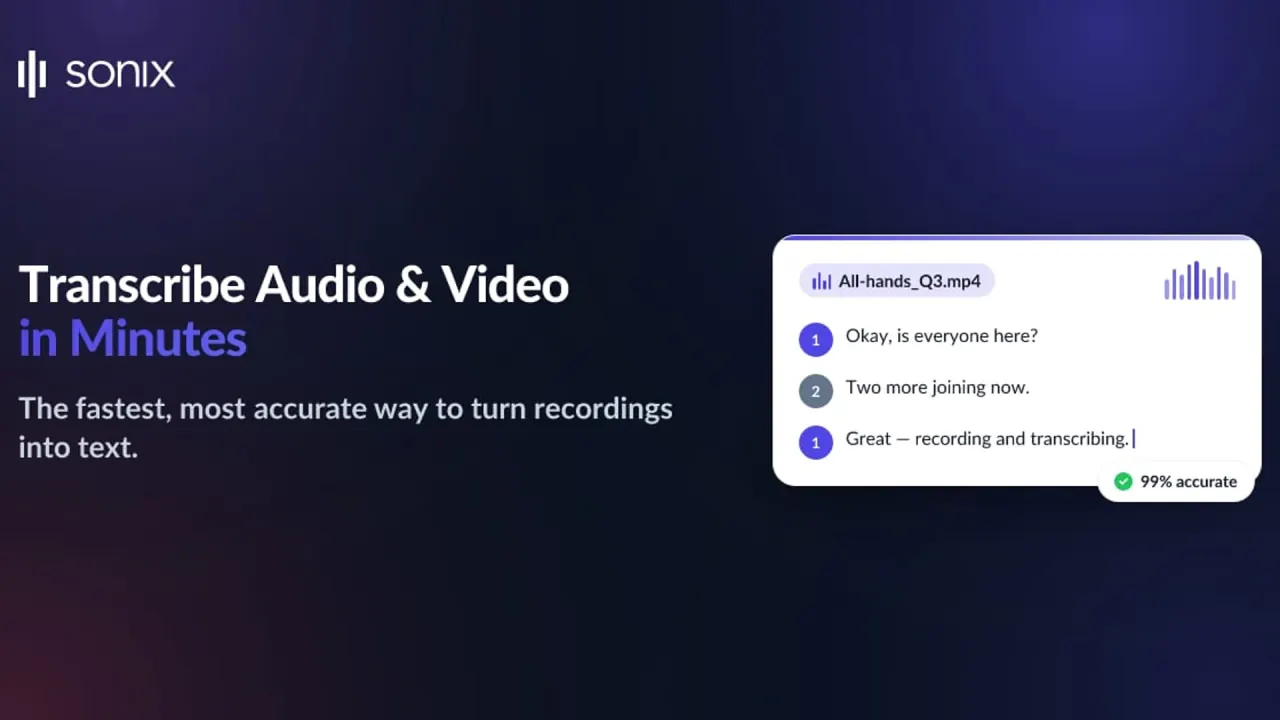
Sonix turns uploaded audio and video into editable, speaker-labeled transcripts in 54+ languages, then translates them, builds subtitles and answers questions across your recordings.

Voice SpeechSubtitle GenerationTranslation Tool#Speech To Text#AI Translation#Automatic Subtitles
Start Free Trial
Saves
Visits
Views
Pricing
Free Trial
Published
Oct 6, 2026
Domain
sonix.ai
Community rating

Used this tool? Rate it

Rate this tool

Sonix Product Information

Start Free Trial
Tool Information
Saves
Visits
Views
Pricing
Free Trial
Published
Oct 6, 2026
Domain
sonix.ai
Community rating

Used this tool? Rate it

Rate this tool

Featured Tools

Related Tools

Start Free Trial

What is Sonix?

Sonix is browser-based AI transcription software that turns uploaded audio and video files into timestamped, speaker-labeled transcripts, then lets you edit, translate, subtitle and analyze them without leaving the same workspace. The company frames the product as one secure workspace in which every recording can be transcribed, translated, subtitled and analyzed.

Sonix, Inc. runs the service from San Francisco and gives 2017 as its founding year. It says more than 6.2 million people have used Sonix and that it has transcribed more than 14.2 million hours of audio and video since 2017; both figures are self-reported. On the engine side, Sonix says it draws on technology from several major speech-recognition players and combines it with its own proprietary algorithms.

Core features

Transcription

  • Languages: transcription covers 54+ languages, and finished transcripts can be translated into 54+ languages.
  • Speaker labels: speakers are detected and labeled automatically, and you can rename them while Sonix keeps the speaker separation across the transcript.
  • Custom dictionary: a custom dictionary is offered to improve recognition of specialized terminology.
  • Multitrack files: multitrack transcription accepts up to 5 separate audio tracks per transcription, a ceiling the help center says cannot currently be raised.

Editing, search and export

  • AudioText Editor: the transcript stays synced with the recording, so clicking a word jumps to that moment, and edits keep their timestamps.
  • File formats: Sonix accepts 44+ audio and video formats and exports to 18+ formats, including DOCX, PDF, SRT and VTT.
  • Search and comments: one search runs across the whole transcript library, and timestamped comments stay tied to the audio timeline for review with collaborators.
  • Sharing: transcripts can go out as private links with optional password protection, with separate control over who can view, comment or edit.

Subtitles and translation

  • Automated subtitles: subtitles can be styled by font, size, color, position and timing, with limits on characters per line and reading speed, and Sonix can burn them directly into the video file.
  • Side-by-side translation: translations sit next to the original, keep every speaker and can feed subtitles in each target language.
  • Embeddable player: an SEO-friendly media player publishes the audio or video together with an interactive, searchable transcript.

AI Analysis and AI Workspaces

The two AI layers work at different scales. AI Analysis runs on a single finished transcript inside the editor and offers summaries, chapters, sentiment analysis, thematic analysis, topic detection, entity detection and custom prompts. AI Workspaces pool several transcripts so you can ask plain-English questions across them, run pre-built prompts for action items, themes, decisions and open questions, or analyze a whole folder at once, with answers that may cite the recording and timestamp they came from. Workspace answers draw on the transcripts and documents you add, not on general information from the open web.

API, MCP and automation

  • REST API: API usage is billed exactly like web uploads, per minute of audio, with no separate API fee, and the JSON output carries word-level timestamps and speaker identification.
  • MCP server: Sonix runs an MCP server so that MCP-compatible assistants such as Claude, Cursor, Codex and Windsurf can read your media library and transcripts on your behalf.

Guide

Converting audio to text

  1. Upload a recording from your computer, Dropbox or Google Drive to start converting audio to text.
  2. Pick the language spoken and click "Transcribe Now".
  3. Review the result in the in-browser editor, where every word is timestamped and editable.
  4. Export to Word, PDF, SRT or another format, or share the transcript with colleagues.

Sonix sends an email when a transcript is ready, and its transcription page puts typical turnaround at about 5–6 minutes for an hour of audio.

For recordings that switch languages, choose Multiple Languages in the second step and select every language that is spoken; the help center notes that accuracy can vary with audio clarity and with how distinct the languages are.

Recording conditions that affect results

Sonix's own recording guide names the conditions that degrade transcripts:

  • Crosstalk, since overlapping voices hurt any engine.
  • Music beds and intros that blur the first spoken words.
  • Narrow phone-line audio, which carries less signal than studio sound.
  • Wind, traffic and distance in field recordings, described as the hardest conditions of all.

Importing meeting recordings

Connecting a Zoom account lets Sonix pick up cloud recordings and transcribe them without a manual upload.

Use cases and examples

  • Legal and investigations: Sonix markets transcription of bodycam footage, depositions, jail calls and 911 audio, with speaker labels and timestamps that the legal team then verifies.
  • Healthcare: the company positions its medical offering for clinical notes, patient consultations and medical research, and says automatic PHI detection keeps sensitive data secure.
  • Qualitative research: besides DOCX, PDF, SRT and VTT, transcripts can be exported to NVivo, the format Sonix names for qualitative research.
  • Interviews and podcasts: word-level timestamps make quotes easy to verify, and hour-long episodes become fully searchable text within minutes.

For healthcare work, Sonix ties HIPAA compliance and a signed BAA to Enterprise, which covers everything in Pro plus the security, compliance and dedicated support that regulated teams need.

Who is it for

Good fit

  • Occasional users: Pay As You Go is a single-user plan with no subscription that Sonix pitches at small transcription projects, while Core, Advanced and Pro are multi-user subscriptions.
  • Education and non-profits: students, teachers, professors, faculty members and non-profit staff qualify for discounted pricing.
  • Regulated organizations: Enterprise adds SSO/SAML, SCIM onboarding, full audit logs, file retention and deletion controls, 1 TB of storage per workspace, unlimited team members, wire or check payment, and DPA and BAA agreements.

Poorer fit

  • Music: Sonix can transcribe lyrics when the audio is clear, but it is primarily designed for spoken word such as interviews, podcasts and meetings.
  • Difficult audio without a trial run: Sonix itself says that if trial results disappoint, it "may not be the best fit for your audio type", and paid usage cannot be refunded.

Platforms

  • Web app: recordings are dragged into the browser or pulled in automatically from Zoom, Dropbox or Google Drive, and editing happens in the browser editor.
  • Connected sources: Sonix also lists Microsoft Teams and Zapier among the services from which new recordings can flow in without a manual step.
  • Video editors: exports go directly to Adobe Premiere Pro, Final Cut Pro, DaVinci Resolve and Avid with timecodes preserved.
  • Mobile: the homepage describes a mobile app that records audio, produces speaker-labeled, timestamped text and syncs recordings to the Sonix workspace. The pages checked did not link to an app-store listing, and a US App Store search did not surface a Sonix, Inc. app.

Pricing

Sonix transcription is priced by the length of the uploaded recording, not by processing time or time spent in the app, and charges are prorated to the second, so a 52-minute file is billed as 52 minutes. All prices are listed in USD.

PlanMonthly priceAnnual priceTranscription & translationAI workspace hoursStorage
Pay As You Go$10 per audio hour—Paid per hourNot available5 GB
Core$25$2755 hrs/month (60 hrs/year)5 per month25 GB
Advanced$50$55020 hrs/month (240 hrs/year)25 per month50 GB
Pro$80$88040 hrs/month (480 hrs/year)100 per month100 GB
EnterpriseCustomCustomCustomCustom1 TB per workspace
  • Overage and seats: extra hours on any subscription cost $10 per hour, and each extra seat costs $25 a month or $275 a year without adding hours, because included hours belong to the workspace.
  • Annual billing: monthly allowances reset each month, while annual billing charges 11 months for 12 and pools the year's hours (60, 240 or 480) instead.
  • What draws on hours: translation, alignment and burned-in subtitles use the same transcription hours as plain transcripts, and on Pay As You Go you simply buy more hours. The help center adds that burn-in is included at no extra cost on subscriptions but charged separately on Pay As You Go, and that usage beyond included credits costs $8 per hour under education or non-profit pricing.
  • AI allowance: the plan cards label it "AI workspace usage", while the help center says in-editor AI Analysis on Core, Advanced and Pro is not counted against AI Workspace hours and follows an unlimited fair-use policy that may be subject to internal limits.
  • Minimum charge: each uploaded file carries a minimum charge of 1 cent.

Trial and cancellation

  • Free trial: every new account comes with 30 free minutes, and the pricing page says no credit card is required. A help article, however, states that Sonix requires a credit card to begin the trial, while promising no automatic charge when the trial or the free minutes run out. The trial period is limited and expires regardless of usage; the help article does not state its length and refers users to support.
  • Cancellation: cancelling from the account page stops future billing, and you can keep uploading and transcribing until the subscription anniversary.

Sonix alternatives

On a third-party review platform, people viewing Sonix also looked at Rev.com, Otter.ai, HappyScribe, GoTranscript, Fireflies.ai, Maestra and Transkriptor, as captured on October 5, 2026. Two of them differ from Sonix in ways that change the choice:

  • Rev: sells human transcription that it describes as 99%+ accurate and guaranteed in 12 hours or less, aimed at work where a person needs to check every line.
  • Otter.ai: offers live transcription with speaker recognition and an AI Meeting Agent that can be scheduled to join Zoom, Microsoft Teams and Google Meet meetings automatically, whereas Sonix's Zoom connection imports cloud recordings after the meeting.

Limitations

Accuracy, speed and reviews

  • Accuracy figures vary: the transcription page claims up to 99% transcription accuracy on clear recordings. The FAQ instead says accuracy depends on audio quality and that Sonix typically achieves 85-99% accuracy on clear recordings.
  • No accuracy warranty: the Terms of Service state that Sonix makes no warranty that results obtained from the service will be accurate or reliable.
  • Turnaround figures differ: the FAQ says a 60-minute recording typically takes 3-5 minutes to process, a shorter range than the transcription page gives.
  • Outside assessments: a technology publication's hands-on review from March 2020, which predates the current plans, called Sonix quick and straightforward but "not the most accurate solution", listing heavily grammar-driven output, high cost and variable results as drawbacks. On a third-party review platform, the sonix.ai profile showed a 4.6 score from 1,123 reviews with 97% five-star ratings, but only 23 reviews in the last 12 months, as captured on October 5, 2026. The same platform noted that the company has not invited customers recently, so reviews may not be representative, and that it has not replied to negative reviews.
  • AI output needs checking: Sonix says AI-generated results should be reviewed against the original transcript, and AI Workspace access is limited to the workspace owner, so admins cannot open another user's workspace.

Billing and usage rules

  • No refunds: Sonix does not provide refunds under any circumstances, including when audio had background noise or overlapping voices.
  • Fair use: sharing one account across unrelated users or organizations, or consistently transcribing at 5-10x your normal volume, can be flagged; archival, continuous live and bulk transcription projects are excluded, and Sonix may restrict uploads, throttle processing or, with prior notice, suspend accounts in cases of confirmed abuse.
  • Mixed-language length cap: multi-language transcription handles files up to 2 hours and 15 minutes, while single-language files can run longer.
  • Advance debits: the Terms allow Sonix to debit advance payments of between $10 and $500 during a billing period and to block access if that debit fails.
  • Dispute window: billing disputes must be raised within 60 days after Sonix charges you.

Privacy and data handling

  • Model training: the privacy policy states that Sonix does not use your content or Customer Data to train its machine learning or generative AI models.
  • Deletion: deleting an account permanently destroys its media files, transcripts and translations, though copies may persist in system backups for up to 90 days. The FAQ separately says deleted files are permanently removed from Sonix servers within 30 days. Sonix keeps a limited record of closed accounts, such as the email address and billing history.
  • Storage and staff access: all data is stored at AWS in the USA, and Sonix employees do not access your audio or transcripts unless you give express written consent to investigate an issue.
  • AI connectors: if you connect a third-party AI app such as Claude, Sonix makes available only the data needed for requests you start there; once shared, that app's own policies govern its use, and access can be revoked from account settings.
  • Security statements: Sonix states that it is SOC 2 Type II certified, encrypts data with TLS in transit and AES-256 at rest, offers HIPAA compliance through Medical Sonix with signed Business Associate Agreements, and can sign a DPA and SCC for GDPR.

FAQ

Q1. Does Sonix offer real-time transcription?

Real-time streaming transcription is offered through the API alongside batch processing, but access and pricing go through the Sonix sales team.

Q2. Can a person clean up a Sonix transcript?

Yes. Sonix partners with professional transcriptionists who can polish a Sonix transcript to 99-100% accuracy.

Q3. Can Sonix transcribe YouTube videos or Spotify podcasts?

YouTube links work for public or unlisted videos, but trial accounts cannot upload them until Sonix Support enables the feature. Sonix does not support direct uploads from Spotify URLs, so the audio has to be obtained legally and uploaded as a file.

Q4. What happens to my media files if I downgrade after cancelling?

If you downgrade to the Standard Plan, your transcripts stay available but every media file is compressed immediately and the originals cannot be retrieved. Keeping original quality requires the storage plan at $5.00 per month per 50GB.

Know a Similar Tool?
If you know other great AI tools, feel free to submit them to us