
Toolso.AI
Toolso.AI
All ToolsCategoriesTrendingLatest ToolsPricingBlog
Toolso.AI
Toolso.AI
Toolso.AI
Toolso.AI

Discover the best AI tools to boost your productivity

GitHubGitHubTwitterX (Twitter)YouTubeYouTubeTikTokEmail

Popular Categories

  • AI Writing
  • AI Image
  • AI Video
  • AI Coding
  • More Categories

Explore

  • Latest Tools
  • Popular Tools
  • More Tools
  • Submit Tool
  • Pricing

About

  • About Us
  • Contact
  • Blog
  • Changelog

Legal

  • Cookie Policy
  • Privacy Policy
  • Terms of Service
  • Refund Policy
© 2026 Toolso.AI All Rights Reserved
Limited timeLimited-time offerFeatured Listing24h priority review · No backlink · 30 days featured$29.90then $59.90Price rises to $59.90 after Oct 31Ends in--:--:--Submit now
  1. Home
  2. All Tools
  3. Voice Speech
  4. Lingvanex
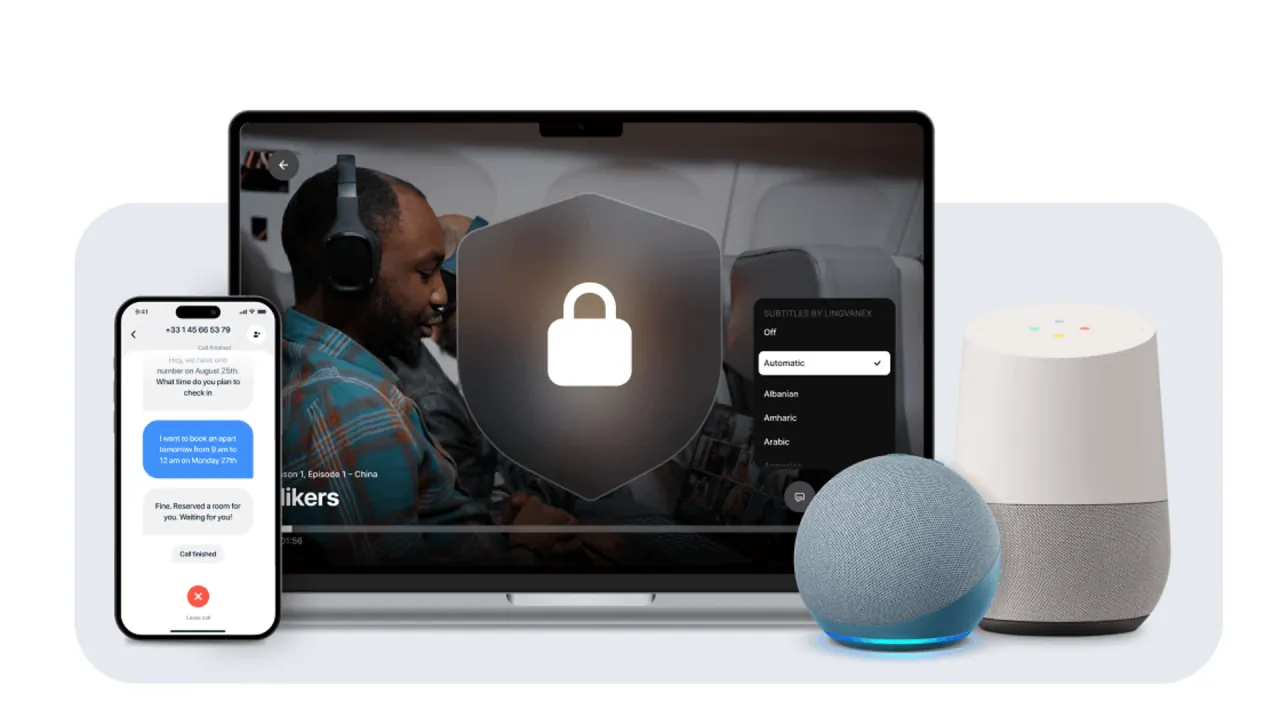
Lingvanex interface preview
Lingvanex logo

Lingvanex

Lingvanex sells on-premise translation and speech recognition servers, a pay-per-character Translation API and an offline SDK, alongside free-to-start translator apps for desktop, mobile, browsers, Slack and phone calls.

Voice SpeechDeveloper ToolsTranslation Tool#Translation#Speech To Text#AI Translation
Try for Free
Saves
Visits
Views
Pricing
Freemium
Published
Oct 5, 2026
Domain
lingvanex.com
Community rating

Used this tool? Rate it

Rate this tool

Lingvanex Product Information

Try for Free
Tool Information
Saves
Visits
Views
Pricing
Freemium
Published
Oct 5, 2026
Domain
lingvanex.com
Community rating

Used this tool? Rate it

Rate this tool

Featured Tools

Related Tools

Try for Free

What is Lingvanex?

Lingvanex is a family of machine translation and speech recognition products from Nordicwise Limited, a company headquartered in Larnaca, Cyprus. The company describes its focus as AI-driven machine translation and speech recognition for both individuals and businesses.

Enterprises can run an on-premise machine translation server or a self-hosted speech recognition system inside their own infrastructure; developers can call a pay-per-character Translation API or embed an offline SDK; individuals can use free-to-start translators on Windows, macOS, iOS, Android, five browsers, Slack and phone calls.

Language counts, offline behaviour, data retention and prices are published product by product, and several Lingvanex pages give different figures for the same product, so a single headline number rarely holds across the range.

Core features

On-premise machine translation

  • Self-hosted server: The on-premise machine translation software translates text, documents and websites across more than 100 languages without an internet connection or data leaving the customer's infrastructure, with unlimited users and an optional perpetual license.
  • Glossaries and terminology: Custom terminology, glossaries and industry-specific jargon are supported so that domain terms are translated consistently.
  • Model footprint: Lingvanex's quality report lists the disk size of each language-pair model and estimates GPU memory use at about 1.2 times that size.

Translation API

  • Languages and formats: The Translation API covers 109 languages and translates plain text and HTML, with no dedicated servers needed on the customer side.
  • Request types: A request can carry a single text, an array of texts or an HTML document, together with the request parameters.

Machine Translation SDK

  • Offline in apps: The SDK adds offline translation for 109 languages to apps on iOS, macOS, Android and Windows.

On-premise speech recognition

  • Transcription: The self-hosted speech recognition system transcribes audio and video in 91 languages, adds punctuation automatically, creates subtitles and separates speakers through diarization.
  • Input files: Supported inputs include WAV, WMA, MP3, OGG, M4A, FLV, AVI, MP4, MOV and MKV.
  • Subtitle output: Time-stamped subtitles can be produced in SRT, VTT, ASS, SSA and SUB formats.

Translator apps

  • Desktop: Translator for PC handles text, speech, documents, websites and emails on Windows and macOS. It accepts documents of up to 5,000,000 characters and 75 MB.
  • Mobile: The mobile app translates documents, works offline and includes dictionary entries with synonyms.
  • Browser extensions: Extensions for Chrome, Microsoft Edge, Firefox, Opera and Safari translate text instantly while reading or writing.
  • Slack bot: Once added to a channel, the bot translates every message automatically.
  • Phone Call Translator: The app translates calls to mobile or landline numbers in both directions in real time, in more than 70 languages, and the other person does not need to install anything.
  • Web translator: A free browser-based translator handles text in over 110 languages without a sign-up.

Guide

Connecting to the Translation API

  1. Register a Lingvanex account.
  2. On the Dashboard tab, choose to create a key and enter payment information; one bonus dollar is credited when the key is generated, and the key becomes active once a payment card is linked.
  3. Copy the API URL into the application and make a REST API request with the key.
  4. Send the text and the target language, then read the translation from the response.

Installing the on-premise server

Server deployment comes with written instructions, an instructional video and an automated installation guide, and the Lingvanex team assists with technical questions during installation.

Shortcuts in the desktop and Slack apps

  • Windows and macOS: Highlighting text in a browser, document or game and pressing Ctrl + C + C on Windows or Ctrl + Command + 2 on macOS translates it without switching apps.
  • Slack command: Typing /translate de Good morning! in Slack returns the text in German; the language code comes first and the text follows.

Lingvanex use cases and examples

These examples come from Lingvanex's own case studies and solution pages; the results are not independently measured.

  • Engineering documents with a glossary: In a Lingvanex case study, Tesla needed its engineering documentation in Spanish and Bengali. Lingvanex linguists built a glossary of technical terms and trained a custom model on it for the on-premise software.
  • Public service desks: In a Thai government deployment of the on-premise software, which needs no internet access, a terminal sits next to a civil servant; the visitor picks a language and speaks, and the speech is transcribed and translated on the employee's screen.
  • Retail service monitoring: An unnamed supermarket chain connected on-premise speech recognition through a REST API to devices on employees' badges and sends the transcripts to its own analytics system.
  • Legal review and e-discovery: Lingvanex positions its tools for converting documents, emails and other text-based evidence into a single language for review.
  • Calls abroad: The Phone Call Translator is aimed at calls to a bank, an insurer, customs, a clinic or a government office when the caller does not speak the local language.

Who is it for

Lingvanex fits buyers whose main constraint is where text and audio are processed, and it suits individual users mainly through its offline mobile and desktop apps.

  • Regulated organizations: Lingvanex says its on-premise software is used by companies in healthcare, finance and government and complies with GDPR and strict data protection laws; that compliance statement is the vendor's own.
  • High-volume translation: The vendor's comparison table says that for large volumes on-premise is cheaper than pay-as-you-go cloud pricing, and prices the server by number of languages with unlimited data and users.
  • Teams with specialist vocabulary: Training and customization are offered for both deployment types, but the cloud API version is described as less advanced than the on-premise one.
  • Travelers and individual users: Offline translation on mobile works with language packs downloaded in advance, for use abroad or without a connection.
  • Not a fit for some language needs: The iPhone app description notes that availability of certain features may vary depending on the language, so voice or offline support for a rarer language is not guaranteed by the overall language count.

Platforms

  • Windows support: Lingvanex for Windows supports Windows 7, 10 and 11.
  • Mac support: Lingvanex for macOS supports macOS 10.12 (Sierra) and later, including Macs with M chips.
  • iPhone listing: The iPhone app requires iOS 16.0 or later.
  • Android listing: As captured on October 4, 2026, the Android app showed 3.9 stars from 2.96K reviews and 1M+ downloads, and the listing was marked as containing ads and in-app purchases.
  • Phone calls: The Phone Call Translator requires iOS/iPadOS or Android 8.0 and newer.
  • Slack: All Slack plans support Enterprise Grid and multiple workplaces.
  • API hosting: Lingvanex data centers are hosted in each main customer region (USA, Europe and Asia).

Pricing

ProductPrice on the product pagePrice on the pricing overview page
On-premise machine translationFrom $200/month with unlimited volumes; from $10 per day elsewhere on the same pageFrom €200/month with unit-based pricing
Translation API$5 per million characters; $3 per million with a pre-purchase of 1 billion characters or moreFrom $5 per million characters
Machine Translation SDKFrom $100 per monthFrom €1,500/year
Translator for PC (Windows, macOS)Free version; All-in-One package 99.99 $ per yearFrom $99.99/year
Mobile app (iOS)Free; Premium $5.99 monthly or $39.99 a year with a 3-day trialNot listed
Translator for SlackBasic free up to 20,000 characters a month; Pro 50 $49/month; Pro 300 $99/month; Enterprise on requestFree 3,000 characters per month
Phone Call TranslatorCredits per minute; Premium weekly or yearlyFrom $0.2/minute for 36 popular languages
Browser extensionsFreeFree of charge

The two price columns come from different Lingvanex pages that disagree on amounts and sometimes on currency, so neither column is a complete price list on its own.

On-premise billing. Pricing for the server varies with the number of languages chosen for the annual subscription, and monthly payment plans are also available. A perpetual license costs the same as a three-year subscription and includes 20-year encryption of the language models plus three years of support and upgrades, extendable at extra cost. A free trial period is offered so buyers can assess translation quality before committing.

Apps. The desktop translator's free version covers text, voice and file translation and needs no account. On annual billing, the Slack bot's Pro 50 and Pro 300 plans cost $490 and $990 per year, and Slack prices exclude applicable taxes.

Phone calls. Calls are paid with credits, starting at 0.08 credits per minute without translation and 0.19 credits per minute with translation to the US, Canada, the UK and most of Europe. Premium is a weekly or yearly subscription that adds a second US or Canadian number from the first paid period; the product page does not show its price.

Billing terms. Unless otherwise stated, fees are in US dollars or euros and are paid in advance. Subscriptions renew automatically unless auto-renew is turned off at least 24 hours before the end of the current period.

Lingvanex alternatives

The useful comparison depends on which Lingvanex product is being replaced: a cloud API, an enterprise translation server or a self-hosted open-source engine.

  • Google Cloud Translation: A cloud API whose first 500,000 characters per month are free, applied as a $10 monthly credit, compared with the one-dollar bonus on a new Lingvanex API key.
  • SYSTRAN Server: SYSTRAN's on-premise translation solution supports an unlimited number of user access points and translation volumes, the same deployment model as the Lingvanex server.
  • LibreTranslate: An open-source machine translation API that is free to download and offline capable, for teams willing to host and maintain the engine themselves.

Limitations

Product limits

  • Offline coverage differs by page: The Translator for PC, Windows and macOS pages say the apps translate between 109 languages online but offer offline translation for 45 languages and only two offline document formats, .DOCX and .ODT. The Offline Translator for PC page instead says it translates between 109 languages without an internet connection. The pricing overview lists Translator for PC with offline translation in 109 languages and PDF handling up to 500 MB, while the product pages give a smaller document size limit.
  • Scanned PDFs: Image-only or scanned PDFs are not supported; only digitally created PDFs and searchable PDFs can be translated.
  • Hardware dependence: On-premise speed and latency depend on the client's hardware capacity.
  • Infrastructure cost: Lingvanex's own definition of on-premise speech recognition notes that it requires significant investment in infrastructure and maintenance.
  • Connectivity on iPhone: The iPhone app requires an internet connection except where language packs have been downloaded for offline mode.
  • No accuracy warranty: The terms of service do not warrant that the service will be uninterrupted or error-free, or make any warranty as to the accuracy, reliability or completeness of results.
  • Age limit: The service is intended for users over the age of 16.
  • API changes: Deprecated API versions can be terminated after at least 4 weeks' written notice.

Quality evidence

Lingvanex publishes its own translation quality report, dated November 11, 2025, which scores its models with two common automatic translation metrics. Most pairs are tested on the public Flores set, but some, such as Albanian–English, use a test set labelled Lingvanex. As of October 4, 2026, no independent product-level quality evaluation was found in the review platforms and technology media searched.

Privacy and data handling

  • Translation API: The API page guarantees that texts, images, audio and documents are deleted immediately after translation and says translated data is not stored or used to train Lingvanex models.
  • Privacy policy for the API: For the Translation API, the privacy policy says uploaded and generated documents are deleted within 24–72 hours, and input and translated texts are kept in caches that are rewritten as new data arrives.
  • Translation cache: To speed up the Cloud Translation API, the input text is stored in hashed form and the result is stored as is, and texts are deleted automatically when the per-language cache is full, oldest items first.
  • Mobile app: The mobile FAQ says user data is encrypted and not stored. The privacy policy says that in online mode images and video are processed in memory and other translation-related data are deleted 24–72 hours after collection.
  • Android disclosures: The Android listing says user data is not stored or shared with third parties. Its data safety section, however, says the app may share personal info, photos and videos and five other data types with third parties; data is encrypted in transit and users can request deletion.
  • API monitoring: Under the API terms, Lingvanex may monitor API use to ensure quality, improve its products and services and verify compliance with the terms.
  • SDK: The offline SDK processes all data locally without sending it to external servers.
  • Account retention: "Until the account is deleted" means one month after the account is deleted or 10 years after the last login, whichever is earlier.
  • GDPR audit: In early 2026, Lingvanex engaged Data Privacy Office GmbH to audit its data protection practices.

Outside the API page, the privacy policy and app pages checked do not say whether app, extension or Slack text is used for training.

FAQ

Q1. Does Lingvanex work without an internet connection?

The on-premise servers and the SDK run without internet access. The desktop and mobile apps also translate offline, but pages disagree on how many languages the desktop offline mode covers, and the iPhone app needs downloaded language packs.

Q2. Is Lingvanex free?

The browser extensions and web translator are free, and the desktop, mobile and Slack apps have free tiers. The on-premise products and the API are paid, with trials or a one-dollar starting credit.

Q3. Does Lingvanex use translated text for training?

Only the Translation API page addresses it, saying translated data is not used to train Lingvanex models.

Know a Similar Tool?
If you know other great AI tools, feel free to submit them to us