
Toolso.AI
Toolso.AI
All ToolsCategoriesTrendingLatest ToolsPricingBlog
Toolso.AI
Toolso.AI
Toolso.AI
Toolso.AI

Discover the best AI tools to boost your productivity

GitHubGitHubTwitterX (Twitter)YouTubeYouTubeTikTokEmail

Popular Categories

  • AI Writing
  • AI Image
  • AI Video
  • AI Coding
  • More Categories

Explore

  • Latest Tools
  • Popular Tools
  • More Tools
  • Submit Tool
  • Pricing

About

  • About Us
  • Contact
  • Blog
  • Changelog

Legal

  • Cookie Policy
  • Privacy Policy
  • Terms of Service
  • Refund Policy
© 2026 Toolso.AI All Rights Reserved
Limited timeLimited-time offerFeatured Listing24h priority review · No backlink · 30 days featured$29.90then $59.90Price rises to $59.90 after Oct 31Ends in--:--:--Submit now
  1. Home
  2. All Tools
  3. Voice Speech
  4. Video Transcriber
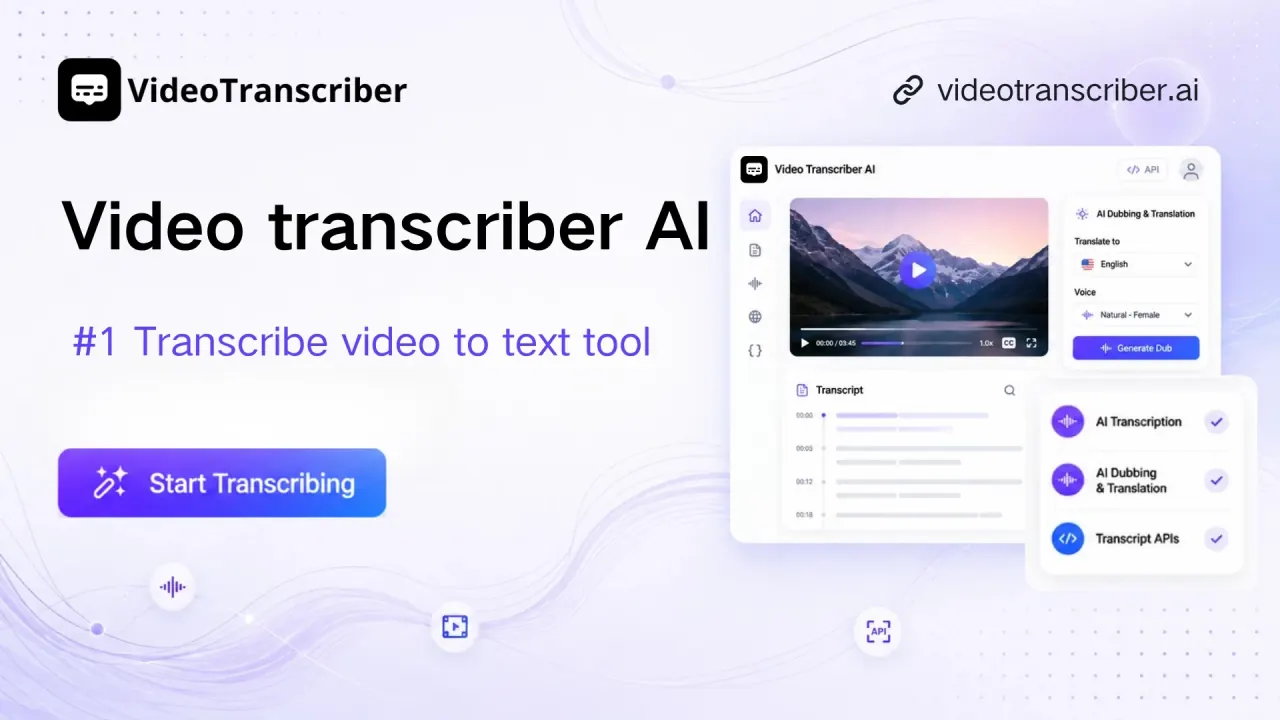
Video Transcriber interface preview
Video Transcriber logo

Video Transcriber

Browser-based transcription service that turns uploads, YouTube and social-media links into timestamped, speaker-labeled transcripts, with translation, AI dubbing, a Mac desktop app and a pay-as-you-go Transcript API.

Voice SpeechVideoSubtitle Generation#Translation#Api Available#Speech To Text
Try for Free
Saves
Visits
Views
Pricing
Freemium
Published
Oct 6, 2026
Domain
videotranscriber.ai
Community rating

Used this tool? Rate it

Rate this tool

Video Transcriber Product Information

Try for Free
Tool Information
Saves
Visits
Views
Pricing
Freemium
Published
Oct 6, 2026
Domain
videotranscriber.ai
Community rating

Used this tool? Rate it

Rate this tool

Featured Tools

Related Tools

Try for Free

What is Video Transcriber?

Video Transcriber (branded Video Transcriber AI on its own pages) is an all-in-one online platform for video and audio transcription, AI dubbing and transcript APIs. The web app is the main entry point, with a Mac desktop app, a YouTube-focused Chrome extension and a developer API built on the same service.

The core job is turning speech into editable text: the service transcribes uploaded audio or video files and links from YouTube, TikTok, Instagram, Facebook, X and Bilibili, plus Zoom recordings. Transcripts can then be summarized, translated, dubbed or exported, with most paid actions drawn from a quota balance.

Usage figures vary across official pages. The homepage hero says "No sign-up, no limits" and cites 100K+ users and over 10 million minutes. A lower homepage section claims 10M+ users and 8,000+ teams worldwide. Neither figure is independently verified.

The terms define the provider only as "Video Transcriber AI and its operators", and neither the terms nor the privacy policy reviewed in this round names a legal entity. A company press release lists Singapore as the company's country.

Core features

Inputs and formats

  • Files: Supported formats include MP3, MP4, MPEG, MPGA, M4A, WAV, WebM and MOV; the homepage FAQ separately mentions AVI and meeting recordings.
  • YouTube without captions: YouTube videos can be transcribed even when the original video has no subtitles, because the audio itself is processed.
  • YouTube and podcast converters: Separate converter pages turn public YouTube videos, Shorts and podcasts into MP3 or MP4 files that can then be sent for transcription.
  • High-resolution video downloads: The YouTube to MP4 page advertises output up to 4K quality.

Transcripts, speakers and export

  • Speaker labels: Before a job starts, the number of speakers can be set to improve speaker separation.
  • Online editing: A finished transcript opens in an editor reached through an edit button beside the text, so names and terms can be corrected without another tool.
  • Exports: Transcripts download as TXT, DOCX, SRT, VTT or CSV, with or without timestamps.

Two transcription models

To transcribe video to text, users choose between a basic and an advanced model, and the choice decides which balance is drawn down. Every 2 minutes on the basic model costs 1 Basic Quota, while every 2 minutes on the advanced model costs 1 Premium Quota. The free plan card describes its accuracy as "Good", while paid plan cards say "Best".

AI tools on top of transcripts

Summaries cost 1 Basic Quota per use, and infographics generated with GPT Image 2 cost 4 Premium Quotas per image. Transcript chat, mind maps and translation of transcripts, summaries and mind maps are currently marked "Free (Limited Time Only)".

Dubbing and translated video

AI dubbing with premium models costs 5 Premium Quotas per minute, and downloading a video with burned-in subtitles costs 3 Premium Quotas per download. Dubbing with free voices is listed as limited on the free plan and unlimited on paid plans, and premium-model dubbing is capped per file at 20 minutes on paid plans.

Guide

Transcribing a file or link

  1. Open the transcriber and pick an input: the box offers Video, Audio upload with drag and drop, a Link field, and a Record option for capturing audio in the browser.
  2. Before submitting, the form offers Basic and Advanced modes, language Auto Detect, a Separate Speaker toggle and a Smart Summary note mode.
  3. Submit the job and wait for processing; up to 5 files can be processed at once.
  4. When the transcript is ready, review it, use the edit button for corrections, then open the Export tab at the top-right of the transcript area and pick a format.

Use cases and examples

  • Study notes: The homepage pitches turning lectures or online courses into study notes that are easier to review and share.
  • Meetings and webinars: Business users can capture meetings, Zoom calls and webinars as text so that nothing important is lost.
  • Captions and repurposing: YouTubers, podcasters and video makers can create captions or scripts and repurpose video into blog posts or social posts.
  • Clinical documentation drafts: A dedicated AI Medical Scribe page records a patient visit, separates speakers and organizes patient concerns, clinical decisions and follow-up items into an encounter draft for clinician review.
  • Multilingual publishing: Transcripts can be translated, and videos can be re-voiced through AI dubbing or downloaded with translated subtitles.

Who is it for

Good fit:

  • Educators and students: Educators can transcribe lessons into handouts, lesson plans or captions.
  • Journalists and researchers: Reporters can turn video interviews and press conferences into text, with speaker labels and timestamps attached.
  • Creator teams working across languages: The Studio plan is positioned for multilingual creator teams, pairing unlimited basic transcription with the largest premium dubbing allowance.
  • Developers: The Transcript API takes links and file uploads through one endpoint, billed from a separate prepaid balance.

Weaker fit:

  • Windows desktop users: The desktop download for Windows is marked "Coming soon".
  • Clinicians with formal compliance needs: The medical scribe page tells users to follow applicable consent rules, but no HIPAA statement appeared on the medical scribe page, privacy policy, terms or help center reviewed in this round.
  • Buyers who want a long trial-then-refund window: Refund windows are 24 hours at most, and the pages that define them conflict.

Platforms

Web app

The web app works without an account for basic features. Sign-in uses a Google account, and no other login method is described in the help center.

Desktop app

  • Availability: The desktop page shows a Mac download, while the Windows button reads "Coming soon"; the same page says "Available for Windows 10+ / macOS 12+".
  • Requirements: The FAQ on the same page says the app runs on Windows 10 and newer and macOS 11 and newer, so the stated macOS minimum differs within one page.
  • Processing: A stable internet connection is required because transcription and translation are processed on remote servers, not on the computer.
  • Shared account: The desktop app uses the same account as the website, so credits, saved transcripts and preferences carry over.
  • Larger files: The desktop app accepts files up to 10GB, above the web upload limits.

Chrome extension

The YouTube extension, listed as "YouTube Transcript & Summary Generator with ChatGPT & Gemini", is marked in the Chrome Web Store as created by the owner of the videotranscriber.ai website. As captured on October 5, 2026, the listing showed 4.7 out of 5 from 475 ratings. The same capture showed 60,000 users. Its description says all features are completely free, and it shows a YouTube transcript beside the video with summary modes and SRT or TXT downloads.

Transcript API

  • Inputs: The Transcript API accepts YouTube, TikTok, Instagram, Facebook, X, BiliBili, Google Drive and Dropbox links as well as direct file uploads through one endpoint.
  • Integration: It is a REST API with JSON responses and Bearer token authentication, with code samples in Python, JavaScript, cURL, Go and Ruby and a live playground.
  • Outputs: Responses come as TXT, SRT, VTT or JSON with metadata.
  • Separate balances: Subscription credits cannot be used for API calls, and API credits cannot be used on the web platform.

Pricing

The pricing page opens on annual billing. All four plans list speaker recognition, AI notes, chat and mind maps, auto-generated subtitles and translation into 200+ languages; the differences are quotas and file size.

PlanAnnual price shownBasic QuotasPremium QuotasMax per audio/video
FreeNo charge10 per day (20 mins basic transcripts / translation)10 per month (up to 20 mins advanced transcription)500 MB
Basic$66/year500 per month (1000 mins)100 per month (up to 200 mins)5 GB
Pro$108/yearUnlimited500 per month (up to 1,000 mins)5 GB
Studio$228/yearUnlimited1,200 per month (up to 2,400 mins)5 GB

Each paid card also shows $7/month and $84/year (Basic), $18/month and $216/year (Pro) or $39/month and $468/year (Studio) beside the annual price, without labelling them; monthly-billing prices were not displayed in the default view. The subscription policy calls the annual plan a 50% discount on the monthly rate. The Basic card, by contrast, is labelled "Save 20%" and "Ideal for individuals and occasional users".

API Quota packs

  • Entry pack: 3,000 API Quotas for $12, equal to 3,000 minutes of transcript at $0.24/h.
  • Largest pack: 600,000 API Quotas for $1,200, listed at $0.12/h instead of $0.24/h.
  • No subscription: API Quotas are not a subscription, do not auto-renew and never expire.
  • No free API tier: The API page says the API has no free tier and that one credit covers one minute of transcription, with chapter summaries and translation costing extra credits. The homepage nevertheless carries a "Get Transcript API Free" button.

Renewal, cancellation and refunds

Official pages describe renewal and refunds in conflicting ways:

  • Annual renewal: The subscription policy says annual subscriptions do not automatically renew for the following year. The terms say a subscription renews automatically at the end of each period without notice until cancelled.
  • Monthly renewal: Monthly plans renew automatically after the first month's payment.
  • Cancelling: Monthly plans can be cancelled at any time from My Subscriptions, and the plan stays active until the end of the billing cycle before reverting to the free plan.
  • Plan switches: Switching between monthly plans carries no proration, and unused quota is cleared.
  • Refund window: The pricing FAQ allows refunds within 24 hours of the first purchase only, minus the value of any used Quotas.
  • Discount exclusion: The subscription policy states that discounted purchases are non-refundable, and the pricing page marks promotions as non-refundable.
  • Terms version: The terms state a "No Refund Policy" under which refunds are not issued once an order is completed and delivered. The same terms accept refund requests only for errors caused by a system bug, with a full refund within 24 hours of the first payment.

Alternatives to Video Transcriber

  • TurboScribe: A dedicated transcription service whose site offers 3 free transcripts daily with no credit card. It markets unlimited minutes with no caps or quotas, which contrasts with the metered Premium Quotas on every Video Transcriber plan.
  • NoteGPT: A broader AI workspace that lists an AI Transcriber next to AI notes, voices, images and video tools, for users who want transcription inside a general productivity suite.
  • Otter, Notta and Sonix: Video Transcriber publishes its own comparison articles against these and against Riverside, Clideo and Vizard; they are vendor-written, not independent comparisons.

Video Transcriber's distinguishing mix is link input across several social platforms, AI dubbing on the same quota system and a separately billed API.

Limitations

Usage limits and conflicting specs

  • "Unlimited" wording: The homepage badges promise 99.9% accuracy, 200+ languages and "Unlimited Minutes", while the free plan is capped at 10 Basic Quotas per day and premium features are metered on every plan.
  • Upload size: The homepage upload box says max 3GB per video or audio with up to 5 tasks in queue, while the homepage FAQ says video files up to 5GB.
  • Free plan files: The free plan card caps each audio or video file at 500 MB.
  • Plan-dependent limits: The help center gives 5GB per file and says the maximum may vary by plan.
  • YouTube without subtitles: Every plan, including Studio, caps YouTube videos without existing subtitles at 150 minutes, while captioned YouTube videos are listed as unlimited.
  • Accuracy: The help center gives accuracy of up to 99% under suitable conditions and lists audio quality, background noise, speaker overlap, accents and language selection as factors.
  • API continuity: The API terms reserve the right to discontinue or suspend the API at any time and at the company's sole discretion, without liability.

Privacy and data handling

  • Retention: Temporary processing files are erased after processing, uploads are encrypted at rest, and transcription output may be retained for a limited time for re-downloads.
  • Sharing: The privacy policy allows sharing service information with cloud storage providers, speech recognition services and analytics platforms. The help center states that the platform does not use or share user data, so the two pages conflict.
  • Advertising: Advertising cookies may be used to show ads about the service on other websites.
  • Location: Data processing may occur in the United States, the European Union or other territories where service providers operate.
  • Model training: The Transcript API page states that customer media and transcripts are never used for model training. It also says API uploads are not stored beyond the time needed for transcription. The general privacy policy reviewed does not address training.
  • Deletion: Deleting an account is permanent and also removes remaining quotas and subscription benefits. Removing the Chrome extension does not delete data stored in the Video Transcriber account.
  • Extension data: The extension's store disclosure lists personally identifiable information, authentication information, web history, user activity and website content as data it handles.

Rights and legal terms

  • Converter notices: The YouTube converter pages carry the notice "Make sure you don't violate the rights of others with any files you download."
  • Copyrighted music: The same pages state that copyrighted music can't be converted with the tool.
  • Public content: The MP3 converter FAQ adds that publicly available content is not automatically free to convert.
  • Repeat infringers: Three valid copyright complaints within any six-month period lead to permanent termination of website access.
  • Output rights: The terms' use license grants personal, non-commercial viewing of website materials. No clause on ownership of transcripts, translations or dubbed output was found in the terms reviewed.
  • Jurisdiction: The governing-law clause refers to "the laws of us" without naming a country or company.
  • EU consumer rights: The Chrome extension's developer has not identified itself as a trader, and the store notes that EU consumer rights do not apply to contracts with this developer.

FAQ

Q1. Is Video Transcriber free?

Partly. The free plan includes 10 Basic Quotas per day (20 minutes of basic transcription or translation), 10 Premium Quotas per month and 500 MB per file.

Q2. Does the annual plan renew automatically?

The pricing page and subscription policy say annual plans do not auto-renew, while the terms describe automatic renewal at the end of each period. Monthly plans renew automatically.

Q3. Can I get a refund?

Only within 24 hours of a first purchase under the subscription policy, minus used quotas; renewals, upgrades and discounted purchases are excluded. The terms limit refunds further to errors caused by a system bug.

Know a Similar Tool?
If you know other great AI tools, feel free to submit them to us