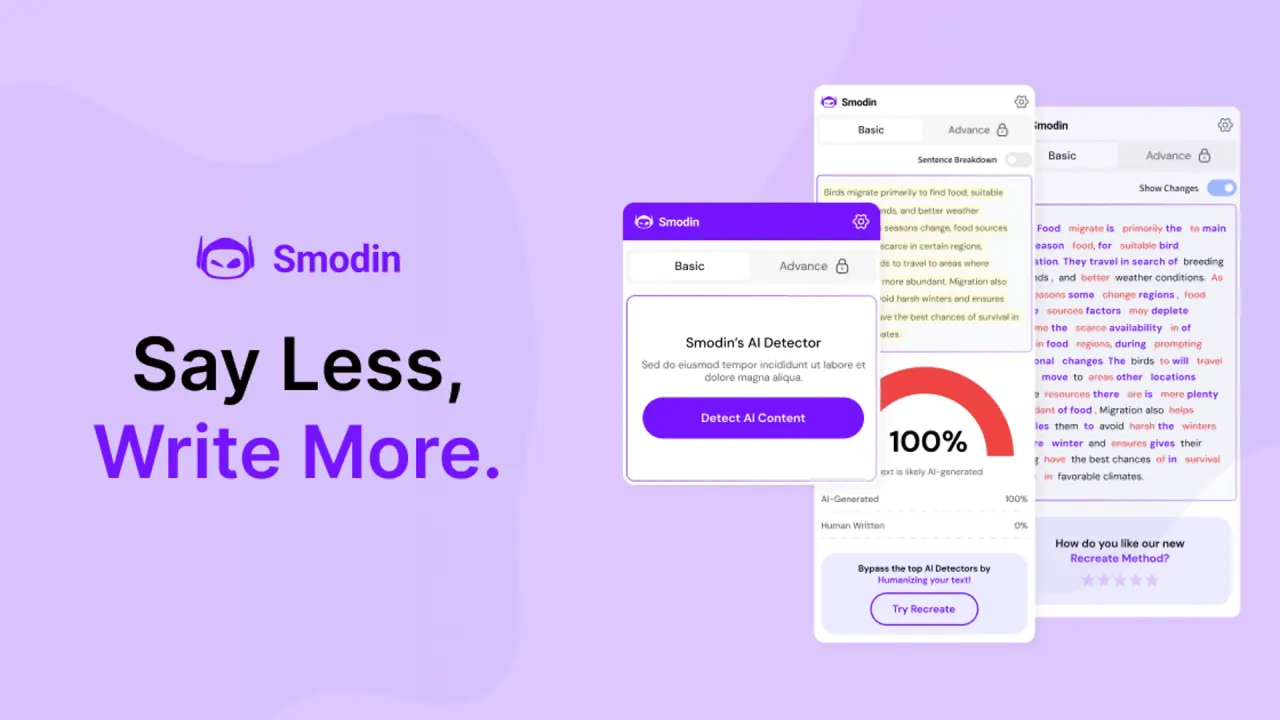

Smodin bundles an AI detector, an AI humanizer and a plagiarism checker together with an AI writer, rewriter, translator and summarizer, aimed at students, teachers and content writers working across many languages.
Used this tool? Rate it
Used this tool? Rate it


AI image editing from a reference photo


Multi-model image studio, free to start


Natural AI photo editing for portraits and projects


AI assistant for writing, analysis and tasks


From a prompt to a deck, site or doc


Build random generators, share them free


Anime art, powered by a million community models


DeepSeek AI models for chat and API
Smodin is a browser-based AI writing suite operated by Smodin LLC that brings an AI detector, an AI humanizer, a plagiarism checker, an AI writer, a text rewriter, a translator, a summarizer and an AI chat into one workspace. The company describes the product as a place to detect AI text, humanize AI writing, and check plagiarism in one place.
The suite is web-first: a Chrome extension carries the same capabilities into Gmail, Google Docs and Notion, and REST APIs expose the same engines to developers. Detection, humanization, summarization and the API layer advertise support for 100+ languages; the AI writer component speaks of "over 12 target languages" for its own workflow.
As captured on November 28, 2026, Smodin's pages display "Trusted by 1 Million+ users". The structured data embedded in the site states a 4.8/5 average rating drawn from 115 reviews hosted on a third-party review platform, also as captured on November 28, 2026. Both figures are vendor-displayed rather than independently measured. Paid access comes in two plans, Starter and Premium, billed monthly or annually.
The AI detector reports a 99.8% accuracy figure from the company's own testing and covers ChatGPT, GPT, Claude, Gemini and other AI models across 100+ languages, including Spanish, Portuguese and Swedish. Results come as comprehensive analysis with a sentence-level breakdown, probability scores and confidence indicators. Input can be pasted text or an uploaded .txt, .doc, .docx or .pdf file, and the detector page states a 1000-character minimum per check.
The product page states one boundary: Smodin checks for AI-writing signals across 100+ languages, but it does not read or cryptographically verify any single provider's hidden watermark key. The detector widget also carries the vendor statement that pasted text is never stored or shared.
The AI humanizer rewrites machine-generated text to read as human-written, with a vendor-reported 95%+ detection bypass rate described as tested on leading AI detectors with consistent success, an average processing time under 5 seconds, and support for over 100 languages. The output is marketed as text that scores as human-written across multiple detection tools, pitched at AI-marked essay text and AI-generated social captions.
The plagiarism checker compares content against what the company describes as billions of sources and returns a clear report with similarity scores and source links. Its own figures list 1B+ sources scanned, 99%+ accuracy and an average scan time under 10 seconds, and the checker page applies the same 1000-character minimum.
The AI writer is positioned as an ai writing assistant, with Smodin saying you can "write like a native speaker in over 12 target languages." A research mode finds high-quality sources with relevant information and cites the original material in any citation format. Formatting supports popular styles like APA or MLA with real-time reference updates. The vendor says the writer eliminates sentence-structure and grammar mistakes and generates original text with accurate information in various writing styles. The text rewriter is included on both plans. The AI chat assistant likewise ships on both tiers, with extended chat memory reserved for Premium.
The multi-language translator converts one text into several languages at the same time. It also translates PDF files. You can save all translations into a single CSV or JSON file with one click. The text summarizer condenses essays, articles and websites into key points, accepting pasted text, a URL or .doc, .docx and .pdf uploads. You can choose the number of sentences and paragraph or bullet-point mode. It summarizes in over 100 languages with automatic language detection.
The plagiarism workflow shows how the tools fit together:
The AI writer covers everything from cover letters to research papers. It can also generate social media captions, product descriptions, blogs, emails, website copy and letters. The plagiarism checker ships specialized scans for teachers, students, PDF documents and essays, and the humanizer is pitched at AI-marked essay text. A separate use line targets AI-generated social captions.
The same review's author adds that full-length articles and essays generated from a title can vary in quality, with human editing typically necessary to refine the content.
Smodin's own pages state the product is built for students, teachers, and content writers, and for anyone who needs fast, original, detector-safe drafts; the community pages count 10M+ students, writers, and content creators among their audience.
One review finds the suite particularly well-suited for students, non-native English speakers, and content creators who need regular assistance with grammar, plagiarism checking, and basic content generation. Another review describes how the suite actually gets used: students reach for the citation and paraphrasing tools, marketers use translation for multilingual campaigns, and writers run a draft through the AI detector before submitting it, often without touching the other tools in the same account. That breadth-over-depth profile suits users who want one low-cost subscription instead of several specialized ones; reviewers point users who want a single deep, polished writing workspace to sharper dedicated tools.
Smodin runs as a web application in the browser and works in up-to-date versions of Chrome, Firefox, Safari and Edge; the help center warns that outdated browsers can cause tools to fail. The Chrome extension brings AI detection, rewriting and humanization into Gmail, Google Docs, Notion and other sites. Its interface is a side panel with quick commands covering AI detection with sentence analysis and humanization with changes shown. The extension page says Smodin supports over 50 languages for writing, translating and editing on the go.
For developers, Smodin exposes REST APIs covering its rewriter, plagiarism checker, summarizer, AI writer and content-removal tools. The interface is a simple RESTful API with comprehensive documentation and code examples. API usage is priced under separate plans, each including access to the full API suite. The web app itself is localized into a dozen-plus interface languages, and third-party reviews treat the breadth of language coverage as the suite's real differentiator for non-native English writers; the API layer advertises support for 100+ languages as well. A dedicated mobile app is not part of the pages reviewed this round; the site FAQ lists a desktop-and-mobile question whose answer is not shown in the captured page.
Smodin has two paid plans, Starter and Premium, each available monthly or annually:
| Plan | Annual billing | Monthly billing | Writing output |
|---|---|---|---|
| Starter | $10.00 USD /mo | $12.99 USD /mo | Limited |
| Premium | $16.00 USD /mo | $19.99 USD /mo | Unlimited |
The plan table marks writing output as limited on Starter and unlimited on Premium. Starter is $10.00 USD per month billed annually ($12.99 monthly), and Premium is $16.00 USD per month billed annually ($19.99 monthly). Premium bundles premium AI models with all tools included, advanced AI detection and humanization, extensive plagiarism scans across web and academic sources, extended AI chat memory, and the Chrome extension. The plan table also moves support from email on Starter to 24/7 priority on Premium. Annual billing is advertised as saving 20%, and a third-party plan summary adds bulk processing, custom AI templates and extended API access to the Premium column.
Checkout supports 22 display currencies, from USD, EUR, GBP and AUD through BRL, JPY, CNY, INR and TRY. Switching payment currencies is not possible on an active subscription: the help center says you would need to cancel your current subscription and create a new one in the desired currency. A referral program gives a friend 50% off their first month or year on any paid plan while you earn a $5 credit, with three referrals in a month earning a free month. Referral credits cap at $10 credit or 1 free month per calendar month.
On cancellation, the site promises you can cancel or change plans anytime. The terms state that a subscription continues until terminated under those terms. The pricing FAQ lists a "Does Smodin offer refunds?" question, but its answer is not displayed in the captured page. On free access, a third-party review notes that the homepage invites you to paste, scan and try the tools without signing up. The same review notes that the pricing page lists no free plan — only no-signup trials on the tools themselves.
A third-party roundup lists nine Smodin alternatives for bypassing AI detection. It is led by GPTZero, described there as a detection-focused standard. The same ranking closes with Grammarly as a grammar-and-style option. The same roundup places Copyleaks — detection for schools and enterprises — second in its ranking. A separate review comparing Smodin with tools like Grammarly or QuillBot concludes that Smodin offers a broader range of tools in one platform, but that specialized tools may outperform Smodin in their specific areas of focus.
For institutional contexts, one review notes that Smodin deliberately focuses on end-user writing rather than the adjacent categories occupied by institutional similarity systems such as Turnitin or iThenticate, autonomous research agents or code generation.
The terms require users to be at least 18 years old or the age of majority in their jurisdiction. Account rules forbid creating multiple accounts to circumvent usage limits or restrictions. A fair-usage policy warns that excessive use that negatively impacts other users or the services may result in temporary or permanent restrictions. The company can also terminate or suspend an account immediately, without prior notice or liability, for any reason. On reliability, the help center acknowledges that a single request can fail and that the service can experience downtime of up to about one hour.
The detector accuracy figure and the humanizer bypass rate are vendor-tested, and a third-party review adds that no AI detector is reliable enough to prove misconduct. Independent testers reported mixed results: in some tests the detector flagged human-written text as AI, and the humanizer did not reliably pass all leading third-party detectors, sometimes only lowering the score on Smodin's own detector. On originality checking, a third-party review calls the plagiarism checker generally reliable but not infallible, to be used alongside careful review.
The humanizer is marketed directly as a way to bypass AI detection, and reviewers flag the integrity consequence: using it to pass off AI writing as your own can break your school's rules. The same review advises teachers to treat any AI score as a starting point for a conversation, not a verdict.
Third-party reviews of the product mention a recurring complaint thread about unexpected subscription charges and difficulty obtaining refunds.
The detector widget states that pasted text is never stored or shared. The help center, though, lists a "Do you save my text content?" question whose answer is not shown in the captured page, so the storage boundary for the other tools is not spelled out. The privacy policy documents the deletion path: on request, Smodin permanently removes personal details from its systems and does not retain personal data after deletion, except as required to comply with legal obligations or resolve disputes. EEA residents can exercise GDPR rights by emailing support. The policy does not knowingly collect information from minors and requires parental or guardian consent for users below the age of majority. IP anonymization is enabled for anonymous Google Analytics collection.
The terms also set content rules: submitting user content grants Smodin a worldwide, non-exclusive, royalty-free, perpetual, irrevocable license to use, reproduce, modify, adapt, publish, translate, distribute and display that content. User content may remain accessible even after account deletion because it may have been shared or cached by other users or third parties. On model training, the privacy policy reviewed on November 28, 2026 contains no statement about whether user text is used to train models, so the question is left unaddressed by the vendor.
Starter is $10.00 USD per month billed annually ($12.99 monthly) and Premium is $16.00 USD per month billed annually ($19.99 monthly), as captured on November 28, 2026. Annual billing is advertised as saving 20%, and output is limited on Starter but unlimited on Premium.
A third-party review notes that the homepage invites you to paste, scan and try the tools without signing up, and that the pricing page lists no free plan — only no-signup trials on the tools themselves. Free use is therefore best understood as trial access rather than a standing free tier.
The coverage claims vary by tool: detection, humanization, summarization and the API advertise 100+ languages; the Chrome extension says support for over 50 languages; and the AI writer speaks of over 12 target languages for its own drafting workflow.
For the detector, the page states that your text is never stored or shared. The help center includes a general "Do you save my text content?" question whose answer is not displayed in the captured page, and the privacy policy does not address model training, so the storage boundary for the other tools is not spelled out in the reviewed pages.
The site says you can cancel or change plans anytime, and the terms confirm a subscription continues until terminated. Switching payment currencies, however, requires cancelling the current subscription and creating a new one, and the refund FAQ answer is not shown in the captured page.
Yes. Smodin exposes REST APIs for its rewriter, plagiarism checker, summarizer, AI writer and content-removal tools, with documentation and code examples, and API usage is billed under separate plans.