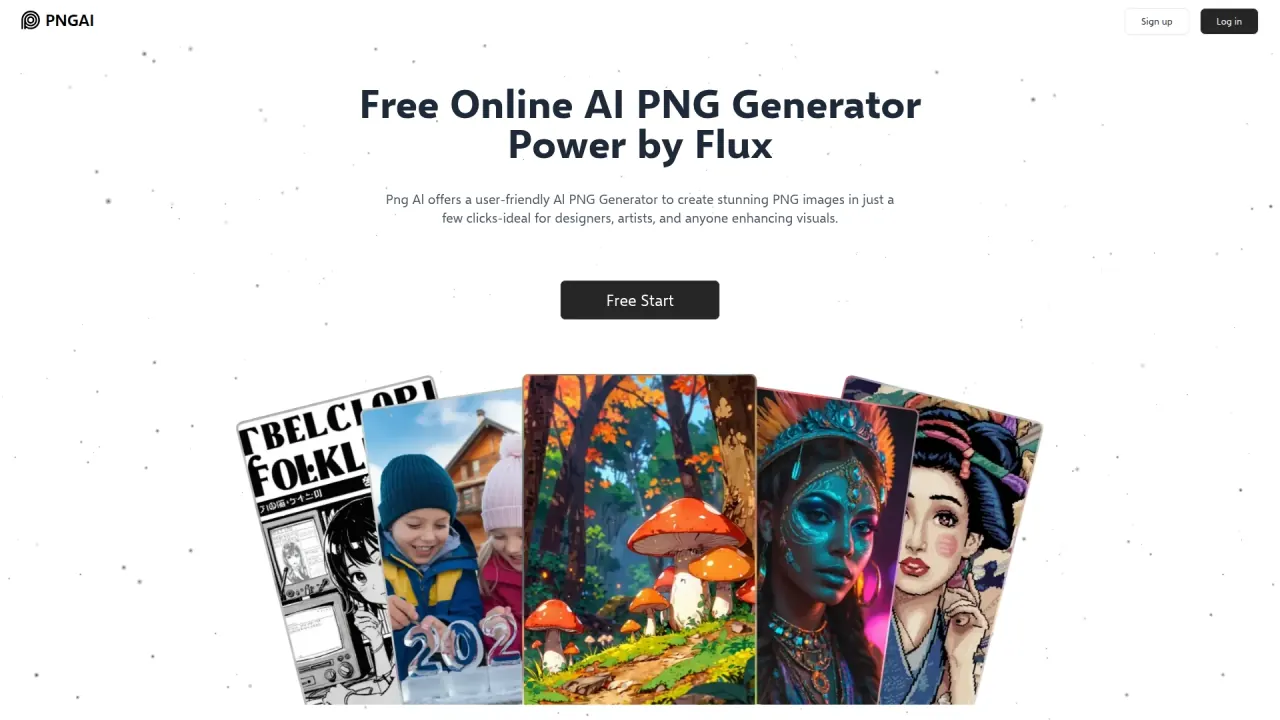

PNG AI pairs a library of more than 25 million transparent PNGs with an AI generator and editor, so a missing graphic can be searched for or described and produced in seconds.
Used this tool? Rate it
Used this tool? Rate it


AI image editing from a reference photo


Multi-model image studio, free to start


Natural AI photo editing for portraits and projects


Build random generators, share them free


Anime art, powered by a million community models


Real-time answers, images, and code in one chat


Community-Trained Models for Art, Video and Characters


Browser-Based AI Photo Editing and Image Generation
PNG AI is a browser workspace that combines two things usually sold separately: a library of transparent PNG graphics and an AI PNG generator with an editor attached. The library advertises more than 25 million images across 100,000 collections, organised by subject, style and effect, and the generator produces new cutouts from a text description when nothing in the library fits.
Both halves lead to the same download. Library assets are described with a written prompt, and the same prompt syntax drives generation, so a reader can browse an existing graphic, study how it was described, and then produce a variation. When nothing in the library fits, the prompt box takes over, and the pitch is speed: describe an image, wait seconds, get a transparent graphic.
Access starts without an account. The homepage offers 10 free credits for AI editing and generation, the free tier keeps access to the community gallery and compressed JPG downloads, and the paid tiers unlock the original-quality PNGs. Editing and generation draw on the same credit balance rather than separate pools, so a month's allowance covers both describing an image and producing a new one. For a designer, a marketer or an e-commerce seller who needs a cutout asset in the next ten minutes, that combination of a searchable library and a prompt box is the whole pitch.
A prompt produces a graphic with the background already transparent, which removes the masking step that normally follows generation. The pricing page prices images at one credit each and notes that usage varies by model, so cost follows the model an action selects rather than a flat rate per picture. The homepage frames the output as PNG illustrations, logos, icons and concept art rather than photographic work, and the generator is reachable from the homepage without signing in first.
The workspace previews results in named styles such as 3D, sticker and realistic, and one click switches an existing idea into another style. That is the cheapest way to compare a clay mascot against a flat sticker before committing to either, and it keeps the subject consistent while the treatment changes.
Describe turns an uploaded image into text. The practical use is reverse engineering: a reader who likes a reference style can extract its description, edit the wording, and regenerate in that direction. It is also the bridge between the library and the generator, since every library asset already carries the prompt that produced it.
Prompts stay editable, so a reader can reuse one to tweak details or create brand new graphics, and the editor handles cropping, recolouring and background removal. Upscaling and advanced settings sit on the paid tiers, which matters for print or large-format use. Image upload itself is a Plus feature, so free and Basic users work from prompts and library assets rather than their own files.
The library is the half of the product that needs no generation at all. Assets are grouped into collections by subject, colour, style or effect, trending searches surface what other people look for, and each asset page pairs the graphic with its descriptive prompt and a download button. For a topic as broad as car parts or speech bubbles, browsing 20 to 25 ready cutouts is often faster than generating one. The collection counts on the homepage are deliberately small — 20 PNGs for cars, 22 for suns, 25 for guns — so a collection reads as a curated set rather than an exhaustive catalogue.
Private generation and image deletion are Plus features. On the lower tiers, generations join the community gallery and remain there, which is the trade that keeps the free and Basic plans cheap.
The work this tool fits is the small asset that blocks a bigger job: the icon missing from a slide, the sticker that has to match a thumbnail, the product cutout that needs a cleaner edge.
The library's trending searches are a useful signal of what people actually need: logos of well-known brands, characters from films and games, seasonal graphics, and everyday objects such as clipboards and rabbits. That demand pattern also points at the main risk, since many of those searches are for protected characters and trademarks.
PNG AI is built for people who need a visual asset rather than a design system: designers filling a gap, marketers producing social graphics, e-commerce teams making badges and product cutouts, and content creators who work without a designer.
It is a weaker fit when the deliverable has to be exact. The license page states that generated artwork may resemble other designs and that PNG AI does not guarantee uniqueness, copyright protection, trademark eligibility or clearance of third-party rights, and it notes that downloading an image gives no rights to logos, characters or brands it depicts. Commercial use is allowed, but the licence does not release content under CC0 or place it in the public domain. Vector output, layer-level control and strict typography are outside what the reviewed pages describe, so brand systems and print production stay in a design application.
PNG AI runs as a web application in the browser, with the library, the generator drawer and the editor in one workspace; no desktop client or plugin appears in the pages reviewed this round.
Three tiers plus a credit pack. Memberships are monthly or yearly, yearly billing is presented as saving up to 30%, and every plan is measured in credits rather than seats.
| Plan | Price | Credits | Included and excluded |
|---|---|---|---|
| Free | $0 | 10 credits | Community gallery, compressed JPG downloads, Describe; no original PNGs, upscale, advanced settings, upload, private generation or deletion |
| Basic | $7/mo, or $84/yr | 400 priority credits per month | Original-quality PNG downloads, upscale, advanced settings; no image upload, private generation or deletion |
| Plus | $14/mo, or $168/yr | 800 priority credits per month | Adds image upload, private generation and image deletion |
| Credit pack | $20 one-time | 800 credits | Never expires, no auto-renew, and it does not upgrade the membership tier |
Credit consumption depends on the model and the action rather than a flat rate per image: the plan cards advertise up to 400 or 800 images at one credit each, then note that usage varies by model. Buying a credit pack adds credits without unlocking features that belong to a higher tier, so upload and private generation still require Plus.
The headline figures on the homepage do not match the pricing page. The homepage advertises memberships starting at $10.00 a month, while the plan cards start at $7.00 for Basic; the pricing page is the one that carries billing terms, so it is the figure to check before purchase. Subscriptions renew automatically, cancellation must happen at least five days before the renewal date to avoid the next charge, and access continues to the end of the paid period after cancelling.
The choice depends on whether the job is generating a graphic, cutting one out of a photo, or finishing an edit afterwards.
A 2026 round-up compares seven PNG maker tools side by side with a free-tier column for each, which is the fastest way to see where a free plan stops, and PNG AI's own stops at a compressed JPG rather than the original PNG.
Users keep their rights. The terms state that the company claims no ownership of user input or output and does not restrict use of the output for commercial purposes, while warning that generative output may not be unique and other users may produce similar results from similar prompts.
The account requirements are explicit. The service is for users aged thirteen or older, minors under the age of majority need a parent or guardian to accept the terms, and children under thirteen are not permitted; the affiliate program requires eighteen or older. Personal data collected includes contact details, payment information handled by a payment processor, and automatically collected interaction data through cookies and tracking technologies, shared with service providers for cloud storage, payments, analytics, security and marketing, with affiliates and in a business transfer. Content may be removed at the vendor's discretion, and account deletion does not guarantee deletion of all content.
Two clauses shape disputes. Payments are non-refundable, and disputes go to binding individual arbitration with a class action waiver, so court trials and class actions are waived unless the reader uses the opt-out right described in the terms. The vendor operates the service from the United States and the terms sit alongside a separate privacy policy that governs the data handling above.
Yes, with limits. The free tier includes 10 credits, access to the community gallery, Describe and compressed JPG downloads. Original-quality PNGs, upscaling, advanced settings, image upload, private generation and image deletion require a paid plan.
Basic adds original-quality PNG downloads, upscaling and advanced settings with 400 credits a month. Plus doubles the credits to 800 and adds image upload, private generation and image deletion.
Transparent output is the product's premise: generation is framed around PNG illustrations, icons, logos and concept art with the background already removed, and the library assets are cutouts by default.
The reviewed pages do not name a model picker. The pricing page prices images at one credit each and notes that usage varies by model, so different actions can draw on different models and cost different amounts.
Commercial use is permitted under the terms, which claim no ownership of output. Third-party material is a separate question: the license page states that output may not be unique and that rights to logos, characters or brands in an image stay with their owners.
Only on Plus, which includes image deletion. On lower tiers generated images join the community gallery, and the terms note that account deletion does not obligate the vendor to delete all content.