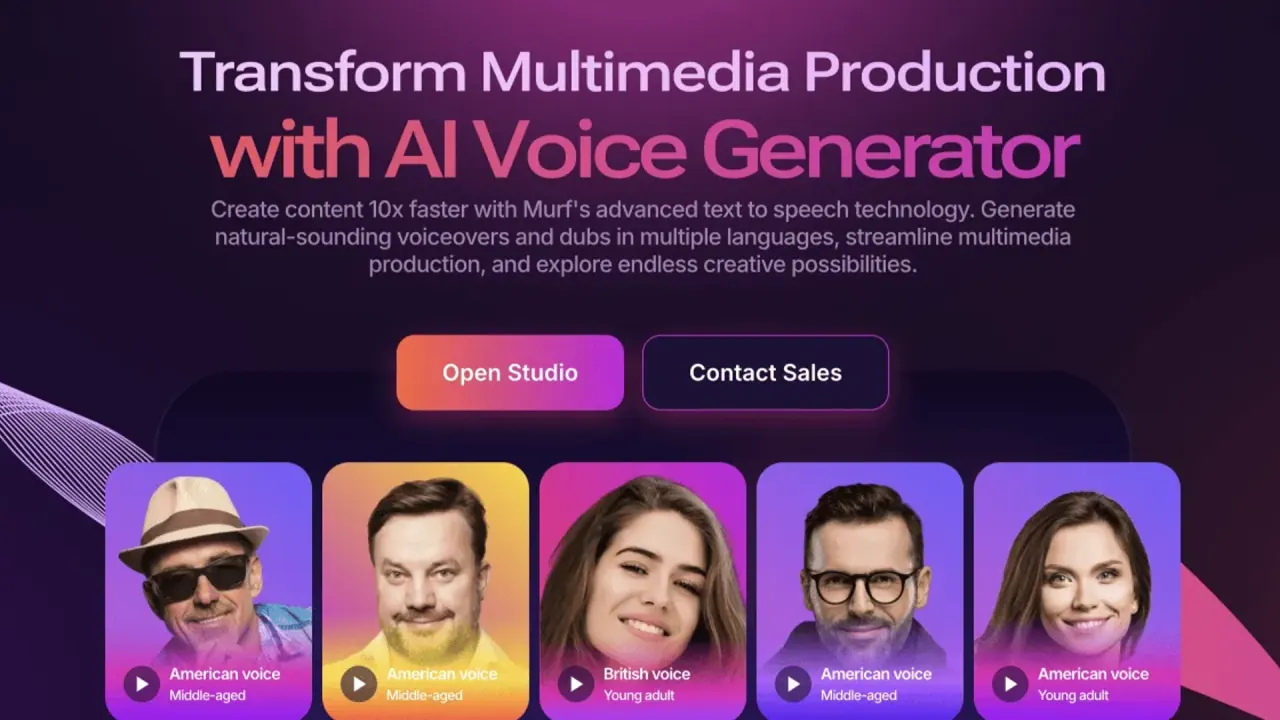

Murf AI pairs a browser voiceover Studio with a per-character text to speech API and AI dubbing, so content teams and developers can produce narration and voice agents from the same account.
Used this tool? Rate it
Used this tool? Rate it


DeepSeek AI models for chat and API


One Gateway, Every Model, Compensated Failures


Public Codex reset tracker


One gateway for text and media models


From prompt to production with Gemini


Track public AI usage-limit reset signals


AI image editing from a reference photo


Multi-model image studio, free to start
Murf AI is a voice platform with four entry points: a browser-based Studio for scripted voiceovers, a text to speech API for developers, AI dubbing for video localization, and a voice changer that runs without an account. The company describes it as a complete AI voice platform for building voice experiences, generating customizable voiceovers and running real-time voice agents, and says it is used by more than 10 million developers, businesses and creators.
The voice library is the first thing most buyers check. Murf advertises 200+ voices across 35+ languages, while a help-centre article on languages and accents lists 33 languages and accents in its body text and 40+ languages in its summary line. The two vendor pages disagree, so treat the exact figure as approximate.
What separates Murf from a bare speech endpoint is the production layer: block-level script editing, per-line delivery controls, a pronunciation editor, slide integrations and a developer API billed per character. The company frames the platform as serving both content and engineering teams, and its own pages cite 300+ Forbes 2000 companies across 190+ countries.
Studio does not stop at picking a voice. The text-to-speech page names 10+ voice styles, including conversational, documentary, promotional and calm, so one voice can be pushed toward a warm explainer or a flat corporate read.
Once a block is generated, the parameters left open are pitch, speed, pause, emphasis, pronunciation, punctuation and volume. Those controls sit at sub-block level, which is what makes line-level direction practical: the read of a single sentence can change without regenerating the entire script.
Names, brand terms and technical vocabulary are the usual failure point for synthetic speech. Murf ships a pronunciation editor where a word is defined once and then applies wherever it appears, which matters for product names, acronyms and medical or legal terminology that recurs across a course or a catalogue.
The company also publishes its own accuracy benchmark: 99.38% across US English, UK English, French, Spanish and Hindi, measured on 4,710 words drawn from 300,000 multilingual news sentences. That is a vendor-run test on a fixed word list rather than an independent audit, but it does describe what the accuracy figure rests on.
Two models are sold side by side. Falcon targets speed and consistency, with low-latency output intended for real-time applications. Speech Gen 2 targets a more controllable, studio-style read with finer-grained direction.
Delivery to applications runs through a streaming API, with WebSocket support for bidirectional audio — the part that decides whether a voice agent feels responsive or laggy.
Dubbing is a separate product with its own pricing. Murf says it localizes video instantly into multiple languages while preserving the original voice, meaning and tone, and advertises instant dubbing in 40+ languages. Teams that already script in Studio use it to reuse the same content across markets instead of re-recording.
The voice changer is the low-friction entry point: no sign-up, uploads under 3 minutes, and 200+ voices to map a recording onto. It accepts .mp4, .mov, .avi, .mkv, .mp3, .wav and .aac files, and a retain-prosody option keeps the original pitch and intonation instead of flattening the performance.
The scripted path is three steps.
Budgeting is where most projects go wrong. Voice generation time is charged when a new sub-block is rendered or when text inside an existing sub-block is edited, but changing the voice actor, style, pitch, speed, pause, emphasis, pronunciation, punctuation or volume on unchanged text consumes nothing. As a planning figure, the company estimates that a 1,000-word English script uses about 6 minutes of generation time before any edits.
The practical consequence is to freeze the copy before rendering, then audition voices. A project that looks comfortably inside a plan can still drift past it during revision rounds.
The API is built for applications rather than one-off files: a key, a text payload and a model choice, with streaming when the response has to start before the sentence ends. Concurrency is provisioned per plan, so the production ceiling is simultaneous requests rather than the monthly character pool.
The published use-case list is broad and mostly content-shaped: e-learning, podcasts, advertising, audiobooks, gaming and accessibility. Each leans on a different part of the product. Courses need consistent narration across dozens of lessons, ads need fast revisions, audiobooks need long-form stamina, games need many distinct voices, and accessibility work needs clean output at speed.
A second cluster is operational rather than creative. The company names customer support, IVR and medical training as accuracy-sensitive deployments, where a mispronounced drug name or account term is a defect rather than a style choice. That is where pronunciation tooling earns its place.
Murf fits teams that produce narrated content on a schedule and want the edit and the voice in one place. The company describes the audience as creators, educators, businesses and developers, and the published use cases lean toward course libraries, explainer and ad variants, long scripts and applications that embed speech rather than finished audio files.
Procurement teams get a compliance answer on the homepage: SOC 2, ISO 27001, GDPR and HIPAA are all stated, and the pricing page repeats ISO 27001 and SOC 2 Type II. Those are vendor statements about certifications rather than audited findings, but specific enough to put on a security questionnaire.
Licensing splits by audience too. Every paid plan carries commercial rights over Studio voiceovers, and a business licence is offered for people producing on behalf of an organisation — the line that decides whether a freelancer's Creator plan covers work delivered to a client.
The poor fits are worth naming: anyone who needs self-serve cloning will not find it in Studio, and broadcast television or radio syndication needs Enterprise rights.
Studio runs in the browser, so the working surface is a tab rather than an install. Integrations cover Canva, PowerPoint and Captivate, which is where a lot of corporate narration actually gets assembled: the voiceover is generated and dropped into the deck or course tool instead of being exported and re-imported.
Paid plans allow a separate workspace for a team, with collaboration happening inside that workspace. The API, dubbing and Studio are sold from the same pricing page but metered separately, so a team using two of them should expect two allowances rather than one shared pool.
Studio is sold as a subscription, the API by consumption, and dubbing on its own schedule. The Studio figures below are the starting prices the product page publishes as captured on November 23, 2026, billed annually. The Studio tab's detailed grid renders through a script and could not be read as text in this capture, so per-tier hour allowances are not reproduced here.
| Plan | Published starting price | What the page lists |
|---|---|---|
| Free | $0 | 2 projects, 10 minutes of voice generation, 1 editor, core Business-plan features |
| Creator | from $19/month billed annually | paid tier above Free |
| Business | from $66/month billed annually | paid tier above Creator |
| Enterprise | custom pricing | high-volume and specialised requirements |
The free tier works as a trial: 10 minutes of generation, two projects and a single editor, with the Business-plan feature set exposed so the trial shows the better tooling rather than the cheapest one. Creator starts at $19 per month billed annually and Business at $66 per month billed annually, with Enterprise priced on request.
The API is priced per endpoint and per unit, as captured on November 23, 2026. Falcon 2.1 text to speech is the cheapest endpoint at $0.01 per 1,000 characters, while Gen2, speech to text, voice changing and translation are metered separately.
| API endpoint | Published rate |
|---|---|
| Text to speech, Falcon 2.1 | $0.01 per 1,000 characters |
| Text to speech, Gen2 | $0.03 per 1,000 characters |
| Speech to text (Beta) | $0.12 per hour |
| Voice changer | $0.10 per minute |
| Translation | $0.02 per 1,000 characters |
New API accounts start with $10 of free calls, 150+ voices in 35+ languages, and up to 5 concurrent requests for both text to speech and speech to text. Purchased credit does not expire, which changes the arithmetic for spiky workloads: unused balance carries rather than resetting each month.
The help centre adds the operational ceilings. The API free trial is 100,000 characters with 1 API key, a concurrency limit of 5 and 1,000 requests per minute. Pay-as-you-go buys 1,000 characters at $0.03 with a $2 minimum, allows 3 API keys, and raises the limits to 15 concurrent requests and 10,000 requests per minute; custom plans exist for volume beyond that.
Subscriptions renew on their own. The company states that monthly plans auto-renew and that a subscription can be cancelled before the billing date to stop it, and cancellation is self-service from Workspace Settings, taking effect at the end of the current billing period rather than immediately. Refunds follow the published refund terms rather than the cancellation flow.
ElevenLabs sells instant voice cloning from its Starter tier, which its pricing page shows at $5 per month billed yearly ($60 a year), or $6 month to month; Starter also includes the commercial licence. The free tier carries 10,000 credits per month. The page displayed a time-limited discount banner at capture, so the headline figures may sit below the regular price.
WellSaid does not publish a price grid at all. Its pricing page states that every plan is custom-scoped around the volume of finished voiceover a team produces, the voices it licenses and where the audio runs, and that every voice is cleared for commercial use with a licence record on each file.
The choice usually comes down to one requirement. If self-serve cloning is the requirement, ElevenLabs covers it on a low tier while Murf reserves cloning for Enterprise. If the work is enterprise narration with procurement paperwork, WellSaid's model is built around that conversation. If the work is scripted voiceover with slide sync, a pronunciation library and an API on one account, Murf is the reason to stay.
Voice cloning is the sharpest boundary. Murf supports it for business and enterprise use, but it is not a self-serve Studio feature: it is available exclusively through the API for Enterprise customers, in an instant version built from a reference recording of up to 30 seconds and a professional version for higher-quality work.
Consent is a contractual requirement, not a suggestion. Submitting a third party's voice recordings without explicit written consent is prohibited, and the terms require that any cloned speaker has agreed in writing to recordings being used to train a voice model and to synthesise their voice.
The commercial licence has limits that are easy to miss. Commercial rights are not resell rights: the terms forbid reselling or offering to resell Murf's offerings, including the Studio voice library, and forbid using Murf-created voices to train any AI model or to synthesise voices for any purpose outside the licence.
Acceptable-use rules are explicit about identity and harm. Impersonation, stalking, threats, doxxing, harassment and fraud through the service are prohibited, which matters for anyone producing character or parody content with a recognisable voice.
Access has an age floor. The user agreement sets a minimum age of 16, requires one account in the user's real name, and bars accounts created for people below that age.
Broadcast is a separate right. Standard paid plans cover commercial use of Studio voiceovers, but broadcasting rights for public or paid broadcast airwaves such as television networks or commercial radio are exclusive to Enterprise plans.
Trial and beta usage carries almost no assurance. The terms state that Murf offers no warranty, SLA or support for trials and betas, and that its aggregate liability for them will not exceed USD $1,000 — worth knowing before a pilot is built on a beta endpoint.
Privacy has a defined end date. Account closure triggers permanent deletion of account information, including uploaded projects, media and text, within 30 days of termination, and data requests are answered within 30 days, subject to the exceptions the policy lists.
The documentation does not state whether customer audio or text is used to train Murf's models. The privacy policy covers retention, deletion and analytics, but no such training commitment appears in the pages reviewed; teams that need that assurance in writing should treat it as unanswered rather than settled.
Yes. The Studio free tier lists $0, two projects, 10 minutes of voice generation, one editor and the core Business-plan features, with no credit card required, and the API starts with $10 of free calls.
All paid Studio plans include commercial rights over generated voiceovers. Broadcast use on television or commercial radio needs Enterprise broadcasting rights, and reselling the voices or the library is not permitted on any plan.
Not on a self-serve plan. Cloning is offered through the API to Enterprise customers, using either a short reference recording for instant cloning or a longer process for professional cloning.
Rendering a new sub-block, or editing text inside an existing one. Changing voice, style, pitch, speed, pause, emphasis, pronunciation, punctuation or volume on unchanged text does not consume generation time, and a 1,000-word English script is estimated at about 6 minutes.
Per endpoint and per unit: $0.01 per 1,000 characters for Falcon, $0.03 for Gen2, $0.12 per hour of speech to text, $0.10 per minute of voice changing and $0.02 per 1,000 characters of translation. Purchased credit does not expire.
Paid plans allow a separate workspace for a team. Studio runs in the browser, with integrations for Canva, PowerPoint and Captivate.