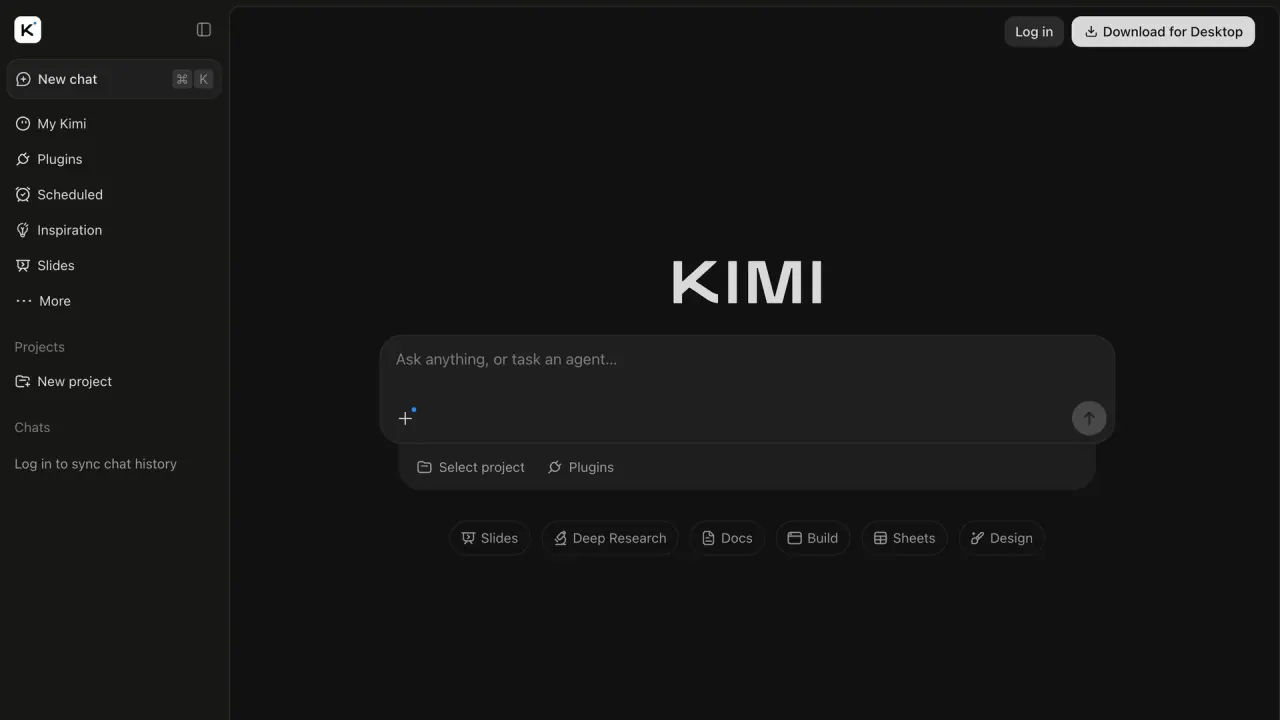

Kimi is Moonshot AI's assistant and model platform, built around a 1M-token context window, native visual understanding and agentic coding, with a consumer app, desktop clients and an OpenAI-compatible API.
Used this tool? Rate it
Used this tool? Rate it


AI assistant for writing, analysis and tasks


Real-time answers, images, and code in one chat


One workspace for every AI model


One workspace where your team and its AI agents think together


Chat Your Way to a Finished Video


Plan, build, and refine work with an AI agent


Astrology readings from real astrologers


AI search for cited research
Kimi is an AI assistant and model platform from Moonshot AI. The current flagship, Kimi K3.1 Pro, is described by the company as a 3-trillion-parameter class model with a 1-million-token context window, built for long-horizon coding, 3D creation, financial research and complex agent tasks.
The product exists in more than one form. A consumer app and desktop clients cover chat, documents, slides, sheets, design and deep research. An open platform exposes the same model family through an API with OpenAI-compatible endpoints, so a team can use the assistant in a browser and the model inside its own software.
The distinguishing constraint is context length. K3 series models accept 1,048,576 tokens in a single request, which is roughly a long book or a large codebase slice, and the API bills those tokens per use rather than through a subscription. The older K2 series stops at 262,144 tokens and is being retired.
Moonshot AI publishes its own benchmark results for the flagship, including a 65.7% score on Terminal-Bench 4.0, ahead of the 58.2% it reports for GPT-6 Astra and just behind the 66.4% it reports for Claude Opus 5.5. Those are vendor-reported comparisons, not independent measurements.
Kimi's strengths cluster around long inputs, agentic execution and producing structured artefacts rather than chat replies alone.
K3 series models support a 1,048,576-token context window, and the platform treats that window as the primary product feature rather than a specification line. In practice it changes what can be handed over in one go: a full contract set, a long transcript, or several hundred files of a codebase can be supplied without a retrieval layer in front of the model.
Context caching is automatic for repeated request prefixes, with a default time-to-live of five minutes and a one-hour option. Cached input is billed at the cache-hit price, and cache writes are billed separately by TTL. For a workflow that asks many questions against the same document, that pricing detail matters more than the headline token rate.
K3.1 Pro is positioned for long-horizon coding: multi-step work inside a real repository, tool use across turns, and complete project builds. It is documented as working across Unity, Unreal Engine and Godot, combining web search and 3D generation to assemble interactive scenes rather than only code files.
Reasoning depth is adjustable through reasoning_effort with low, high and max settings, which trades latency and token spend against deliberation. The platform also documents official tools, tool choice controls and dynamic tool loading for agents with large tool inventories.
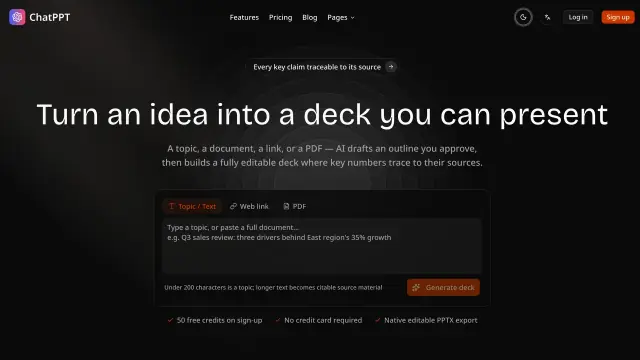
The consumer side of Kimi is organised around artefacts. The company describes a base of model capability used for deep research, one-click site building, spreadsheet work and autonomous editing of presentations, so the assistant is meant to end with a deck, a page or a table rather than a paragraph of advice.
Those surfaces are the reason the tool is filed under presentation and agent categories rather than as a plain chatbot. A user who needs a consulting-style deck or a working web page is the target, and the model's long context is what lets it keep a whole brief in view while drafting.
Supported models accept text, images and video, and the API can return JSON constrained by a schema. JSON Mode returns a valid object without fixing its fields, while Partial Mode continues a supplied prefix or resumes a truncated answer. For teams wiring Kimi into a pipeline, Structured Output is usually the difference between a demo and a dependable step.
Three API formats are offered: Chat Completions in the OpenAI-compatible shape, a Responses-compatible endpoint, and a Messages-compatible endpoint. That choice lets an existing OpenAI or Anthropic SDK point at Kimi by changing the base URL.
Three current models cover the flagship line. Kimi K3.1 Pro is the 3T-class flagship with native visual understanding and a 1M-token window. Kimi K3.1 Pro Highspeed offers the same intelligence at roughly two to three times the speed. Kimi K3 is the previous flagship, described as the first open-source 3T-class model at 2.8 trillion parameters.
Kimi's API is built for agents rather than single-turn completion. Developers define function tools, let the model request calls, run them in the application, and return results with matching tool_call_id values. Tool choice can be automatic, required or disabled. Dynamic tool loading appends tool definitions only when needed, which keeps the prompt shorter and preserves the cached prefix for a long-running agent.
The platform also supplies hosted tools. Web Search Basic returns structured results with page titles, summaries, sites and URLs through a standalone endpoint, while Web Search Pro returns relevance-ranked content chunks and can restrict results by site and time range. URL Fetch returns a page's title and Markdown body. Together they cover the retrieval loop that most research agents build by hand: search, narrow, fetch, then reason over the text.
Document work does not require pasting text into a prompt. The Files API uploads a file, returns an ID, and supports listing, retrieving, downloading and deleting it; the extracted content can then be added to a conversation for single-file or multi-file question answering. File content extraction and storage are billed separately from tokens, and the documentation currently lists both as free.
For volume work, the Batch API accepts a JSONL request file, runs it asynchronously, and lets the caller monitor and download results. The console offers the same batch inference without code. Neither path is real-time, so it suits classification, extraction and evaluation runs rather than a chat product.
Long generations can break. Automatic reconnection resumes interrupted streaming requests, and Partial Mode can continue a truncated response from where it stopped instead of regenerating the whole answer. A token counting endpoint estimates the size of a request before it is sent, which is useful when a document is close to the window limit.
The web console is not only a key dispenser. A Playground compares models, adjusts parameters and tests tool calls, and can turn a working debug session into an API request. MoonPalace inspects requests and conversations, including parameters, files, tool calls and cache behaviour.
For teams, the platform organises work into organisations and projects, with budgets, rate limits, members, IP allowlists and usage analytics managed at that level. An Admin API covers member, project and key management plus billing, usage and audit queries, so provisioning can be automated in existing internal systems. These controls matter for the pay-as-you-go model: without a project budget, a runaway agent loop is a billing event rather than a bug report.
How Kimi is used depends on which surface you start from, and the three common paths look quite different.
The long window is the reason to choose Kimi over a shorter-context assistant. A contract bundle, a research corpus or a full meeting archive can be submitted together, and questions can be asked against the whole set rather than against retrieved fragments. For repeated questions, keeping the prefix stable lets context caching apply, which lowers the input cost of the second and later requests.
On the platform side, K3.1 Pro is documented for coding agents such as Kimi Code, Codex and Claude Code, with a 1M-token window and native visual understanding. The practical pattern is to give the agent repository access, let it call tools across several turns, and reserve the highest reasoning effort for the steps where a wrong decision is expensive.
On the consumer side, the work starts from a brief and ends in an artefact: a presentation that can be edited, a site built in one pass, or a spreadsheet. The model keeps the brief in context while generating, which is what makes a coherent deck possible without pasting the outline into every prompt.
Kimi documents first-party paths into several coding clients: Kimi Code CLI, Codex through the Responses API, Claude Code through the Messages-compatible endpoint, plus OpenCode, OpenClaw and Hermes Agent. In each case the change is a base URL and an API key rather than a new workflow, which is why the compatibility claim is practical rather than marketing. Reasoning effort is set per request, with max as the default on K3.1 Pro, so a team can lower it for routine edits and raise it for architecture work.
Two boundaries follow from the documentation. The first is that agentic quality is stated through vendor benchmarks, so a team should test its own repository rather than assume the published margin transfers. The second is that retention controls are scoped: Zero Data Retention is an enterprise option with exceptions, and a workflow that depends on it has to be designed around those exceptions.
Kimi fits teams whose work is limited by how much context a model can hold, or who want an agent that edits real files rather than answering questions.
It is a weaker fit for:
Kimi is available as a consumer app, desktop software and an API.
| Surface | What is available |
|---|---|
| Web and mobile app | Kimi assistant with chat, documents, slides, sheets, design and deep research |
| Desktop | macOS and Windows clients |
| Browser extension | Kimi plugin |
| API | Chat Completions, Responses and Messages formats, OpenAI-compatible |
| Models | kimi-k3.1-pro, kimi-k3.1-pro-highspeed, kimi-k3 |
| Context | 1,048,576 tokens on K3 series; 262,144 on K2 series |
| Multimodal | Text, images and video on supported models |
| Data controls | Zero Data Retention on request for enterprise customers |
The API is reachable through the standard OpenAI and Anthropic SDKs by changing the base URL, which keeps migration work small. Regional availability and per-model pricing are documented per endpoint, and the platform notes that prices exclude applicable taxes, which are calculated at checkout by jurisdiction.
The Kimi API, Kimi Membership and Kimi Code are three separate products, and conflating them is the most common buying mistake.
The API is pay-as-you-go, billed per million tokens with no subscription. Input and output tokens are metered separately, cache hits are billed at a lower rate, and cache writes are billed by time-to-live. Batch inference for kimi-k3.1-pro and kimi-k3 costs 60% of the standard price, which makes overnight jobs materially cheaper than interactive ones. File upload and content extraction are temporarily free, so document-heavy work is not charged twice.
Kimi Membership and Kimi Code are separate products with their own terms, and the documentation explicitly distinguishes them from the API. The captured pages do not publish membership prices, so a buyer should read the current pricing page in the app rather than infer a number from the token rates.
A buyer comparing Kimi with a subscription assistant should treat the API and the membership as separate purchases, because the platform bills tokens with no subscription and documents membership as a different product.
Zero Data Retention does not change billing or the API surface. It is a server-side processing policy available on request to enterprise customers, and it is the option to evaluate when a contract requires that prompts and responses are not retained.
The constraints worth knowing are mostly about scope: which model, which surface, and which retention mode.
Membership is a consumer product. The API is a pay-as-you-go developer platform billed per token, with no subscription, and the documentation treats them as separate products.
The K3 series takes about a million tokens; the K2 series takes 262,144.
The platform states that enterprise customer data is not used to train models, and that Zero Data Retention goes further by removing content retention for customers who enable it.
Yes. The platform offers OpenAI-compatible Chat Completions and Responses formats, plus a Messages-compatible endpoint.
Yes. Batch inference for the two K3 models is billed at 60% of the standard price.
Yes. The API exposes Web Search Basic and Web Search Pro endpoints plus URL Fetch, and the consumer app includes a deep research mode.
It appends tool definitions on demand instead of sending a large inventory with every request, reducing token usage and preserving prefix caching for agents with many tools.