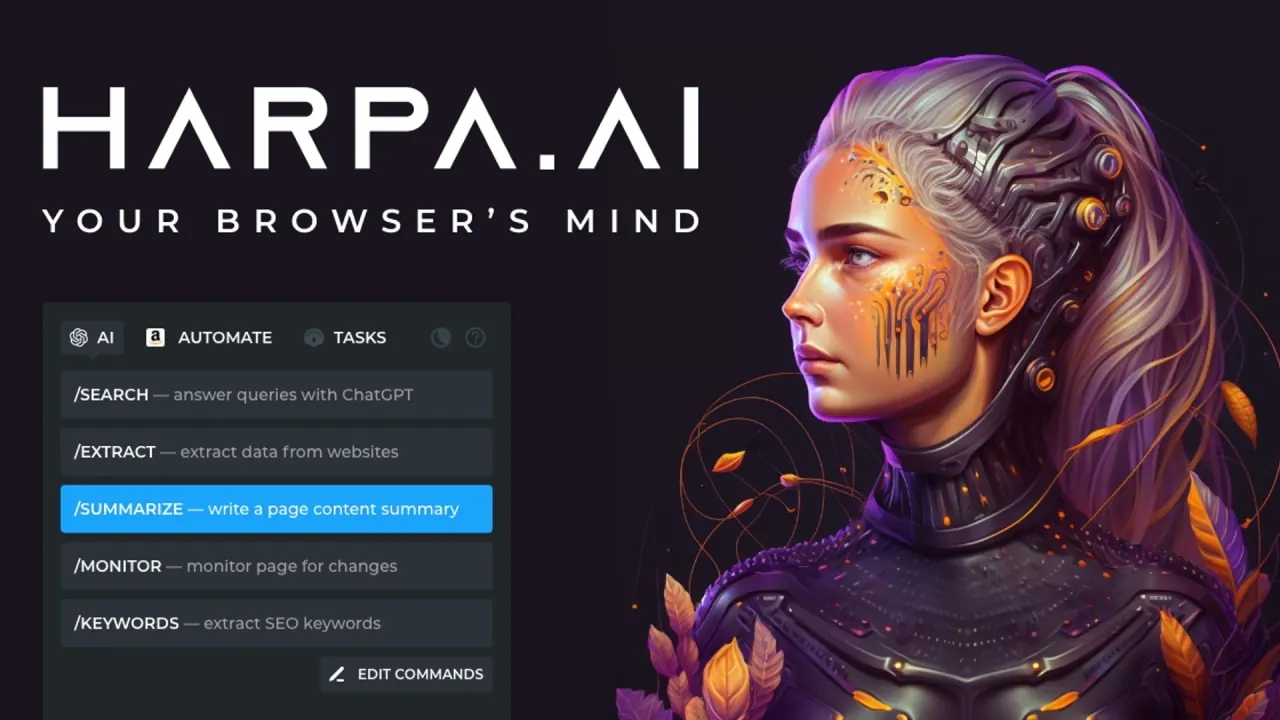

HARPA AI adds a page-aware AI panel and a workflow scheduler to Chrome, using your own AI login, your API keys or its cloud models.
Used this tool? Rate it
Used this tool? Rate it


One workspace for every AI model


Chat Your Way to a Finished Video


Plan, build, and refine work with an AI agent


Build forms around real submission workflows


AI image editing from a reference photo


Multi-model image studio, free to start


Natural AI photo editing for portraits and projects


AI assistant for writing, analysis and tasks
HARPA AI is a Chrome extension that turns the browser into an AI agent. A side panel opens next to whatever page you are on, reads that page when you ask it to, answers with a model of your choice, and can be told to repeat the job later on a schedule. The positioning is narrow and specific: it is an AI browser agent, not a chatbot you visit, and it works on the pages you already have open.
The panel has two tabs. Chat is the conversational side, with page access, web search, browser automation and memory as switches you control. Automate is the scheduling side, where monitors watch a page for a change and commands run at set times, on a hotkey, from a right-click menu or after another automation finishes.
HARPA's pitch is that it is a hybrid rather than a pure agent. A general agent pays a model for every click on every run. HARPA has the AI design a workflow once, then repeats the same fixed steps, calling a model only where the job needs judgement. The company illustrates the difference with a five-run comparison: 39 model calls across five runs for an agent that plans each time, against five calls across the same five runs for a stored workflow.
The service is run by HARPA AI TECHNOLOGIES LLC in Helsinki, Finland, and governed by Finnish law and EU legislation including the GDPR. The homepage reports more than 500,000 users across all browsers and a Chrome Web Store listing that names it a favourite extension of 2025.
The product is easier to understand as five layers: a chat that knows the page, an agent that can act, a workflow editor, a scheduler, and a set of model connections.
Chat opens beside the page and can be given the page's text, a PDF or a YouTube transcript. Summaries come back with timestamps on video, and follow-up questions keep the context of the same tab. Typing a slash opens the built-in commands: summarise, explain, extract data, reply, rewrite and more, with suggestions that change according to the site you are on. Each chat keeps its own model, so a long research thread and a quick rewrite can run on different providers without reconfiguring anything.
The agent can click, type and read across tabs, and the documented pattern is to test on one tab and then run on fifty. Bulk runs across dozens of open tabs are the feature that separates HARPA from a sidebar that only summarises. The same automation can fill a form, move through a paginated list or collect the same field from a set of pages.
A HARPA command is a list of steps: read the page, ask the AI, click, wait, send. The flow canvas draws those steps as boxes you can rearrange, branch and loop, with groups and an if/else lane for conditional work. Steps that touch the page require picking a real element, and the editor flags a missing element as a warning before anything runs. A built-in command opens read-only and can be cloned into an editable copy.
This is where the hybrid claim becomes concrete. A workflow can mix fixed browser steps with a single AI step, so the cost per run stays close to one model call even when the automation touches twenty pages.
Automations come in two kinds. Monitors check a page on a schedule and alert when a price, a value, a text block or the whole page changes. Command automations run an AI command by themselves at set times, when a site opens, from a hotkey, from the context menu or after another automation. Results, alerts and failures all land in one inbox, with anything that needs a decision pinned under a "needs you" heading.
The scheduler runs inside the browser, in hidden tabs, while the browser is open. That design uses your existing logins, so a page behind a password works without extra setup, but it also means nothing runs when the browser is closed.
There are four ways to reach a model, and they differ in who pays. HARPA's own cloud models use cloud credits. Web sessions reuse a ChatGPT, Claude, Gemini or Grok login you already pay for. API keys connect OpenAI, Anthropic, Google, xAI, DeepSeek, Perplexity or OpenRouter directly, or any OpenAI-compatible endpoint including a local Ollama model. MCP connections add external tools and data to the assistant.
The privacy consequence is stated plainly: with your own key, prompts go straight to the provider; local models run on your machine; and cloud prompts are not stored. The trade-off is that cloud credits are the only route that works without an account elsewhere, and they are also the only route that costs money beyond the subscription.
Setup is short, and the product documents the order.
The product fits recurring browser work that would otherwise be copied and pasted by hand.
The common thread is a repeated, well-defined browser task. HARPA is weaker as a general-purpose assistant for open-ended conversation, and stronger when the same six steps run every morning.
HARPA AI is aimed at people whose work happens in browser tabs.
It is a poor fit for anyone who needs automation that runs with the browser closed, a native mobile app, or a fully autonomous agent that decides its own steps on every run.
HARPA AI is a desktop Chromium extension. The store listing covers Chrome, Brave, Edge, Opera and Vivaldi, and the panel is invoked from the toolbar or a keyboard shortcut on any page. Because the model is chosen per chat, the same HARPA AI extension works as a ChatGPT Chrome extension, a Claude client or a Gemini one without a second install.
There is no native iOS or Android app in the product's own documentation, and automations depend on an open desktop browser. That is a platform constraint as much as a product choice: the agent works by driving real tabs with your real sessions.
HARPA prices in two currencies at once: a subscription and cloud credits. The subscription buys access and removes limits; credits pay only for HARPA's own cloud models.
The free tier is genuinely usable if you already pay for an AI subscription. It includes 100 chat messages a day on your own ChatGPT, Claude or Gemini login, 1,000 page-aware runs in total, three custom commands, three automations and about 15 cloud requests to try, with no card required.
| Plan | Price | What it adds |
|---|---|---|
| Free | $0 | 100 messages a day on your login, 1,000 page-aware runs, 3 commands, 3 automations |
| Pro | $12 per month, or $144 per year | Cloud models, unlimited runs and automations, chat and memory sync, about 2,300 cloud requests a year |
| Teams | from $12 per seat per month | Pro features in a shared space, shared commands and connections, one credit balance |
| X | $240 once | Pro features for life on one seat, 40% off every top-up |
Prices are shown in USD for the United States at checkout, and EU prices include VAT; the same lifetime plan appears as €200 on the European page. Top-ups are sold once and never expire: roughly 150 requests for $8, 600 for $23, 1,800 for $59, 5,000 for $173, 11,000 for $340 and 22,000 for $670, with the discount per request growing as the pack gets larger.
Teams buys the same Pro features for a shared space, with seats invited by email and billed pro rata against one credit balance.
A cloud credit is measured in page-aware requests, defined as one page plus one prompt, about 33,000 tokens. A short chat message consumes a fraction of a request and a larger model consumes more. Chats on your own login or your own API keys never consume credits, which is the single most important pricing fact for a heavy user: the subscription is optional if you bring a key, and the credits are optional if you do not use HARPA's cloud.
Billing runs through FastSpring, with cards and PayPal depending on country, and invoices live on the space page. Subscriptions renew automatically, cancellation stops the next renewal and access continues to the end of the paid term.
The closest alternatives are other AI sidebars and general assistants, and they differ mainly in whether they automate pages or just read them.
The distinction that matters is stored workflows versus improvisation. If you want an assistant that answers questions on any page, a sidebar is enough. If you want the same six steps to run every weekday at eight, a workflow tool with a scheduler and an inbox is the better shape.
The constraints are mostly architectural, and they show up in daily use rather than in the marketing copy.
Automations only run while the browser is open. The scheduler uses hidden tabs and your own sessions, which is why it needs no cloud runner and no stored passwords, but a laptop that closes at night does not run the morning digest.
The free tier is a trial with a calendar, not a permanent free plan. The 1,000 page-aware runs are a total allowance rather than a monthly one, and the fifteen cloud requests run out quickly if you use HARPA's own models. Three custom commands and three automations is enough to test the idea and not enough to run a team.
Cloud credits are metered in a unit that is easy to underestimate. One request is defined as a page plus a prompt of about 33,000 tokens, so a long PDF, a large model or a multi-page workflow consumes far more than a short chat message suggests.
Billing is deliberately rigid. The terms state a no-refunds policy for subscriptions and other products, justified as a guard against purchase-cancellation abuse, and a plan change from monthly to yearly means cancelling and subscribing again when the term ends. A subscription price change takes effect at the end of the current billing cycle, with notice, but continuing to use the service after that counts as agreement.
Model access is only as good as the route you choose. Cloud models depend on credits, web sessions depend on a login the provider can change or rate-limit, and API keys depend on your own provider account and its limits. HARPA's documentation is honest that these are different connections rather than one pool.
Finally, the tool acts inside your logged-in browser, which is the source of both its power and its risk. The privacy page promises that own-key prompts go straight to the provider and that cloud prompts are not stored, but any automation that clicks and types on your behalf can act on the wrong element if a page changes. The flow canvas flags missing elements before a run, which mitigates the problem without removing it.
The privacy page adds that the account and its data can be deleted by the user at any time.
Yes, within limits. The free plan uses your own ChatGPT, Claude or Gemini login for 100 messages a day, plus 1,000 page-aware runs in total, three commands, three automations and about 15 cloud requests, with no card required.
No. HARPA's cloud models work on credits, web sessions reuse a subscription you already have, and API keys are optional. Bring a key and prompts go straight to the provider without consuming credits.
No. Monitors and scheduled commands run in hidden tabs inside an open desktop browser, using your own sessions, so nothing executes while the browser is shut.
The product is distributed as a desktop Chromium extension, with no mobile app documented. A phone browser will not run the panel or the automations.
Chrome, Brave, Edge, Opera and Vivaldi, all on the desktop, installed from the Chrome Web Store.
The terms state a no-refunds policy for subscriptions and other products. Cancelling stops the next renewal and access continues until the paid term ends, but the remaining period is not refunded.