
GoEnhance AI generates and restyles video and images with third-party models such as Veo 3.1, Kling 3.0 and Sora 2, plus face swap, lip sync and upscaling, billed in tokens.
Used this tool? Rate it
Used this tool? Rate it


AI image editing from a reference photo


Multi-model image studio, free to start


Natural AI photo editing for portraits and projects


Build random generators, share them free


Anime art, powered by a million community models


Real-time answers, images, and code in one chat


Community-Trained Models for Art, Video and Characters


Browser-Based AI Photo Editing and Image Generation
GoEnhance AI is a browser-based AI video generator and image studio that transforms footage through a menu of third-party models. One account covers text to video, image to video, video restyling, face swap, lip sync, talking avatars, upscaling and image generation, and every job is paid for in tokens from a single balance.
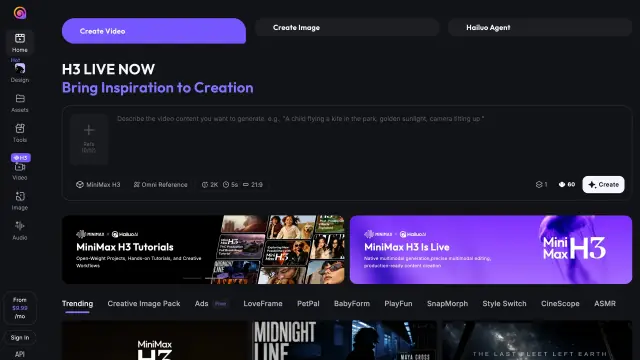
The product is an aggregator rather than a single model. The homepage advertises access to Veo 3.1, Kling 3.0, Sora 2, Seedance 2.0, Wan 3.0, GPT Image 2.5 and Nano Banana Pro, alongside its own GoEnhance model and older releases such as Runway, Luma Ray2, Hailuo 2.3 and Vidu Q3.
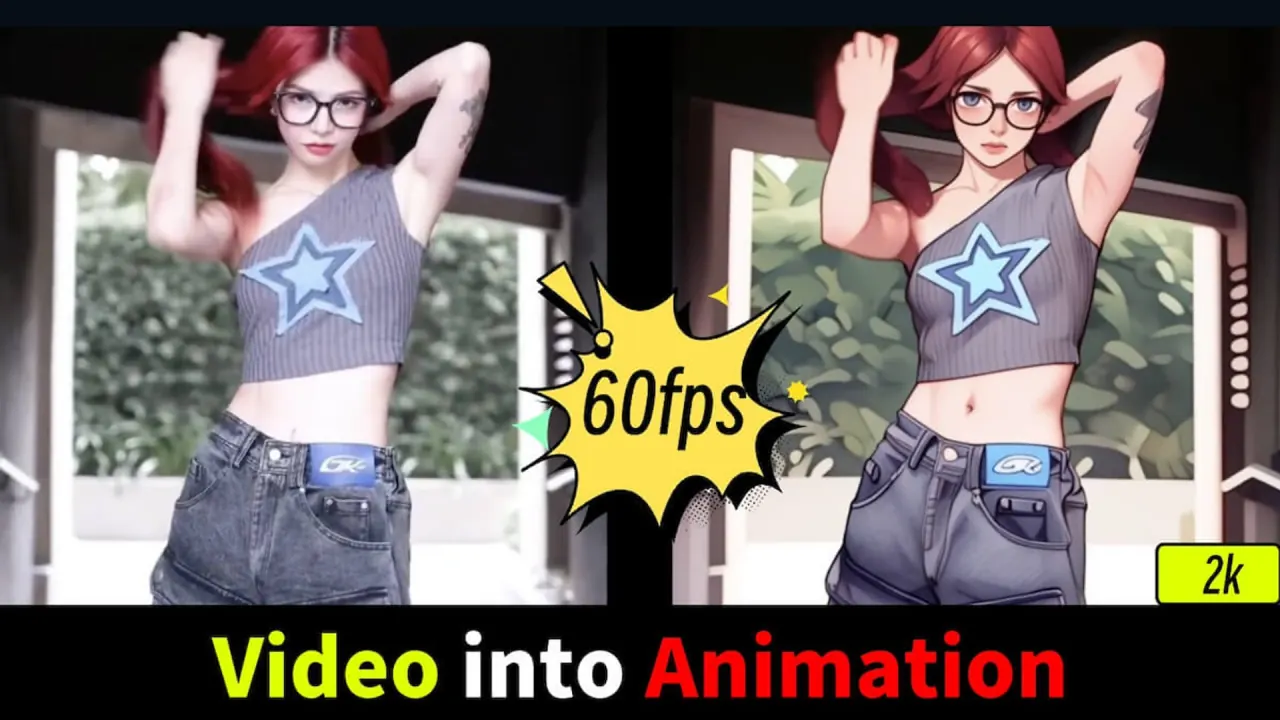
GoEnhance describes itself as the choice of 3 million creators, a figure the company reports itself. Its framing is breadth: one place for the latest video and image models, with the FAQ describing video-to-anime conversion at 4K and 60 frames per second at the centre.
There is no free trial in the ordinary sense. A free account gets a small token allowance, and the upscaler page promises 20 free credits at sign-up without a card, enough to test a few clips.
The model picker is the centre of the product: a job starts with a tool, then a model, then a prompt or upload, and the generate button shows the token cost first. Because the same balance covers third-party video models, image models, face tools and upscaling, a user can compare Veo, Kling and Wan on one brief without opening three accounts.
The text-to-video page promises a clip from a written prompt with control over model, creativity level, motion intensity and aspect ratio. An optional starting image turns the form into image to video, which is how stills, product shots and illustrations are animated. An extender covers longer jobs, and multi-image stories hold continuity across shots.
Existing footage can be re-rendered in another look: anime, Pixar-style, claymation, pixel art, Ghibli-style, knit or 3D CG. Style transfer can be limited to the subject while the background stays real, so a character effect does not require restyling the scene. A seed control keeps reruns closer to the first result. The page recommends 540p previews for tests before moving to 720p, 2K or 4K.
The anime video generator animates an uploaded character illustration from a written motion brief, and the page is unusually candid about the craft involved: clear facial features and a readable pose help preserve the design, and long sequences may still need several generations plus manual editing. Separate converters handle anime to real and real to anime, alongside a cartoon converter and a style-transfer tool.
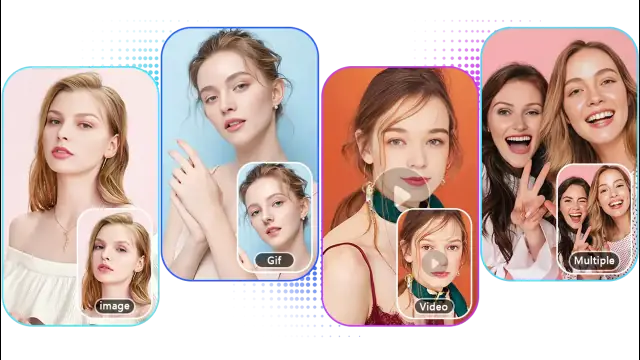
The AI face swap tools cover video face swap, multi-face swap, GIF swap and image swap, while the avatar line covers a talking avatar, lip sync from an audio track, a photo that talks and character animation. These carry the heaviest consent requirements, and the privacy policy treats them separately, as the privacy section below explains.
The AI video upscaler takes MP4, MOV or WebM up to 100MB in the widget and up to 2GB in the workflow description. Exports run at 720p, 1080p, 2K or 4K. It pairs resolution with motion-aware deblur that follows the action from frame to frame. An optional frame-rate boost doubles to 60 frames per second for slow motion. The page aims all of it at old phone footage, sports clips and product video. The image side does the same job for stills, with a faithful upscaler that keeps faces and logos intact and a creative enhancer that adds detail.
More than 100 video and photo effects are sold as one-click templates, from dance and sports memes to ageing, Ghibli and Pixar filters. Around them sit a text-to-image generator, image editing, old photo restoration, uncropping, an image-to-prompt reverse tool and a Pinterest helper. Audio comes from an AI music generator, text to music and a text-to-speech tool.
The workflow is the same across tools. Pick a tool from the left menu, upload a file or write a prompt, choose a model, set the aspect ratio, length and resolution, then press generate; the button states the token price first. A result can be previewed, regenerated with another seed or model, upscaled, or downloaded without a watermark on paid plans.
Two modes change the economics. Fast mode tries to give instant GPU access and always costs tokens, while Relax mode costs nothing and allows unlimited images and video on the features that support it, but jobs queue behind other users and the wait is longer. Relax mode is limited to Standard, Pro and Mega subscribers.
Video tools take MP4, MOV and WebM, image tools take JPG and PNG, and upload caps differ between the widget and the documented workflow. Exports are picked as HD, Full HD or 4K with presets such as Film, Gaming or Old Video.
A creator with an original character illustration can turn it into a moving scene for a music edit or a story beat, then restyle a whole clip into anime for a trend. The same pipeline supports Pixar-style and claymation looks, which is why the style pages lead with social formats rather than film work.
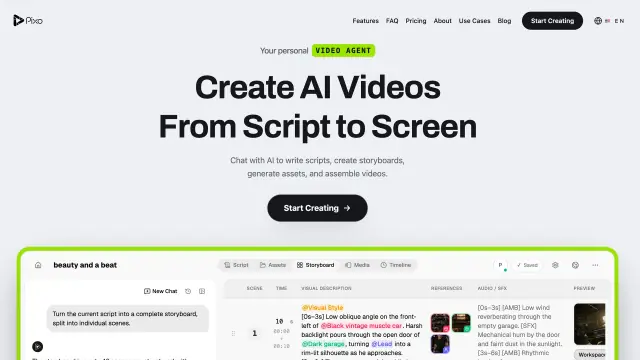
A script, a synthetic voice and a talking avatar or animated still are enough for a faceless explainer or story channel. Multi-image storytelling, text to speech and lip sync cover the pieces that would otherwise need a camera, a presenter and a separate voice tool.
A product photo can become a moving shot, and a real clip can be restyled while the product stays recognisable, because style transfer can be confined to the subject. The upscaler then lifts supplier footage that arrived at 720p to something that survives a marketplace listing.
The effect templates exist for people who do not want to write prompts: upload, pick a format, wait. For a small team that needs a steady drip of trend-shaped clips, that is faster than teaching everyone a timeline editor, and the same login covers the stills and the voiceover.
Old phone video and family recordings are the upscaler's stated audience, alongside archivists. Denoising and deblurring are the parts that matter here, since a soft 720p file gains more from cleaned edges than from a nominal 4K label.
GoEnhance fits people who produce short, stylised clips at volume and would rather rent a model than learn one.
It fits less well in three cases. A studio needing frame-level control, audio mixing and versioning is buying a generator, not an editor, and will still finish in Premiere, Final Cut or DaVinci. A team that needs shared projects, roles and review flows will not find them. And anyone who wants commercial rights on the cheapest plan, or a refund if the output disappoints, is in the wrong product, because Basic is personal use only and refunds are refused.
GoEnhance runs in a desktop browser and needs no installation. The upscaler page describes a mobile PWA that works in Chrome or Safari, so phones are covered through the browser rather than a download.
An iOS app exists in some form: the FAQ explains how App Store subscriptions renew and cancel through Apple, which only makes sense if purchases are sold there. Reviews disagree, one listing web, iOS and Android clients and another calling the service browser-only, so check before relying on an app.
Sign-in is through a Google account. Video tools accept MP4, MOV and WebM, image tools accept JPG and PNG, and exports reach 4K on the tools that offer it. Paid plans keep files for 180 days. Generation happens on GoEnhance's servers, so the queue and the token balance are the real limits.
Four plans are sold monthly or yearly, all with the full tool set; the differences are tokens, concurrency, commercial rights and the video-to-video length cap.
| Plan | Monthly | Yearly, per month | Yearly total | Tokens | Concurrent jobs | Commercial licence | Video-to-video |
|---|---|---|---|---|---|---|---|
| Basic | $9.99 | $8 | $96 | 600 | 3 | No | 10s |
| Standard | $24.99 | $17.50 | $210 | 1,600 | 3 | Yes | 20s |
| Pro | $49.99 | $30 | $360 | 3,500 | 6 | Yes | 60s |
| Mega | $99.99 | $55 | $660 | 8,000 | 12 | Yes | 60s |
A one-time pack of 500 tokens costs $10 and does not expire, which is the cheapest way to top up without changing plan. Monthly tokens do not roll over: they are replenished when the subscription renews, so a quiet month is lost. Paid plans remove the watermark and unlock Relax mode from Standard upward, where supported features generate without spending tokens.
The free tier is a small allowance rather than a plan, put at 20 credits on the upscaler page. App Store purchases are billed by Apple; web purchases go through Stripe and the billing portal.
The honest comparison is not "GoEnhance versus another aggregator" but "rent the model or buy the model". A user who only needs Veo, Kling or Sora can often buy credits from that vendor directly and skip the convenience layer, and GoEnhance's own model menu is a fair map of who those vendors are: Runway, Kling, Luma, Hailuo, Vidu, PixVerse, Wan, Seedance and the rest.
The case for the aggregator is comparison. One balance and interface let a small team test several models on the same brief, and reviewers single out the anime restyle as stronger than general-purpose models manage.
The case against is depth. Independent reviews describe the platform as broad rather than deep, with no proper editor and no team features, and one review rates it 6.6 out of 10 while another gives 4 out of 5 for social and short-form work. A studio choosing between this and a dedicated editor, or a specialist model vendor, is choosing convenience over control.
The sticker price buys a token allowance, not a number of videos. Cost per clip moves with model, length and resolution, so the effective price depends on how a user works. One independent review estimates a five-second anime restyle at roughly 25 tokens, which is cheap, while longer and higher-resolution jobs climb fast. Unused monthly tokens are lost at renewal.
The terms are explicit: because access is immediate and GPU time is reserved on purchase, the user waives the 14-day withdrawal right and GoEnhance does not offer refunds. The FAQ repeats the reasoning, and the sign-up flow records the waiver. Cancellation stops future charges but does not reverse one already made, and the terms say notice takes effect in the month after it is given.
Free and Basic accounts are personal use only. Commercial use requires Standard, Pro or Mega, which makes the cheapest plan a poor fit for freelance work even though it includes the same tools. The FAQ also asks users to avoid copyrighted or trademarked material, celebrities and cartoon characters, which limits the fan-art use case the anime tools invite.
GoEnhance generates and transforms assets; it does not assemble a film. Trimming, captions, mixed audio, colour grading and versioning still belong to an editor, and independent reviews treat that as the main structural limit.
The anime page warns that faces, clothing, hair and proportions can drift between generations and that difficult actions may need several attempts plus manual editing. Third-party reviews report the same pattern for text-to-video and consistent-character work, so the realistic workflow is generate, reject, regenerate.
The public tool index runs to hundreds of long-tail pages, including novelty effects built around altering bodies or removing clothing, and the pricing page lists models labelled spicy among the unlimited ones. The terms of use forbid pornographic or sexually explicit content, nudity and sexual acts outright, and say the platform prohibits NSFW generation under any circumstances. Both statements are on the same site, and the practical consequence is that a team buying for a brand-safe workspace has to police what its members can select.
Users own their input, and GoEnhance assigns its rights in the output, but the terms also take a perpetual, worldwide, non-exclusive, sublicensable, royalty-free and irrevocable licence to prompts and to content produced with the service, and that licence survives termination. Content posted publicly may be used and remixed by other users for commercial or non-commercial purposes. Upscaling someone else's images or video does not transfer ownership of the source.
The terms require users to be at least 18 and reserve the right to close accounts belonging to younger users. Automated systems review inputs and outputs, which is how the content rules above are enforced.
Yes, in the sense of a free account with a small token allowance that can be spent on any tool. There is no free tier that removes the token meter, and the upscaler page describes 20 free credits at sign-up without a card.
Only on Standard, Pro or Mega. Free and Basic accounts are limited to personal use, and the FAQ asks users to avoid copyrighted or trademarked material even on paid plans.
No. The terms say the 14-day withdrawal right is waived because access is immediate, and refunds are refused on the grounds of reserved GPU cost. The free credits exist so a buyer can test before paying.
Paid plans list no watermark, and the upscaler workflow promises a watermark-free download. The free tier is the place to check, since the pricing table attaches the promise to paid tiers.
The homepage names Veo 3.1, Kling 3.0, Sora 2, Seedance 2.0, Wan 3.0, GPT Image 2.5 and Nano Banana Pro, plus its own GoEnhance model and older releases. The list changes often, and the live model menu is the authority.
GoEnhance's policy says uploaded face photos and videos are deleted within 30 days of processing. Face-detection data expires within 3 days, and results stay in the account until deleted. Face data is sent to the model provider that runs the job, named in the mobile app before sending, and is not sold or used for advertising.
Yes, in the billing portal or through Apple for App Store purchases. The terms say a cancellation notice takes effect in the month after it is submitted, so the current period still runs.
The site describes a mobile PWA that runs in Chrome or Safari, and the FAQ documents iOS App Store subscriptions. Reviews disagree about native apps, so test the browser version first.