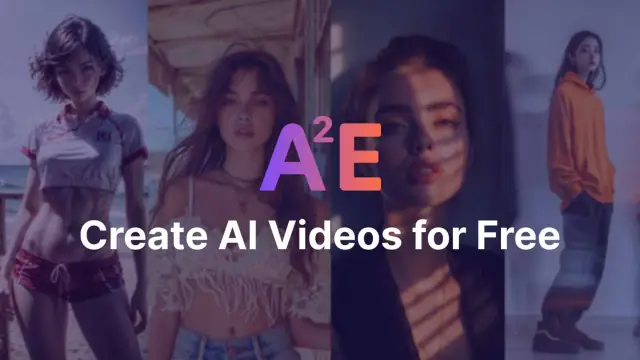

A browser workspace for building a reusable AI character and generating portraits, talking-avatar clips and face swaps from a daily credit balance.
Used this tool? Rate it
Used this tool? Rate it


AI image editing from a reference photo


Multi-model image studio, free to start


Build random generators, share them free


Anime art, powered by a million community models


Real-time answers, images, and code in one chat


Community-Trained Models for Art, Video and Characters


Browser-Based AI Photo Editing and Image Generation


Product photo editing for online stores
APOB.AI is a browser-based AI influencer generator: you define a fictional character, then produce portraits, short videos and face swaps around that persona. The underlying promise is continuity: one defined face, reused across images and clips, instead of a new person in every prompt.
The service is operated by ATOMSTOBITS LABS INC., a Delaware corporation. Its terms describe three layers: AI Influencer Models that users design, Generated Content produced from those models, and an optional public gallery where a model can be shared so other users can view it and create with it. The workspace puts an image generator, a video generator and a set of editing tools behind one credit balance.
Access is free to start but not free of limits. A free account opens the creation workspace, holds the credit balance and keeps saved work. The site is explicit, however, that a free account does not make every mode or output free. The composer shows an estimated cost before a run, so the balance and the quote are the first two numbers to check.
The terms frame the product for commercial creative work: advertising, e-commerce visuals, social content and brand personas are all listed uses. Adult content, by contrast, is ruled out for every user.
The toolkit is organised by what you want to make: a character, a still image, a clip, or an edit of something already generated.
A character can start from a written idea, from a reference photo the user has permission to use, or from a template inside the creator. The site describes the entry point as creating a fictional influencer with a look and niche of your own, then making images and videos around that persona. Working as an AI portrait generator, the avatar workflow asks for a model name and a short description so the face stays recognisable across separate sessions.
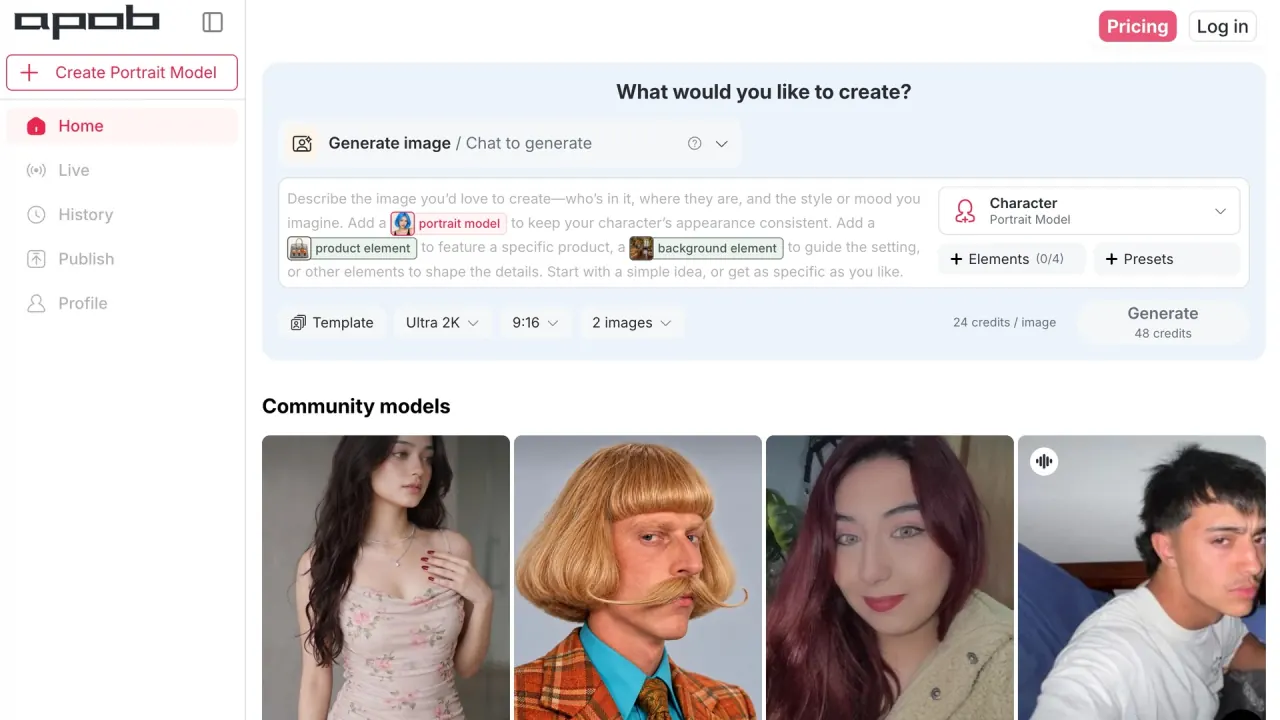
Three creation modes cover different levels of control. Complete Set supplies a collection of templates and visual styles for people who do not want to write prompts. Build Your Own exposes Environment, Appearance and Weather settings to shape a scene without a long prompt. Expert mode accepts separate positive and negative prompts for users who already know what they want and need finer control over the result.
Images run through quality tiers rather than a single model setting. The documented ladder is Fast, Ultra 2K, Ultra 4K and Ultra S 4K, and the tier changes what the composer allows. Element limits scale with quality: one element on Fast, four on Ultra 2K, eight on Ultra 4K and ten on Ultra S 4K, where an element is a saved character, product or background reference inserted into the prompt. The documented prompt ceiling is 20,000 characters.
Framing is chosen at generation time from 9:16 or 3:4 for portrait placements, 16:9 or 4:3 for landscape, and 1:1 for square tiles. Fast returns a fixed batch and does not expose a quantity control, while the three Ultra tiers let desktop users pick one or two outputs and update the credit cost live as the choice changes.
Video is the larger half of the product. The documented set covers text to video, image to video, talking avatar, lip sync, video face swap, clip extension, automatic subtitles and a prompt-based video editor for changing a character, style or background in an existing clip. Generation draws on third-party video models, with Kling v3, Veo 3.1, LTX 2.3 and Wan 2.2 named among the engines available in the workspace. The marketing pages advertise 4K output and motion control rather than a single fixed model.
Talking avatars take text or a voice track and animate a character's mouth to match, with AI voice generation and text-to-speech in the documented workflow. The named uses are tutorials, product explainers, affiliate videos and faceless storytelling — the same short-form work the image tool feeds into.
Still images can be edited after generation. Image face swap replaces a face, chat to edit applies a written instruction to an existing result, and a separate editor removes backgrounds or changes clothing. On the video side, ReVideo swaps a person, style or background inside a clip, and Extend Video continues an existing shot by describing the next movement.
A saved character or approved reference can be carried between prompts and between image and video workflows. The site recommends comparing every result against the reference because faces, hands and clothing can drift.
The first session is short if you follow the order the product itself documents.
The product fits work where a recognisable person has to appear repeatedly without a photo shoot.
The common thread is a recurring fictional character. A one-off image is easy with any generator; keeping the same person across a dozen posts is where the portrait model and saved reference save the most steps.
APOB.AI is aimed at people who publish character-led content regularly and do not want to shoot it.
It is a weaker fit for teams that need corporate-grade presenter video or long-form production; those buyers are better served by a dedicated avatar platform or an editing suite.
APOB.AI runs as a web workspace at app.apob.ai. There is no separate desktop client in the product's own navigation; the browser is the application, and the account carries the credits and saved models between sessions.
A browser-only product makes a stable connection and a large screen matter; the composer exposes quantity controls on desktop, and the denser panels assume that layout.
APOB.AI prices in credits. The free tier is called Nano and refills 80 credits per day. Paid tiers are sold as a monthly or annual subscription inside the app.
The credit balance is the unit that matters, because every mode spends a different amount. The face swap page puts the daily allowance in concrete terms: 80 credits cover four face swaps or one short video swap. An image test on the free tier showed Fast quality at 20 credits for four images. A video or an edit may need more than one daily refill.
| Plan | Price | Allowance |
|---|---|---|
| Nano | $0 | 80 credits per day, watermarked output |
| Micro | $15 per month, or $144 per year | 5,000 credits per month |
| Macro | $45 per month, or $270 per year | 16,000 credits per month |
| Mega | $200 per month, or $720 per year | 80,000 credits per month |
The table mixes two evidence levels, and the difference matters. Nano is confirmed by the product's own pages. The three paid rows come from third-party pricing trackers checked in November 2026, which report annual equivalents of $12, $22.50 and $60 per month and discounts widening from 20% to 70%. The vendor's own comparison article, by contrast, lists an entry paid plan at $6 per month or $72 per year. The two figures do not reconcile, and the in-app subscription page, which requires a login, is the only place that settles the current price.
Purchase details stay inside the app. Plans appear on the subscription page rather than the public site, and refund terms are not published. There is no public API for automation. The marketing site does not name the operating company, though the terms identify ATOMSTOBITS LABS INC.
Two pricing facts are firm. Custom voice models require Macro or above, and private creation requires a paid subscription, so the free tier cannot hide a character from the public gallery. The app also runs seasonal promotions: during the Black Friday and Cyber Monday window the pricing screen advertised 70% off a yearly plan, a time-limited offer rather than a standing discount.
The closest alternatives split into character studios, avatar specialists and one-off credit packs, and the right choice depends on whether you need a persona, a presenter or a cheap still image.
APOB.AI bundles the whole short-form pipeline at a low entry price, while the alternatives specialise. If your output is mostly still images of one character, a credit-pack tool can be cheaper. If it is a talking presenter for clients, a dedicated avatar platform will look more polished. If it is a daily stream of vertical clips around a fictional persona, the bundle is the reason to stay.
The restrictions that shape real use sit in three places: the credit economy, the watermark rules and the terms attached to what you generate.
Watermarking is the clearest example of conflicting public information. The vendor's comparison article states that the free plan includes no watermarks. The image generator's own documentation states that Nano downloads are watermarked and that upgrading later does not remove watermarks from content created on Nano. The second statement is the more specific rule, and it changes the order of decisions: choose the plan before creating final assets.
Credit cost is the second constraint. A short video swap consumes the entire daily free allowance, and the video documentation warns that a video or an edit may require more than one daily refill. On paid plans the same arithmetic applies to the monthly bucket, so finished clips rather than attempts are what a budget should be built from.
Editing is deliberately one-way in places. The aspect ratio of an existing result cannot be changed. A different shape means another generation, and choosing two Ultra outputs roughly doubles that run's cost.
Output quality needs a review pass. The product's own FAQ warns that faces, hands and clothing can vary between results, so a batch usually needs a critical pass before anything is published.
Finally, the licence is broad. Users keep ownership of the models and content they generate. They also grant the company a perpetual, irrevocable, worldwide licence to use that content for any apob.ai-related purpose, including promoting the service on or off the platform. The privacy policy, last updated on November 23, 2023, says collected information may be used to train the company's AI and machine-learning models. It also notes that some user actions and content may be visible to other users.
Yes, with conditions. A free Nano account refills 80 credits every day without a card, but the allowance is small, outputs are watermarked, and some modes need a paid plan.
Yes. Signing up with Google, Discord or email opens the workspace, the credit balance and saved work; the generator itself is not usable as an anonymous visitor.
Yes, within the limits of the workflow. A saved character or approved reference can be reused across prompts, and the site recommends keeping the important details in the prompt and comparing every result, because faces, hands and clothing can still change.
Yes. Image to video accepts an uploaded photo as the first frame and a written description of the movement, and a portrait model is not required if the photo already exists.
According to the image generator documentation, Nano downloads are watermarked, and upgrading later does not remove the watermark from content created on the free tier.
The terms give the user ownership of generated content, subject to third-party rights in the inputs, while granting the company a broad licence to use it. Commercial use is an intended purpose, but the terms require permission for any real person's likeness and forbid adult content.