
AI Song Maker is a browser-based AI music generator that turns text or lyrics into songs with vocals, then adds stem separation, MIDI export and a commercial license on paid plans.
Used this tool? Rate it
Used this tool? Rate it


Anime art, powered by a million community models


Personal stories, made into song gifts


From prompt to production with Gemini


Generate new shots and rework existing footage


AI image editing from a reference photo


Multi-model image studio, free to start


Natural AI photo editing for portraits and projects


AI assistant for writing, analysis and tasks
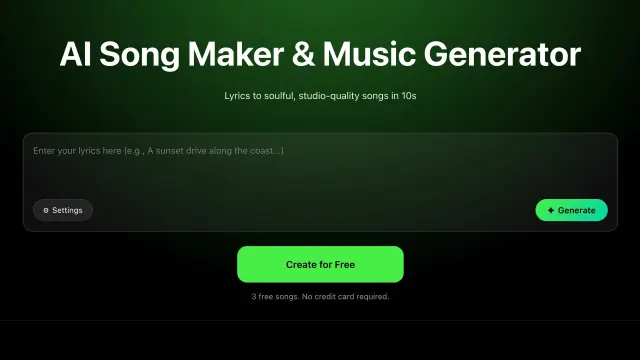
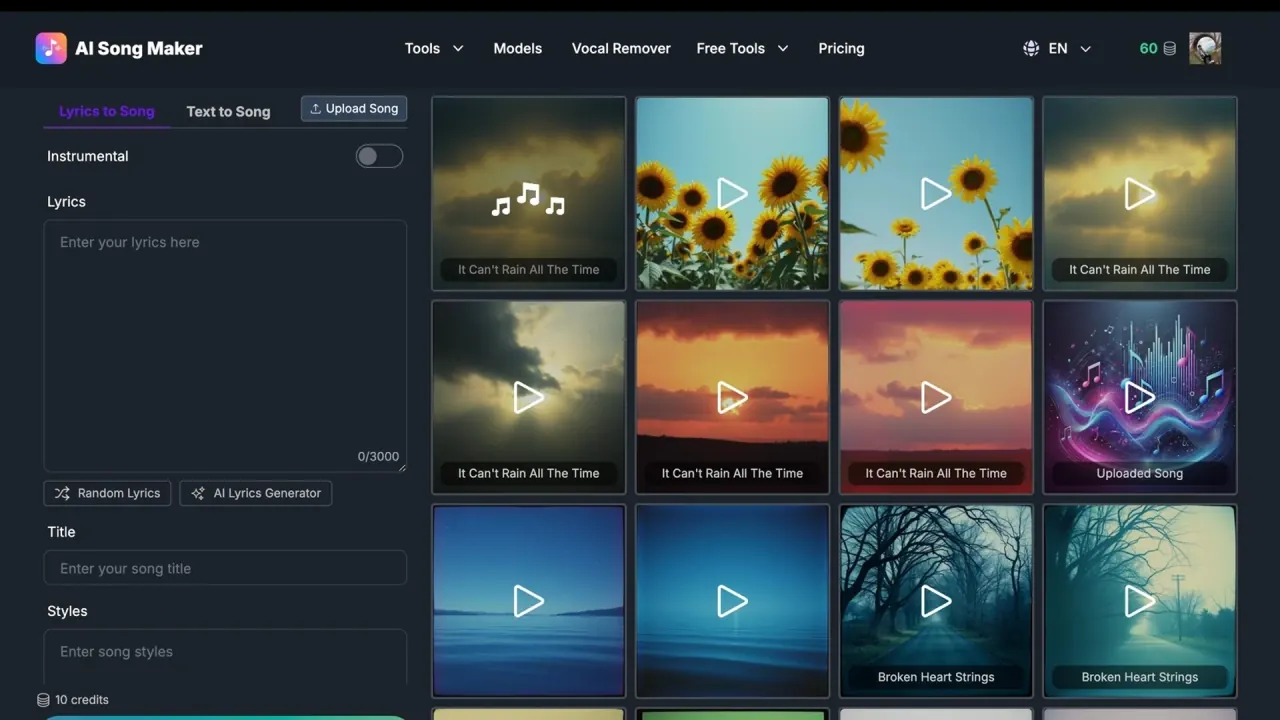
AI Song Maker is a browser-based AI song generator that turns text prompts or user-written lyrics into complete songs with vocals. The creation screen pairs a prompt or a lyric sheet with genre, vibe, tempo and instrument controls, and returns a mixed song rather than a loop or a sample pack.
The product is positioned around access rather than studio craft. The company positions it around access: the tool helps anyone turn lyrics into complete songs with vocals, melody and music styles in minutes, and presents it as a replacement for production skills and recording equipment. AI Song Maker is run by CNINGOT LLC, with a business address at 30 N Gould St Ste N, Sheridan, WY 82801, USA. The commercial license agreement is signed by CNINGOT LLC.
The commercial story deserves careful reading. AI Song Maker markets its output as royalty-free music and, in its own product material, as 100% copyright-free songs that creators can use for videos, social media, marketing and commercial projects without copyright concerns. The pricing FAQ is narrower: free accounts are limited to personal, non-commercial use, and commercial rights come with a paid subscription. Both statements are vendor claims, and the "royalty-free" label is the company's own description of its output rather than an independent legal determination.
The toolkit behind this AI music generator goes beyond a prompt-to-song box. It adds a voice-cloning path, reference-based style seeding, multi-track stem export and a small video studio.
The three tools answer different questions. AI Singer asks whose voice should sing, VibeSeed asks what a new track should sound like, and song cover asks how an existing track should be re-performed. All three depend on uploaded audio, so they inherit the upload limits of the chosen plan.
Get Stems returns two tracks, vocals and instrumental, while Get All Stems splits the song further into vocals, drums, bass and other instruments. That two-step structure matters for anyone mixing outside the browser: a quick karaoke edit needs the first, while a remix or a DAW session needs the second.
The download menu covers MP3 and WAV audio, and MIDI is downloadable after stem separation. WAV is described as the better choice for editing, mixing, mastering or professional use because it is uncompressed, so a project can move into a DAW as audio or as note data.
The basic loop is to type an idea or paste lyrics, choose a style, and press generate. The rest of the workflow is about narrowing and repairing the result.
Uploaded audio can seed an AI cover, an extension, added vocals or added instrumentals. That makes the upload path a second entry point rather than a post-generation extra: a user can arrive with a demo, a beat or an a cappella take and work from there.
Add Vocals puts a vocal on an instrumental, and Add Instrumental puts accompaniment under a vocal. Both actions operate on the uploaded song, so they are the practical route for finishing a half-made track rather than starting from a prompt.
The site's own audience list starts with social media creators and indie filmmakers who need background music for vlogs and soundtracks for short films.
Podcasters and content creators are pointed at custom jingles, intros and outros. A short sting is the natural fit here: it is easy to regenerate when the tone is wrong, and short enough that a stock voice is rarely a problem.
Advertisers and marketers are pointed at custom soundtracks and jingles for campaigns. This is the segment where the commercial license matters most, because a campaign track is published by a business rather than by an individual creator.
The three groups differ in length, reuse and rights. A vlog bed is long and disposable, a podcast intro is short and repeated for months, and a campaign track may be reused across channels. Those differences line up with the editing tools rather than with the generator itself.
The FAQ answers the experience question directly: music production experience is not required. The about page describes the product as designed for songwriters, content creators and beginners, replacing production skills and recording equipment with AI composition, arrangement and vocal generation.
The learning curve is mostly about prompting and repair, not about music theory. The harder part is rights: a creator who publishes for a brand is in commercial territory, and that is a paid-plan feature.
The product is a website: the terms open by describing use of the site at aisongmaker.io. Creation, editing, stem work and downloads all happen in the browser, and the pages reviewed describe no separate desktop or mobile client.
Songs are found again by signing in with the same email account used to create them. Creations sit in an account library tied to the email used at sign-in, and free accounts can restore them from Recently Deleted only after subscribing.
Storage follows the plan. Free accounts that never subscribed keep creations for 30 days before they move to Recently Deleted, where they stay for up to 90 days before permanent deletion. Any paid plan makes storage permanent.
Prices below are the published USD list, captured on November 20, 2026. A monthly and yearly toggle sits above the cards, and the yearly option is labelled 30% off.
| Plan | Price | Credits | Custom audio upload | Concurrent generations | Cloud storage |
|---|---|---|---|---|---|
| Free | $0 | 20 credits/day (4 songs) | 1 min | 1 | 30 days |
| Basic | $14.99/mo, or $10.49/mo yearly | 12,000/year (2,400 songs) | 2 min | 1 | 365 days |
| Standard | $29.99/mo, or $20.99/mo yearly | 30,000/year (6,000 songs) | 8 min | 10 | Unlimited |
| Pro | $59.99/mo, or $41.99/mo yearly | 72,000/year (14,400 songs) | 8 min | Unlimited | Unlimited |
A free account receives 20 credits per day, which the pricing page equates with four songs. Basic is $14.99 per month, or $10.49 per month on yearly billing, for 12,000 credits a year and 2,400 songs. Standard is $29.99 per month, or $20.99 on yearly billing, for 30,000 credits a year, 6,000 songs and 10 concurrent generations. Pro is $59.99 per month, or $41.99 on yearly billing, for 72,000 credits a year, 14,400 songs and unlimited concurrent generations.
Yearly billing is labelled 30% off on the pricing page. Credit packs are sold to subscribers only, in 400-credit packs for about $6.00 and 10,000-credit packs for about $100.00, and pack credits never expire. Subscription credits roll over while the subscription is active, up to three times the monthly allowance. When a subscription expires, leftover subscription credits are held for 30 days and then disappear unless the account resubscribes.
Video length scales with the plan: music videos run 10 seconds on Free, 2 minutes on Basic and 5 minutes on Standard and Pro, while singing photos run 10 seconds, 2 minutes, 10 minutes and 10 minutes on the same ladder.
Subscribers receive full commercial rights for every song they create. Free users may use songs only for personal, non-commercial purposes, and publishing on platforms such as YouTube or Spotify requires a clear credit to AI Song Maker in the pinned comment or video description.
Songs made in the 7 days before a subscription starts gain commercial rights automatically once the plan is active. The commercial license terms grant full, perpetual and worldwide ownership and usage rights for each licensed work, and those rights survive cancellation or expiry. Beyond ownership, the licence scope covers modification, distribution, derivative works, public performance and sublicensing of the licensed work. Each eligible song carries its own license ID and certificate, and the certificate can be checked through a verification page.
Suno is the closest comparison for most buyers. Suno's free plan includes 50 song credits a day. Monthly song downloads are not included on that plan. Commercial rights are not included either. Pro is billed $96 a year. It includes 2,500 song credits a month. It also includes 20 song downloads a month. Two stem separation types are available on that tier.
The trade-off is scale versus access. Suno gates downloads and rights behind a paid tier but includes commercial rights at the entry paid level, while AI Song Maker's free tier is more generous on generation and stricter on publication. AI Song Maker also sells stems and MIDI as part of its editing suite rather than as a separate studio product.
The privacy policy says it collects name, email address and payment details to deliver services and process payments. The privacy policy also states that the service is not intended for children under 13. Personal information is not shared with third parties except where required by law or to support essential services such as payment processing.
Yes, with limits. A new account receives 20 credits per day, which the pricing page equates with four songs, and free songs are for personal, non-commercial use only.
Paid subscribers receive full commercial rights for songs they create. Songs made in the 7 days before a subscription starts also gain commercial rights, and those rights survive cancellation. Free-plan songs remain personal and non-commercial.
Yes. An uploaded recording of your own voice trains an AI Singer, an uploaded song can become a VibeSeed, and uploaded audio can be extended, covered or given new vocals and instrumentals. Upload length depends on the plan: 1 minute on Free, 2 minutes on Basic and 8 minutes on Standard and Pro.
The download menu covers MP3 and WAV audio, WAV is the higher-quality option for editing and mastering, and MIDI can be downloaded after stem separation. The stem tools produce either two tracks, vocals and instrumental, or a fuller split with drums, bass and other instruments.
Paid accounts keep their songs permanently, and commercial rights for songs made during the subscription remain valid. Leftover subscription credits are held for 30 days after expiry and then disappear unless the account resubscribes; purchased credits are not affected.
A refund can be requested within 7 days of purchase if no more than 5 songs have been created, and the request is reviewed within 3 business days.