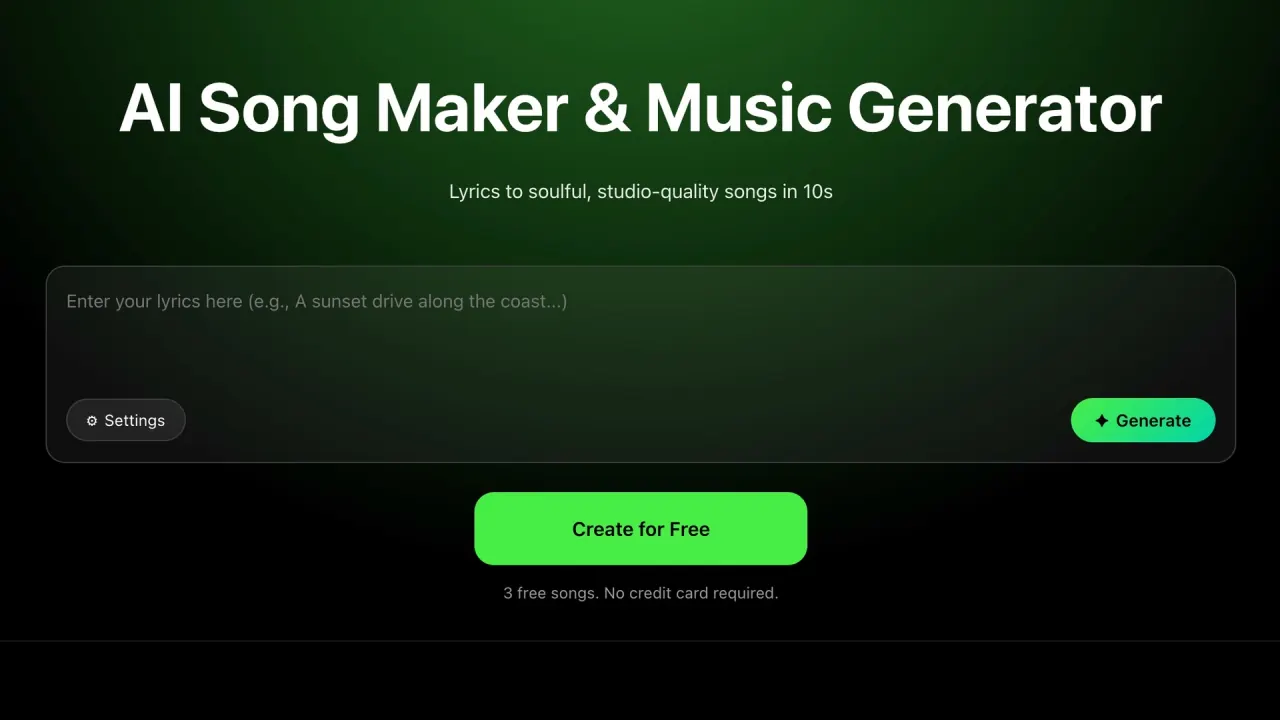

SongMaker AI generates a complete track — melody, instruments and vocals — from typed lyrics or a short prompt, with negative-style and surprise controls for steering repeat attempts. Three free songs, then a weekly or yearly subscription.
Used this tool? Rate it
Used this tool? Rate it
SongMaker AI is a browser-based AI music generator that turns typed lyrics or a short text prompt into a finished track with melody, instruments and vocals. The product page leads with one promise — "Lyrics to soulful, studio-quality songs in 10s" — and the whole interface is built around that loop: paste words, pick a direction, get audio back.
The service is operated by WAGA LLC, named as such in both the Terms of Use and the pricing page footer. That matters more than usual here, because the same brand also appears on an iOS app the site links to but which a different company publishes. Both routes are covered below.
Nothing here assumes musical training. The About page states the tool "requires zero musical knowledge" and that the AI handles composition, arrangement, vocal generation and production once you describe the song you want. New users start with three free songs and no card on file, so the fastest way to judge output quality is to spend those attempts.
This is a text to song generator and nothing more: no multitrack editor, no stem separation, no collaboration layer. It does one job and exposes a handful of controls around it.
Negative styles and Surprise Level are the real differentiators. Most text-to-music tools let you name a genre; an exclusion field and a randomness dial turn one-shot prompting into iterative steering.
On the signed-out create screen the model selector displays V4.0, while the homepage and random-generation pages market a V5.0 engine. Clicking it opens a sign-in dialog, so which models an account can choose is not observable without registering.
The published workflow is three steps; the create screen adds controls the marketing pages skip.
Three smaller controls change how fast you can iterate:
One constraint shapes the session: the generation list and library are account-gated. On a signed-out browser the results panel reads "Please log in to view." Sign-in is by email address, so register before your first generation or you will not get back to what you made.
Four target scenarios are published, specific enough to serve as a fit test.
Four sample tracks with running times sit on the random-generation page, landing between roughly three and four minutes — song-length material, not short stings.
The gap in that list is telling. Every scenario is a one-off asset: a video bed, a gift, a demo. None involves revision cycles or delivering to a spec, and nothing published describes editing a generated track afterwards. If your work needs one section of a render changed, the loop here is regeneration, not editing.
It fits you if:
Look elsewhere if:
The honest summary: a fast generator for people who can accept the output as-is. The further your work sits from that, the less the speed is worth.
There are two ways in, and for billing and support they are not one product.
The web app. Everything above runs in a browser, with Create, Library and Pricing as the signed-in areas. The interface ships in seven header-selectable languages: English, Simplified Chinese, Traditional Chinese, Japanese, Korean, German and French. There is no Spanish, Portuguese or Russian interface.
The iOS app. A "Download APP" link in the header resolves to an App Store listing. In this capture it was titled "Muxa-AI Music SongMaker", carried a 4+ age rating, required iOS 15.0 or later and was free to download. It is published by Hangzhou Xinglu Network Information Technology Co., Ltd. — not the WAGA LLC named as the website's operator.
That difference is not cosmetic. The app has its own terms, under which the mobile application is "developed and operated by Hangzhou Xinglu Network Information Technology Co., Ltd." Billing differs too: app purchases run through Apple's in-app purchase system, the website's through Paddle. Eligibility differs as well — the app terms say it "is intended for users of all ages," while the website requires users to be at least 13.
The listing is also titled differently per storefront. In this capture the Korean, Japanese, German and French store titles all began with "SUNO", the name of a separate AI music service, and the app's bundle identifier is com.starland.suno. Neither the website nor the app terms says anything about a relationship with that service, in either direction.
Neither document explains the relationship between the two companies. Subscribe on the surface you intend to use and cancel through that same surface: an Apple subscription cannot be cancelled from the website, nor a Paddle one from the App Store.
No Android release surfaced in this round's checks: the download link resolved to the same App Store URL under an Android browser identity, and a Google Play search for the publisher found nothing.
The pricing page shows two plans side by side, with no monthly/annual toggle changing what is displayed.
| Plan | Listed price | Equivalent | Included |
|---|---|---|---|
| Weekly Subscription Plan | $6.99 | per week | Unlimited song creation, all features, priority generation queue, save music to local |
| Yearly Plan | $69.99 | per year | Card also shows $1.35 per week; same four inclusions |
Both tiers list identical benefits, so the only decision is commitment length — and the gap is wide: the weekly plan costs roughly five times the yearly plan's own per-week figure. Weekly is a short-burst purchase, not a cheaper entry.
Two details deserve attention. "Save music to local" appears in both plans' benefit lists, and none of the pages checked states whether the free tier can download finished tracks. And the Terms describe a broader catalogue than the page shows — "Paid subscription plans (weekly, monthly, or annual)" plus "Credit-based purchases for advanced AI models or enhanced features" — while only weekly and yearly appeared.
Refund terms are strict and consistently stated. Subscriptions "automatically renew unless canceled before the end of the current billing period," with "No refunds for partial subscription periods." The Terms add that purchases are "non-refundable once the billing period has started" and that no refunds are given for unused credits.
Comparing it against other AI song generators. Two things should shape a side-by-side. First, the free allowance is three songs, so cross-shop on how many usable outputs each free tier gives rather than on headline features — with a no-refund policy, those attempts are your whole evaluation budget. Second, there is little independent evidence to weigh: a third-party AI-tool directory entry added in January 2026 carried zero reviews and no traffic estimate when checked.
Settle this before using output in paid work. The marketing pages are unequivocal: music is "100% royalty-free", there are "zero copyright strikes", and the random-generation page states "You own the rights to every beat you generate." The Terms say something narrower: "AI-generated content may not be unique and may be similar to content generated for other users," and the operator does "not guarantee originality, uniqueness, or non-infringement of generated content," placing responsibility on you to ensure your use complies with applicable laws and third-party rights. The warranty disclaimer repeats it — no guarantee that "Results will be accurate, unique, or suitable for commercial use."
Both come from the same operator on the same domain and are reconciled nowhere. For real commercial exposure the contract governs, and it promises less than the landing pages do.
The Terms confirm that "You retain ownership of your input content" and that you grant a licence to process it for delivering the service. There is no corresponding clause assigning ownership of generated output; that statement sits on a marketing page, not in the contract.
The homepage cites a "4.7/5 App Store Rating" and "1,500+" users. The linked App Store listing does carry ratings, but they are storefront-specific: in this capture the US storefront reported about 2,000 ratings and the Japanese storefront about 10,000. A single figure does not say which storefront it describes, and it rates the separately-published iOS app rather than the website.
Among the 50 most recent US App Store customer reviews retrieved for the linked app, several described the free allowance as a single song rather than the three advertised on the website — "you only get to make one song", "says I gotta pay to do more song", "Only one free". A small, self-selected sample, but a concrete reason to read the three-song figure as applying to the website only.
The privacy policy is specific about collection and vaguer about retention. Collected data includes your email address, "Content you submit, such as text prompts or lyrics", usage data, device and browser information, and "Log data, including IP address and timestamps" — your lyrics are stored, not discarded after processing. Payments "are processed by our third-party payment provider Paddle" and the operator states "We do not collect or store your payment card details."
Users may request access, correction, deletion, restriction of processing, portability and withdrawal of consent by emailing support, with identity verification possible first.
Three boundaries deserve naming. Retention is defined only as "as long as necessary to fulfill the purposes outlined in this Privacy Policy", with no stated period. The policy also promises that "Any changes will be posted on this page with an updated "Last Updated" date" — yet neither the privacy policy nor the terms page showed such a date in this capture, so there is no way to tell how current either document is. And on whether your lyrics and prompts train the AI models, the policy says nothing either way — its only relevant sentence is that the operator "may aggregate or anonymize data for analytics and research purposes."
The website gives new users three: "3 free songs. No credit card required," described in its FAQ as "a first-time bonus of 3 free song creations." That figure is documented for the web app; reviewers of the linked iOS app describe a smaller allowance.
The vendor's answer is yes — songs "can be used commercially for YouTube, social media, and ads," with a pointer to the Terms for plan details. But the Terms decline to guarantee originality, uniqueness, non-infringement or suitability for commercial use. Both are official; for anything with legal exposure the Terms govern.
Two subscriptions are listed: $6.99 per week, or $69.99 per year shown on the card as $1.35 per week. Both list unlimited song creation, all features, a priority generation queue and saving music locally.
Generally no. Purchases are "non-refundable once the billing period has started", no refunds are given for partial periods or unused credits, and cancelling stops future charges without refunding the current period except where law requires it.
It shares the branding but not the operator. The linked App Store listing is published by Hangzhou Xinglu Network Information Technology Co., Ltd. under its own terms, while the website is operated by WAGA LLC. App purchases go through Apple, website purchases through Paddle.
