
Yolly AI puts Veo 3, Kling, Seedance and several image engines behind one credit balance. This page covers what a clip really costs, how the plans differ and where the model list stops lining up.
Used this tool? Rate it
Used this tool? Rate it


AI image editing from a reference photo


Multi-model image studio, free to start


Build random generators, share them free


Anime art, powered by a million community models


Real-time answers, images, and code in one chat


Community-Trained Models for Art, Video and Characters


Browser-Based AI Photo Editing and Image Generation


Product photo editing for online stores
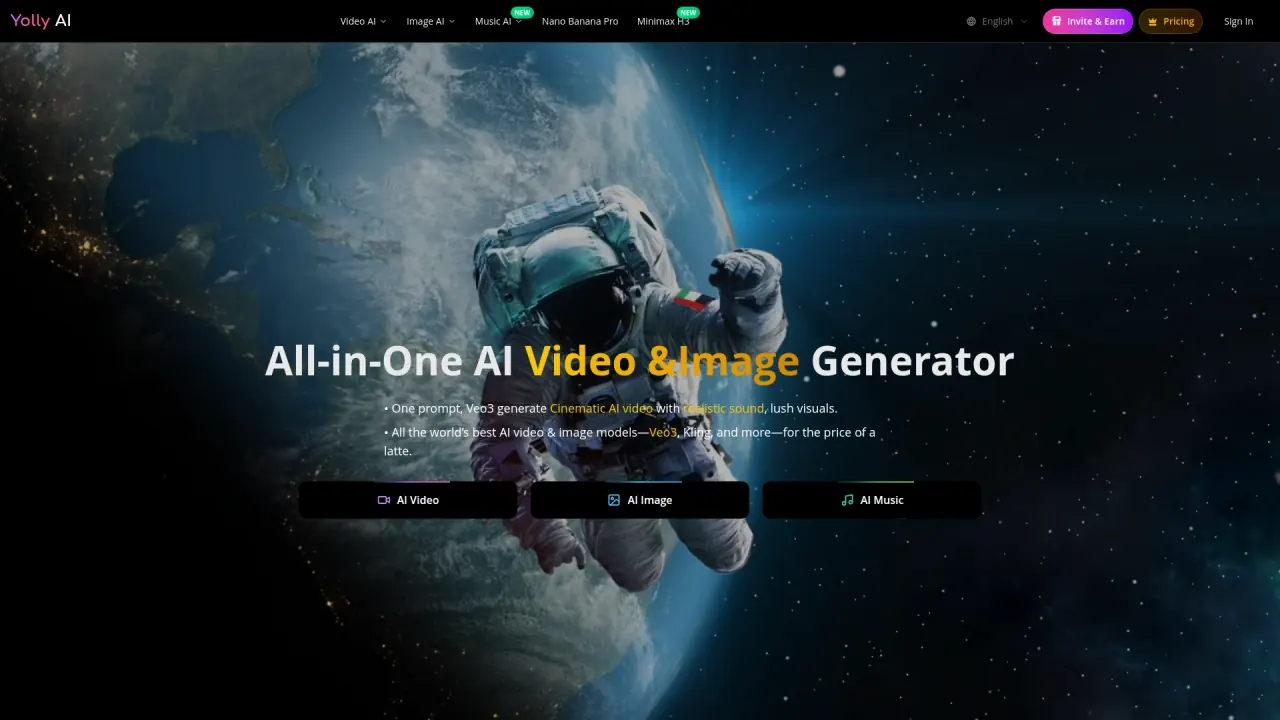
Yolly AI is an all-in-one AI video and image generator that turns one prompt into a 4K clip with sound or a high-resolution image.
The product is not a model of its own: it is a front end that rents access to other companies' video and image engines under one account.
Its homepage names Veo 3, Kling, Seedance 2.0, King AI and Wan 2.0 on the video side, and Ideogram, Flux Dev, DALL-E and GPT-4o on the image side.
A second list further down the same page swaps in Runway, Hailuo, Grok and Midjourney, so the roster is presented differently in different sections.
That inconsistency is the first thing to understand. Yolly AI is a storefront, and the shelf changes with the page. What stays constant is the commercial idea: one sign-in, one credit balance, a menu of models that would otherwise need three or four subscriptions.
Two screens carry the product, one for video and one for image, plus the music generation the terms and the plan table both mention. Each asks for a model, a prompt, a ratio, a resolution and a duration, and prints the credit price beside the generate button.
As an AI video generator the platform is a switchboard rather than an engine: the interface barely changes between takes, and the model list is what does.
Five paths are offered: text to video, image to video, video to video, text to image and image to image, all inside the same interface.
The video screen exposes aspect ratio, resolution and duration as separate controls, with 16:9, 9:16, 1:1, 4:3, 3:4 and 21:9 available.
Video resolution is offered at 768P and 2K on that screen, and output length at five, ten or fifteen seconds.
Image generation has its own controls: ratio, and a choice of 1K, 2K or 4K output. That is narrower than a dedicated image editor, deliberately, because the product turns a sentence into an asset rather than retouching one.
On the image screen the credit price rises with resolution: six credits at 1K, ten at 2K and fifteen at 4K.
The ladder is where budgets disappear: doubling output resolution roughly doubles the price, and the same holds for video, where the flagship engine is not priced within a rounding error of the cheap one.
The default video model quotes 40 credits per generation at the settings shown on the video screen.
The Veo 3 page quotes 100 credits for a single generation, two and a half times the default model.
Veo 3 produces picture and sound in one pass, blending dialogue, ambient effects and music into a single clip.
In this interface Veo 3 tops out at 1080p and 24 frames per second.
Veo output keeps Google's SynthID watermark and safety filters, which the page says Yolly preserves rather than strips.
Grok Imagine is the cheaper-feeling option: 480p or 720p, in clips of six, ten or fifteen seconds.
Model choice is a budget decision before an aesthetic one. A creator who wants 1080p with native audio pays flagship rates; one testing five hooks can spend the same money on cheaper drafts and promote only the winner.
The template library is sold as more than a hundred ready-made formats for trending short-video effects.
The core promise is a clip with synced visuals and audio in seconds, ready to download or share.
Music is part of the same balance: every paid tier lists all music models, lossless download and a music commercial licence.
Templates are the most commercially important part of the product. They turn an open prompt box into recognisable formats, which makes it usable by someone who cannot describe a shot, at the cost of looking like every other account using them.
A first clip takes one screen and about the length of a coffee. The decisions that matter are made before the generate button, because that is where the price is set.
The prompt ceiling is what separates this from a one-line generator. Seven thousand characters is about a page of script, enough for a shot list, a lighting note and a style reference in one field, and these models respond far better to concrete camera and light description than to adjectives.
Nothing on the site is kept for you indefinitely: the terms put the responsibility for downloading and backing up output on the user.
A workflow that survives the meter: draft on the cheapest model that holds the idea, compare two or three takes, then spend flagship rates once the shot is decided. Nothing enforces that order, but the price gap makes it worth the discipline.
Short-form creators use the vertical output for TikTok, Reels and Shorts, where the same clip has to fit a nine-by-sixteen frame.
Product teams animate a pack shot or a still rather than booking a shoot, using image-to-video to add motion to a photo they already own.
The AI image generator screen feeds the same pipeline, which is why thumbnails and clip stills come from one balance instead of a second subscription.
The trending formats the homepage pushes are specific: ASMR clips, fight scenes and vertical product ads.
Those three describe a market more than a feature set. Each performs on a feed, is cheap to vary, and does not need to match the last post. A brand film does not fit that pattern; a hundred variations of a six-second hook does.
Marketers describe using text-to-video for quick A/B tests and image-to-video where brand control matters more than speed.
What is missing is equally informative: no multi-scene editing, no character library that persists across projects, no surface where a client comments on a cut. The product is built for the loop between idea and postable asset.
A multi-model platform is only as good as its routing, and routing is the part no public page documents.
It fits creators who need a high volume of varied short clips more than teams that need fine control over a model's parameters.
The fit gets worse as soon as the work needs to be repeatable. A team that has to reproduce the same look across fifty assets, or hand a project to a colleague, will find the model roster less useful than a single engine with saved presets and a documented workflow.
Commercial use is tied to a paid plan, so anyone invoicing a client for the output needs to budget for a subscription rather than the free tier.
Designers who want to tune a specific model's parameters should assume the aggregation layer will get in the way.
Everything runs in a browser tab, and the account surface is a sign-in page rather than a downloadable application.
Sign-in supports an email address or a Google account.
Results are downloaded or shared from the result screen, which makes the output a normal video or image file.
A directory listing describes the product as web-only, with no dedicated mobile app.
What the platform does not offer is a route out. There is no Yolly API, no export of a project file and no way to move a credit balance to another account, so a pipeline built here stays here.
Three subscription tiers are published, all billed monthly by default, with a yearly toggle that advertises half off.
| Plan | Price per month | Credits per month | Extras |
|---|---|---|---|
| Starter | $9.90 | 500 | Watermark-free output, all models |
| Standard | $19.90 | 1,200 | Everything in Starter |
| Premium | $49.90 | 6,000 | Everything in Standard |
Every tier lists the same capability line: watermark-free video and images, all video, image and music models, lossless download, a music commercial licence and priority support.
The pricing page offers monthly and yearly billing plus a separate one-time purchase tab.
Cancellation is self-service, and the pricing page states that a subscription can be cancelled at any time.
Credits do not carry over: subscription credits expire at the end of each monthly cycle, while one-time packs stay valid for a year.
Both subscription fees and credit purchases are non-refundable except where law requires otherwise.
Prices can change with thirty days' notice to existing subscribers.
The tiers differ in credits, and not linearly: Premium costs five times Starter and carries twelve times the credits, which is pricing built to push volume buyers upward rather than to sell the entry tier at a margin.
A third-party review quotes the same Starter tier at 300 credits, which is two hundred fewer than the pricing page shows.
The discrepancy is worth flagging rather than resolving, because it is the number a buyer might use to compare platforms. The vendor page is the authority here; directories copied an older figure and never updated it. Budget against the plan table, not the listing.
The honest alternative to an aggregator is either the model you actually use or another aggregator with a better balance. Three comparisons cover most of that ground.
Kling's own Standard plan carries 660 credits a month at $8.80, with a hundred credits quoted at ninety-eight cents.
Paid Kling tiers include brand watermark removal and commercial use of what you generate.
On paper, Kling direct is cheaper per credit than Kling through Yolly. What the direct route lacks is the rest of the roster: one account holding Veo, Seedance and the image models. Whether that is worth a premium depends on how often you switch engines.
Google's Flow gives a thousand credits on its nineteen-dollar-ninety-nine Pro plan, and the top eight-second Veo clip costs a hundred of them.
Veo API pricing is published per clip, starting at forty cents for an eight-second clip with audio.
Flow suits someone who has settled on Veo and wants the cheapest current access to it. It fails anyone who wants a single bill across several engines, because it covers one model family and quotes Google's credits.
Pollo AI is the closest structural competitor, with an entry tier quoted at thirteen euros a month and a free tier.
Third-party estimates put Yolly at 183.4 thousand monthly visits, against 6.6 million for Pollo and 14.5 thousand for Flow's studio site.
None of these numbers settles the question, but they change its shape. A smaller aggregator is likelier to change its roster and its prices; a platform with its own model is more predictable and less flexible.
The free tier behaves like a trial rather than a plan: three to five creations, watermarked, plus three full-feature uses.
Free output carries a watermark, and removing it requires one of the paid plans.
The site does not say whether the user chooses the underlying model for each task or the platform routes the prompt automatically.
The aggregation layer can get in the way of the fine-grained parameter control a specialist model offers.
The practical warning from an independent review is to compare the monthly credit total against keeping separate subscriptions for the models you actually use.
The Veo 3 page describes thirty-plus second cinematic videos generated in one pass.
The same page's FAQ says standard Veo 3 output runs between four and eight seconds, with longer pieces built by chaining segments.
The terms still describe the plans as Free and Pro, names that appear nowhere on the pricing page.
None of these is fatal, but they mark where the documentation has drifted from the product. A buyer budgeting on the marketing line overestimates clip length, and one reading the terms hunts for a plan that does not exist.
The terms reserve the right to delete content from inactive accounts after a reasonable period.
The terms also warn that generated output may resemble what other users produced from similar prompts.
You keep ownership of what you generate, but grant the vendor a licence to use it to run and promote the service.
The privacy policy is dated January 2025, older than the current pricing page and the model roster it describes.
Card data is not stored by Yolly; payments run through PCI-compliant processors such as Stripe or PayPal.
Generation is passed to unnamed AI service providers, which the policy lists among the parties that receive data.
Generated content is typically kept thirty to ninety days for free users and longer for paid subscribers.
Files uploaded for processing are usually deleted once processing finishes.
Deleting an account removes personal data within thirty days, except where retention is legally required.
The policy states that personal information is not sold, traded or rented.
Together the documents describe a normal consumer posture: a processor list, a retention window, a deletion path, no sale of data. What they omit is which AI provider sees a prompt, and for brands with unreleased product shots that is the gap that matters.
No. It is a handful of watermarked generations, and the watermark makes the output hard to evaluate for anything commercial. It is enough to see how a model reads a prompt, not enough to finish a project.
Subscription credits expire at the end of each billing cycle; one-time packs last longer. Either way, unused credits are not a savings account, so the right plan is the one that matches a month's real output rather than the largest allowance on the page.
On a paid plan, yes, subject to the terms. The free tier does not carry a commercial licence, which matters for anyone publishing for a client or running paid ads.
The cheapest one that can hold the idea. Draft, compare, then spend the flagship rate on the take that will actually be published. The platform quotes the cost before generation, so the discipline costs nothing to apply.
Cancellation is self-service from the orders page, and access runs to the end of the paid period. Credits already purchased are not refunded, so cancelling early in a cycle forfeits whatever remains.