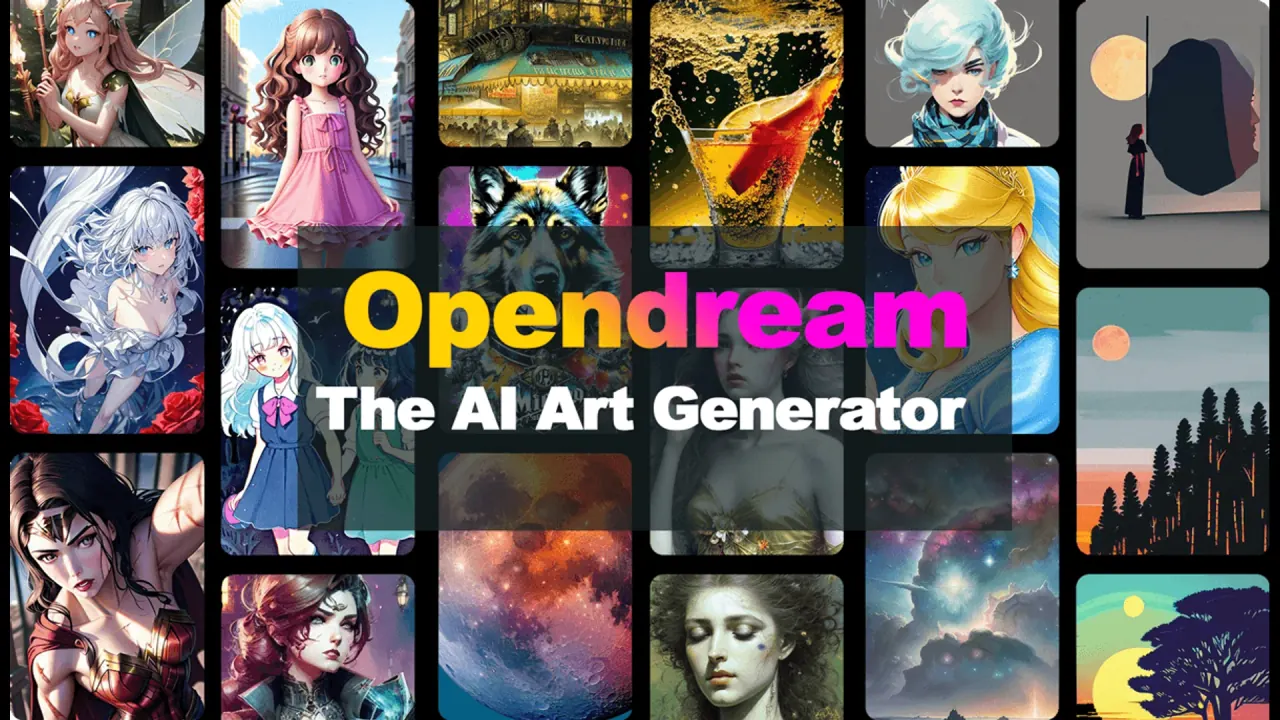

OpenDream is a web app that turns prompts or ready-made templates into AI images. It runs on credits, offers Dreamlike and Stable Diffusion models, and lets users keep commercial rights to their output.
Used this tool? Rate it
Used this tool? Rate it


AI image editing from a reference photo


Multi-model image studio, free to start


Build random generators, share them free


Anime art, powered by a million community models


Real-time answers, images, and code in one chat


Community-Trained Models for Art, Video and Characters


Browser-Based AI Photo Editing and Image Generation


Product photo editing for online stores
OpenDream is a browser-based AI art generator that turns a written prompt or a ready-made template into an image without a desktop install. An account can be opened without a credit card, and generation happens inside Safari, Chrome or another modern browser.
The model list is short and named. The free plan carries Dreamlike Photoreal 2.0 and Dreamlike Anime 1.0, while a paid subscription unlocks the rest of the catalogue. Photoreal is pitched at photographic output and Anime at illustration, a narrower spread than platforms that advertise dozens of engines.
Every image is paid for with credits rather than produced under an unlimited quota. The meter is visible before a run, the daily allowance is small, and paid plans replace that allowance with a monthly balance.
The pages reviewed describe no desktop client and no documented API. The product is the website, an account and a credit balance, with templates doing most of the work of steering a first result.
Two models are available on the free tier. Dreamlike Photoreal 2.0 is designed to generate photorealistic images, and the site says it can create images that resemble real photographs. Dreamlike Anime 1.0 specialises in anime-style images and captures the aesthetic commonly found in Japanese animation. Stable Diffusion 2.1 belongs to the paid set and is described as a model for high-quality visuals across many types of image, which makes it the general-purpose option rather than a style specialist.
Templates are customisable starting points for a subject or a style, not fixed layouts. The published workflow makes template selection optional, so a prompt-only route stays open for anyone who already knows the look they want and would rather not start from someone else's composition.
Credits are not the only constraint. Free generation runs at low priority with one image at a time, a queue of up to five images and limited settings. The Core and Pro cards list credits and commercial use but do not repeat those queue limits, so the free tier is best read as a trial queue rather than a smaller version of a paid one.
The site allows users to use the images they create for commercial purposes, and the terms place all intellectual property rights with the user for personal or commercial use. The same clause then says trademark registration and copyright ownership of the painting cannot be guaranteed. Commercial use is therefore granted; exclusivity is not.
An NSFW filter lets a user or a moderator label content as not safe for work. A separate moderation power allows access to and deletion of photos touching religion, politics, sex or other sensitive subjects, at the discretion of the operator or its moderators.
The prohibited-content list forbids material that is abusive, offensive, pornographic, slanderous, deceptive, obscene, violent, defamatory or hateful. The mechanisms differ in kind: the filter hides, the moderation clause removes.
The terms say the operator has no control or influence over the final artwork, which is a disclaimer about output rather than a promise of consistency. A companion clause reserves the right to modify or remove any AI method or system on the website. A workflow built around one model can therefore change without a release note.
The documented workflow has five steps, and only the first and last are about the account.
Two details shape a session. The prompt accepts a description rather than a keyword list, so a sentence about subject, style and light does more than a comma-separated string. The credit balance decides how far you get, because the number of artworks you can create is based on the number of credits you have.
A first session is easy to size. A free account receives 24 credits a day and each image consumes 2 credits, so the daily allowance covers twelve single images or three four-image batches before it runs out. Nothing carries over, and the next allowance arrives with the next day.
A template turns a one-off result into a format. Agencies and solo sellers who need a consistent look can fix the composition once, then vary the subject through the prompt, which is faster than rebuilding a layout for each request. The library is presented as customisable rather than locked, so a template is a starting point rather than a house style.
The free plan grants 24 credits a day and includes commercial use, which is enough to test whether a model suits a brief before paying for volume. At 2 credits per image, a four-image batch costs 8 credits. A paid month replaces the daily allowance with a monthly balance sized by tier, which is where a small studio checks whether the brief fits.
Because cost scales with output, a batch of four is priced as four images rather than as a single request. That suits the way art direction actually works: generate several directions from one prompt, keep the closest, then refine with a new prompt instead of editing a single file for an hour.
OpenDream is built for people who want an image quickly and are willing to trade control for speed. The site describes itself as focused on simplicity and accessibility, so users with minimal technical expertise can navigate and use the platform with ease. That is a fair description of the interface: a prompt box, a template gallery and a generate button.
It fits less well when the requirement is fine control. There is no documented API, no local install and no exposed sampler settings, so a pipeline that needs reproducible parameters or batch automation will outgrow the site. The template library is also described in broad terms, which means a niche visual style may not be represented.
OpenDream runs in the browser. The site lists Safari, Google Chrome and other modern browsers as the way in, and describes those browsers as providing the interface needed to generate art. There is no downloadable desktop client in the pages reviewed.
An account is required to buy credits or create artwork, and registration can run through Facebook or another social media account, in which case the site receives basic profile information including the current profile photo. Browsing works without an account, but the number of artworks you can create is based on the number of credits you have, so anonymous visits stop at looking.
The account is also the unit of billing and storage. Order history, saved artworks and the credit balance all hang off it, which is why the social login route asks for profile access rather than only an email address.
| Plan | Price | Credits | Notable terms |
|---|---|---|---|
| Free | $0.00/mo | 24 credits /day | Commercial use, low priority, one parallel generation |
| Core | $12.00/mo | 3,000 credits /mo | Commercial use, billed monthly |
| Pro | $24.00/mo | 12,000 credits /mo | Commercial use, billed monthly |
The free tier is labelled forever free. It grants 24 credits a day and includes commercial use of the images, with generation at low priority, one image at a time and a queue of up to five images.
Core is $12.00 a month. The monthly balance there is 3,000 credits. Pro doubles the price to $24.00 a month. The Pro balance is 12,000 credits.
There is no free trial. The free plan is the trial, and the site says so directly. Annual billing carries a 20% discount. Payments run through Stripe with major credit cards, Apple Pay and Google Pay. All amounts are in US dollars, and taxes may be added.
Refunds are narrow and described twice with different numbers. The pricing page provides refunds only when a buyer has used less than 2% of the plan's credits. The terms allow a refund if the member has used up to 5% of the credit across the subscription. Both pages are current, and the discrepancy is left unresolved rather than averaged.
A few account rules sit outside the table. When credits run out the account is downgraded to the free plan instead of topping up. Subscriptions cannot be transferred to another user or account. Switching plans means cancelling the current subscription and choosing another, and larger organisations can ask about annual packages and custom pricing.
Memberships renew automatically every month. A cancellation only takes effect after the monthly period already paid for has ended, although the terms say a member is free to cancel at any time. Fee changes come with 30 days' notice, and the operator can end a membership with 30 days' written notice.
Two tools cover the main reasons for leaving OpenDream, and each solves a different part of the problem.
DomoAI is the broadest option here. It combines AI video and image generation with editing tools, and it offers a free plan with credits to get started. For a user who needs a still image but expects to animate it later, that combination covers work OpenDream leaves to a separate tool.
Deep Dream Generator is the generalist. It lists 30+ models for text-to-image, video generation and image editing, a wider brief than OpenDream's image-only catalogue. The difference for a curious user is scope: OpenDream asks for an account before credits exist, while this one covers more formats once you are inside.
The trade is consistent. OpenDream is the simplest to start and the least flexible to extend; these alternatives ask for more formats or more editing in exchange for depth.
There is no overage path. Once the allocated credits are consumed the account is downgraded to the free plan, which means a project can lose access to paid features in the middle of a month. Anyone generating on a deadline needs to watch the balance rather than assume a top-up.
Two current pages give different thresholds, 2% on the pricing page and 5% in the terms. A buyer should treat the stricter figure as the realistic ceiling until the operator states which one applies, because neither page defers to the other.
The NSFW filter is not the only control. Moderators may access and delete photos that infringe on sensitive issues such as religion, politics, sex or other subjects judged to conflict with the site's ethical purposes. The judgement is discretionary, so an image that passes automated checks can still be removed later.
If an account is suspended or terminated for a violation, there will be no reimbursement for payments already made toward membership fees. Access to user content, artworks and other uploaded information ends with the account, and the user may not create a new account or access the communities without written permission. The archive is therefore tied to good standing, not to payment.
The terms note that using any software carries a risk of data loss that cannot be completely avoided, and recommend keeping a backup copy of any data entered into the site. A generated image that matters should be downloaded, because the account is not a guarantee of permanent storage.
Sharing content on the site or through social media with a campaign tag gives the operator permission to use that content in various ways. The permission is permanent, worldwide and free of charge. The grant is easy to trigger and hard to reverse, which matters for anyone posting client work.
Registration and purchases collect a name, email address, phone number and payment information. No third-party access for data processing is allowed apart from payment processors, and the policy says no information is received from third parties. Google Analytics cookies are used for usage analysis, and personal information is retained for as long as necessary for the purpose it was collected, or longer where law requires.
Users can request erasure of personal information subject to legal limits. The policy also warns that no electronic transmission or storage can be guaranteed fully secure, which pairs oddly with the data-loss clause: perfect security and perfect persistence are both disclaimed.
One section of the privacy policy says the site is not directed at children under the age of 13. A later section says it is not directed at children under the age of 18. The same section says data from anyone under 18 will be deleted as soon as the site becomes aware of it. The two statements cannot both be the operative floor, and the stricter one is the safer assumption for a household.
In October 2024 the investigative outlet Bellingcat reported that OpenDream's public gallery had carried AI-generated child sexual abuse material and non-consensual sexual deepfakes, viewable without a login and indexed by Google and Bing; archived copies showed such material as far back as December 2023. Bellingcat said the images appeared to have been removed or made private by publication, that the search engines dropped them after being contacted, and that OpenDream did not respond to requests for comment.
The platform now states on every page that it "does not sell photos and is not responsible for user-generated photos". Taken together, the reporting and the disclaimer mean the operator's position rests on user responsibility rather than on published moderation guarantees, which matters for anyone generating images of real people or putting the output into client or teaching material.
Yes, with limits. The free plan is listed at $0.00 a month. It is labelled forever free and includes 24 credits a day plus commercial use. Generation on that tier runs at low priority with one image at a time.
A single image costs 2 credits, and a batch of four costs 8. The free daily allowance of 24 credits therefore covers twelve single images or three four-image batches.
The free plan exposes Dreamlike Photoreal 2.0 and Dreamlike Anime 1.0. Stable Diffusion 2.1 and the remaining catalogue sit behind a paid subscription.
No. The site states that it does not offer a free trial and points users to the free plan instead.
Commercial use is allowed, and intellectual property rights are assigned to the user for personal or commercial purposes. Trademark registration and copyright ownership of the artwork cannot be guaranteed.
The account is downgraded to the free plan. There is no automatic overage charge and no top-up that keeps paid features active.
The documented route is a modern mobile browser; the site names Safari, Chrome and other modern browsers rather than a native app.