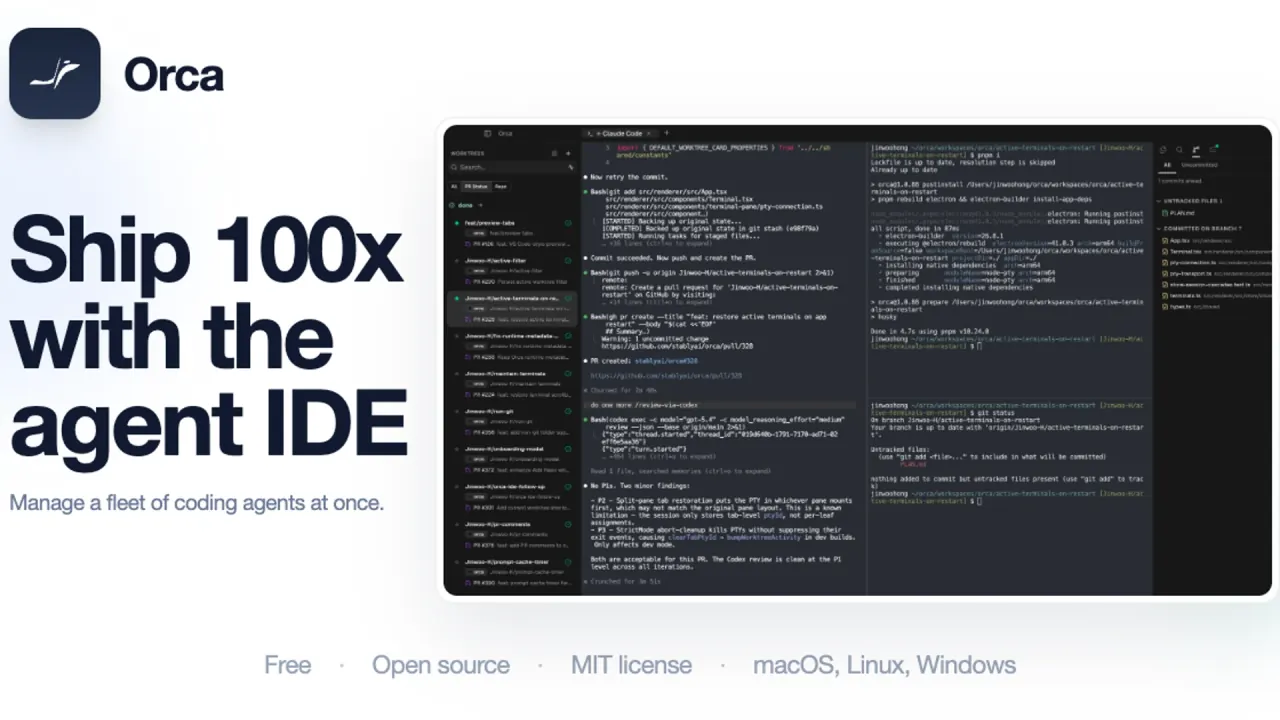

Orca is a desktop agent development environment that runs Claude Code, Codex, Cursor CLI and other terminal agents in parallel, each inside its own git worktree, with a diff viewer, a scriptable CLI and a mobile companion for checking on work remotely.
Used this tool? Rate it
Used this tool? Rate it


DeepSeek AI models for chat and API


One Gateway, Every Model, Compensated Failures


Public Codex reset tracker


One gateway for text and media models


From prompt to production with Gemini


Track public AI usage-limit reset signals


AI image editing from a reference photo


Multi-model image studio, free to start
Orca is a desktop IDE for running multiple AI coding agents side by side. Every task gets its own git worktree, its own agent terminal, and its own browser tab — so you can fan out work across Claude Code, Codex, Cursor CLI, and friends without stashing, branch-juggling, or losing flow.
The distinction is doing real work: it separates an environment built for supervising agents from an editor built for a person typing.
Not a model. Orca runs agents you already use — bring your own Claude, Codex, or OpenCode subscription. Not a git replacement. Every worktree is a real git worktree.
The licensing line matters for procurement: Open source under MIT, so a team can audit or fork the client before rolling it out.
The split of responsibilities follows from those statements. The agents reason and write; Orca supplies isolation, review and orchestration around them, and the bill for tokens stays with whichever provider you already pay.
Run Claude Code, Codex, and any other coding agent in parallel, each in its own worktree. Instead of branching and stashing on one checkout, every task gets its own on-disk copy of the repo via git worktree.
That is what makes concurrency safe rather than merely fast: two agents can edit the same function in different worktrees, and neither write reaches the other's checkout. Deleting a worktree removes both the directory and the branch (with confirmation), so abandoned experiments do not pile up as stale branches.
Orca works with any CLI agent — the agent combobox just launches a process in a terminal. The following ship preconfigured in the built-in agent picker with one-click launch/setup; deeper hooks, status, usage tracking, and account switching are noted where supported.
The compatibility promise is broad and shallow: any binary that speaks to a terminal qualifies, while the deepest integration — usage meters, per-account folders, hot-swapping — is reserved for the agents with dedicated hooks.
Orca's diff viewer is designed for serious review of AI-generated code — not a quick glance.
The list explains why the viewer carries so much weight. An agent's output is only as safe as the review behind it, and the review happens in the same window that produced the change.
A bot takes jobs from its chat, Slack, Linear, GitHub or a schedule. Each bot has a name, a purpose, a memory and automations, and lives in a folder on one computer.
For code changes, the bot hands the work to a worker: a Claude Code or Codex session in its own new workspace (a git worktree), so its changes stay out of your checkout. The bot is a front door, and the worktree model is what keeps its workers from colliding with yours.
The Orca CLI is the orca command-line interface for scripting a running Orca editor from any shell. Use it to create and inspect worktrees, drive agent terminals, open files and diffs, automate the built-in browser, run scheduled automations, share HTML/Markdown artifacts, and control Orca-native tools from scripts or AI agents. It ships with the desktop app; register it under Settings → General → Orca CLI.
That last clause is the interesting one for teams: the environment can be driven by another agent, which turns Orca into a target for automation rather than only a place where automation runs. A build script or a second agent can create a worktree, hand a prompt to a terminal, and collect the diff without anyone clicking through the UI.
The documented recipe for parallel work is short and runs entirely inside the desktop app.
The order matters. The comparison happens on finished diffs rather than on streaming output, and the losing attempts disappear instead of accumulating as local branches.
Bot setup follows a fixed path.
The sign-in requirement is narrow but real. Local chat and scheduled work run without an account, while the connectors that let other people reach the bot do not.
On first launch, Orca offers to import ~/.claude, ~/.codex, and Ghostty terminal settings if present. Existing agent credentials and terminal preferences survive the switch, which shortens setup for anyone already running a CLI agent.
You want three agents trying the same bug in parallel and to pick the winner. Each attempt is a complete branch, so the comparison is between finished implementations rather than between half-finished edits in a shared directory.
You want to review AI-generated diffs seriously before you ship them. That is a different job from generating code: the viewer, the annotation flow and the commit step exist so review happens where the agent worked.
You want agents to run remotely — over SSH, on a self-hosted Orca server, or in an on-demand VM — without giving up your IDE. This pattern depends on infrastructure you control, and the platform section covers what that implies.
Orca is designed for people who already write code for a living and want to use AI as leverage — not as a replacement. It assumes you read diffs, care about commits, and keep a worktree tidy. If you're looking for a no-code tool, Orca is not that.
Those assumptions also predict who bounces off it. A developer running one agent in one terminal gains little, because the product's value comes from coordinating several concurrent tasks. Someone who has not configured a CLI agent and a paid plan has nothing for Orca to launch.
The audience is narrow but deep: developers holding two or more agent subscriptions, reviewers who own merge decisions, and teams that want a record of which agent produced which change.
Orca is a desktop app. Orca requires macOS 13.4 or later. The default shell can be set to PowerShell or CMD under Settings → Terminal.
Orca is also published as a Homebrew cask, auto-bumped on every stable release, so a Mac install can be maintained through the package manager instead of manual downloads. Linux packages report available updates and print the package-manager command to install them.
Updates follow a stable channel by default. Orca checks for updates on the stable channel, and automatic install has to be enabled under Settings → General → About. Stable releases are vetted; RC (release candidate) builds ship new features first, often daily, which makes the release channel a real choice rather than a formality for teams that need predictable builds.
The Linux CLI is named orca-ide so it does not conflict with the GNOME Orca screen reader. That naming detail also settles the most common identity confusion around the name: this desktop application is unrelated to the screen reader.
Get the mobile companion for iOS or Android. It pairs with a desktop instance, shows agent status and scrollback, accepts quick replies and switches agent accounts, while the paired desktop keeps ownership of the sessions.
A Remote Orca Server lets one computer do the work while another computer provides the UI. The server keeps the projects, worktrees, terminals, tabs, provider accounts, and agent sessions. A login on your laptop does not automatically carry over to the server, so agents and provider CLIs have to be installed and authenticated on the server itself.
Free and open source. New features shipped daily. No published subscription for the editor appears in the pages reviewed for this page, and there is no credit system either; the recurring cost is the agents behind it.
That split is explicit in the bot documentation: Claude Code, Codex or another supported agent, installed and signed in on that computer. The bot runs on it, so its work counts against that plan. Heavy parallel use multiplies model spend even though the environment itself is free.
For organizations, the vendor runs a separate track rather than a public price list. Its enterprise page pitches running many coding agents in parallel, with reviewable agent changes and deployment options that fit an organization's security model. The page positions readiness and rollout guidance — self-hosting, approved providers, audit trails — and routes commercial discussion to a contact form. On deployment, it suggests running the desktop app, an always-on Orca server, or both inside your own network.
| Item | What the public pages state |
|---|---|
| Desktop app | Free, open source, MIT license |
| Agent usage | Billed by the agent provider you already pay |
| Enterprise | Contact-based; no published tiers |
| Mobile companion | Free companion app; still in beta |
Because no per-seat price appears on the public pages checked here, procurement should treat commercial terms as negotiated off-page rather than as an advertised plan.
The most direct alternative is the workflow Orca replaces: several terminal tabs and a shared checkout, coordinated by hand. It costs nothing and needs no new tool, but it gives up per-task isolation and a single review surface.
A closer alternative is another agent environment built on the same primitive. Conductor and Orca share the same model: every task gets its own git worktree on its own branch, with an agent working inside it. The vendor's migration guide adds the dates that push some users to move: Timeline: Conductor Cloud shuts down on November 20, 2026, and the Conductor desktop app is supported until early 2027.
A third path is remote-only orchestration. Not a hosted VPS product. Orca runs on your desktop by default. Remote compute uses machines and cloud accounts you control — SSH targets, self-hosted Orca servers, or Cloud VMs. Teams that would rather rent a managed control plane sit outside the product's design.
A bot works while the computer it lives on is awake and online. The Keep computer awake setting in Orca prevents idle sleep while agents work; on a Mac, closing the lid still sleeps it.
Orca Cloud holds a request until your computer takes it, for up to a day if it's asleep. Requests older than that window are not queued indefinitely, so a bot is not a substitute for an always-on service.
Slack needs a one-time App Configuration Token per workspace. Your workspace may also need an admin to approve the bot's app, which puts a third party between a developer and a working integration.
Access control is conservative by default. By default, only you can ask your bot. Their requests run on your access, on your computer, so add only people you'd trust at your keyboard. Because it runs on your own sign-in for the agent you picked, such as Claude Code or Codex, on that computer, the trust boundary is the owner's account rather than a shared service identity.
Two surfaces carry a beta label. The mobile companion is in beta, and Remote Orca Servers are beta, with guidance to keep server and client on a private network path you control. Beta status is a statement about support expectations, not about availability.
Orca separates local use from hosted features. Product telemetry is designed to exclude file contents, prompts, agent responses, terminal output and free-form local paths. The identifiers it does send stay linkable: These identifiers can link events from the same installation, session or conversation, so they are pseudonymous rather than anonymous.
Telemetry has a named destination. Provider: PostHog Cloud's United States ingestion endpoint. The telemetry page does not state a maximum retention period, and opting out does not rewrite history: Disabling telemetry does not erase events already sent.
Opting out has documented routes beyond the settings toggle. Settings → Privacy — turn usage-data sharing off to disable product telemetry. DO_NOT_TRACK=1 — disables product telemetry for that launch, and common CI environment markers, such as CI, also disable it. That last option matters for build agents, where a shared machine may run Orca without anyone watching its network traffic.
For account and hosted features, the policy is published under a corporate name. The privacy policy is published by Lovecast Inc. d/b/a Stably AI. Local work stays local by default: Your local projects are not uploaded as product-usage telemetry.
No. Orca launches CLI agents you have installed and signed in, and each agent's usage counts against your existing plan with that provider.
Local agents stop when the machine sleeps. Work continues only when Orca runs on a paired server, an SSH host or a cloud VM that stays online.
Each task runs in its own git worktree, so agents edit separate on-disk copies. Merging stays your decision, made through the diff viewer or with plain git.
The desktop app is free and open source under MIT. Enterprise deployment runs through a contact-based track with no published price list.
macOS 13.4 or later, Windows, and Linux; a Homebrew cask covers Mac installs and updates through the package manager.
Product telemetry is designed to exclude file contents and prompts, and it goes to a named third-party endpoint. Hosted features and the providers you configure have their own data flows described in the privacy policy.