
Mixboard was a Google Labs experiment that turned text prompts and your own images into an open, editable concept board. It shut down on September 28, 2026.
Used this tool? Rate it
Used this tool? Rate it


AI image editing from a reference photo


Multi-model image studio, free to start


Build random generators, share them free


Anime art, powered by a million community models


Real-time answers, images, and code in one chat


Community-Trained Models for Art, Video and Characters


Browser-Based AI Photo Editing and Image Generation


Product photo editing for online stores
Mixboard was an experimental AI concept board from Google Labs. You filled an open canvas with images and text, and generative AI turned a short description into a set of visual directions instead of a single picture. Google presented it as a place to explore, expand and refine ideas, not a tool for producing a finished layout, and independent coverage treated it as an AI moodboard tool in the same family as FigJam and Adobe Firefly Boards.
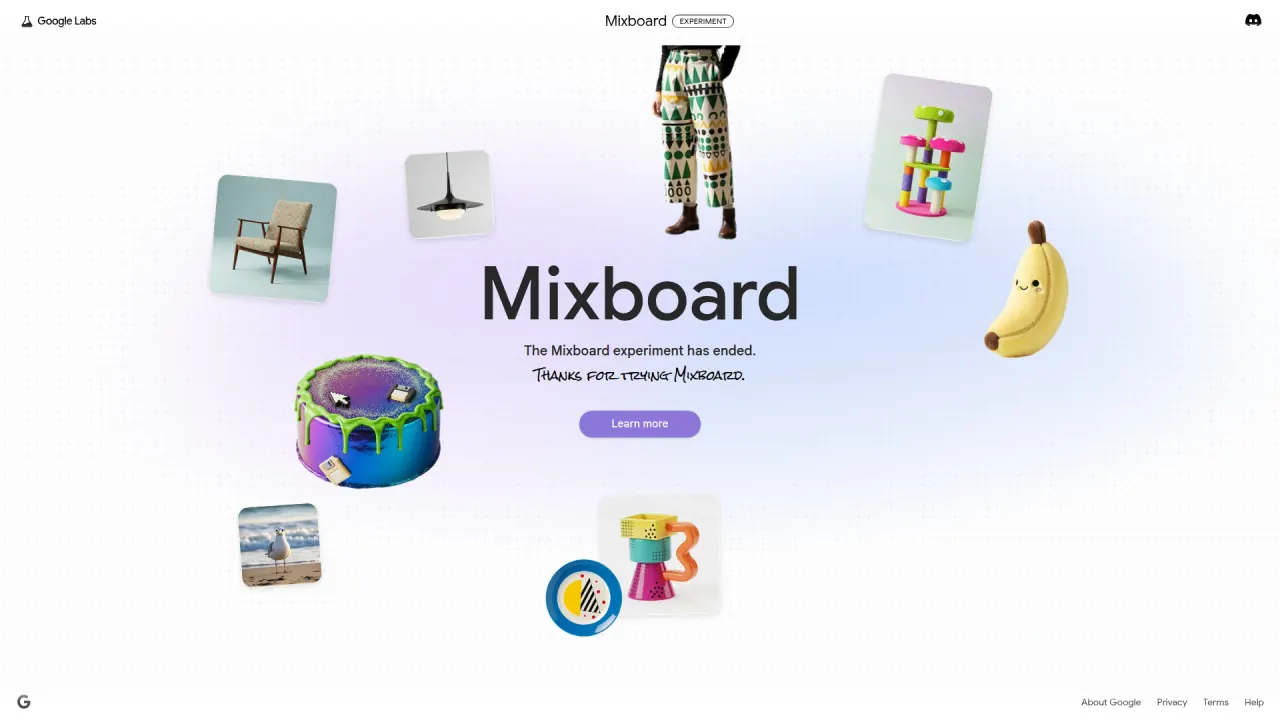
The experiment has ended. Mixboard shut down on September 28, 2026, and the site now shows a single line saying the experiment has ended. Boards, generated images, uploaded assets and prompt history were permanently deleted from Google's servers, and shared board links and presentations stopped working, replaced by a service shutdown notice. While it ran, entire boards, individual images and whole presentations could be downloaded and publicly shared.
So Mixboard is a closed chapter rather than a tool to adopt, and its exit was orderly: a published date, an export path and a deletion deadline.
The canvas was the product, built for visual brainstorming rather than layout work. Instead of one prompt producing one image in a chat window, Mixboard kept every result on the same board, where it could be moved, combined, regenerated or used as a reference. Text sat beside the images, so a board could carry a direction, a caption or a short rationale without leaving the page.
The image work ran on Google's Gemini models. Independent coverage at launch reported that boards were built from pre-populated templates or text prompts using Gemini 2.5 Flash, and that the tool was available through public beta in the US.
Mixboard's feature set was small and loop-shaped: start a board, fill it, edit what was on it, branch from what worked, export the result in a form someone else could read.
The canvas held images and text together. You could bring your own images or generate new ones, and keep adding as an idea developed. Google enlarged the canvas over time and allowed several boards inside one project, so a brainstorming board, a reference board and a final-direction board could stay apart instead of stacking in one place.
Boards were organised by project rather than by file, which fits how early creative work moves: a rough pass, a set of references, then a narrowed direction.
A new project could begin with a text prompt or a pre-populated board. The prompt route suited a blank-page problem; the template route suited a familiar format where the structure existed and the work was to replace the content. The help center noted that the first prompt typically produced about 15 image blocks, which is why a board looked full before you had made any decisions.
Both routes ended in the same place: several candidates on one surface, compared side by side, which beats generating five images in separate chats and trying to remember which was which.
Boards could be edited with natural-language instructions to make small changes or combine images. Instead of rebuilding a prompt, you selected what should change and described the change, and the same mechanism accepted an uploaded image as a reference — how a photographed object could be placed into a different scene.
A later update added doodling: mark an area, describe what should appear, and the model redrew that region. Doodling moved the instruction from words to a rough spatial sketch, often the fastest way to say "here, not there". Google also documented prompting across several selected blocks at once, to remix them or write text from their combined context.
Regenerate and more like this were one-click options on an existing result. Regenerate asked for another attempt at the same idea; more like this asked for neighbours of an image you already liked. Together they turned one acceptable image into a family of directions without any prompt writing.
Mixboard could also write text from the context of any image on the board, or a short description of a selected block. That was useful for captions, for naming a direction, or for a first draft of copy to accompany a visual. Because it came from what was on the canvas, the quality depended on how clearly the board communicated the idea.
The upload path widened after launch. Beyond ordinary images, Mixboard accepted .jpg, .png, .heic, .webp, .tiff, .svg and .pdf files, and it added a selfie camera aimed at uses such as wardrobe inspiration. A PDF gave the board a document to work from, so a brief, a menu or product notes could sit next to the visuals.
Boards could be exported in a chosen format from the Export menu, and Google advised that more images and text on the board improved the exported presentation.
Mixboard could turn the main board into a presentation, the export format Google singled out in that advice, so a richer board meant a better deck.
The deck came from the board rather than from a separate outline, so quality depended on the board's coherence, and a board that mixed unrelated references produced a deck that mixed them too.
The documented workflow was short: one sentence, a few minutes, then narrowing. The sequence follows the order the features appeared in Google's help center.
The workflow was iterative, and its habits carry over. Keep the first prompt broad, then narrow it with two or three reference images, and name the constraint rather than the absence: a model handles "three colours maximum" better than "not too busy".
For anyone still holding files from the experiment, the export path matters more than the workflow. Google's instructions were to open a project, expand the board list from the project name, and choose Download as PNG next to each board, which saved a zip of that board's images. The same page warned that boards, generated images and prompts would not be accessible after September 28, 2026.
Mixboard was aimed at the stage where an idea is visual but not yet specified. Google illustrated it with prompts such as cups, bowls and plates in Memphis style, or an autumn party planned in a living room, and described the tool as a way to decorate a home, plan events or simply assemble an ensemble of images. The examples below are those named uses, plus the ones its feature set directly supported.
Mixboard suited people whose problem was the first visual step: they knew the feeling they wanted but not the image or palette that expressed it. Access was limited to adults aged 18 or over in supported countries, and Google could apply usage limits to generations, uploads and board creations.
Mixboard ran in the browser and needed no desktop installation.
| Platform | Access | Notes |
|---|---|---|
| Web | labs.google/mixboard and mixboard.google.com | The documented entry points; both now lead to the shutdown notice |
| Computer | The same web app | The help center's instructions were written for a desktop browser |
| Android phone and tablet | The same web app | Google organised help content for this device class |
| iPhone and iPad | The same web app | Google organised help content for this device class |
The help center split its instructions three ways, for computer, Android phone and tablet, and iPhone and iPad, which is the closest thing to a platform list the documentation offered. The documented entry points were mixboard.google.com and labs.google/mixboard. It published no separate app listing on the pages cited here, so the reasonable reading is a browser-based product with per-device help pages rather than four clients.
Because everything happened in the browser, a board was available wherever the user was signed in. The flip side is that the experience depended on the service being reachable. When the service went offline, so did every board.
Mixboard was free during its public beta. Independent coverage at launch reported Google saying the tool was available free to the U.S. public in a beta version, and no paid tier was ever published.
There was therefore no per-seat or per-generation price to compare, because there was no paid plan to price. The real cost was the time spent iterating, plus the limits Google applied: usage limits could apply to generations, uploads and board creations, and generation limits could fluctuate with available capacity.
Free did not mean permanent, and the shutdown is the proof: Google published an end date and a deletion deadline, and offered no migration path to a paid product.
Mixboard sat between three kinds of tool: collaborative whiteboards, AI design boards from other vendors, and image generators that produce one image per prompt. With Mixboard gone, the choice is between those three families, and the right pick depends on whether you need a canvas, a generator or a place to store references.
The constraints worth knowing are about availability, scope and what happened at the end.
No. Mixboard shut down on September 28, 2026. The site now displays a notice that the experiment has ended, and Google pointed users to labs.google for its other active experiments.
They were deleted. Google said all user data, including boards, generated images, uploaded assets and prompt history, would be permanently deleted from its servers. Shared links and presentations stopped working on the same date.
Yes. It was free during the public beta, and no paid plan was ever published. Free access was tied to an experiment rather than a subscription, so it carried no long-term commitment in either direction.
Users had to be 18 or older and located in one of Google's supported countries or territories. At launch Google released it as a public beta in the United States.
It built AI concept boards that combined images and text, edited them with natural-language instructions, generated variations in one click, and exported a board as a presentation.
FigJam or Adobe Firefly Boards for a canvas, Pinterest for collecting references that already exist, and a chat-based image generator for single images. Google pointed to labs.google for its own active creative experiments.