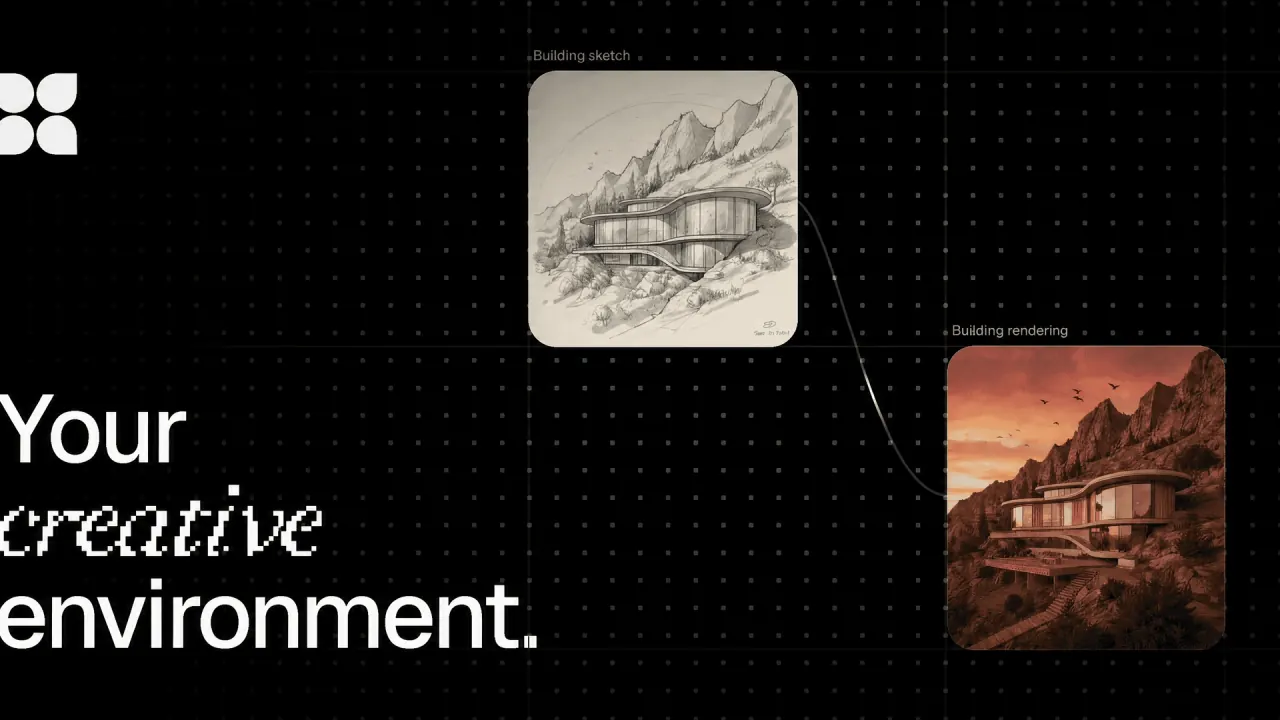

FLORA puts image, video and text models on one canvas so designers and brand teams can explore directions, reuse a workflow, and move a campaign into production without switching tools.
Used this tool? Rate it
Used this tool? Rate it


AI image editing from a reference photo


Multi-model image studio, free to start


Build random generators, share them free


Anime art, powered by a million community models


Real-time answers, images, and code in one chat


Community-Trained Models for Art, Video and Characters


Browser-Based AI Photo Editing and Image Generation


Product photo editing for online stores
FLORA is a generative AI canvas for design teams, and the company describes it as a creative workspace where text, image and video models sit in one place. The home page adds a second framing: a workspace with purpose-built tools for each step of the process.
A March 2025 editorial report on the launch describes the service as an "infinite canvas" that integrates with existing models rather than training its own, and quotes the founder arguing that "models are not creative tools". That framing still holds in the November 2026 copy, which talks about models, nodes and reusable workflows instead of claiming a proprietary image engine.
Model counts are the first number a buyer sees, and the vendor's own pages do not use the same one. The home page headline reads "One plan. 50+ models." The pricing page, captured the same day, describes a single pool as covering "Nano Banana 2, Veo 3.1, Seedance 2.0, Kling, and 60+ others". A comparison page repeats the 50+ figure for image and video models.
All three are vendor counts taken on November 20, 2026. Read the number as a running tally that moves as models are added or retired, not as an audited catalogue.
The privacy notice names the operating company as FLORA AND FAUNA FLOWERSHOP, INC. (D/B/A FLORA). At launch, press coverage listed backers including a16z Games Speedrun, Menlo Ventures and Long Journey Ventures, with angels from Midjourney, Stability and Pika, and noted that the round size was not disclosed at the time. The same report said the company was initially focused on working with visual design agencies and was iterating on the product with designers at Pentagram.
FLORA bundles three things that are usually sold separately: a canvas, a menu of third-party models, and team controls over access and spend. The plans differ less in which models you can reach than in how many people can work beside you, what they can share, and how long your history survives.
The visual canvas, multilayer image editor, annotations and labels, and download plus export are listed as included on all four self-serve plans. Real-time cursors, batch generations and the action node start at Starter, shared assets and shared elements appear only from Pro upward, and App Mode is self-serve on Starter and team-managed on Pro and Max. The canvas is a node graph rather than a single prompt box: models, Techniques and batch steps are wired together on one surface, which is the part that takes a session or two to learn.
Techniques are the product's reusable-workflow layer: the vendor describes them as workflows built by FLORA and top creators that a team can run instantly or open inside the canvas. Character Lock, described as one character in six different angles, is one of the named examples on the home page. A Technique is how a studio keeps a look or a pipeline after the person who built it moves to another project.
Batch is the scale lever. The vendor says batch on FLORA runs full permutation matrices across prompts, references, outfits and ratios, which is a different shape from generating one image and editing it by hand. For campaign work, that is the feature that turns a direction into a review set.
FAUNA is the in-product assistant, listed on every plan and billed by model usage rather than sold as a separate subscription.
Fashion Studio is included in every plan, and studio runs draw from the plan's shared usage at published model rates.
All models are listed as accessible on every plan, but the free plan summary names text and image models only, so AI video generation starts at the first paid tier. That row is worth reading twice, because "all models accessible" and "video included" are different claims on the same page.
FLORA describes its own canvas work in three stages, and they map onto how a project usually moves.
The vendor sorts its own examples into visual effects, fashion, advertising, photography, concepting, branding, motion and architecture.
Case studies on the site are grouped for film, fashion, branding and design teams. Treat the set as the vendor's own selection: it shows the shapes of work FLORA wants to be judged on, not an independent sample of customers.
Design studios and agencies are the clearest fit. The launch positioning was visual design agencies, and the home page says the product is trusted by top creatives at studios, so the case studies read as the vendor's own reference set.
Where it fits less well: someone who wants a single AI image generator with one prompt box will be paying for workflow and collaboration features they never open. The pricing also follows output rather than seats alone, so the cost of an asset is not fixed by the seat price.
The product is presented as working with Claude, ChatGPT, Grok and MCP, and API access is included from the Starter plan upward.
Billing is per seat, and every seat adds capacity to one workspace pool that is metered at published model rates.
| Plan | Price | Seats | Projects | Models | Collaboration | API and MCP |
|---|---|---|---|---|---|---|
| Free | $0/mo | 1 (solo) | 3 active | Text and image | View-only sharing, comments | Not included |
| Starter | $18/seat/mo | Per seat | Unlimited | Text, image, video | Live cursors, editable sharing | Included |
| Pro | $50/seat/mo | Per seat | Unlimited | Everything in Starter | Shared assets and elements, per-member caps, analytics | Included |
| Max | $200/seat/mo | Per seat | Unlimited | Everything in Pro, plus custom voices (3/org) | As Pro | Included |
| Enterprise | Custom | Teams of 9+ | Unlimited | Everything in Max | As Max, plus SSO/SAML | Included |
Prices are the monthly figures shown while the billing selector was on Monthly when captured on November 20, 2026. The same selector offers quarterly billing at 10% off and annual at 20% off, which changes the per-seat figure. Nothing on the page states a seat ceiling for Starter, Pro or Max; Enterprise is the only tier described by team size.
A seat is not a bucket. Each added teammate grows one workspace-level pool, and the vendor's argument is that light users' capacity can be used by heavy users instead of being wasted. Usage is metered at published model rates, and the workspace reports the dollar cost of each generation by project and by member.
The free plan is one seat, three active projects and text and image models, with a usage cap rather than a trial timer. The cap is up to 17 generations, calculated from a Nano Banana 2 average of $0.151 per image and capped at $2.50 of total usage. That is the vendor's own arithmetic, and it makes the free tier enough to test one workflow rather than run a live project.
The entry price moved. A March 2025 report said professional pricing started at $16 per month; the November 2026 pricing page lists Starter at $18 per seat per month.
A third-party AI tool directory groups FLORA with Krea, Lovart, Leonardo.ai, Runway and OpenArt.
The strategic alternative is fewer subscriptions. FLORA's pitch is one plan covering many models instead of separate licences per generator.
FLORA also publishes its own comparison pages. Its Krea page frames Krea as a real-time playground where generation feels instant, and FLORA as the production canvas for teams that ship campaigns. That is a positioning statement from the vendor, not a neutral test, but it names a real fork: instant, real-time exploration on one side, and batch variants, review and reuse on the other. A team whose work is mostly live art direction is looking at a different job from a team producing 200 assets for a launch.
Paid plans are not refundable for the current period: the terms state that paid services cannot be terminated before the end of the period already paid for. The same section says FLORA will not refund fees already paid except where the terms expressly provide, and cancelling gives no prorated refund for the current period. Recurring plans renew automatically, with periodic charges submitted without further authorisation until notice is given.
FLORA says it does not include user data in training data for its own models, and does not permit third-party model providers to train on it either. The privacy FAQ adds that FLORA does not train any models in house and that workspace admins can disable models for the whole workspace. Admins can also set credit limits for any individual in their workspace. Two operational points are less comfortable. Session replay technology is used to resolve issues and analyse usage. Personal data is retained for as long as needed to provide the service or meet business purposes. FLORA states that it is SOC 2 Type 1 compliant and aims to complete Type 2 by June 2026.
Disputes are governed by New York law and resolved by binding individual arbitration, with a class action waiver and an opt-out route. Users and FLORA waive the right to go to court and to a jury trial for disputes inside that agreement. Children under 13 are told not to register for or use the service.
There is a free plan at $0: one seat, three active projects, text and image models, and up to 17 generations capped at $2.50 of total usage. Video models, API and MCP access start at $18 per seat per month.
Between you and FLORA, the terms assign output rights to you. The privacy FAQ adds that ownership is ultimately set by third-party model terms, and that FLORA does not claim ownership itself.
The terms say FLORA does not include user data in training data for its own systems and does not permit model providers to train on it. The privacy FAQ says FLORA does not train models in house.
Generally yes, if you hold the rights to your inputs, the output does not infringe third-party rights and the use follows model and provider terms. Indemnity for output is not included.
The vendor counts 50+ models on the home page and 60+ others on the pricing page; the named examples are Nano Banana 2, Veo 3.1, Seedance 2.0 and Kling. The count moves as models are added.
Yes from Starter, where seats pool usage. Shared assets, shared elements, per-member caps and analytics are Pro features. Enterprise is the tier for teams of 9+ with SSO/SAML.
You can stop renewing, but the terms say paid services cannot be terminated before the end of the paid period, and no refund or proration is given for that period.
Yes, from Starter upward. The free plan has no API or MCP access.