
Toolso.AI
Toolso.AI
All ToolsCategoriesTrendingLatest ToolsPricingBlog
Toolso.AI
Toolso.AI
Toolso.AI
Toolso.AI

Discover the best AI tools to boost your productivity

GitHubGitHubTwitterX (Twitter)YouTubeYouTubeTikTokEmail

Popular Categories

  • AI Writing
  • AI Image
  • AI Video
  • AI Coding
  • More Categories

Explore

  • Latest Tools
  • Popular Tools
  • More Tools
  • Submit Tool
  • Pricing

About

  • About Us
  • Contact
  • Blog
  • Changelog

Legal

  • Cookie Policy
  • Privacy Policy
  • Terms of Service
  • Refund Policy
© 2026 Toolso.AI All Rights Reserved
Limited timeLimited-time offerFeatured Listing24h priority review · No backlink · 30 days featured$29.90then $59.90Price rises to $59.90 after Oct 31Ends in--:--:--Submit now
  1. Home
  2. All Tools
  3. Marketing
  4. Vidnoz AI
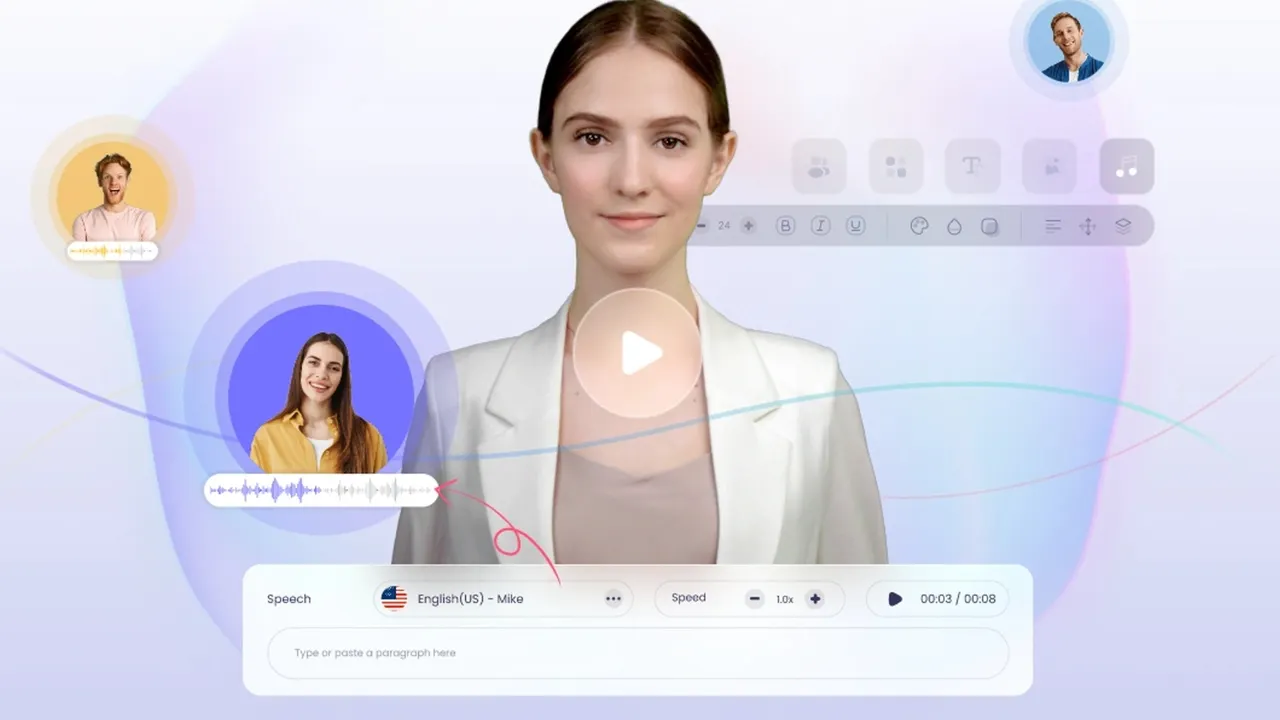
Vidnoz AI interface previewVisit Website
Vidnoz AI logo

Vidnoz AI

Vidnoz AI turns a script into a talking-head video using a large stock avatar and template library, with voice cloning and custom digital twins sold as separate add-ons and a daily-refreshing free tier.

MarketingVideo GenerationGenerative AI Platform#Voice Cloning#Templates#Avatar
Try for Free
Saves
Visits
Views
Pricing
Freemium
Published
Aug 25, 2026
Domain
vidnoz.com
Community rating

Used this tool? Rate it

Rate this tool

Vidnoz AI Product Information

Try for Free
Tool Information
Saves
Visits
Views
Pricing
Freemium
Published
Aug 25, 2026
Domain
vidnoz.com
Community rating

Used this tool? Rate it

Rate this tool

Featured Tools

Related Tools

Try for Free

What is Vidnoz AI?

Vidnoz AI is an avatar video platform whose pitch is that you skip the production apparatus entirely: no cameras or studios, no hired actors, and a finished talking-head video in minutes rather than days. You write or paste a script, pick a presenter from a stock library, choose a synthetic voice, and the platform renders a video of that presenter delivering your words. Around that core sit a template library for scene layout, translation and dubbing tools, and a wide assortment of image and voice utilities.

The distinguishing feature in a crowded category is the free tier. Rather than a one-off trial that expires, the free plan refreshes a small credit allowance every day, which makes it genuinely possible to evaluate output quality against your own scripts before paying anything. The limits are real and worth knowing up front — resolution, video length and watermarking all bite — but the ability to keep testing daily is unusual among comparable products.

The operator is a named entity, Wise Reward Limited, registered at an address in Kwun Tong, Hong Kong, with the About page dating the company to 2016 and describing a 2017-to-2022 period spent shipping screen-recording and other video utilities before the AI pivot. The terms are governed by the laws of Hong Kong, set a minimum age of eighteen, and place the burden of rights clearance squarely on you: you warrant that you have obtained all rights, licenses, consents and permissions necessary for whatever you upload. That last clause matters more here than on most platforms, because the product's headline capability involves human likenesses.

Core Features

  • A large stock avatar library: The presenters are the product. Treat the library counts as approximate rather than exact, because the site does not agree with itself: the homepage advertises 1,900+ avatars and 2,800+ templates while the pricing page rendered 1,600 to 1,700 avatars and 3,400 templates at the same moment, with no measurement date on either. The order of magnitude is what matters — this is a broad library rather than a handful of presenters.
  • Script-to-video as the main workflow: Paste text, assign a voice, pick a presenter, and render. Character limits per scene scale by tier, and the whole flow is designed to require no editing skill, which is the point.
  • Custom digital twins from your own footage: Building a custom avatar is a three-step upload flow: record a short piece of front-facing footage following the shooting guide, submit it, and the trained avatar arrives roughly ten minutes later by email. The guidance is unusually specific — HD at 30fps, stable equipment, ample light, clothing without logos, lips moving without sound, and hand movements kept below chest level. Note the commercial terms in the pricing section before planning around this.
  • Voice cloning and a large synthetic voice catalogue: Thousands of stock voices are available across many languages, and your own voice can be cloned — again subject to how that capability is packaged and billed.
  • Templates for scene construction: A sizeable catalogue of editable templates spanning sales, training, news, education and social formats, available from the free tier upward, which is what separates this from a bare generation endpoint.
  • Translation and dubbing with lip sync: Existing video can be translated into other languages with the speaker's mouth re-synced to the new audio track, aimed at teams republishing one message across markets.
  • A wide surrounding toolbox: Around the core sit dozens of single-purpose tools — talking photos, image-to-video, enhancement, dubbing, translation, lip sync, script writing, face swap, clothes changing, image generation, voice cloning and voice changing — and the site openly names the third-party models its video and image features run on.
  • Multiple product lines under one brand: What is sold as one product is really four parallel lines — the avatar generator, a separate generative suite for image-to-video and text-to-video work, a distribution and tracking hub, and standalone translation and voice products — each with its own pricing page.

Use Cases

  1. Internal training and onboarding at volume: The clearest fit. Course modules, policy explainers and onboarding sequences need a consistent presenter and frequent updates, and re-rendering a script beats re-filming a person. The named customer references skew towards training and education — a German university describes using avatars generated from animated photos to build a virtual environment for communication training with medical students — though these remain vendor-selected testimonials without independent verification.
  2. Publishing one message across many languages: Translation with lip sync turns a single recorded message into market-specific versions without rebooking a voice artist or a presenter, which is where the economics genuinely favour synthetic delivery.
  3. Product explainers and support content: Short instructional clips where a talking head plus on-screen text is sufficient, and where the alternative is nobody making the video at all because filming was never scheduled.
  4. Recurring internal communications: Company updates, announcements and reports that need to look consistent week to week and where a presenter is expected but not worth a studio booking.
  5. Testing whether synthetic presenters suit your audience: Because the free tier refreshes daily, you can run your real scripts through several avatars and voices over a week and judge audience fit before committing budget — a more honest evaluation than a single trial render allows.
  6. Localised social and template-driven clips: Template-built short videos where the format is fixed and the content changes, which suits the library-plus-script model better than open-ended creative work.

How to use Vidnoz AI

  1. Create an account and start on the free tier. No payment method is needed, and the daily credit refresh means the evaluation does not have to happen in one sitting.
  2. Run your own script, not the demo script. The demo is chosen to flatter the tool; your material will expose whether pacing, pronunciation and lip sync hold up on the words you actually publish.
  3. Pick a presenter and a voice, and test several combinations. Voice quality varies more than avatar appearance does, and it is usually the element audiences notice first.
  4. Keep individual scenes short. Reviewers consistently report that lip sync drifts on longer passages, so breaking a script into shorter scenes tends to produce steadier results.
  5. Judge the output at full size before deciding. Free renders are 720p with a watermark, so assess the avatar and voice, and treat resolution as a variable you would be paying to change.
  6. Check the commercial terms against your intended use before publishing anything, particularly if the video is client-facing or will run as advertising.
  7. If you plan to build a digital twin of yourself, read the add-on pricing first — it is not part of the standard subscription — and follow the shooting guidance closely, since retakes cost time rather than credits.
  8. Export and archive your work outside the platform. Retention rules mean an unused account can lose its material, which is covered under Limitations.

Tips & Best Practices

  • Write for the ear, not the page. Synthetic delivery exposes long sentences and dense clauses. Short sentences, plain wording and explicit punctuation produce noticeably better narration.
  • Use punctuation as timing. Commas and full stops drive pacing in most synthetic voices, so writing them deliberately is the cheapest way to fix a delivery that feels rushed.
  • Match the presenter to the register. Most stock avatars read as business-professional, which suits training and corporate communication and works less well for casual social content.
  • Spend the free tier on comparison, not production. Testing five voices against one paragraph teaches you more than rendering one full video, and the daily refresh is designed for exactly that pattern.
  • Budget by minutes rendered, not by subscription price. Credits convert to video length, and re-rendering after edits consumes them again, so estimate from how many attempts a finished minute actually takes you.
  • Keep an external copy of everything you finish. Do not rely on the platform as an archive; download and store finished videos in your own storage.
  • Never build an avatar from someone else's face. The vendor's own guidance is unusually firm on this, and the legal exposure is yours rather than the platform's — a point developed under Limitations.

Who is Vidnoz AI for?

  • Learning and development teams: The strongest fit, with recurring content, a need for consistency, and internal audiences whose tolerance for synthetic delivery is high because the information matters more than the polish.
  • Small businesses without production capacity: Teams that need explainers and announcements and currently make none, for whom the realistic alternative is not a better video but no video.
  • Multilingual organisations: Anyone republishing the same message across markets, where translation with lip sync removes the largest cost in the workflow.
  • Educators and course creators: Structured lesson content where a consistent presenter aids comprehension and updates are frequent.
  • Solo creators on a tight budget: The daily free allowance makes this a low-risk entry point into avatar video, provided the watermark and resolution ceiling are acceptable for the intended channel.
  • Anyone evaluating the category: Even if you end up elsewhere, the free tier is a cheap way to learn whether synthetic presenters suit your audience at all.

Who fits less well: brands whose creative depends on close-up avatar realism, teams needing motion-graphics explainers rather than a presenter, high-volume advertising testing, and anyone who needs a documented guarantee about how uploaded likenesses are handled.

Platforms

  • Web browser: The platform runs in the browser with no installation; rendering happens server-side and finished files download to your machine.
  • Mobile web: A mobile-oriented entry point exists at a separate subdomain, though the full editing workflow is better suited to a desktop screen.
  • API access: The account interface exposes API credentials, indicating programmatic access for teams wanting to generate at scale; current terms and limits should be confirmed with the vendor.
  • Separate product surfaces: The generative suite, distribution hub, translator and voice products are effectively distinct applications with their own entry points and pricing, so "which Vidnoz product" is a real question when comparing plans.

Pricing & Plans

Tiers and what separates them. Pricing runs four tiers deep. The free plan grants 30 credits a day, which the page itself equates to about 60 seconds of video, caps any single video at 3 minutes and exports at 720p. Starter is listed at $26.99 monthly or an effective $19.99 on annual billing with 450 credits a month, a 60-minute per-video ceiling, 1080p and no watermark; Business at $74.99 or an effective $56.99 adds voice cloning, translation, brand kit and team collaboration; Enterprise is quote-only. The prices above are not vendor-only claims: an independent review that verified them against the pricing page in July 2026 arrived at the same monthly and annual figures found here.

Add-ons, commercial rights and refunds. Two of the capabilities most people associate with the product are billed separately from any subscription: the custom avatar is a $299-per-year add-on and voice cloning $9.99 monthly at promotional rates, and the custom avatar page states plainly that the service is not part of the basic plan. On the commercial-use question the official comparison table is explicit, and it contradicts what several third-party reviews claim: the free tier does carry a full commercial licence, with the watermark as the condition attached. The refund position is stated twice and not identically. The terms say payments are non-refundable except where law requires otherwise, while the dedicated refund policy is more specific: a 7-day full money-back guarantee applies to annual subscriptions, refund requests on monthly subscriptions will not be accepted at all, and cancelling merely stops future billing without returning money. Confirm all of this on the official pricing and policy pages before purchasing, since promotional rates and terms change.

Alternatives

  • Premium avatar platforms: The category leaders charge more and are generally judged to produce more convincing avatars and lip sync, which matters when the video is client-facing or the presenter appears in close-up.
  • Enterprise synthetic video suites: Products built around corporate governance — consent workflows, brand controls, compliance features — suit organisations for which likeness handling must be documented rather than assumed.
  • Screen recording with a real voice: For internal training especially, a recorded screen with your own narration is free, faster, and often more trusted by colleagues than a synthetic presenter.
  • Motion-graphics explainer tools: When the job is explaining a concept rather than delivering a statement, animated diagrams and kinetic text communicate better than a talking head.
  • General video editors with stock footage: For marketing content where no presenter is required, a conventional editor plus stock library gives more creative control at comparable cost.

Limitations & Considerations

  • The free tier is a sandbox, and its limits are specific. Free output is 720p, watermarked, and capped at three minutes per video, on a daily allowance equating to roughly one minute of rendered video. One hands-on review that tested the free tier directly reported figures matching what the pricing page shows — 30 credits daily, roughly a minute of video, valid 24 hours, 720p with a watermark and no rollover — and identified the structural limit plainly: every path leads to a presenter, so a brief that calls for no presenter still returns an avatar.
  • The portrait policy is advisory, and enforcement is not described. The portrait policy is worded as advice rather than as an enforced rule, and the exact phrasing is worth reading closely: it suggests users avoid using others' faces and heads to generate AI avatars even with their consent. Alongside it sits a disclaimer that the vendor accepts no responsibility for illegal actions or misuse of users' avatars, and an assurance that a custom avatar remains visible only within the creating account. The FAQ answers the two obvious questions directly and negatively: you may not build an avatar of a celebrity, and you are told not to build one of a friend either, on the reasoning that everyone holds portrait rights and future disputes are best avoided. What is absent is any described verification step — no identity check, liveness test or consent document is mentioned anywhere in the flow. Read together with the terms placing rights clearance on you, the practical position is that the legal exposure for a likeness sits with the person who uploads it.
  • Nothing is stated about training on your likeness. On the question that matters most for a product built on uploaded faces and voices, the privacy policy is silent: it neither claims the right to train models on your likeness nor promises not to, and the stated purposes stop at the generic level of improving services and developing new features. If a documented no-training commitment is a requirement for you, ask the vendor directly and get the answer in writing.
  • Inactive accounts lose their data. The retention rules carry a trap for casual users: an account not logged into for two weeks is treated as inactive and its associated data permanently deleted, one product line auto-deletes generated content after seven days, and deleted material may persist in backups for a further 30 to 90 days. Download anything you intend to keep.
  • Public sentiment is poor and sharply divided. The Trustpilot picture is poor and unusually polarised: a TrustScore of 2.1 across 82 reviews, with 45% at one star against 37% at five and only 18% in between. The platform notes the company has no recent history of inviting reviews, so the sample may not be representative, and records that it replied to 75% of negative reviews. The negative reviews cluster on two themes — refunds and free-tier friction — while a positive review on the same profile independently confirms the free allowance as three minutes of video every 24 hours and describes cancellation as trouble-free. Read that shape carefully: a U-shaped distribution usually means the product works well for some workflows and badly for others, rather than being uniformly mediocre.
  • Output quality trails the premium tier of the category. On output quality the independent verdicts point the same way: lip sync and avatar realism trail the pricier category leaders, default voices can read as mechanical, and one tool-by-tool test found the free face-swap output watermarked, below HD and visibly seamed at the hairline and neck. This is a reasonable trade at the price, but it sets a ceiling on client-facing work.
  • The real cost is spread across add-ons and separate products. Another review scored the product 3.5 out of 5 while singling out pricing transparency as its weakest dimension, on the grounds that the dollar figures are injected at load time under a rotating discount badge rather than written into the page, and that two headline capabilities are sold separately from the plan. The same fragmentation is what a separate review flags as the main buying hazard: with several capabilities carrying their own pricing pages and add-ons, the true cost of a complete toolkit is hard to see before you commit.
  • Headline performance figures are unsupported. The homepage carries four striking performance figures — around $10,000 saved per month per enterprise, engagement up 52%, conversion reaching 74%, and market share accelerating by 200% — of which only the first names any source at all, and none disclose a sample size, period, control group or independent audit. The site states conformity with ISO 27001 requirements but publishes no certificate number, issuing body or verifiable link, so treat it as a vendor assertion rather than a checked credential.
  • Some capabilities depend on outside suppliers. The generative video and image features depend on outside suppliers, which the site itself discloses, so availability and version cadence for those capabilities follow decisions made upstream rather than by this vendor.
  • Third-party descriptions of this product are unreliable in places. Where third-party sources contradict the vendor, check the vendor: at least one review states flatly that commercial use is not permitted on the free tier, which the official pricing table does not support. Verify anything decision-critical on the official pages.

FAQ

Q1. Is Vidnoz AI actually free?

There is a genuine free tier with no payment method required, and unlike a one-off trial its credits refresh daily. But it is bounded: roughly a minute of rendered video per day, three minutes maximum per video, 720p, and a watermark on output. It is well suited to evaluation and light personal use, not to production work.

Q2. Can I use free-tier videos commercially?

According to the official pricing comparison, yes — the free tier is granted a full commercial licence with the Vidnoz watermark as the condition. Note that several third-party reviews state the opposite, which is why this is worth confirming on the current pricing page before you rely on it, particularly for advertising or client work.

Q3. How do I make an avatar of myself?

Through the custom avatar flow: record short front-facing footage following the published shooting guidance, upload it, and the trained avatar is generated in roughly ten minutes. Be aware that this is sold as a separate annual add-on rather than included in the standard subscription.

Q4. Can I make an avatar of someone else?

The vendor's guidance says no, and it goes further than most: it advises against using another person's face even with their consent, and the FAQ answers no for both celebrities and friends. There is no described verification step, and the terms make you responsible for having obtained all necessary rights, so the legal exposure for someone else's likeness rests with you.

Q5. Will my uploaded face or voice be used to train their models?

The privacy policy does not say, in either direction. It contains no training claim and no no-training commitment. If that assurance matters to your organisation, request it in writing from the vendor before uploading anything.

Q6. What happens to my videos if I stop using the account?

An account not logged into for two weeks is treated as inactive and its data permanently deleted, and one product line removes generated content automatically after seven days. Download and store anything you want to keep rather than treating the platform as an archive.

Q7. How does the credit system work in practice?

Credits convert to rendered video length, so the meaningful budget question is minutes rather than subscription price. Re-rendering after an edit consumes credits again, which is why estimating from finished minutes rather than attempted ones understates real usage.

Q8. How good is the output compared with the more expensive platforms?

Independent reviewers consistently place lip sync and avatar realism below the premium products in the category, and note that default voices can sound mechanical. For internal training and multilingual republishing that gap usually does not matter; for close-up client-facing brand work it does.

Q9. Can I get a refund?

Only in narrow circumstances. A 7-day money-back guarantee applies to annual subscriptions; refund requests on monthly subscriptions are stated as not accepted. Cancelling stops future charges but does not return money for the current period, and one-time add-on purchases have their own short window.

Q10. Who operates the service and under what law?

The stated operator is Wise Reward Limited, with a registered address in Hong Kong, and the terms are governed by Hong Kong law with a minimum user age of eighteen. Note that the company's Trustpilot profile lists a United States address in Austin, Texas, so both are on record.

Know a Similar Tool?
If you know other great AI tools, feel free to submit them to us