
Rosebud AI Game Maker turns a plain-language idea into a playable 2D or 3D browser game, then lets you refine the code, art and sound in chat and share it by link.
Used this tool? Rate it
Used this tool? Rate it


Anime art, powered by a million community models


From prompt to production with Gemini


Generate new shots and rework existing footage


AI image editing from a reference photo


Multi-model image studio, free to start


Natural AI photo editing for portraits and projects


AI assistant for writing, analysis and tasks


From a prompt to a deck, site or doc
Rosebud AI Game Maker is a browser game maker that turns a plain-language idea into a playable 2D or 3D game. You describe what you want, and the platform writes the code, art and sound for something you can play and then keep editing in chat. It comes from a San Francisco company founded in 2019 and backed by Y Combinator. The name comes from the money cheat code in The Sims, which the company says gave players more freedom to build and experiment. As captured on November 22, 2026, the site reports that more than 1 million creators have made over 2.5 million games on Rosebud.
Its own FAQ frames the product as both an AI game generator and a game engine: a prompt produces a playable first version, and that version is a real project with a code editor, an asset manager and a live build that you keep refining. Creators have launched games made on Rosebud on Steam and Epic Games, which separates it from generators that only output a throwaway demo.
Because "Rosebud" is also used by unrelated products, this page describes the AI game maker that builds and publishes browser games, and the games it produces. Every Rosebud game is a real web game, so it plays from a link in a desktop or mobile browser rather than requiring an installed engine.
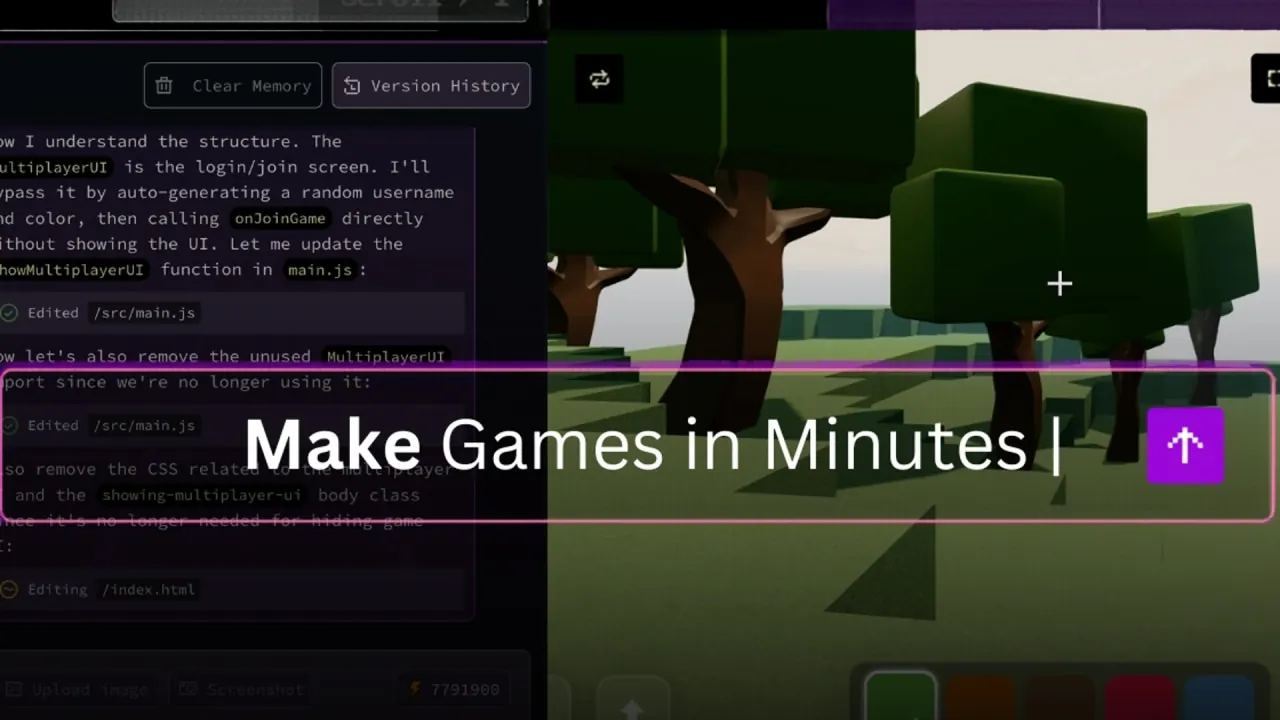
The core loop is prompt to playable. An assistant named Rosie asks a few quick questions — 2D or 3D, mobile or desktop, solo or multiplayer — and then builds a first version you can play immediately. From there you refine it in conversation instead of starting over for every change.
Two details matter for how the output behaves. First, what a prompt produces is a real project with a code editor, an asset manager and a live build that you keep improving in chat, so a game with several moving parts stays something you can open and change instead of only play. Second, asset generation and code generation draw on the same credit pool, so one allowance funds both the logic and the art rather than separate art and editing budgets.
Building a game follows a short, repeatable sequence:
Starting from a template skips the blank page and gives a working scene to modify, which helps when the goal is to learn the editor or test a genre quickly rather than design from nothing.
For teams that work from a terminal or a coding agent, the Rosebud CLI offers free game hosting: publish a game's build folder and get a link anyone can play, with updates going to the same link. It also generates assets with credits at the same prices as the website. Each command prints JSON, so coding agents such as Claude Code, Codex and Cursor can drive the flow and read the results without a human clicking through the editor. Beyond hosting, the same CLI generates sprites, 2D art, skyboxes, 3D models, video clips, sound effects, music and speech from credits at website prices.
Rosebud is built for making many kinds of game with AI, then finding players. Finished games can be sent to Rosebud Play, where others can play what you made. The same prompt-to-playable loop suits game jams, classroom demos and quick concept tests. It spans genres from quick arcade loops to longer RPGs and visual novels, so the same tool covers a five-minute jam entry and a multi-scene story. Because each project is playable the moment it builds, the platform lets you check whether a mechanic is fun before more art or levels are added.
A second use is learning by remixing. Many games on Rosebud Play are open to remix, so you can copy an existing game into your editor and reshape it with prompts — a fast way to see how a mechanic is put together before building your own from a blank prompt.
Rosebud suits people who want a playable game without writing code first, and it also works as a no-code game creator for designers who prefer to describe intent. You describe a game in plain language and Rosebud writes the code, and if you do code you can open and edit everything it generates, so it serves non-programmers and developers who want a head start alike. The company says its goal is to help more people go from playing games to making them, without years of programming experience.
For classrooms, the link-based output means a finished demo can be shared with a class without installing anything on student devices.
It is a weaker fit for teams that need a mature 3D production pipeline, heavy physics, or a fully open engine with no hosted platform in the middle. Those workflows belong to a traditional engine, while Rosebud is positioned for reaching a playable build quickly rather than for full production depth.
Rosebud runs in the browser on Windows, Mac, Linux, Chromebooks and tablets, and projects are saved in the cloud, with nothing to download to start. Games share as a link that plays on desktop or mobile, and because everything runs from a link, there is no separate download step between finishing a game and sharing it.
Paid plans widen what you can take off the platform. Pro and higher plans add a downloadable project and a Windows build for Steam. Indie Dev and higher unlock in-browser code editing, and the pricing page marks that code tab as desktop only. For automated workflows, the CLI covers hosting and asset generation, and its JSON output lets coding agents such as Claude Code, Codex and Cursor run the whole flow and read the results.
Rosebud runs on credits, and the plan you need depends on how many you use. The Free plan starts you with 10,000 credits and no credit card, and in eligible regions those credits refill every week. Paid plans sit above it — Indie Dev, 10x Dev, Pro and Scale — with the pricing page recommending Pro for most projects because it includes code download and Windows export, suggesting Indie Dev or 10x Dev for a smaller budget, and pointing heavy AI users to Scale. The tiers mainly scale two things — monthly credits and the rights attached to your output — so choosing a plan is less about unlocking features than about how much you build and whether you need commercial use, private projects, unbranded hosting or code export.
Credits pay for AI work: each build or edit turn, generated image, sound, music track or skybox uses credits, and the cost depends on the model and how much work the task needs, with the editor showing what each turn used. Monthly allowances differ by tier and also include daily refresh credits that reset at midnight PT, are used first, and are capped for each billing period. Unused monthly credits on paid plans roll over once to the next month and then expire while the subscription is active; daily refresh credits and weekly Free credits are grants that expire at the next reset and do not stack.
Plan features divide by tier. 10x Dev and higher include full commercial rights, so you can sell your games and assets and publish them on any platform, and Rosebud takes no commission on your earnings. 10x Dev and higher also host games without Rosebud branding. Indie Dev and higher let you make projects private and turn off remixing. In-browser code editing begins at Indie Dev, and code download and Windows export begin at Pro. You can cancel at any time from My Plan; the plan stays active until the end of the billing period, and you keep your games and links on the Free plan. Subscribers can refer friends: each friend who subscribes gets $10 off and earns the referrer $10, for up to five friends. If an allowance still runs out, the plan page points to buying a credit top-up from My Plan or upgrading to a higher tier.
As captured on November 22, 2026, the public pricing page lists tier names and credit allowances but does not display a dollar price for each tier before checkout, so the credit allowances and feature split above are the figures that can be checked against the page.
Rosebud sits in the prompt-to-playable category rather than among full production engines. A third-party comparison lists Roblox Build and Rosebud as the most direct prompt-to-playable tools, describes GDevelop as a more traditional engine with no-code control, and places Unity as a full engine for ambitious projects whose AI features assist rather than replace development. The practical difference is that Rosebud runs the game next to the conversation and keeps it as an editable project, whereas a full engine expects you to build and debug inside its own editor.
That split is the useful way to choose. Rosebud is fastest from an idea to a playable browser link, and every Rosebud game is a real web game you can share as a link or post on X. If your goal is a quick, shareable browser prototype with the generated code kept editable, Rosebud is the direct fit. If you need a fully open project you own end to end, or a heavy 3D pipeline with no hosted layer in the middle, an established engine is the comparison to make instead.
Several terms shape what you can do with the free tier and with your data.
The privacy policy adds that data-collection and data-usage practices are identical across free and paid subscriptions; paying confers broader commercial rights to your own output but does not change how personal information is handled. Because the policy covers prompts, code, images, audio and chat messages alongside usage data, the anonymised-data clause reaches user-generated content, and the identical-handling statement means upgrading to a paid plan does not change it. The credit model is the other practical limit: every edit and every generated asset spends credits, so heavy iteration on a large game uses the allowance faster than small experiments.
Yes. The Free plan gives you 10,000 credits without a credit card, and in eligible regions they refill every week.
No. You describe your game in plain language and Rosebud writes the code; if you do code, you can open and edit everything it generates.
No. Rosebud runs in your browser on Windows, Mac, Linux, Chromebooks and tablets, and projects are saved in the cloud.
2D games, 3D games powered by Three.js, and voxel worlds: RPGs, platformers, visual novels, puzzle games, sports games, multiplayer games and more.
Yes. Choose multiplayer when Rosie asks; players can join a private room by invite or a public room with others online.
Commercial rights begin on 10x Dev and higher, which allow you to sell your games and assets on any platform with no commission taken by Rosebud. The free tier is for personal, non-commercial use only.
Pro and higher plans let you download your project code and export a Windows build you can publish on Steam; Indie Dev and higher plans can view and edit code in the browser.
Yes. Many games on Rosebud Play are open to remix; pressing Remix copies a game into your own editor, where you change it with prompts.