
Toolso.AI
Toolso.AI
All ToolsCategoriesTrendingLatest ToolsPricingBlog
Toolso.AI
Toolso.AI
Toolso.AI
Toolso.AI

Discover the best AI tools to boost your productivity

GitHubGitHubTwitterX (Twitter)YouTubeYouTubeTikTokEmail

Popular Categories

  • AI Writing
  • AI Image
  • AI Video
  • AI Coding
  • More Categories

Explore

  • Latest Tools
  • Popular Tools
  • More Tools
  • Submit Tool
  • Pricing

About

  • About Us
  • Contact
  • Blog
  • Changelog

Legal

  • Cookie Policy
  • Privacy Policy
  • Terms of Service
  • Refund Policy
© 2026 Toolso.AI All Rights Reserved
Limited timeLimited-time offerFeatured Listing24h priority review · No backlink · 30 days featured$29.90then $59.90Price rises to $59.90 after Oct 31Ends in--:--:--Submit now
  1. Home
  2. All Tools
  3. Image Editing
  4. Upscayl
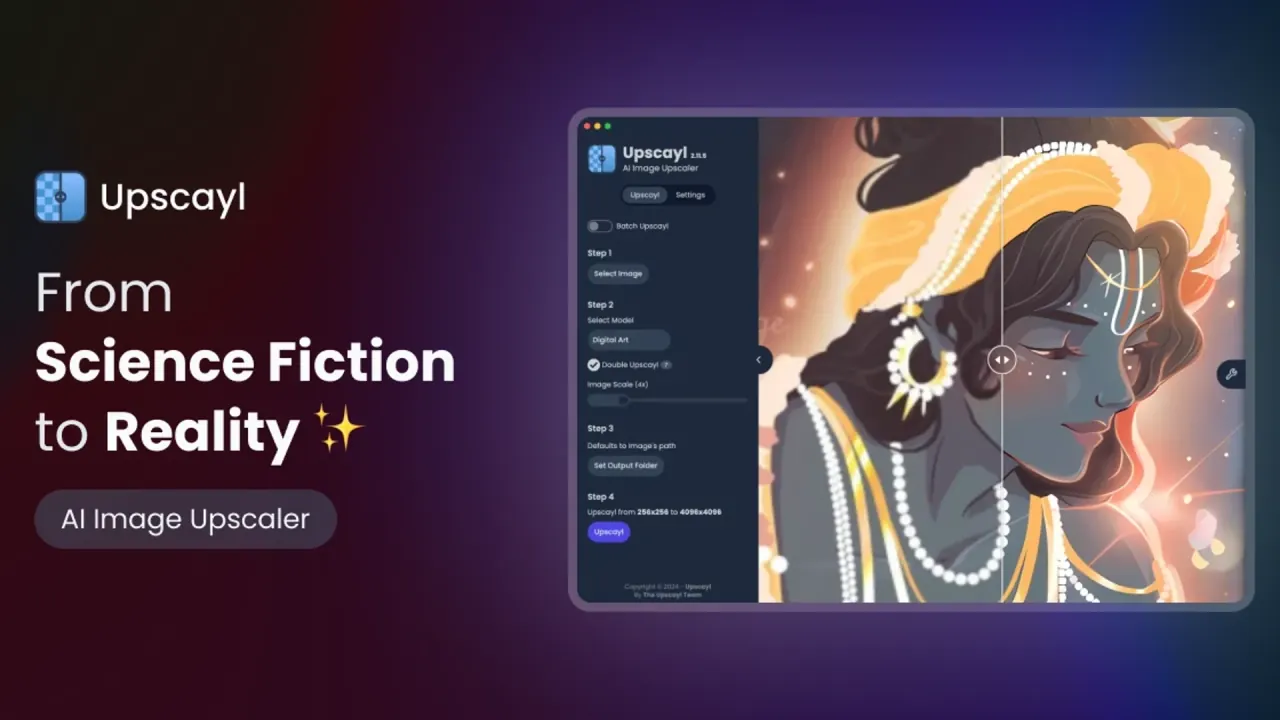
Upscayl interface preview
Upscayl logo

Upscayl

Upscayl is a free AI image upscaler for Linux, macOS and Windows that enlarges low-resolution photos and art locally on a Vulkan GPU. A separate paid Upscayl Cloud service adds credit-based upscaling, face enhancement and an API.

Image EditingOpen Source AI#Open Source#Image Enhancement#Desktop Application
Try for Free
Saves
Visits
Views
Pricing
Free
Published
Oct 5, 2026
Domain
upscayl.org
Community rating

Used this tool? Rate it

Rate this tool

Upscayl Product Information

Try for Free
Tool Information
Saves
Visits
Views
Pricing
Free
Published
Oct 5, 2026
Domain
upscayl.org
Community rating

Used this tool? Rate it

Rate this tool

Featured Tools

Related Tools

Try for Free

What is Upscayl?

Upscayl is a free AI image upscaler for Linux, macOS and Windows that enlarges low-resolution or pixelated pictures on your own graphics card rather than on a remote server. It uses Real-ESRGAN and Vulkan architecture to do the work, so speed and compatibility depend on your GPU.

The desktop app's source code is published under the AGPL-3.0 license, which makes Upscayl an open source image upscaler you can inspect and modify. Nayam Amarshe and TGS963 are credited as the project's makers. As captured on October 5, 2026, the main source repository showed 50.1k stars.

Upscayl Cloud is still presented as a beta, described as an all-in-one solution for upscaling needs: a paid, credit-based web service that processes images on Upscayl's servers. Free, offline and open-source use refers only to the desktop app; plan prices, upload caps and data-retention rules apply to the cloud service.

Core features

Upscayl Desktop

  • Local processing: Upscayl Desktop does all of the processing on your own machine and does not need an internet connection to upscale images.
  • Up to 16x enlargement: The app is advertised as enhancing images by up to 16x better resolution.
  • Batch Upscayl: Batch mode upscales several images in one go.
  • Double Upscayl: This option runs your image through the upscaler twice for better quality.
  • Bundled models: The repository's model folder ships seven 4x models: Upscayl Standard, Upscayl Lite, High Fidelity, Remacri, UltraSharp, Ultramix Balanced and Digital Art.
  • Custom models: Since version 2.5 you can load your own NCNN models, and PyTorch models can be converted to NCNN first.
  • GPU selection: A GPU ID setting picks which Vulkan-capable GPU does the work and accepts several IDs at once, although the load is not distributed evenly.
  • Interface languages: Version 2.15 added English, Russian, Japanese, French, Spanish, Portuguese, Vietnamese, Indonesian and Chinese translations.

All of the default models only produce 4x output natively. Since version 2.8, choosing 1x, 2x or 3x with these models makes Upscayl compute the 4x image and then downscale it, so a smaller target does not mean a lighter job.

Upscayl Cloud

  • More models and commercial rights: Upscayl Cloud offers models that are not available on Upscayl Desktop, allows commercial usage of its models and promises better color accuracy for professional use.
  • Face enhancement: The face tool restores facial details and is pitched for old photos, portraits and group shots.
  • AI image generation: Text descriptions can be turned into new images.
  • Natural-language editing: The AI image editor lets you add objects, remove backgrounds or change styles by typing what you want.
  • API: The start-task endpoint lists twelve model IDs, including upscayl-standard-4x, crystal-plus-4x and texture-boost-4x, with scale factors from 1 to 8.
  • Input formats: API uploads accept JPG, PNG and WEBP files, and results can be saved as jpg, png or webp.

The two products do not share one model catalog: most of the cloud API's model IDs do not appear in the desktop app's model folder.

Guide

Builds are available from the official download page and the project's latest release, and each operating system has one extra step.

Installing on Windows

  1. Download the upscayl-x.x.x-win.exe file.
  2. Double-click the file to launch it.
  3. If you get a SmartScreen warning, click "More Info" and then "Run Anyway", or press "Yes" on the unverified publisher dialog.

Installing on macOS

  1. Download the upscayl-x.x.x-mac.dmg file.
  2. Double-click the disk image, drag the Upscayl icon into Applications, then right-click Upscayl in Finder, select Open and press Open again in the window that appears.

Installing on Linux

  1. Download the upscayl-x.x.x-linux.AppImage file.
  2. Right-click the AppImage, go to the Permissions tab and check "allow file to execute", then double-click the file to run Upscayl.

Adding custom models

  1. Make a folder called "models".
  2. Put your NCNN models, in .bin + .param format, into that folder.
  3. Open Upscayl, go to the Settings tab and scroll down to the "Add Custom Models" area, where you click the "Select Folder" button.
  4. Select the "models" folder, then pick the custom model by its filename in the Upscayl tab.

Use cases and examples

Upscayl works best on images that are small, compressed or pixelated rather than out of focus.

  • Images for web publishing: An independent reviewer used Upscayl to make 2x versions of compressed, low-resolution press photos for article headers, which improved the resolution and removed compression artifacts, while 4x produced more distortion.
  • Screenshots and interface elements: The same reviewer upscales screenshots that need to show buttons and other small UI elements at a larger size, using the Digital Art model for that job.
  • Family photos and wallpapers: A 2026 independent review names old family pictures, compressed images from the web and low-resolution wallpapers as cases where it works best on real-world photos.
  • Old digital camera files: Results here were mixed in one test, with 14MP compact-camera shots from a 2012 trip looking sharper but keeping washed-out colors and focus issues, so Upscayl worked as one step in a larger editing workflow.
  • Client and business work: Upscayl Cloud is positioned for upscaling images for your business, clients or projects.

Who is it for

Upscayl lists creators, businesses, designers, artists and developers among its intended users, but the desktop app and the cloud service suit different people.

Good fit

  • Owners of a supported GPU: The desktop app suits people with a Vulkan-capable graphics card who want free upscaling without uploading files.
  • Developers and automation: The CLI tool is called upscayl-ncnn, so the same engine can run outside the graphical app.
  • Teams building upscaling into their own apps: Requests to the cloud API are authenticated with an X-API-Key header, using a key obtained from your Upscayl account.
  • People without capable hardware: Upscayl Cloud means there is no need to worry about having a graphics card or powerful hardware, because the processing runs on Upscayl's servers.

Poor fit

  • Out-of-focus photos: Upscayl cannot de-blur or do focus adjustment, so it is not the right tool for images that are out of focus or totally blurred.
  • CPU-only machines: Without a supported GPU, the options are the cloud service or an unofficial workaround.

Platforms

PlatformStated minimumWays to install
WindowsWindows 10+Installer (.exe) or ZIP
macOSmacOS 12+Disk image (.dmg), ZIP or Homebrew cask
LinuxUbuntu 20.04+AppImage, DEB, RPM, ZIP, Flatpak or Snap
BrowserAny device with a browserUpscayl Cloud web app

On Linux, Upscayl should be available on the software listings of most distributions, and RPM (Fedora), DEB (Debian/Ubuntu based) and ZIP (any x86 Linux OS) packages are offered alongside the AppImage. On macOS, it can also be installed with brew install --cask upscayl.

GPU requirements

  • Vulkan 1.3: Generally, GPUs that support Vulkan 1.3 should be fine.
  • Integrated GPUs: Intel HD Graphics 620 and 630, Intel Iris Graphics and most AMD Vega GPUs have been reported to work.
  • Known failures: All dedicated GPUs are assumed to work, except the GTX 7xx series, which has been reported as not working.
  • Apple silicon: In an independent test on an M1 Mac mini with 16GB RAM, upscaling a photo from 1024x768 to 4096x3072 took about 36 seconds.

CPU-only workaround

A community-contributed workaround for Windows and Linux replaces the Vulkan library with a software renderer; no equivalent for macOS is known. The contributor reported that all models then worked, although slowly, even on an Intel Atom N455 with 2GB of RAM running Windows 10. This is not an official CPU mode.

Cloud access

Upscayl Cloud works in the browser on a phone, tablet or computer, the supported route for devices where the desktop app cannot run.

Pricing

Upscayl Desktop is completely free and open source: you download it once and it is yours to keep. The Mac App Store edition is the exception: it is a paid version licensed under App Store rules, which adds priority email support, automatic updates and access to more models (described as in development). Its price is not shown on the official site pages checked, and the free build remains available through the "Alternative Downloads" option.

Upscayl Cloud is sold in credits, and one credit allows you to upscale one image.

Cloud planPrice shown (monthly, 300 credits)CreditsMax outputStorage
Free Trial$010 credits included64 MPNot shown
Pro$24.99300 credits / month256 MP6 months unlimited
BusinessNot available for 300 creditsNot shown512 MP6 months unlimited
CustomContact for pricingCustom amountNot shownUnlimited

The Free Trial requires logging in and filling out a trial application. Pro also includes rollover of unused credits, priority support and AI image generation. Input caps are 8 MP on the trial and 64 MP on Pro and Business. Custom adds priority email and chat support.

The pricing page offers credit tiers from 100 to 5,000 credits, a monthly or annual toggle labelled "Up to 40% Off!", and a separate One-Time Purchase tab; only the 300-credit monthly prices appeared in the captured default view. One-Time Purchase credits never expire, while subscription credits roll over each month but expire at the end of the billing cycle if you cancel.

Subscriptions renew automatically at the end of each billing cycle unless you cancel them in your account settings. Refunds are not offered for unused credits after you cancel or renew, for dissatisfaction with output quality when the service worked as intended, or for promotional or free credits. You may be eligible for a refund if you were charged in error or a verified technical issue prevented use of purchased credits. Requests are typically reviewed within 3–5 business days, and funds take an estimated 5–10 business days to return.

Upscayl alternatives

Two tools come up repeatedly next to Upscayl in independent comparisons: Topaz Gigapixel as the paid, professional option and waifu2x for anime-style art.

ToolCostWhere it runsMain focus
Upscayl DesktopFree, AGPL-3.0Locally on a Vulkan GPUGeneral photos and digital art
Topaz Gigapixel$149 billed annually, or $19/mo or $29/moLocal and cloud renderingProfessional upscaling with face recovery
waifu2xFree, MIT licenseCloud and in-browser demosAnime-style art, also photos

Topaz Gigapixel includes unlimited local rendering, where files never leave your computer, plus unlimited cloud rendering that takes the pressure off your hardware. Its Personal plan allows personal and commercial use only for organizations under $1M USD in annual revenue, a different kind of restriction from Upscayl Desktop's per-model rule.

waifu2x is image super-resolution for anime-style art using deep convolutional neural networks, and it also supports photos.

Limitations

Hardware and performance

  • GPU required: NCNN Vulkan requires a Vulkan-compatible GPU, and Upscayl will not work with most iGPUs or CPUs.
  • Heavy resource use: A 2023 independent test found the process very intensive, with fans spinning up and processor use spiking; on an Intel i5-10500 with 16GB of RAM and an NVIDIA RTX 3060, taking an 800x579 image to 6400x4632 took 38 seconds.

Output quality

  • Invented or lost detail: An independent reviewer noted that Upscayl can sometimes create wavy lines where there should be sharp edges, and some fine detail can be removed entirely.

Licensing and commercial use

  • Desktop models: Out of the box, only General Photo (Real-ESRGAN), General Photo (Fast Real-ESRGAN) and Digital Art allow commercial use; all other desktop models are for personal use only, and wider commercial use requires Upscayl Cloud or a commercial desktop license from Upscayl.
  • Model names: Those names do not match the seven bundled model files, and the pages checked do not map current models to these license terms.

Inconsistent cloud claims

  • Resolution: The cloud product page says Upscayl Cloud can upscale images of any resolution, whether 100px or 10000px, which conflicts with the per-plan megapixel caps listed under Pricing.
  • Storage: The same page promises unlimited storage for all your images, which differs from the time-limited storage stated in the plans and the privacy policy.
  • After cancelling: If you cancel your plan, your Upscayl history will be lost after 1 month.

Privacy and data handling

  • Desktop: Upscayl states that it does not train models on user data and that your data stays on your computer when you use Upscayl Desktop.
  • Desktop statistics: Version 2.15 added an option to share stats such as GPU models and daily active users, and the release notes say no personal data is collected.
  • Cloud training: The privacy policy states that images you upload are not used to train AI models.
  • Cloud retention: Upscayl aims to retain uploaded input files for up to 1 day from upload, after which they may be deleted, although actual deletion timing may vary.
  • Cloud outputs: Generated outputs are retained for 180 days, or until you delete them, subject to backups and system logs.
  • Service providers: Firebase on Google Cloud handles authentication and database functions, AWS S3 stores uploads and outputs, and PostHog provides product analytics.
  • Ownership: You retain full ownership of the files you upload to the cloud service.

Account terms

  • Age: The cloud service is limited to users who are at least 13 years old.
  • Disputes: The terms are governed by the laws of India, with arbitration seated in New Delhi.

FAQ

Q1. Is Upscayl really free?

Upscayl Desktop is free and open source. Only the Mac App Store edition and Upscayl Cloud cost money; the cloud charges one credit per image after a 10-credit trial.

Q2. Can I run Upscayl without a graphics card?

Not officially. The desktop app needs a Vulkan-compatible GPU; a slow community workaround exists for Windows and Linux, and Upscayl Cloud is the supported alternative.

Q3. Can I use Upscayl results commercially?

On the desktop app, only the General Photo and Digital Art models allow commercial use. Upscayl Cloud allows commercial usage of its models.

Q4. Does Upscayl use my images to train AI models?

No. Upscayl says it does not train on desktop user data, and the cloud privacy policy excludes uploaded images from AI training.

Q5. How many images can I upload to Upscayl Cloud at once?

You can upload up to 20 images at a time, with a maximum file size of 50 MB per image; resolution caps depend on your plan.

Know a Similar Tool?
If you know other great AI tools, feel free to submit them to us