
Toolso.AI
Toolso.AI
All ToolsCategoriesTrendingLatest ToolsPricingBlog
Toolso.AI
Toolso.AI
Toolso.AI
Toolso.AI

Discover the best AI tools to boost your productivity

GitHubGitHubTwitterX (Twitter)YouTubeYouTubeTikTokEmail

Popular Categories

  • AI Writing
  • AI Image
  • AI Video
  • AI Coding
  • More Categories

Explore

  • Latest Tools
  • Popular Tools
  • More Tools
  • Submit Tool
  • Pricing

About

  • About Us
  • Contact
  • Blog
  • Changelog

Legal

  • Cookie Policy
  • Privacy Policy
  • Terms of Service
  • Refund Policy
© 2026 Toolso.AI All Rights Reserved
Limited timeLimited-time offerFeatured Listing24h priority review · No backlink · 30 days featured$29.90then $59.90Price rises to $59.90 after Oct 31Ends in--:--:--Submit now
  1. Home
  2. All Tools
  3. Image Editing
  4. Free AI Image Upscaler
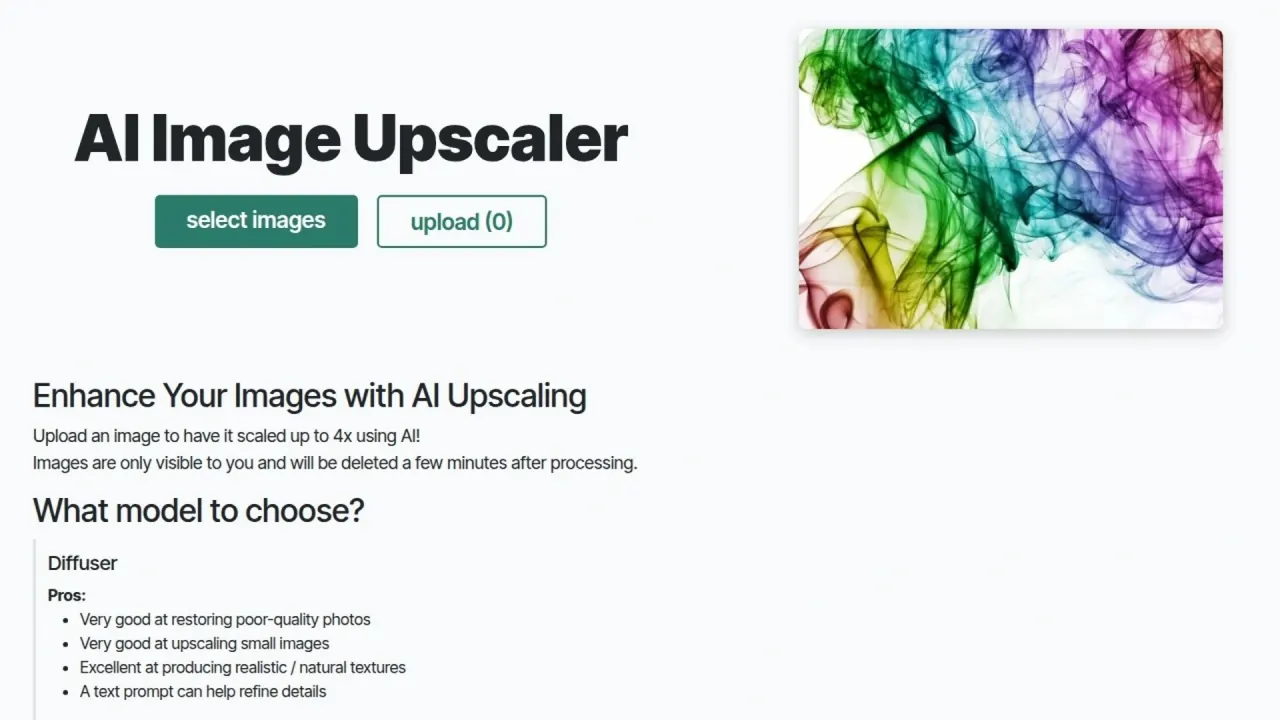
Free AI Image Upscaler interface preview
Free AI Image Upscaler logo

Free AI Image Upscaler

A browser-based AI image upscaler with four model families for photos, drawings and AI art. A daily free quota covers small jobs without sign-up, and an optional prepaid balance unlocks more quota and the heaviest models.

Image EditingAI Photo Editing & Design#Api Available#Image Enhancement#image upscaler
Try for Free
Saves
Visits
Views
Pricing
Freemium
Published
Oct 6, 2026
Domain
image-upscaling.net
Community rating

Used this tool? Rate it

Rate this tool

Free AI Image Upscaler Product Information

Try for Free
Tool Information
Saves
Visits
Views
Pricing
Freemium
Published
Oct 6, 2026
Domain
image-upscaling.net
Community rating

Used this tool? Rate it

Rate this tool

Featured Tools

Related Tools

Try for Free

What is Free AI Image Upscaler?

Free AI Image Upscaler is a browser-based AI image upscaler that enlarges photos, drawings and AI art with a choice of upscaling models. It runs on its own website (image-upscaling.net), and the page title states the pitch as "No Sign-Up, No Watermarks, Up to 16K".

The upscaler is the flagship of a small multi-tool project. The same site describes itself as a place to use AI tools such as image upscaling, text-to-image generation and background removal, built to work without complicated sign-ups or subscriptions. It is run by an individual developer whose Impressum lists an address in Germany, and the service presents itself as donation-funded.

"Free" has a specific meaning here. Every visitor gets a daily allowance expressed as a euro value and drawn down by each job; more quota comes from a prepaid top-up, not a subscription. The heaviest models need a supporter balance, and the 16K ceiling applies to one model only.

A third-party AI tools directory estimated about 636.5K monthly visits as captured on October 6, 2026; this is an outside traffic estimate, not a figure published by the service.

Core features

The upscaler page combines a model dropdown, an upscale factor, a few processing switches and an upload button. The model choice decides the output ceiling, the look of the result and the price of each job, so it matters more than the scale factor.

Model families and output ceilings

  • General: the model behind the 16K headline. It supports very large outputs up to 256MP (16k), handles transparent images and is listed as fast and cheap, with art and drawings as its best fit.
  • Plus: built for images that are already of decent quality. The model card lists support up to 32MP, sharp outputs, transparent images and a best use case of art and drawings.
  • SeedVR2: aimed at all types of images and at more realistic textures. It supports outputs up to 8MPx and does not accept transparent images.
  • Diffuser: a slower model for restoring poor-quality or blurry photos. A text prompt can help it refine details, and if you leave the prompt empty the program writes a description automatically.

These ceilings explain the headline. To upscale images to 16K you need the General model; Plus stops at 32MP, SeedVR2 at 8MPx and Diffuser at 6MPx. The trade-off is texture: the page itself says Plus and General outputs can look "plastic" on details such as hair, while SeedVR2 and Diffuser aim for natural textures at much smaller sizes.

Processing options

  • Scale factor: the feature list describes 2x and 4x AI scaling, and the upload area promises images scaled up to 4x.
  • Face restoration: an optional "use Face Restoration (slow)" switch, which the page recommends when a result has strange-looking faces.
  • WebP output: a recommended switch that the page says gives 10–20x smaller files and faster downloads.
  • Transparency: transparent images are supported on the Plus and General models only.
  • Input formats: PNG, JPG and WebP are accepted, while animated formats such as GIF are not supported.
  • Batch handling: the service supports bulk processing, and finished images can be downloaded together as a zip file or deleted in one step.

Guide

Upscaling an image in the browser

  1. Select an image from your device with the upload button, or drag and drop files onto the preview image.
  2. Pick a model and the scale you need, then switch on face restoration or WebP output if they suit the image.
  3. Start the upload. If the service is busy, the page asks you to check back in about 5 minutes and says you do not need to keep the tab open.
  4. Return to the site later; the finished high-resolution image waits in the gallery on the same browser.
  5. Open single images by clicking them, or use the zip download for a batch, then delete the files if you do not want them kept until automatic cleanup.

Because results are matched to your browser through a cookie rather than an account, step 4 works on the same device and browser profile. Clearing cookies creates a new client ID; only a paid balance tied to an email address can be re-linked through the login form.

Two-pass workflow for realistic photos

The model guide recommends a specific combination for photos that need both structure and texture. Run SeedVR2-3b first to get a structurally accurate upscale, then pass that output through the Diffuser at 1x so it adds realistic micro-textures without enlarging the image again. The page says this combination often gives the best results, but it also costs two jobs, and the Diffuser step is the slow and expensive part of the chain.

Use cases and examples

  • Restore blurry photos without enlarging them: the Diffuser can restore poor-quality or blurry images at 1x, so it also serves photos that are already large enough but soft or noisy.
  • Drawings, anime and AI art: the feature list claims top-quality results on drawings, AI art, anime and photos, and both Plus and General name art and drawings as their best use case.
  • Very large outputs: General is the only listed option for outputs up to 256MP, which suits jobs where pixel count matters more than photographic texture.
  • Faces in old or low-resolution shots: the service lists improving blurred and pixelated faces among its features, with face restoration available on Plus and General.
  • Images with transparency: files with an alpha channel need Plus or General, because SeedVR2 and Diffuser do not support transparent images.

Who is it for

The service is built for people who upscale a handful of images and do not want another account. The feature list calls it 100% free for small-scale use, with no paywall and no sign-up, while noting that a daily free quota applies.

  • People who dislike subscriptions: extra quota is bought as a prepaid top-up, there are no subscriptions, and the About page states that the balance never expires.
  • Developers and batch users: the API documentation ships Python examples that can also be run as a ready-made notebook, and the daily free quota applies to API requests too.

It is a weaker fit for teams that need guaranteed turnaround, since free requests wait in a shared queue and paying users are served first when demand is high. It also suits VPN users poorly, because switching IP addresses to stretch the free quota triggers an automatic ban.

Platforms

  • Web: the main product runs in the browser with no installation.
  • Android: the homepage links to a Google Play app. Its listing says you select photos, adjust settings and let the app process them, and once complete the enhanced images are automatically downloaded to your phone.
  • API: a documented HTTP interface covers image upscaling, background removal, text-to-speech and re-Imagine, with Python code samples.

As captured on October 6, 2026, the Android listing showed a 3.8-star rating from 32 reviews (31 under the phone tab), an "Everyone" content rating, 1K+ downloads and a last update on Jul 5, 2026. The pages checked this round link no iOS app.

Working with the AI image upscaler API

The AI image upscaler API identifies callers by a client ID sent in request headers, and that ID has to be exactly 32 characters drawn from 0-9, a-z and A-Z. Uploads take a model name and target scale, and a public config endpoint lists the available upscalers. Downloads accept a delete_after_download flag that removes the file from the server once it has been fetched, which matters for anyone scripting large batches.

Pricing

Free AI Image Upscaler charges per job against a euro balance, and every visitor starts each day with a free allowance. The table lists the published rates for the upscaling models as captured on October 6, 2026.

ItemPublished price
Daily free quota€0.2 per IP per day
General model€0.01–€0.04 per job
Plus model€0.01–€0.03 per job
SeedVR2-3b model€0.01–€0.04 per job
SeedVR2-7b model€0.01–€0.08 per job
Diffuser model€0.01–€0.08 per job

The free quota resets daily, and paid quota only kicks in once the free quota is used up. Upscaling prices depend on the output size of each image, which is why every model shows a range rather than a flat fee.

  • Supporter-only models: the most compute-heavy models are reserved for project supporters, and a balance of as little as €1 grants full access.
  • Volume discounts: discounts apply automatically when the remaining balance exceeds €5 (20%), €30 (30%) or €100 (50%), and they also apply while using the daily free quota.
  • Payment methods: top-ups go through PayPal or Stripe, and the account page warns that PayPal donations below €0.40 may be fully consumed by fees.
  • Negative balance: a job that costs more than the remaining balance still runs and leaves a negative balance, which the account page says does not need to be paid back.
  • API billing: the API is not a separate plan. It draws on the same free quota limits as the website, and extra compute quota is bought the same way.

The About page also says there are no additional paywalled features, listing no watermarks, no resolution caps and no output format limits. That sits next to the supporter-only rule for the heaviest models, so "no paywall" describes output restrictions rather than access to every model.

Free AI Image Upscaler alternatives

Directory listings of similar tools place Free AI Image Upscaler alongside both web upscalers and desktop apps. Two common alternatives show the main trade-offs:

  • Upscayl: a desktop image upscaler for Linux, macOS and Windows. The desktop app is free and open source, with "Download once, forever yours" as its promise, and the same project also offers a separate cloud service.
  • Upscale.media: a web upscaler that is free of cost for personal use and sells credit-based plans; as captured on October 6, 2026, its banner advertised 2X more credits at the same price on all plans.

Choose Free AI Image Upscaler when you want a no-account web tool with very large General-model outputs and pay-as-you-go top-ups. A desktop app like Upscayl suits people who would rather install software than upload to a web service, while a credit-plan web service suits buyers who prefer a conventional commercial product with plans.

Limitations

Queues and processing time

  • Shared capacity: when the service is busy, the page explains that high-quality upscaling takes time while other images are being processed, and it shows how many requests are waiting.
  • Priority for paying users: in times of high demand, paying users are served first, so free requests can wait longer.
  • Inconsistent time estimates: the how-it-works section says processing usually takes only a few seconds, while the status message says high-quality processing typically takes 1–2 minutes. Both statements sit on the same page.
  • Stuck jobs: the About FAQ says a request still stuck after 10 minutes may point to a problem such as a power failure or server crash, to be reported by email or Discord.

Quota enforcement and bans

  • Automatic bans: attempts to get around the daily free quota, such as using multiple devices or switching IP addresses, result in an automatic ban that lasts 90 days.
  • Ban exceptions: users with a positive account balance can keep using the daily free quota even from a banned IP, and the operator says emails asking to lift a ban will be ignored.
  • API test images: the API guide warns that many people submitting the byte-perfect same image could look suspicious and lead to an IP ban, so it recommends testing with your own sample image.

Model-specific quality limits

  • Diffuser: limited to 6MPx, slow and expensive, without transparent image support, and prone to malformed hands and fingers at high upscale ratios.
  • SeedVR2: high upscale ratios, such as 6MPx from a 200x200px image, increase the risk of structural artifacts and can introduce blur.
  • Plus and General: details such as hair can look unnatural or "plastic", which is why the page recommends these models mainly for art and drawings.
  • Large inputs: the feature list advertises large image support up to 4096×4096, separate from the per-model output ceilings.

Privacy, retention and rights

  • Retention statements differ: the results gallery says processed images are automatically deleted 3 hours after processing. The upload area says images are only visible to you and are deleted a few minutes after processing. The privacy policy says uploads are never permanently stored and are held only in temporary memory (RAM or swap space) until shortly after processing. These are the service's own statements, side by side.
  • Access control: uploads are matched to you through a cookie holding a randomly generated 32-character string, and only that cookie can access the images.
  • Use of images: the homepage states that images will not be used in any way other than being upscaled and stored briefly. Model training is not addressed separately in the privacy policy.
  • Copyright: the operator states that using the website grants no rights over your images and that you remain the full copyright holder. The pages checked this round do not address commercial use of outputs.
  • Storage location: images are stored on a web server in Germany.
  • Payment data: if you pay, the service stores your name, email address, transaction amount and country code, the latter for tax compliance.
  • IP addresses: the privacy policy says IP addresses are not tracked during normal use, but an IP caught cheating the free quota is kept on a blocked list for 90 days.
  • Data requests: you can ask to see or delete your data at any time by email.
  • Android app: the developer declared on the store listing that the app collects no data and shares none with third parties.

FAQ

Q1. Is Free AI Image Upscaler really free?

Yes for small jobs. Each IP gets a daily allowance worth €0.2 with no sign-up, and upscaling jobs cost €0.01–€0.08 depending on model and output size. Heavier use needs a prepaid balance, and the most compute-heavy models need a balance of at least €1.

Q2. Can it really upscale images to 16K?

Only with the General model, which supports outputs up to 256MP (16k). Plus tops out at 32MP, SeedVR2 at 8MPx and Diffuser at 6MPx.

Q3. How long are uploaded images kept?

The service's own pages give three answers: deletion 3 hours after processing in the results gallery, a few minutes after processing in the upload area, and shortly after processing in the privacy policy. You can also delete files yourself, or use the API's delete-after-download option.

Q4. Does it watermark results or claim rights to my images?

The service says it adds no watermarks and that you remain the full copyright holder of your images. The pages checked this round say nothing about commercial use of outputs.

Q5. Why was my IP blocked?

The service bans IPs for 90 days when it detects attempts to get around the daily free quota, for example by switching IP addresses or using multiple devices. A positive account balance restores access to the free quota from a banned IP.

Know a Similar Tool?
If you know other great AI tools, feel free to submit them to us