
Toolso.AI
Toolso.AI
All ToolsCategoriesTrendingLatest ToolsPricingBlog
Toolso.AI
Toolso.AI
Toolso.AI
Toolso.AI

Discover the best AI tools to boost your productivity

GitHubGitHubTwitterX (Twitter)YouTubeYouTubeTikTokEmail

Popular Categories

  • AI Writing
  • AI Image
  • AI Video
  • AI Coding
  • More Categories

Explore

  • Latest Tools
  • Popular Tools
  • More Tools
  • Submit Tool
  • Pricing

About

  • About Us
  • Contact
  • Blog
  • Changelog

Legal

  • Cookie Policy
  • Privacy Policy
  • Terms of Service
  • Refund Policy
© 2026 Toolso.AI All Rights Reserved
Limited timeLimited-time offerFeatured Listing24h priority review · No backlink · 30 days featured$29.90then $59.90Price rises to $59.90 after Oct 31Ends in--:--:--Submit now
  1. Home
  2. All Tools
  3. Audio Music
  4. Kits AI
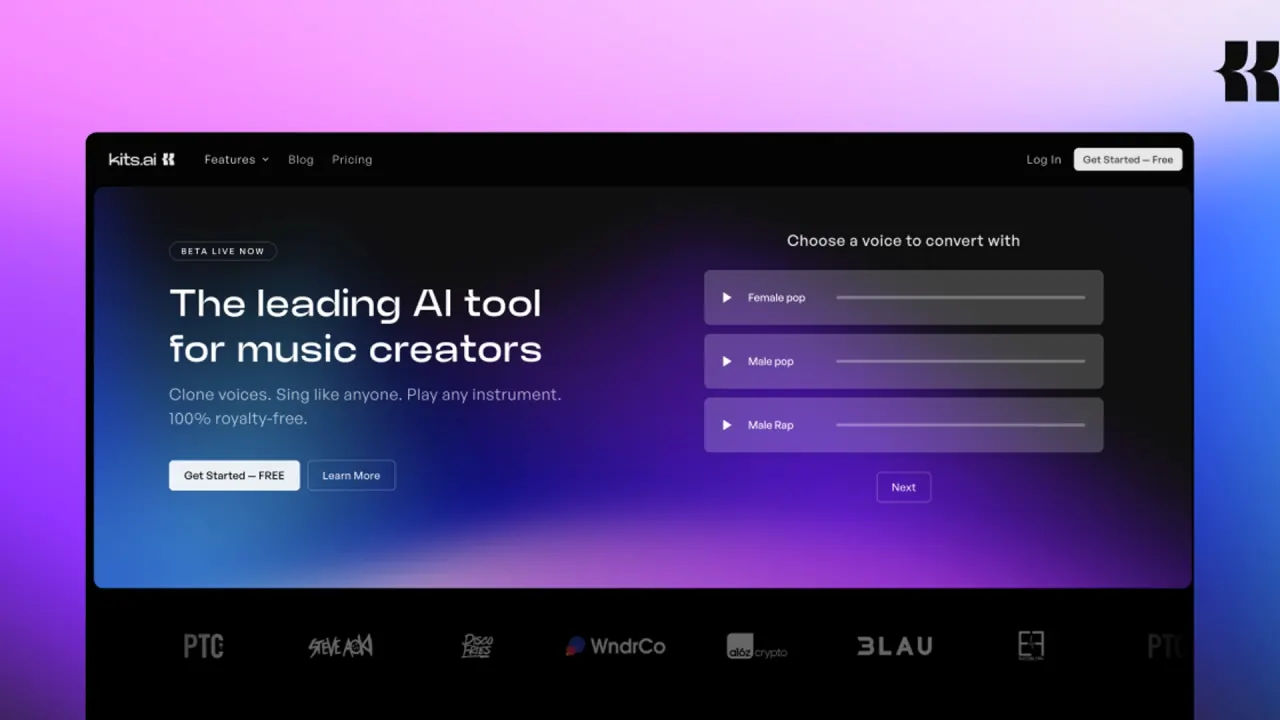
Kits AI interface preview
Kits AI logo

Kits AI

Kits AI lets musicians clone their own voice, convert vocals with a library of royalty-free AI singers, and split, clean or master audio on the web or in a desktop beta.

Audio MusicVoice GenerationAudio Tool#Music Production#Voice Cloning#ai voice generator
Start Free Trial
Saves
Visits
Views
Pricing
Free Trial
Published
Oct 6, 2026
Domain
kits.ai
Community rating

Used this tool? Rate it

Rate this tool

Kits AI Product Information

Start Free Trial
Tool Information
Saves
Visits
Views
Pricing
Free Trial
Published
Oct 6, 2026
Domain
kits.ai
Community rating

Used this tool? Rate it

Rate this tool

Featured Tools

Related Tools

Start Free Trial

What is Kits AI?

Kits AI (styled Kits.AI on parts of its own site) is an AI vocal and audio toolkit for music production. It presents itself as a set of studio-quality AI audio tools for creating custom voices, singing in any style, playing any instrument and isolating vocals, all described as 100% royalty free.

The kits.ai site footer credits Arpeggi Labs Inc. as the copyright holder. The Terms of Service, last revised on October 2, 2024, describe the website as operated on behalf of Arpeggi, Inc. Trade press reported on January 21, 2026 that Splice acquired Kits AI and that co-founders Evan Dhillon and Kyle Dhillon joined Splice along with the Kits AI team; the site footer and the Terms still carry the Arpeggi names.

Kits AI centres on vocals: its generative feature produces short sung lines from text, while most of the platform works on audio you already have.

Core features

Voice conversion in Kits Studio

Kits Studio hosts the AI voice changer, which transforms any audio into a different voice while keeping the delivery of the original.

  • Input: Kits Studio opens a project from an uploaded .mp3 or .wav vocal track and can auto-isolate vocals by toggling between the acapella and the instrumental.
  • Batch work: A single Kits Studio project can run voice changes on up to 5 files at once.
  • Per-job controls: Each voice change job has editable settings, including vibrato, EQ, pitch shift and delay.
  • Languages: Kits voice cloning trains on input audio in any language, and the royalty-free library includes English (US), English (UK), Spanish, Portuguese and French voice models, among others.

AI voice cloning: Instant and Professional

AI voice cloning on Kits comes in two routes that trade speed for accuracy.

  • Instant Voice Cloning: Instant Voice Cloning builds a voice clone from 15–30 seconds of reference audio, without lengthy training or large datasets.
  • Professional Voice Cloning: Professional Voice Cloning is described as the highest-quality method, requiring 15–30 minutes of audio and a wait of a few hours to process.

Pages differ on how much audio a professional clone needs. The help article recommends 10–60 minutes of dry, monophonic vocals for Professional Voice Cloning. The voice cloning tool page instead says to prepare at least 10 minutes of dry, monophonic vocals before pressing Train.

Voice and instrument libraries

  • Singing voices: Kits offers an AI singing voice generator library of 100+ royalty-free artists, with voices named by genre, gender, language and style, such as Pop Female (English, LoFi).
  • Instruments: AI Instrument models turn an audio file into an instrument sound.
  • Voice Designer: The Voice Designer is free on all tiers, but each designed voice takes up a voice slot, and free-tier users can generate one designed voice per account.

Vocal generation and harmonies

  • Vocal Generator: The Vocal Generator takes up to 300 characters of lyric text and returns 3 sung variations.
  • Harmonies: The Harmony Generator and Doubler builds up to 4-part harmonies or double-tracked vocals from an audio input.

Audio utilities

  • Stem splitting: The Stem Splitter separates vocals, drums, bass and instruments from an audio file.
  • Vocal removal: The Vocal Remover includes built-in reverb, noise and echo removal settings.
  • Mastering: AI Mastering works by uploading a track, choosing a preset or a reference track, and pressing Master.

Guide

Training a custom voice

  1. Collect clean source audio: dry vocals without effects, sung one note at a time, in the amount your chosen cloning route requires.
  2. Users without audio files can choose Record from Scratch, which opens a Guided Voice Cloning process instead of a file upload.
  3. After uploading audio and pressing Train, the voice finishes training in the My voices dashboard.
  4. Professional training can take a few hours, but if a voice model has not finished training after 12 hours, Kits says an error has likely occurred.

Converting a vocal with a library voice

The AI voice changer workflow in Kits Studio follows four steps.

  1. Converting with a library voice starts from a new Kits Studio project with an uploaded audio file, followed by gender, pitch range and genre filters to find a voice.
  2. Preview the converted take, then adjust per-job settings such as pitch shift or vibrato.
  3. For pronunciation problems in voice changes, Kits suggests turning down Style strength in the Advanced Settings of the transformed audio.
  4. Downloading a take draws on the plan's download minutes, while conversions themselves are unlimited on paid plans.

Kits AI use cases and examples

Kits' own use-case pages centre on demos and pre-production vocals.

  • Demos and backing vocals: Kits markets voice cloning for demos, backing vocals, podcasts, audiobooks and other creative projects.
  • Scratch takes and toplines: Kits suggests using a cloned voice for scratch vocals when building demos or testing toplines before a full recording session.
  • Lyric sketches: Kits recommends short phrases rather than full verses in the Vocal Generator and positions it for toplines and melodic inspiration.
  • Practice and dataset prep: The Vocal Remover is positioned for isolating vocals for practice or for preparing training data for a voice clone.
  • Earning from your own voice: Through Kits Earn, voice owners are paid when other users download outputs made with their voice model, with payouts on the 1st and 15th of each month once earnings pass $10.

Who is it for

Kits positions its tools for vocalists, producers and content creators, and the fit differs by group.

  • Vocalists: Kits describes tools for practicing and refining singing, plus cloning or creating custom voices for tracks.
  • Music producers: For producers, Kits pitches vocal demos, remixing ideas and faster collaboration.
  • Content creators: For creators, Kits describes voiceovers in their own voice, a collaborator's voice or a library voice for narration and storytelling.
  • Developers: Teams building on audio models can use the API on paid tiers.

It is a weaker fit for anyone under 18, who cannot use the service, for buyers who need a straightforward refund path, and for people who want to clone a voice they have no authority to use.

Platforms

  • Web: Kits can be tried free in the browser, and Kits Studio runs there.
  • Desktop: A desktop application is offered in open beta as a free download for Mac and Windows.
  • DAW workflow: The desktop app supports dragging audio straight into a DAW or other music production software.
  • API: API access is open to Starter, Producer and Professional tier users.
  • API endpoints: The API documentation covers Voice Conversion, Voice Blending and Vocal Separation endpoints.

Text-to-speech was removed from the Kits AI API as of September 22, 2025. The homepage tool list still shows a Text-to-speech entry for generating audio from text with any voice. None of the official pages checked describes an iOS or Android app.

Pricing

Kits uses a free tier plus three monthly subscriptions, and the plan cards, the pricing FAQ and other site pages do not fully agree.

  • Free: The Free plan card lists $0 per month with 15 conversion minutes, 0 voice slots and 0 download minutes. The pricing FAQ instead gives the Free tier one custom voice slot and 15 minutes of conversions, with Professional and Instant voice cloning unavailable. Kits says the free plan needs no credit card.
  • Starter: The Starter card lists $10 per month with unlimited conversions, 2 voice slots, 15 download minutes, professional voice cloning and the Choir tool. The pricing FAQ describes Starter as adding one voice slot, unlimited conversions, 15 download minutes per month, Instant Cloning and the full audio tools suite, including the Harmony Generator.
  • Producer: The Producer card lists $30 per month with unlimited voice slots and 60 download minutes. Its FAQ entry describes Producer as Starter plus 60 download minutes per month, unlimited voice slots, and both Instant and Professional Voice Cloning.
  • Professional: The Professional card lists $60 per month with unlimited download minutes.

Paid subscriptions include unlimited conversion time but charge download minutes when audio leaves the platform; those minutes refresh monthly, unused ones roll over, and unlimited minutes are subject to fair use.

The pricing page has an annual billing toggle labelled up to 47% off, but annual per-plan prices were not displayed in the captured default view. The starting price also differs across pages, as the homepage says paid plans start at $10 per month. The voice cloning tool page instead says paid plans start at $14.99 per month. Listed pricing applies to new users, while past users keep the pricing model that was active when they subscribed. Payments are supported only via card and other Stripe connections such as CashApp.

Kits AI alternatives

  • Audimee: Audimee offers vocal conversion with royalty-free voices, training of custom voices and copyright-free cover vocals, which overlaps closely with Kits' singing tools.
  • ElevenLabs: ElevenLabs voice cloning turns a short audio sample into a voice for generating speech from text for voiceovers, ads and podcasts, which suits spoken content more than sung vocals.

Kits' own focus is singing-voice conversion, a royalty-free AI singing voice generator library, and music-specific utilities such as stem splitting and mastering.

Limitations

The biggest constraints sit in billing terms, clone quality and the rules around whose voice you may use.

Billing, cancellation and refunds

  • No standard refunds: Subscription payments are non-refundable except as stated in the Terms, and there are no credits for partially used periods.
  • Refund appeals: Users who bought a subscription in error can open a refund ticket via chat to appeal, and refund requests are typically processed within 7 business days.
  • Renewal timing: Subscriptions auto-renew, and avoiding the next charge requires cancelling three days before the renewal date.
  • Pause instead of cancel: In a public reply to a reviewer, Kits' support team said its cancel flow offers a one-month pause as an alternative and that a paused plan resumes automatically when the pause ends.
  • Frozen voices: Custom voices are not deleted on cancellation but are frozen and unavailable until the subscription is renewed.
  • Expiring minutes: Users with a fixed number of download minutes lose all remaining minutes when the subscription expires.
  • Fair use: Unlimited conversions on paid plans also operate under fair use principles.

Clone quality

In AI voice cloning, speed has a cost: Instant Cloning is not ideal for high-fidelity work or conversions that need high similarity to the target voice.

User ratings

As captured on October 5, 2026, a third-party review platform showed a 1.6 rating from 55 company-level reviews of kits.ai, 91% of them one-star, and noted that the company had not invited reviews recently, so reviews may not be representative.

Consent, impersonation and copyright

  • Whose voice: Voice conversion is described as transforming your own voice or a third-party voice you have been given authority to use.
  • Impersonation ban: The Terms prohibit impersonating somebody without authorization, including training a custom voice model on voice files you have no authority to use.
  • Uploads: Users agree that uploaded content will not contain copyrighted material unless they have the necessary permission or legal entitlement.
  • Earn verification: Kits Earn only accepts voices submitted by the person the voice belongs to, and submissions are reviewed for quality and compliance.
  • Library sourcing: Kits says every voice in its models is licensed and sourced from the artists themselves, without unauthorized scraping.
  • Certification: Kits also says its voice and instrument models in the model select modal have been Fairly Trained certified.

Outside Kits Earn, none of the help-center or product pages checked describes a technical check that a cloned voice belongs to the uploader; the custom-cloning safeguard is the Terms.

Output rights

The Terms grant users a non-exclusive, irrevocable, royalty-free, worldwide license to use custom voice model output for personal and commercial use. Outputs from royalty-free library voices carry a royalty-free license for personal and commercial use, including streaming monetization, provided the user had full rights to the input. For royalty-free vocals and trained voices alike, the help center goes further in wording, saying users who have rights to all input data retain full ownership and usage rights over outputs generated on Kits; the Terms frame the same outputs as licensed.

Privacy and model training

  • Training by default: For accounts created on or after October 2, 2024, Kits may use uploaded voice files and AI model output to train or improve its services and models.
  • Opt-out by email: Users can request by email that future voice files and outputs not be used for training.
  • Past data stays: After an opt-out, Kits may still train on files and outputs provided before it and may keep using models trained before it.
  • Private voices: Trained and uploaded voices are private to the account by default and can be shared only with users added by email.
  • Retention: The privacy policy keeps personal information for as long as its stated purposes need, unless a longer retention period is required, and names no fixed period.

Legal terms

  • Age: Users must be 18 or older to use the service.
  • Disputes: The Terms contain a binding individual arbitration clause and a class action waiver.
  • Arbitration opt-out: Users can opt out of the arbitration provisions by sending written notice.

FAQ

Q1. Can I clone a famous singer's voice on Kits AI?

Not without authorization. The Terms describe conversion of your own voice or one you have authority to use, and they ban impersonation without authorization, including training a model on recordings you have no authority to use. The built-in library uses licensed voices named by style rather than by artist.

Q2. Can I release songs made with Kits voices commercially?

Yes, within the stated conditions. Outputs from your own trained models are licensed for personal and commercial use, and library-voice outputs carry a royalty-free license, both on the condition that you held the rights to the audio you put in.

Q3. Can I download audio on the free plan?

The Free card lists 0 download minutes, so downloads effectively start with a paid plan.

Q4. What happens to my voices if I cancel?

They are kept but frozen until you renew, while fixed download minutes are lost once the subscription expires.

Q5. Does Kits use my recordings to train its models?

For accounts created on or after October 2, 2024, it may. You can ask by email to exclude future uploads and outputs, but material provided earlier, and models already trained on it, can still be used.

Know a Similar Tool?
If you know other great AI tools, feel free to submit them to us