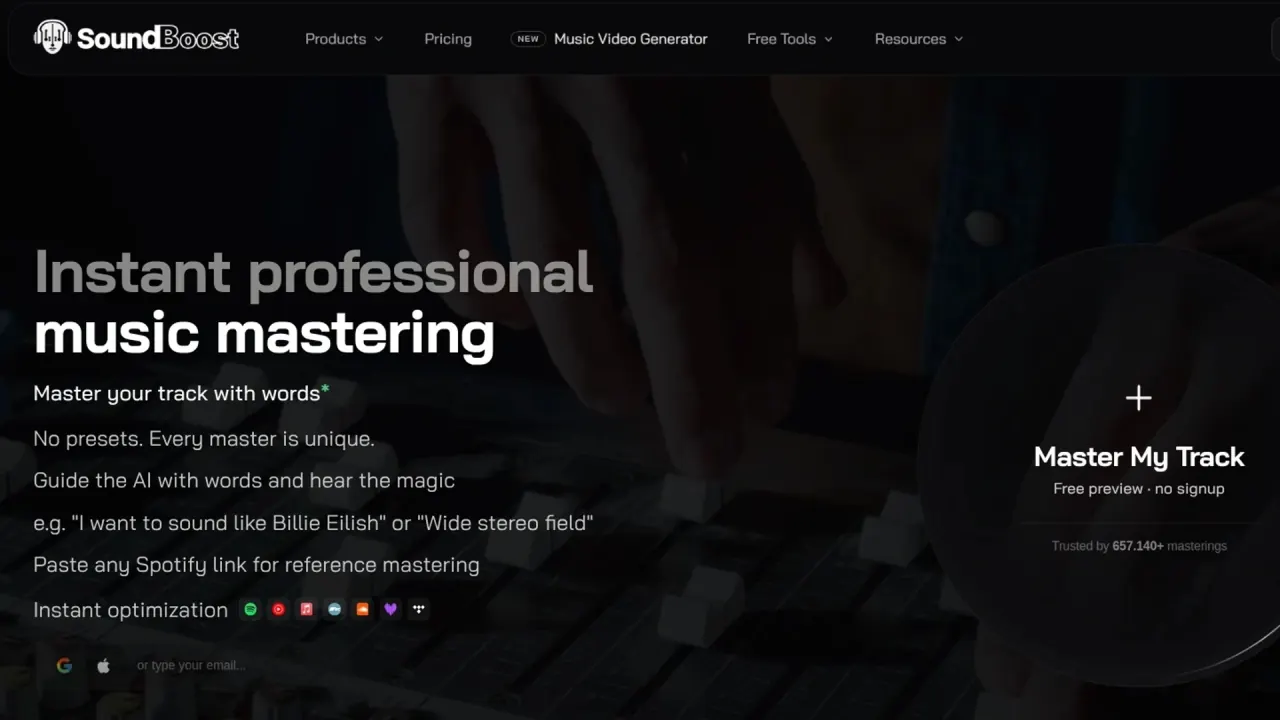

Guide audio mastering with words, compare revisions, separate stems and practice in a browser Studio. SoundBoost also turns songs into storyboard-led music videos.
Used this tool? Rate it
Used this tool? Rate it
SoundBoost is a music toolbox for conversational AI mastering, stem separation and music videos. Its main product processes an existing mix in the browser: describe a desired sound, compare versions and render a revision across the full song.
Audio membership and music-video credits have separate purchase rules. Free access also differs between guest mastering, account previews and stem downloads.
A mastering prompt uses the track's analysis, genre and existing project conversation to produce a new 30-second preview with a short explanation of the changes. Requests describe audible results, such as less brightness or more low-end punch.
Prompts accept 5–500 characters, and the documentation says the engineer reads any language and replies in that language. Follow-up requests build on earlier settings: “undo that” reverts the last change, while “reset” returns the project to Balanced with Intensity at 70. Each prompt becomes a separate revision.
The six engineer profiles apply different tonal priorities. Default is balanced; Sophia emphasizes smoothness and warmth; Alex is aimed at punch and transients; Marcus favors loudness and saturation; Luna reduces analog coloration; Kai uses analog-style peak control. These are vendor-described AI processing profiles.
Changing engineer renders a new revision and keeps the previous versions in the A/B list.
Revision Suite provides manual choices for warmth, saturation, loudness and stereo width. The documented options range from clean or gently thickened warmth to more obvious distortion, and from narrower stereo presentation to a wider image.
Manual changes are not applied live: Save Changes renders a new revision, and earlier revisions remain in the A/B list. After a prompt, the panel reflects its processing direction.
Balanced means that the engineer makes the decision for the genre; it does not always mean that a processing stage is off. A separate six-band Custom EQ applies final tone shaping at the end of the master.
Reference mode searches a music catalogue for a track or artist and turns the selected result into a new mastering request. Reference requests start at Intensity 50, with subsequent adjustment available in the engine controls.
The standard stem splitter produces Vocals, Drums, Bass and Other, plus a generated Metronome track. Guitar, piano, keys and remaining instruments share Other in this free mode; the metronome is generated from the beat grid rather than being another isolated instrument.
The browser Studio has per-track volume, pan, solo and mute, beat-snapped loops, pitch changes that preserve tempo and tempo changes that preserve pitch.
Three browser utilities cover a different part of audio preparation: the LUFS Meter reports loudness, true peak and loudness range; Loudness Penalty previews platform level changes and simulated devices; Metadata Editor writes information such as title, artist, artwork and lyrics into MP3 files.
Preview and final renders share settings but differ in source and output quality.
The documented practice examples include muting vocals for karaoke, soloing bass to learn a line and muting drums to play along with the recording.
A difficult section can be looped and slowed without changing pitch, transposed to another key or followed with chord diagrams for guitar, ukulele and piano. SoundBoost describes this practice inside the Studio as always free. Saving a mixed backing track has separate export requirements.
The music video generator starts with optional written direction, reference images or character photos. The system produces a storyboard with scene stills, titles, story and timecodes; scenes can be edited, retaken or rewritten before approval. Motion generation starts after that approval, and the resulting scenes are cut to the uploaded track. The vendor describes the film as usually arriving around twenty minutes after approval and sends an email when it is ready.
The stated delivery is a full-song 16:9 MP4 up to 1080p, with the original audio, no watermark, browser playback, full-quality download and a shareable film link. The vendor also states that films carry a commercial licence and that the uploader needs rights to the music.
SoundBoost explicitly positions mastering for audio professionals, musicians, mastering engineers and beginning bedroom producers.
The audio membership offer is aimed at artists who release regularly, with unlimited mastering and stem splits in the advertised package. Paid delivery and premium exports sit alongside free Studio practice.
All six AI engineers are available on every plan, including free.
SoundBoost offers mastering on the web, iOS and Android, with mastering and stem projects synchronized across devices. The company says the mobile apps include the online mastering feature set and that one subscription covers these audio experiences.
LUFS Meter, Loudness Penalty and Metadata Editor open files locally in the browser; Audio Converter, Text to Audio and Link in Bio live in the web app and use a free account. The latter tools may open before sign-in, but Convert or Generate asks for an account.
As captured on November 12, 2026, the public audio offer displays $4 per month alongside an annual-premium promotion for a $30 Notion template. The amount is a per-month display; no complete billing-total comparison is given in this capture.
The mastering documentation distinguishes these account entitlements:
| Account | Revisions per project in the wiki | Full master finalization and download | Additional mastering access |
|---|---|---|---|
| Free | 10 | Not included in the account workspace | Upload, 30-second previews, prompts, engineers and manual controls |
| Unlimited | 20 | Unlimited | Reference mastering and mobile premium access |
| Unlimited Plus | Unlimited | Unlimited | Full-length previews before finalization, bulk mastering of up to 10 tracks and priority rendering |
There is a public discrepancy in the revision allowance: the audio pricing offer says 15 revisions per track, while the prompt documentation and mastering-plan table say 20 for Unlimited. Both statements were present in this capture, without a resolution of the allowance.
The wiki says the per-project cap includes the Default Revision. The cap FAQ says reaching it does not delete or block existing work and that an existing revision can still be finalized; the plan table separately marks free-account finalizing as unavailable. Revisions made by SoundBoost itself, such as softened variants sent in reminder emails, do not count toward the cap.
The guest page says its free mastered download may randomly include a Michael Jackson “hee hee”, while clean export is paid. The actual inserted audio, any celebrity voice library and its authorization were not tested or verified in this review. The finalization documentation confines this watermark to the guest landing funnel and describes regular accounts as unwatermarked.
Standard stem splitting and instrument practice have no trial expiry or daily or monthly upload quota. Downloads are a different allowance. On the web, free MP3 stem downloads use a rolling 24-hour window counted by started projects: the first project has free downloads; the second shows membership options with a way to continue free; the third and later require membership. Reaching this window does not stop further standard splits or Studio practice.
Audio membership adds Hi-Fi separation, unlimited MP3 stem downloads, mixed-file downloads and HD WAV exports. Unlimited Plus additionally provides seven-stem separation with guitar and piano channels and separate drum processing.
Music-video credits are separate from mastering and stem membership. The terms say credits do not expire and roll over while the account stays open; an annual plan grants twelve months up front. Deleting an account ends its unused credits and remaining subscription time. Audio allowances are not spent on video work.
The video documentation lists these new-account launch offers at about half the regular price for a limited period. Existing accounts can have a different offer; an existing plan keeps its price.
| Video plan | Launch monthly price | Launch yearly total, billed once | Credits per month on the plan |
|---|---|---|---|
| Starter | $29 | $276, displayed as $23/month | 1,500 |
| Creator | $49 | $468, displayed as $39/month | 3,000 |
| Director | $99 | $948, displayed as $79/month | 6,250 |
| Professional | $199 | $1,908, displayed as $159/month | 13,000 |
Launch prices were captured on November 12, 2026. Regular-price packages have different credit allowances.
Without a video plan, a free storyboard preview covers the first 30 seconds of a song, twice a day and four times a month; mastering membership increases the monthly allowance to eight. The free result is a storyboard of stills, not a completed film. Paid actions show their price first, reserve credits and charge completed work; unused reservations are released. Work that would exceed its estimate pauses for review instead of continuing to spend.
Subscriptions renew automatically unless cancelled. SoundBoost says users can cancel in account settings, while Apple or Google purchases must be managed with the relevant store. The terms exclude partial-period refunds except where law requires them; app-store refunds are handled by Apple or Google.
The terms say spent video credits and the money paid for them are not refundable, including for disliked creative results. They also say delivered plans or credits are final except where law gives cancellation or refund rights or section 8.4 applies. If SoundBoost ends a product or closes an account for a reason that is not the user’s fault, section 8.4 says it refunds prepaid fees for unusable time and purchased but unspent credits. Credits held for work that was not needed, failed on SoundBoost's side or was refused by a provider's safety filter return automatically.
LANDR offers online mastering with uploadable reference tracks and a DAW plugin. Its site says a user can make a one-time mastering purchase without a subscription. SoundBoost's documented reference search uses released catalogue tracks and does not accept personal reference uploads; compare that workflow if you already have your own reference mix.
Mastering previews are MP3 renders of a 30-second crop. Finalized masters are available as 24-bit WAV at the upload's sample rate, with 44.1, 48 and 96 kHz specified, or as 320 kbps MP3. The separate Convert operation offers WAV, MP3, FLAC, OGG, AAC, M4A and AIFF, with 44.1 or 48 kHz and bit-depth choices depending on format. Conversion settings differ from native WAV finalization.
Continue Mastering deletes the finalized master and reopens the workspace with its revisions intact.
The November 8, 2026 terms say users own their uploads and outputs and can sell or license the outputs without royalties to SoundBoost. Copyright protection can vary by jurisdiction, and this does not grant rights in another person's samples or photos.
Users must hold rights to uploaded music and obtain permission from every recognizable person before using their face or voice. The terms prohibit making a real person appear to act without consent, and prohibit sexually explicit content and sexual images of real people.
The terms exclude ordinary free tiers, free trials that convert to paid plans, and anything paid for, including discounted plans, from Promotional Access. If the service grants promotional credits or subscription time, it may use outputs made with that access, along with a user's name, handle, profile picture or linked public handles, in its marketing. A user can ask it to stop new uses; the terms describe a seven-day stop and up to 30 days for removal of controlled posts and ads.
The mastering wiki says projects and downloads remain after cancelling, but new finalizations require an active plan. The newer terms say files in accounts without an active paid plan may be deleted after a period without use. They also say the company is not a backup service, so retain independent copies.
The privacy policy says uploaded tracks are stored in cloud storage and that mastering, stem separation, transcription and other listed audio functions run on SoundBoost-hosted models. It says audio, lyrics and results from those functions are not sent to third-party AI and content and outputs are not used to train AI models.
The mastering assistant has a separate data path: typed or spoken instructions, the conversation, track genre and current mastering settings are sent to OpenAI; the policy says the audio itself is not sent for this feature.
For music-video generation, the policy lists Anthropic, OpenAI, fal.ai, Sume and Pika as recipients of relevant lyrics, direction and uploaded images. It says song audio is not sent to Anthropic or OpenAI, but short scene clips may be sent to video providers when a feature such as lip sync needs them. Users should have permission from people identifiable in their photos or recordings.
The policy lists account details, uploaded audio, photos, text, generated results, device and usage data and purchase status among data collected. Stripe, Apple or Google handle payments, and the policy says SoundBoost does not receive complete card numbers. Providers include Cloudflare and AWS for hosting and computing.
The November 2026 policy describes deletion of files from storage within a day after account deletion, with legal exceptions, but retains the account record unless the user separately requests erasure. It says it will erase that record within 30 days except for permitted retention. Users can request access, correction, deletion and marketing opt-out through the listed privacy contact.
