
Toolso.AI
Toolso.AI
All ToolsCategoriesTrendingLatest ToolsPricingBlog
Toolso.AI
Toolso.AI
Toolso.AI
Toolso.AI

Discover the best AI tools to boost your productivity

GitHubGitHubTwitterX (Twitter)YouTubeYouTubeTikTokEmail

Popular Categories

  • AI Writing
  • AI Image
  • AI Video
  • AI Coding
  • More Categories

Explore

  • Latest Tools
  • Popular Tools
  • More Tools
  • Submit Tool
  • Pricing

About

  • About Us
  • Contact
  • Blog
  • Changelog

Legal

  • Cookie Policy
  • Privacy Policy
  • Terms of Service
  • Refund Policy
© 2026 Toolso.AI All Rights Reserved
Limited timeLimited-time offerFeatured Listing24h priority review · No backlink · 30 days featured$29.90then $59.90Price rises to $59.90 after Oct 31Ends in--:--:--Submit now
  1. Home
  2. All Tools
  3. Sales
  4. Vidyard
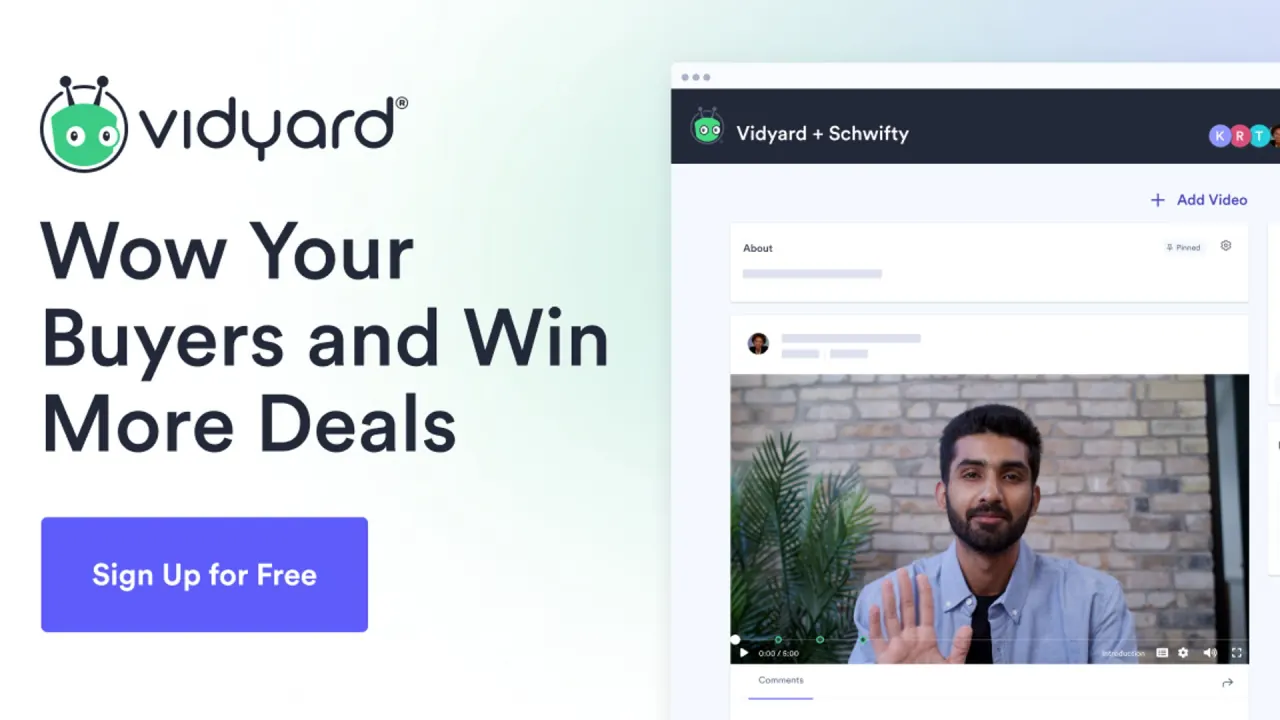
Vidyard interface preview
Vidyard logo

Vidyard

Vidyard lets revenue teams record screen and webcam video messages, host and track business videos, and generate AI avatar videos that can be sent automatically from CRM workflows.

SalesMarketingVideo#Chrome Extension#Personalized Video#CRM Integration
View Pricing
Saves
Visits
Views
Pricing
Paid
Published
Oct 4, 2026
Domain
vidyard.com
Community rating

Used this tool? Rate it

Rate this tool

Vidyard Product Information

View Pricing
Tool Information
Saves
Visits
Views
Pricing
Paid
Published
Oct 4, 2026
Domain
vidyard.com
Community rating

Used this tool? Rate it

Rate this tool

Featured Tools

Related Tools

View Pricing

What is Vidyard?

Vidyard is a business video platform built around sales video messaging: reps record screen and webcam videos, share them by link, see who watched, and can generate AI avatar videos that are sent automatically when buyers take an action. It works through a web app, browser extensions, desktop and mobile apps, and integrations inside email and sales tools.

Vidyard is the trading name of Buildscale, Inc., which describes its service as a business video platform that helps businesses transform communications and sales through the use of online video. The company positions the product for revenue teams, promising AI-powered video that is personal, trackable and embedded in the tools they already use.

It is not a new entrant: a January 2016 tech-press report on its $35 million Series C, led by Battery Ventures, described Vidyard as Y Combinator-incubated and said it had raised more than $60 million in total.

What to know before choosing:

  • The Free plan is usable but narrow, with monthly recording caps, a 30-minute recording limit and a small AI video allowance.
  • Only Starter has a published self-serve price; Teams and Enterprise are quoted by sales.
  • Free-plan content is licensed for AI training uses, and custom avatars on Free are tied to content-sharing terms.

Core features

Vidyard combines three layers that are priced differently: recording and sharing, AI avatar video generation, and hosting and analytics features that grow with the plan tier. Manual recording works on every plan, while AI avatar videos are capped until you buy the Video Agent add-on.

Recording and video messages

  • Browser recording: The browser extension records the screen, the webcam or both, shares the result by link and tracks who watched it.
  • CTAs and view alerts: Calls to action can be embedded in a video so buyers can take the next step, and senders get instant notifications when someone watches.
  • Light editing: Recordings can be trimmed, several clips can be stitched into one, and an animated thumbnail can be picked from the footage.

AI avatars and scripts

A custom avatar is trained from a 90-second recording of yourself, or you can pick from a free library of high-definition stock avatars. These AI avatar videos replace the camera, not the script: you still supply the words or the voice.

  • Stock avatars: Stock avatars are made with licensed actors and are available on all plans for commercial use.
  • Languages: Avatar videos can be generated in more than 25 languages, but the script must already be written in the target language.
  • Processing time: Generation can take up to 10 minutes per minute of finished video.
  • Bulk personalization: One script can be personalized for a bulk recipient list by inserting tokens.
  • Your own audio: With a custom avatar you can record a one-minute voice clip instead of typing a script, and the avatar lip-syncs to it.
  • Script drafting: The AI Script Generator runs on technology from OpenAI.

Video Agent automation

Video Agent is the automation layer: a one-time workflow creates and sends personalized avatar videos whenever specified buyer actions are logged in your CRM. The add-on connects to Salesloft, Salesforce, HubSpot, Marketo and Zapier. Vidyard contrasts this with ordinary video messages, which reps record one by one, whereas Video Agent generates personalized videos at scale with no rep input.

Hosting, branding and analytics

  • Central library: Videos are hosted and controlled in one place, with custom folders, team permissions and analytics tied to leads, pipeline and revenue.
  • Video Hubs: A Hub presents a video library on one branded, ad-free page that can be public or locked to a private audience.

Guide

Create a custom AI avatar

  1. Sign in, then select Tools > AI Avatars > Create New Avatar.
  2. Watch the walkthrough, then choose whether to improvise your training video or read a sample script, and record it.
  3. Run the camera and microphone test, record, and review the take against the on-screen tips.
  4. For your first avatar, record a consent video by reading the provided script; it confirms that you are the person in the training video.
  5. Wait for training, which can take up to 3-4 hours while the video is analysed.

Up to three avatars can be active at once, so adding or recreating one means deleting an active avatar first.

Generate an avatar video

  1. Open Library, then choose New > Single avatar video, or the bulk option for several videos.
  2. Pick a custom, shared or stock avatar.
  3. Choose a format: Avatar only produces a selfie-style video, while Avatar + background imitates a screen-share over an image you choose.
  4. Write the script, start from a template or ask AI to draft it, or record audio if you use a custom avatar.
  5. If you chose a background, upload a JPG, JPEG or PNG file of up to 5 MB and at least 1280x720.
  6. Name the video and select Generate Video.

Vidyard use cases and examples

  • Prospecting and follow-up: Video Agent's published use cases are cold outreach to prospects in your CRM, follow-up the moment buyers engage, and meeting reminders aimed at cutting no-shows.
  • Customer lifecycle video: Hosted video is pitched for every customer touchpoint, from campaigns and events to onboarding and renewals.
  • Screen walkthroughs: The desktop app records presentations, spreadsheets, product demos or full-screen apps outside the browser.
  • Messages on the go: The mobile apps can send video text messages, share by email or post to social media.

Who is it for

Good fit:

  • Sales development teams: Vidyard pitches Video Agent as a force multiplier for BDR and SDR teams that takes over high-volume outreach.
  • Revenue teams of five or more: The Teams plan is described as best for teams of 5+.

Less suited:

  • Personal use: The self-serve terms allow business use only, rule out personal, consumer or household use, and require users to be at least 18 or the age of majority.
  • Privacy-sensitive Free users: People who want custom avatars on Free without sharing content for AI training run into the consent rules described under Limitations.
  • Firefox or Safari users who expect a browser extension, since recording there goes through the desktop app.

Platforms

  • Browser extensions: The Chrome screen recorder extension and its Edge counterpart are the only browser extensions, and Firefox or Safari users are pointed to the desktop app. Extension recordings top out at 1080p. As captured on October 4, 2026, the Chrome Web Store listing showed 300,000 users and 4.2 out of 5 from 1.3K ratings, with version 5.1.3 updated September 29, 2026, and Buildscale, Inc as developer.
  • Desktop app: The desktop app runs only on Mac and Windows and can record in up to 4K. The screen drawing tool, notes, camera backgrounds and system-audio capture are not available in it.
  • Mobile apps: The mobile apps record with the device camera only, with no screen recording. The iOS app is free, requires iOS 15.1 or later and is rated 4+. As captured on October 4, 2026, the Android listing showed 50K+ downloads and an Everyone rating.
  • Inside other tools: Integrations let you record or share videos from Gmail, Outlook through the Office 365 app, LinkedIn, Slack and Gong. AI avatar videos can be generated inside HubSpot, Salesloft and Apollo, and Zapier links Vidyard to more than 6,000 apps.
  • AI connectors: The product terms define a Vidyard MCP Service that connects a Vidyard account to outside services so content and data can be exchanged.

Pricing

Vidyard pricing is quoted in USD per seat per month, and annual billing saves about 30% compared with monthly, according to the company's machine-readable price list last updated on 2026-07-16.

PlanListed priceRecorded videos and lengthNotable inclusions
Free$0, no credit card required5 per month, up to 30 minutes eachStock and custom avatars; the Video Hosting feature is not included
Starter$59/seat/month billed annually or $89/seat/month monthly; 14-day trialUnlimitedAI Script Generator, automated captions, password protection, standard branded sharing page
TeamsCustom pricing via salesUnlimited2 data integrations, custom CTAs, Video Hubs
EnterpriseCustom pricing via sales, invoiced annually or multi-yearUnlimitedUnlimited integrations, API access, single sign-on

Every account without the Video Agent add-on is capped at 15 avatar videos. The add-on, which unlocks unlimited AI videos and automated delivery, costs $24/seat/month billed annually or $29/seat/month monthly on Starter and is custom-priced on Teams and Enterprise. On Free, the "Included" Video Agent label means only limited automated video creation. Caption translations are a usage-based add-on reserved for Teams and Enterprise.

The live Starter card also reads "Close more deals, faster. Now 10% off." The pages checked show no struck-through price and do not say what the discount is measured against or when it ends.

Billing and cancellation:

  • Starter is paid by credit card, while other tiers are invoiced, with annual and multi-year options.
  • Paid self-serve plans renew automatically each month or year unless cancelled before renewal.
  • Fees are non-refundable except where the agreement or law says otherwise, and the terms rule out refunds or credits for cancelled subscriptions and unused services.
  • Cancelling Starter under Workspace Management > Billing keeps paid features until the end of the billing cycle, after which the account reverts to Free.

Vidyard alternatives

Loom and Wistia appear next to Vidyard in third-party review listings, and each covers part of what Vidyard does.

  • Loom: Loom's free Starter plan allows up to 25 videos per person with recordings of up to 5 minutes, so it permits more videos than Vidyard Free but much shorter recordings.
  • Wistia: Wistia's free plan is built for creating, hosting and sharing videos, with 25 GB of storage, one user and Wistia branding included.

Neither of those pricing pages mentions AI avatars, so the overlap is recording and hosting rather than Vidyard's CRM-triggered avatar videos.

Limitations

Usage caps and conflicting plan pages

  • Videos count toward the Free limits even if you delete them afterwards.
  • Free recordings stop at 30 minutes, and a Free account can embed only 5 videos with the inline embed code.
  • Paid plans do not tangibly cap recording length, but uploads longer than 24 hours are limited.
  • The limits article says Free accounts get 15 AI videos in total over the account's lifetime. The summary table in the same article lists an AI video limit of 5 for Free.
  • The AI Avatars FAQ says all plans, including Free, can create custom avatars and generate up to 15 AI videos. A help article instead says custom or shared avatars require the AI Avatars add-on or an Enterprise plan.
  • For Enterprise, the price list marks Video Agent as an add-on. The live pricing page says unlimited custom-avatar video creation is included in Enterprise.

AI output and avatar terms

  • AI Avatars and the AI Script Generator carry no service-level or uptime commitment, and access can be temporarily limited.
  • Outputs may be inaccurate, incomplete or unfit for use. They may also be similar to, or the same as, content Vidyard generates for others.
  • Vidyard owns the avatar itself, which is distinct from the avatar videos you create with it.
  • If a person leaves the account or loses the AI Avatars add-on, their custom avatar becomes unavailable and may be deleted.
  • Avatar videos carry an AI-generated metadata flag, but a disclosure triggered through the Vidyard player does not appear on downloaded videos shared elsewhere.
  • Prohibited uses include pornographic or sexually explicit material, hateful content, harassment and spam.

Privacy, AI training and data rights

Free-plan content is licensed to Vidyard for internal analysis and service improvement, including training, testing and improving AI models. Sharing that content with outside companies depends on consent outside the United States and on opt-out choices inside it.

  • Consent unlocks features: Outside the US, Free users can unlock additional features by agreeing to let Vidyard share their content with listed third parties for AI training, without compensation.
  • Withdrawal: Withdrawing that consent also removes the ability to create new content with custom avatars.
  • Paid route: Vidyard says custom avatars without content being sold for AI training require a Paid Plan.
  • Named recipients: The AI training partner list, last updated December 3, 2025, names companies Vidyard is likely to share customer content with, including OpenAI, Anthropic, Google DeepMind, Meta, HeyGen and Synthesia.
  • Opt-out: Free-plan customers can opt out of this sharing through the "Data and Privacy" menu in account settings.
  • Biometrics: Creating a custom avatar requires consent to the processing of your voice, image and likeness, including biometric data.
  • AI providers: Content submitted to the AI features is transferred to third-party AI technology providers for processing. For the script generator, Vidyard uses OpenAI's API Platform and notes OpenAI's statement that API data is not used to train its models.
  • Ownership: You keep ownership of your content. AI output is treated as your content between you and Vidyard.
  • Security: Data is encrypted in transit and at rest on AWS-managed infrastructure, and Vidyard says it is SOC Type II-compliant.
  • Retention: A Free account counts as inactive one year after the last sign-in and is then deleted, with a warning 90 days beforehand. After a deletion request, data is permanently removed 90 days after deactivation, and shared or embedded videos stop playing.
  • Mobile data disclosure: The Android listing's developer-provided data safety section says the app may share personal info and photos and videos with third parties, encrypts data in transit and accepts deletion requests.

FAQ

Q1. Does Vidyard use my videos to train AI?

On the Free plan, the terms let Vidyard use your content to train and improve AI models, and sharing with outside AI developers depends on consent outside the US or opt-out choices in the US. Vidyard presents paid plans as the way to use custom avatars without content being sold for training.

Q2. How many AI avatar videos can I make without paying?

The pricing page lists 15 AI videos on Free, although one help table shows 5. Unlimited avatar videos require the Video Agent add-on.

Q3. Can I get a refund after cancelling Starter?

The self-serve terms say fees are non-refundable and rule out refunds or credits for cancelled subscriptions. After cancelling, you keep Starter features until the billing cycle ends.

Q4. Can I record in Safari or Firefox?

Not with a browser extension, which exists only for Chrome and Edge. The desktop app for Mac and Windows is the documented route for Firefox or Safari users.

Know a Similar Tool?
If you know other great AI tools, feel free to submit them to us