
Toolso.AI
Toolso.AI
All ToolsCategoriesTrendingLatest ToolsPricingBlog
Toolso.AI
Toolso.AI
Toolso.AI
Toolso.AI

Discover the best AI tools to boost your productivity

GitHubGitHubTwitterX (Twitter)YouTubeYouTubeTikTokEmail

Popular Categories

  • AI Writing
  • AI Image
  • AI Video
  • AI Coding
  • More Categories

Explore

  • Latest Tools
  • Popular Tools
  • More Tools
  • Submit Tool
  • Pricing

About

  • About Us
  • Contact
  • Blog
  • Changelog

Legal

  • Cookie Policy
  • Privacy Policy
  • Terms of Service
  • Refund Policy
© 2026 Toolso.AI All Rights Reserved
Limited timeLimited-time offerFeatured Listing24h priority review · No backlink · 30 days featured$29.90then $59.90Price rises to $59.90 after Oct 31Ends in--:--:--Submit now
  1. Home
  2. All Tools
  3. Developer Tools
  4. Impeccable
Impeccable interface preview
Impeccable logo

Impeccable

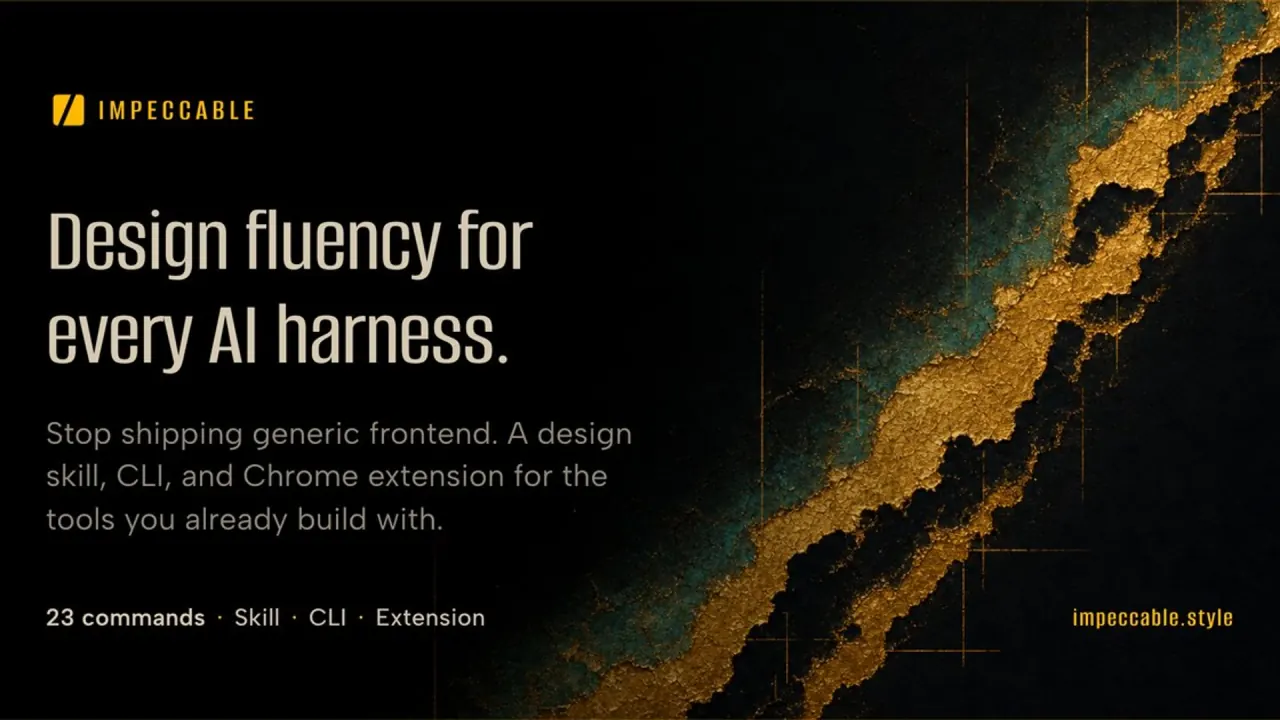
Impeccable is a free, open-source design skill that adds 24 design commands, saved project context and a rule-based detector for common AI-generated UI patterns to coding agents such as Claude Code, Codex, Cursor and GitHub Copilot.

Developer ToolsCode DevelopmentDesign Tool#Open Source#Design#Developer Tools
Try for Free
Saves
Visits
Views
Pricing
Freemium
Published
Oct 6, 2026
Domain
impeccable.style
Community rating

Used this tool? Rate it

Rate this tool

Impeccable Product Information

Try for Free
Tool Information
Saves
Visits
Views
Pricing
Freemium
Published
Oct 6, 2026
Domain
impeccable.style
Community rating

Used this tool? Rate it

Rate this tool

Featured Tools

Related Tools

Try for Free

What is Impeccable?

Impeccable is an open-source design skill for AI coding agents. It installs into coding tools such as Claude Code, Codex, Cursor and GitHub Copilot, then gives the agent design guidance, a vocabulary of named design commands and an automated checker for interface patterns that AI-generated frontends tend to repeat.

The Impeccable design skill is positioned as giving an agent the design expertise to build interfaces from scratch, improve existing ones and stay true to an existing design system. Its repository summarizes the package as one skill, 24 commands, live browser iteration and 61 deterministic detector rules for AI-generated frontend design.

The website credits Paul Bakaus as its creator, and new installs download an engine signed by Renaissance Geek, Inc., which is also listed as the developer of the Impeccable Chrome extension. According to the project README, Anthropic's frontend-design was the first widely used design skill for Claude, and Impeccable started from it.

"Impeccable" is also an ordinary word used by unrelated businesses; this page covers the design skill published from the pbakaus/impeccable repository.

As captured on October 5, 2026, that repository showed 76.3k stars under the Apache-2.0 license. On the same date, the extension's store listing showed 60,000 users.

Core features

Everything runs through one main skill, /impeccable, followed by a command or a plain-language request; audit, polish, critique and the other commands need no separate installation.

Command families

The command reference groups the commands into six families: Create (2), Evaluate (2), Refine (8), Simplify (3), Harden (4) and System (5).

  • Create: impeccable takes a description of what to make or improve; shape turns an idea into a buildable design brief.
  • Evaluate: audit finds implementation problems and prioritizes fixes; critique finds what holds the design back.
  • Refine: animate, bolder, colorize, delight, layout, overdrive, quieter and typeset each push one quality, such as motion, color or type.
  • Simplify: adapt, clarify and distill cover other devices, clearer next steps and less clutter.
  • Harden: harden, onboard, optimize and polish handle failure states, first runs, speed and a finishing pass.
  • System: init, document, extract, generate and live manage context, design records, shared components and variations.

A frequently used command can be pinned as a shortcut, such as /impeccable pin critique, which forwards requests to the main skill so its improvements still carry through.

Project context in PRODUCT.md and DESIGN.md

Impeccable asks once about your users and their goals, saves that context in PRODUCT.md and reads it before later design work. The document command reads the interface and records colors, typography and component rules in DESIGN.md, so the next page or the next agent can follow the same decisions. Updating Impeccable replaces its own installed files and leaves a project's PRODUCT.md and DESIGN.md alone.

Detector for AI slop and quality problems

The AI slop detector is the part that works without a language model. Its catalog lists 61 detector rules plus 6 patterns reserved for design review. The checks look for issues such as low contrast, overflowing text, common AI design patterns and drift from a documented design system.

  • Terminal scans: npx impeccable detect accepts a folder, a file or a URL; URL scans render the page in a browser at 1280 × 800 by default.
  • Machine-readable results: a JSON flag serves scripts and CI, and exit codes mark no primary findings (0), primary findings (2) or a target that could not be scanned (1).
  • Source coverage: HTML scans include linked local CSS, while JSX, TSX, Vue, Svelte, Astro and stylesheet files receive source checks.
  • Design-system checks: with a local DESIGN.md, documented fonts, colors, corner radii and type sizes are checked too.
  • Narrow exceptions: an intentional choice, such as a brand font flagged as overused, can be ignored by value while the rule stays active.

Design hooks

Design hooks run the detector while the agent works on UI files, so findings arrive while the change is still in context. Claude Code and Codex get focused feedback after each edit plus a broader check when the agent finishes its turn, GitHub Copilot runs the full detector after supported edits, and in Cursor a finding can block a proposed write until the agent revises it.

Live Mode and generate

Live Mode, labelled beta, lets you pick part of a running page and compare three variations in place, or use Steer to direct the whole page; the version you accept becomes part of your source code. The generate command starts a similar comparison from chat when you can already name the element and direction, as in generate 3 bold variants of the pricing cards.

Design directions and mockups

For new work, Impeccable draws on human-reviewed design directions, each with its own visual rules, and weighs them against ideas taken from your product. With image generation it can work mockup-first (comp-led); without it, Impeccable builds directly in code (code-led), which tends to look more coherent but usually less ambitious.

Guide

Getting started

Getting started needs a coding tool, a project folder and Node.js 22.18 or later; an empty project or a freshly scaffolded app is fine.

  1. In a terminal at the project root, run npx impeccable install, choose your coding tool and whether to install for this project or all projects, then reload the tool.
  2. In the agent chat, run /impeccable init, answer the questions about who the project serves, then read the resulting PRODUCT.md and correct anything it misunderstood.
  3. For an existing visual system, run /impeccable document first.
  4. Turn on automatic checks with /impeccable hooks on, then complete your coding tool's hook approval or workspace-trust step.
  5. Describe the first task in ordinary language, for example /impeccable polish the pricing page, or ask for a new page and say who it is for.
  6. Open the result, try its main task on a narrow screen too, and review the code changes.

Updates and shared team versions

Installer-based setups update with npx impeccable update, and npx impeccable check looks for a newer version; marketplace installs update through the coding tool's plugin manager. Teams can instead keep one recorded version as a Git submodule linked into their coding tools.

Impeccable use cases and examples

  • Polishing a page that already works: polish refines spacing, typography, labels and interaction states within the existing design.
  • Checking a page before release: an audit of a named page reviews accessibility, performance, responsive behavior and other implementation issues.
  • Starting from a brief: you describe a page, its audience and what visitors should be able to do; in the mockup-first workflow you approve a composition before implementation starts.
  • Gating pull requests: the CLI returns findings and exit codes that a build can act on, so UI changes in pull requests can be checked automatically.
  • Turning repeated patterns into a system: extract pulls repeated UI patterns into shared components and styles that later pages can reuse.

Who is it for

  • People new to design or to AI coding tools: no design experience or design vocabulary is required; you describe what you are making, who it is for and what feels wrong.
  • Designers moving into code: in a July 2026 interview, the creator estimated that designers now make up at least half of the audience.
  • Teams with an established look: Impeccable builds and refines with a project's existing colors, components and rules, so new pages feel like part of the same product.

It fits less well in two situations:

  • Native mobile work: hooks check web code and skip projects whose PRODUCT.md declares ios, android or adaptive, with audit suggested for native interface reviews.
  • Expecting a finished design in one prompt: the creator has said it is never going to be a tool for one-shot design.

Platforms

Supported coding tools include Claude Code, Codex, Cursor, GitHub Copilot, Gemini CLI, OpenCode and Pi, among others.

RouteHow it works
Impeccable installernpx impeccable install selects the build for your tool; requires Node.js 22.18 or later
Claude Code plugin/plugin marketplace add pbakaus/impeccable, then install Impeccable from the /plugin list
skills.shnpx skills add pbakaus/impeccable installs the shared build
GitHub Copilot appbuilt in; enable it under Settings → Experimental
ZIP downloadcopy the contents, including hidden folders, into the project root

As a Claude Code design skill, Impeccable gets more than the skill files from its installer: on Claude Code, Cursor, Codex, GitHub Copilot and Grok Build, the installer also adds a provider-native hook manifest for the current project.

Live Mode works with web pages on a running development server or with local static HTML, and the supported frameworks include Vite-based apps, Next.js, SvelteKit, Astro and Nuxt. Outside the coding tool, a Chrome extension adds an Impeccable panel to DevTools that shows design issues on pages you choose to inspect.

Pricing

Impeccable's public skills, commands, CLI and detection engine are free and open source under the Apache 2.0 license; the costs that apply come from the tools around it:

  • Coding tool and model usage: your coding tool or model provider may charge for usage, including image generation, and those charges are separate from Impeccable.
  • Image generation: built-in generation in Codex counts toward Codex usage limits, while the OpenAI API fallback bills your own API project, and each mockup or revision can add a request.

The privacy policy also describes a waitlist for Impeccable Pro, which stores sign-up emails to notify people when Pro is ready. No Pro features or prices were published on the pages checked.

Impeccable alternatives

Two other agent skills appear alongside Impeccable in independent roundups of frontend design skills.

OptionWhat it offersLicense
Anthropic's frontend-designOne skill with guidance on aesthetic direction, typography and avoiding templated defaultsterms in its LICENSE.txt
taste-skillPortable skills for layout, typography, motion and spacing, plus image-generation skills for reference boardsMIT
ImpeccableOne skill with a command vocabulary, project context files, detector rules, hooks and Live ModeApache 2.0

Anthropic's frontend-design is the frontend design skill Impeccable started from; it describes itself as guidance for distinctive, intentional visual design when building new UI or reshaping an existing one. The Impeccable README frames its additions as a single setup flow, 24 commands and 61 deterministic detector rules that the CLI and browser extension run with no LLM and no API key.

taste-skill is an MIT-licensed set of portable agent skills aimed at stronger layout, typography, motion and spacing than boilerplate-looking UIs, and its repository also includes image-generation skills for web, mobile and brand-kit reference boards.

Limitations

  • Web interfaces only: the detector checks web interfaces and points native iOS or Android work to audit, and Live Mode does not attach to native iOS or Android interfaces either.
  • Live Mode is still beta: the documentation calls it ready to try, though uncommon project setups can still need troubleshooting.
  • Reported source-writing bugs: one public issue from September 2026 describes Live Mode writing invalid TSX into source in a Next.js 16 and React 19 project, caught only through git diff and a TypeScript check. A second, filed against version 4.4.0, reports that multi-line JSX elements could not be located and that a fallback discard-restore step could delete the original element.
  • A clean scan is not a design verdict: a clean result only means these checks found no reportable problem; critique is the command for judging the wider design.
  • Hooks depend on your tool: Codex, for example, runs Impeccable's PostToolUse and Stop hooks only after you review and trust them, and silence can mean a clean edit, quiet mode or an inactive hook.
  • Mockups lose detail in code: image-to-code translation is lossy, so some of a mockup's character and detail will change or get lost, and the documentation tells users to expect a few rounds of prompting and review.
  • Launch-era feedback: in a developer-forum thread around the public launch, several commenters judged the published before-and-after examples worse than the originals, one noting a dashboard that lost most of its useful information. The creator called the examples rushed, removed them and wrote that vocabulary does not make the user or the LLM a great designer.

Privacy and data handling

  • Project checks run locally and do not upload project files or detection results to Impeccable's servers, although your coding tool may send prompts, files, screenshots and other context to its own AI provider.
  • A version check that normally runs at most once a day sends no project content and can be turned off with IMPECCABLE_NO_UPDATE_CHECK=1.
  • Requests for design directions send a random roll key, scope and optional filters, but not your project name, file paths, prompt or brief. An optional choice report can be disabled with IMPECCABLE_NO_TELEMETRY=1 or DO_NOT_TRACK=1, which does not stop catalog or preview-image requests.
  • The image generator, when run with OPENAI_API_KEY, sends the image prompt and any reference images to OpenAI, and those prompts can contain project details.
  • The website uses Google Analytics on the homepage and PostHog on every page, which records page views, clicks, copied commands and the install method you pick.
  • The Chrome extension processes page snapshots and findings locally, but it requests access to all URLs so it can inspect the sites you choose.

FAQ

Q1. Is Impeccable free?

Yes. The public skills, commands, CLI and detection engine are free under the Apache 2.0 license. Usage charges from your coding tool, model provider or image generation are billed separately by those providers.

Q2. Does the detector need an AI model or an API key?

No. The detector and design hooks run as code without an AI model or API key; only design work done by your agent uses its model.

Q3. When should I use generate rather than live?

Use generate when you can name the element and the direction you want, and Live Mode when you want to pick elements yourself, annotate them or steer the whole page during a browser session.

Q4. Can I use it on an iOS or Android app?

Only partly. The detector, hooks and Live Mode target web interfaces, so the documentation recommends the audit command for native reviews.

Know a Similar Tool?
If you know other great AI tools, feel free to submit them to us