
An AI programming assistant from Baidu with coding agents, code completion, a standalone AI IDE and a command-line tool, sold as a free tier, paid personal plans and enterprise editions that include private deployment.
Used this tool? Rate it
Used this tool? Rate it
Baidu Comate (文心快码 in Chinese) is an AI programming assistant built by Baidu. It can be used as a Comate plugin inside mainstream IDEs such as VS Code and JetBrains IDEs, or as a standalone AI IDE. A terminal client and enterprise editions with hybrid-cloud and private deployment sit alongside the plugin and the IDE.
As an AI coding assistant, it combines task-splitting agents, AI code completion, a repository-aware context engine and IDE workflow modes. It targets both individual developers and companies, with prices in Chinese yuan, a Baidu account requirement and infrastructure in mainland China. Two things deserve attention before buying: official pages list different prices for the paid personal plans, and premium models draw down a metered credit balance that falls back to a capped free mode.
A self-developed context engine automatically retrieves the current codebase and related technical documentation during completion and chat. Baidu's own Wenxin code model is described as the core engine, with support for open models such as DeepSeek, ChatGLM and Kimi.
The model selection page tells a more specific story. The model page (updated 2026-08-14) lists DeepSeek V4 Flash and Pro, GLM-4.7 through GLM-5.2 variants, Kimi-K2.5 and K2.6, and MiniMax M2.5, M2.7 and M3 as the models currently available to users. No Wenxin-branded model appears in that list. Turning off Auto mode lets the user switch models. Enterprise users can also add APIs from more third-party model providers.
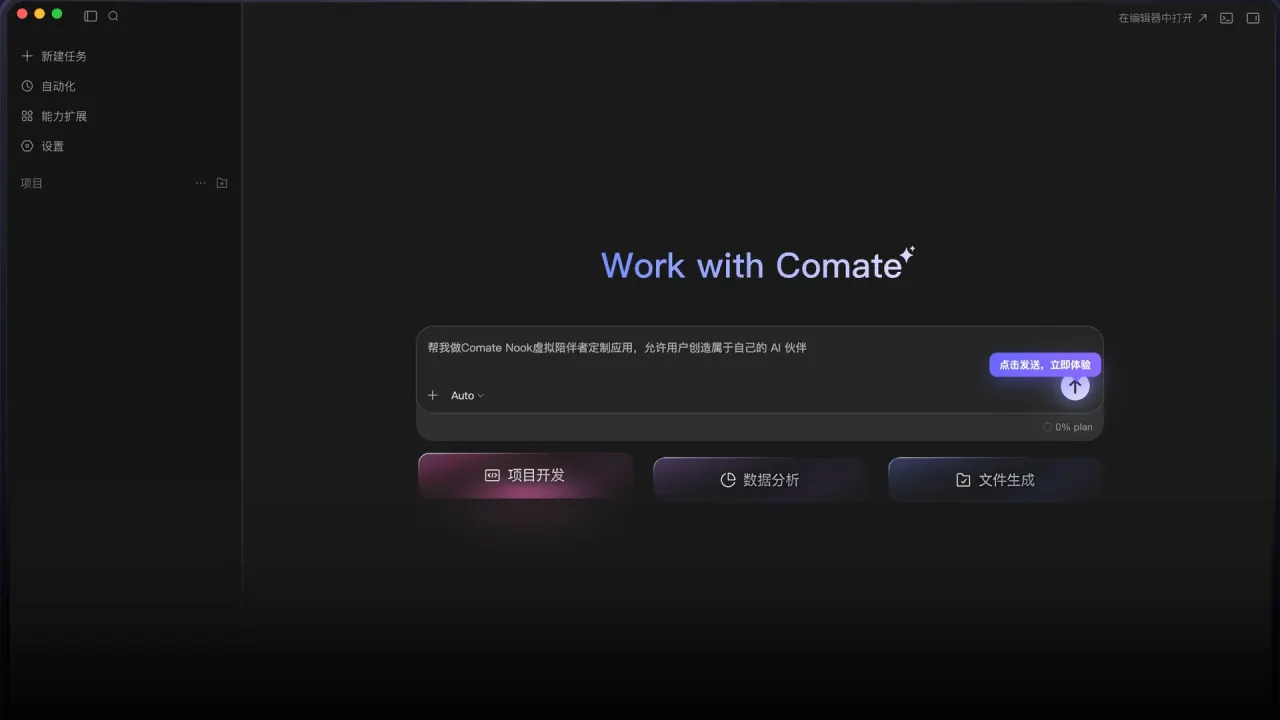
The standalone AI IDE combines code editing, chat and terminal, and adds live front-end preview and element-level debugging. Three workflow modes build on it:
Run on its own, ComateCLI opens an interactive TUI; with subcommands it becomes a scriptable headless CLI that can be connected to CI.
Documented languages include Java, Python, Go, C#, C/C++, JavaScript, TypeScript, PHP, Ruby, Rust, Scala and Kotlin. The FAQ says it performs better in C, C#, C++, Java, Python, Go, JavaScript, TypeScript, HTML and CSS. The overall language count is not stated consistently across official pages, as noted under Limitations.
The JetBrains, Visual Studio and Xcode plugins follow the same pattern: install from the IDE's plugin channel, then sign in with a Baidu account or an enterprise License.
comate shell command so the IDE can be launched from a terminal.comatecli login; on SSH hosts, --no-browser prints the login link instead of opening a browser.comatecli, or ask a one-off question with comatecli run -q.Code security requires an enterprise account, and Mission Mode, Spec mode and design-to-code belong to Comate AI IDE rather than the plugins.
It is a weaker fit for developers who cannot use a Baidu account, who need prices in other currencies, or who want vulnerability scanning for languages other than Java.
Supported IDE plugins include the JetBrains family, Android Studio, VS Code, Visual Studio, Eclipse and Xcode. Minimum requirements:
JetBrains IDEs such as IntelliJ IDEA, PyCharm, GoLand, WebStorm and Android Studio need version 2021.1 or later, on Windows 7 or later, macOS or Linux. The VS Code plugin needs VS Code 1.70 or later on Windows 7 or later, macOS or Linux. The Visual Studio plugin supports Visual Studio 2019 and 2022 on Windows 10 or later. Comate AI IDE runs on Windows 10/11 (x64/arm64), macOS 11.0 or later and Linux with glibc 2.28 or later. The VS Code quick-start page lists Windows 10 or later and macOS 14 or later. That is stricter than the product overview, so the two pages disagree for older systems.
Remote SSH, Docker and WSL are fully supported, the plugin works in VS Code WebIDE via the Open VSX marketplace, and HUAWEI DevEco Studio follows the JetBrains requirements.
The JetBrains Marketplace plugin record lists the plugin's pricing model as free; AI usage itself is governed by the plans below.
The Personal Standard plan is free and gives a one-time 10 CNY model credit on first registration. The two paid personal plans show different prices depending on the official page:
| Plan | Pricing page | Pricing documentation | Monthly model credit | Free fallback mode |
|---|---|---|---|---|
| Personal Standard | Free | Free | 10 CNY once | Not listed |
| Personal Pro | 59 CNY/month | 100 CNY/month, 270/quarter, 1,000/year | 55 CNY | 150k tokens/hour |
| Personal Ultimate | 199 CNY/month | 299 CNY/month, 889/quarter, 3,499/year | 199 CNY | 500k tokens/hour |
The documentation figures come from a page updated 2026-07-15. The pricing documentation says the website may run discounts from time to time and the actual payable price is what the website shows in real time. The rendered pricing page does not label the lower figures as a discount and did not show quarterly or annual prices for them.
Personal Ultimate lists a free Auto-Free mode of 500k tokens per hour. For Personal Ultimate, the pricing page advertises Auto-Free mode as unlimited for a limited time until December 31.
The fallback cap is recent. From July 1, 2026, the Personal Pro subscription changed its fallback from unlimited use of the free fallback model after premium credit runs out to 150k tokens per hour. Personal Pro orders placed before July 1, 2026 receive an extra 10% of premium model credit each month.
The pricing documentation lists Enterprise Pro at 150 CNY per user per month (450 per quarter, 1,500 per year), Enterprise Ultimate at 358 CNY per user per month (1,074 per quarter, 3,998 per year) and Enterprise Dedicated at 2,500 CNY per user per year. Enterprise Pro and Ultimate can be bought from one user, while Enterprise Dedicated requires at least 100 users. Enterprise Pro includes 72 CNY and Enterprise Ultimate 283 CNY of agent credit per user per month, both with unthrottled Auto-Free use after credit runs out; Enterprise Dedicated includes 72 CNY per user per month and private model deployment.
Purchases made on comate.baidu.com are paid with Alipay. Paid purchases are not refundable except when Baidu technical issues cause duplicate charges or prevent use of the purchased service, subject to Baidu verification.
Two other Chinese AI coding assistants with public product pages:
The main differences to weigh are cost and deployment. Tongyi Lingma's free individual and enterprise entry contrasts with the metered paid plans here, while this product's published enterprise tiers, hybrid-cloud and private options give a documented path for companies that must keep code in-house.
The privacy policy says that, beyond the scenarios in the agreement and without separate explicit authorization, Baidu will not use your code in unauthorized scenarios and will not store, analyze, process or train on it. The data security page adds how code travels. Local code is sent to the servers in fragments to power the features, used only for vectorization, and source code is not stored.
Conversations are treated differently from code. Personal conversation records, including text or voice input and derived topics, are recorded, and Q&A history and topics are retained for the period required by law.
On location, the infrastructure is hosted entirely on Baidu AI Cloud and deployed inside China. Personal information collected and generated in the PRC is, in principle, stored in the PRC; it may be transferred abroad where laws require it, with separate consent, or to perform a contract. The vendor states it has passed a CAICT information security certification and SOC 3, SOC 2 Type 2 and SOC 1 Type 2 audits, and that the reports can be requested by email.
Personal Standard is free with a one-time 10 CNY model credit; paid plans add monthly credit and a capped free fallback.
Not without separate explicit authorization, according to the privacy policy. Conversation records are retained separately.
JetBrains IDEs, Android Studio, VS Code, Visual Studio, Eclipse and Xcode, plus Comate AI IDE and a terminal client.
Yes. Enterprise options include hybrid cloud and private deployment; the Dedicated tier has a 100-user minimum.
Yes, to sign in and buy paid plans; enterprise members can also sign in with a License.
