
A freemium browser OCR service that turns photos, screenshots, scanned pages and handwritten notes into editable text, with Simple and Formatted modes, 20 listed recognition languages and credit plans from $6 a month.
Used this tool? Rate it
Used this tool? Rate it
Image to Text Converter is a browser-based OCR (optical character recognition) service at imagetotext.io that converts uploaded pictures into editable text you can copy or download. The site says its recognition is built with OCR, the open-source Tesseract engine and other Python libraries.
The name is a generic description shared by many unrelated OCR websites, and this page covers only the service hosted at imagetotext.io. The legal pages checked do not name a registered company: the terms of service refer to the operator only as "our Company". An Android app called Image To Text is published on Google Play under the developer name Softo Tech, uses the site's support email address and lists a developer address in Pakistan.
Access is freemium. Small batches run without an account, while credit-based plans start at $6 a month and raise the per-submission and file-size caps. For many buyers the open question is data handling rather than features: the upload box promises that nothing is stored, yet the privacy policy says nothing about how uploaded images are kept or deleted.
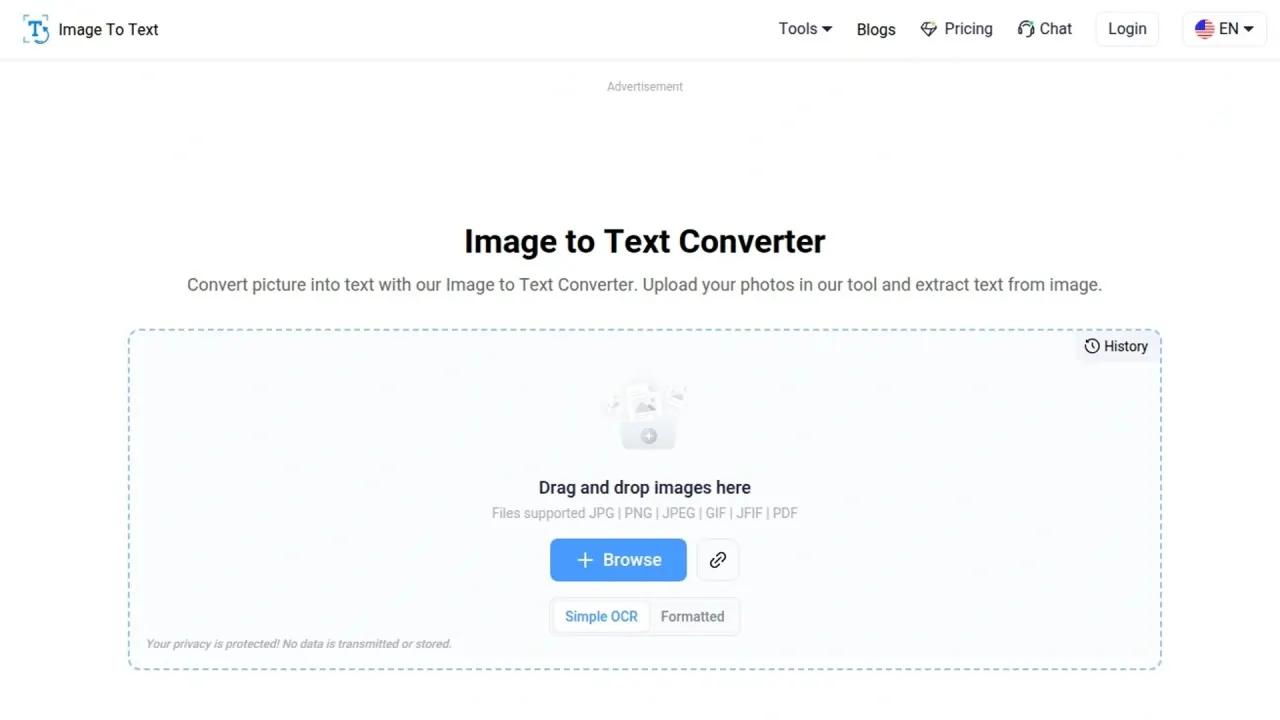
The converter is a single upload panel built to extract text from image files, with two recognition modes, Simple OCR and Formatted, plus several ways to export the results.
The homepage describes the pipeline in three steps: it scans and extracts the text, performs location segmentation to arrange the text according to the image, and then shows editable text in the output box. The low-resolution and math claims are vendor statements; no independent accuracy test of the site was found. The same website also hosts separate converters such as Image to Excel, Photo Translate, PDF to Word and PDF to Excel, and the pricing page meters several of them in the same credits as image-to-text jobs.
The homepage walkthrough has four steps. The mode choice and the export menu are the parts that differ from a bare upload box.
For handwritten notes, the site's only advice is to take clear pictures of the pages before uploading them and copying the result. Free users can submit up to five images per run, so a larger stack of pages needs several passes or a paid plan's 50-image limit.
The homepage lists concrete jobs rather than industries, and most of them involve paperwork that would otherwise be retyped by hand.
Invoices, contracts and government forms are also the kinds of documents for which the missing retention statement described under Limitations matters most.
The clearest fit is someone with occasional or moderate volumes of printed or photographed text who wants a browser tool rather than installed software.
The core service is the website itself; app and add-on listings exist outside it and are not linked from the homepage.
As a free online OCR option, the converter can be used without signing up, according to the homepage. The free tier is listed at $0 with 200 credits, five images per Image to Text submission and a 7MB file limit, against 50 images and 30MB on every paid plan. Paid plans are billed monthly or annually, and the annual toggle is labelled "Yearly - 40% Off".
| Plan | Monthly billing | Annual billing |
|---|---|---|
| Basic | $6 a month with 10,000 credits | $57 a year (shown as $4.75 a month) with 120,000 credits |
| Standard | $9 a month with 22,000 credits | $75 a year (shown as $6.25 a month) with 264,000 credits |
| Premium | $20 a month with 100,000 credits | $144 a year (shown as $12 a month) with 1,200,000 credits |
| Lifetime Plan | One payment of $99 for 1000 days with 100,000 credits | Same card on both tabs |
On the listed figures, only Premium's drop from $20 to $12 a month matches the 40% label; Basic and Standard are reduced by less. The Lifetime Plan is a 1000-day term displayed as $2.97 a month, and its tool list (Image To Text, PDF To Word, Word to PDF, JPG To Word, JPG To PDF, PDF to Text, Image to HTML) leaves out Image To Excel and Image Translator.
Every paid card lists a 30MB file limit, 50 images per submission, both Simple OCR and Formatted text, Historic Data, 24/7 live support and the Image To Excel, Image Translator, PDF To Word and PDF To Excel tools. The upgrade prompt on the converter adds "No Ads" as a paid benefit, while free pages show advertisement slots.
Credits are charged per item: Simple OCR costs 1 credit per image and Formatted OCR 10, while Image Translator takes 15 credits per image, Image to Excel 20, and PDF to Word or PDF to Excel 1 credit per page. Free limits are tighter on those sibling tools: Image to Excel allows one image of up to 5MB per submission, Image Translator has no free allowance, and PDF to Word or PDF to Excel caps free jobs at 100 pages or 20MB against 1,500 pages or 100MB on paid plans.
Cancellation and refund rules:
Two directions differ meaningfully from a hosted OCR site: running the underlying engine yourself, or using another web OCR service that states its deletion rules.
Compared with these two, Image to Text Converter offers 50-image paid batches, a Formatted mode and bundled converters in one account, but gives no comparable deletion statement for uploads.
Yes, for small jobs. The free tier gives 200 credits, five images per submission and 7MB files without signing up; paid plans start at $6 a month or $57 a year.
The upload box says no data is transmitted or stored, but the privacy policy states no retention or deletion period for uploads and does not mention model training.
The vendor says it handles handwritten notes, low-resolution images and mathematical expressions. No independent accuracy test of the site was found.
One $99 payment covering 1000 days with 100,000 credits, and a tool list that leaves out Image To Excel and Image Translator.
Only for the latest or active plan with unused queries, for duplicate charges, or for a wrong plan bought before the correct one; discounted plans and renewal charges are excluded.
