
Toolso.AI
Toolso.AI
All ToolsCategoriesTrendingLatest ToolsPricingBlog
Toolso.AI
Toolso.AI
Toolso.AI
Toolso.AI

Discover the best AI tools to boost your productivity

GitHubGitHubTwitterX (Twitter)YouTubeYouTubeTikTokEmail

Popular Categories

  • AI Writing
  • AI Image
  • AI Video
  • AI Coding
  • More Categories

Explore

  • Latest Tools
  • Popular Tools
  • More Tools
  • Submit Tool
  • Pricing

About

  • About Us
  • Contact
  • Blog
  • Changelog

Legal

  • Cookie Policy
  • Privacy Policy
  • Terms of Service
  • Refund Policy
© 2026 Toolso.AI All Rights Reserved
Limited timeLimited-time offerFeatured Listing24h priority review · No backlink · 30 days featured$29.90then $59.90Price rises to $59.90 after Oct 31Ends in--:--:--Submit now
  1. Home
  2. All Tools
  3. Productivity
  4. Dia
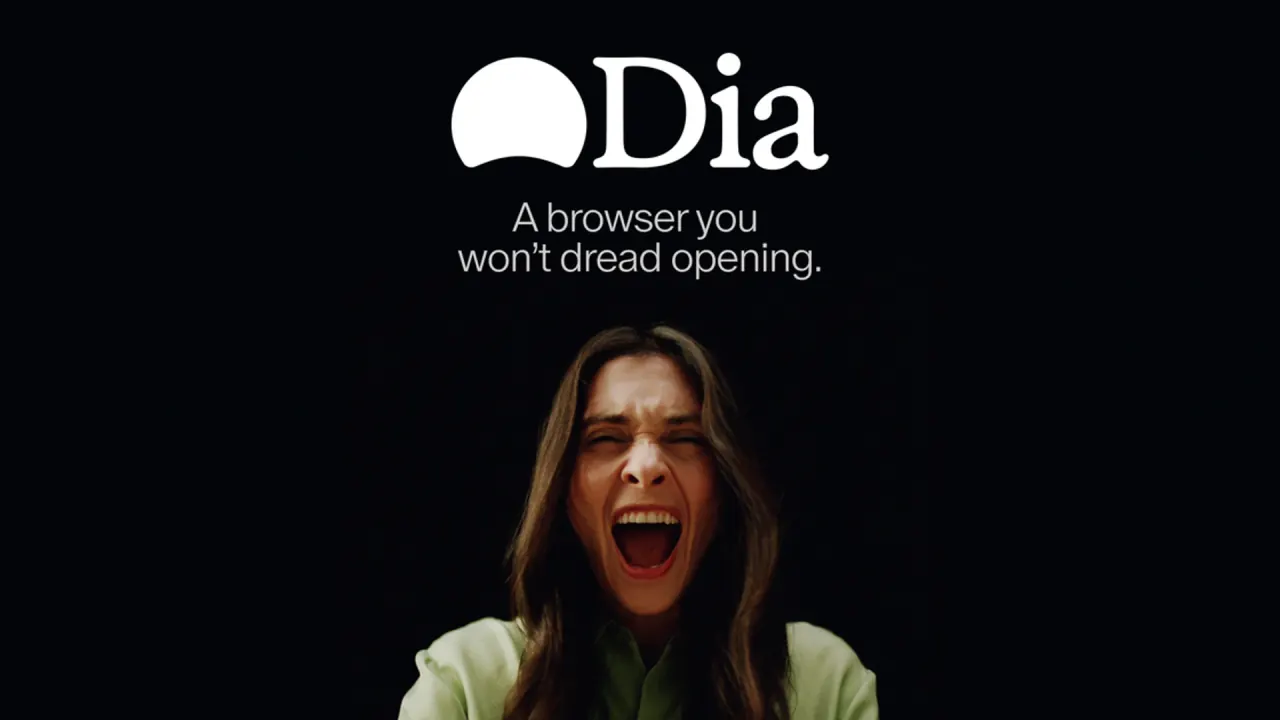
Dia interface preview
Dia logo

Dia

Dia is a Chromium-based Mac browser from The Browser Company that answers questions across your tabs and work apps such as Slack, Notion and Teams. The browser itself is free; AI chat, Morning Brief, reports and decks need a $20 or $100 monthly plan.

ProductivityAI AssistantAI Browser#Ai Assistant#Browser#Meetings
Start Free Trial
Saves
Visits
Views
Pricing
Free Trial
Published
Oct 6, 2026
Domain
diabrowser.com
Community rating

Used this tool? Rate it

Rate this tool

Dia Product Information

Start Free Trial
Tool Information
Saves
Visits
Views
Pricing
Free Trial
Published
Oct 6, 2026
Domain
diabrowser.com
Community rating

Used this tool? Rate it

Rate this tool

Featured Tools

Related Tools

Start Free Trial

What is Dia?

The Dia browser is a desktop web browser with an AI assistant built into the browsing window, aimed at people whose working day runs through web apps such as Slack, Notion, Google Workspace and Microsoft Teams. The company describes Dia as a modern, AI-native browser that helps teams work faster, built with strong security controls and enterprise-grade management in mind.

Dia's Terms of Use name The Browser Company of New York Inc. as the company you contract with. The Browser Company is part of Atlassian, and Dia now uses Atlassian's identity system for sign-in behind a Dia-branded login screen. Under the hood, Dia is built on Chromium, the open-source engine behind Chrome and Edge, so it inherits upstream Chromium security patches.

Two facts shape most decisions: every AI feature sits behind a paid monthly plan, and Dia currently has no public Windows release.

Core features

Answers across tabs and work tools

  • Ask across your context: Dia digs into your full context across Google Workspace, Teams, open tabs and more, so a single question can draw on all of them.
  • Mention tabs: Typing @ and choosing an open tab pulls that page into the query as context.
  • Cross-tool synthesis: Dia gathers material scattered across tools such as Slack, Notion and Teams and turns it into a report meant to be shared.
  • Microsoft tools: Dia's Microsoft tools add a Morning Brief alert when a SharePoint document changes and let you ask Dia what is happening in Teams.
  • Loom tools: Dia can automatically search Loom videos, read transcripts and surface recent activity, including reactions and comments.
  • Queued and steerable chat: Version 1.51.0 lets you queue several chat messages and steer Dia mid-response without cancelling tool calls that are already running.
  • Memory: Memory lets you ask Dia about your earlier activity, using summaries that are created on Dia's servers and stored locally on your device, and it can be switched off in Settings.

Dia's answers, briefs and reports draw on the tools you connect. Access is also opt-in: a Dia chat session starts with no access to other tabs and no ability to take write actions until you grant it.

Browser organization

  • Profiles: Profiles keep work, freelance and personal life apart with separate tabs, logins and AI, switched with a swipe.
  • Live Work: Live Work puts places like GitHub and Notion in the tab bar, so one click lands on the right pull request, spec or draft.
  • Split View: Split View keeps up to three tabs open in one view, and Chat can then connect information across them.
  • Organized tabs: Related tabs are grouped under readable names such as "Design Review" or "Q2 Planning" instead of a long strip of unnamed pages.
  • Command Bar: The Command Bar routes what you type to a website, a search engine or AI chat.
  • Switching from other browsers: Dia supports standard import flows from all major browsers.

Skills

Skills are saved prompt shortcuts that you call with a slash command. Student-oriented examples include /cite, which formats a source in APA, MLA and Chicago styles, /fact-check, described as a one-click fact-checker, and /job-fit, which checks a résumé against a job listing. A Skill can be shared through a link, and sharing one to the Skills Gallery makes certain Skills data publicly available.

Guide

Setting up Sync between two Macs

Sync brings your profiles and bookmarks to a second Mac:

  1. On the first Mac, go to Settings → Sync and turn Sync on, accept the privacy policy, and create your recovery kit.
  2. Save the recovery kit file somewhere you will remember.
  3. On the second Mac, open Settings → Sync and turn Sync on; this time Dia asks for a code.
  4. On the first Mac, click "Connect Another Device" to display a 6-character code, then enter that code on the second Mac.

The recovery kit matters: if you lose both your machine and the recovery file, there is no way to recover the synced data.

Managing usage, billing and privacy settings

  • Usage: Dia > Settings > Usage shows what you have used this billing cycle, how much is left and any credit still available, and it holds the auto-reload switch.
  • Billing: Dia > Settings > Billing opens card and invoice management through Stripe, where you can change the payment method or view past charges.
  • Ad blocking: Ads are blocked natively by default, and the ad-blocking controls live under Dia > Settings > Privacy.
  • Content sharing: Sharing content data to improve Dia is on by default and can be turned off under Settings → Privacy → Share content data to help improve Dia.

Use cases and examples

Several of these depend on the Better Days plan.

Starting the workday

The Morning Brief lays out your calendar, inbox and key links before the workday begins.

Meetings

Each call is set up to start with the right meeting page, agenda, notes and related docs already open, plus a gentle countdown so you join on time.

Reports and decks

Asking Dia for a deck turns scattered context into slides with headers, layout and flow that can be presented without a redesign.

Study and coursework

  • Study material: With notes, lectures and readings already open in tabs, Dia can turn them into flashcards, quizzes and custom study guides.
  • Explanations in place: You can highlight a paragraph, a timestamp or a confusing chart and ask Dia for an explanation directly in the tab.
  • Essay work: Dia can help outline essays, tighten drafts and pull in references without copy-and-paste between apps.

Coding and code review

For developers, Dia is pitched as a coding partner that helps you debug, review and get unstuck with feedback inside the browser.

Who is it for

Good fit

  • Teams needing admin controls: Dia for Work adds guardrails such as SSO and admin tools.
  • Companies with an identity provider: SAML-based SSO works with most identity providers, including Google, Okta and Microsoft Entra ID.
  • IT departments limiting access: MDM policies can restrict sign-ins to approved email domains.
  • Organizations wary of AI on certain sites: MDM controls can disable all AI-powered features on specific websites.
  • Managed fleets: Dia-specific MDM policies cover AI controls and managed updates.
  • People moving from Arc: Version 1.51.0 made the recent tabs switcher match Arc's layout for people migrating from Arc.

Less suitable

  • Windows-only users: There is no public Windows release yet.
  • Anyone under 18: The privacy policy asks children under 18 not to register for or use Dia.
  • Students looking for a discount: Dia has no student plan at the moment, even though it markets study features to students.
  • Clinical work: Dia is not HIPAA-compliant.

Platforms

For now Dia is an AI browser for Mac, and the homepage download button reads "Available for macOS · Windows coming soon". Dia runs on Apple macOS 14+ with M1 chips or later.

Windows status differs between pages:

  • Windows page: Dia's Windows page says Dia is coming to Windows this fall and offers a waitlist.
  • Windows changelog: The Windows section of the release log shows no releases yet for Windows.
  • Pricing FAQ: The plans FAQ says paid plans start with new Mac users and that Dia on Windows stays as it is for now.
  • Independent report: An August 2026 tech-news report described the Windows version as still in beta.

The download, Windows and student pages list no iPhone, iPad or Android app.

Dia releases every Thursday with the latest stable Chromium version that Google has shipped, and when Google patches a critical vulnerability, Dia ships that fix to production within 48 hours. The latest Mac release in the changelog, version 1.51.0, is dated October 1, 2026. That release upgraded the browser engine to Chromium M155.

Pricing

Dia browser pricing has three self-serve tiers, each priced monthly; no annual price is shown.

PlanMonthly priceAI accessAlso includes
Better BrowserFreeNo AI featuresProfiles and tab groups, split view and picture-in-picture video, built-in ad and tracking blocker, cross-device sync
Better Answers$20/monthAsk Dia on any page, chat with context from all your tools, models that won't store your dataEverything in Better Browser
Better Days$100/month6x the usage of Better AnswersDaily Morning Brief, reports, decks and recaps, prep and follow-up for every meeting; usage limits apply

How usage is counted

Usage on both paid plans is measured in Tasks, Dia's unit of effort: a simple request can use a fraction of a Task, while requests involving more tools, context or longer outputs use more. The monthly allowance resets at the start of each billing cycle and does not carry over; extra usage can be added in $20 credits, either as a one-time top-up or automatically through auto-reload. Auto-reload adds another block when you run low and charges you automatically for each extra credit block. Purchased credit blocks roll over until used, for up to three months from the date of purchase.

If you run out before the cycle resets, Dia does not bill an overage; AI features simply pause until the next billing date unless you add credits.

Trial, changes and cancellation

  • Trial: Every new Dia user gets a 14-day free trial of the Better Days plan, and no credit card is needed to start.
  • Trial limits: The trial has a light cap on how much you can do in a short window, which Dia says most people won't reach.
  • After the trial: If no plan is chosen, Dia keeps working as a browser and its AI features pause.
  • Upgrades: An upgrade starts right away with the higher allowance, and you are credited for the unused part of the old plan.
  • Downgrades: A downgrade starts at your next billing date.
  • Cancellation: After cancelling you keep AI access until the end of the current billing cycle, and unused usage is not refunded unless local law requires it.
  • Renewal: Unless you opt out in account settings, paid offerings auto-renew for the same term at the then-current non-promotional rate.

Who the paid plans apply to

Paid plans began rolling out to most new Mac users on August 17. Existing users keep what they have for free for now and get at least 30 days' email notice before paid plans apply to their accounts. For enterprise AI security and privacy features, Dia asks companies to get in touch rather than listing a price.

Dia alternatives

Arc

Arc's own homepage introduces Dia as the next evolution of Arc. The Dia vs Arc choice largely comes down to platform support versus maintenance. Arc downloads are offered for both Windows and Mac, which matters while Dia remains Mac-only. However, Arc receives Chromium updates only, and its homepage directs users who want active security patches and enterprise-grade protection to Dia.

Gemini in Chrome

Gemini in Chrome adds an AI assistant to Google's browser rather than replacing the browser. It requires a Chromebook Plus, Mac or Windows computer running the latest version of Chrome, so it covers the Windows users Dia does not yet serve. On a computer, you can share up to 10 open tabs with Gemini. Google notes that Gemini in Chrome is not available to all users yet and is being released gradually.

Limitations

Product limits

  • Not for protected health data: Dia is not HIPAA-compliant, The Browser Company does not offer a Business Associate Agreement, and Dia should not be used for work involving PHI, such as a clinician accessing patient records.
  • Output accuracy: The Terms of Use warn that Dia may sometimes produce incorrect or inaccurate output and require you to verify output before relying on it.
  • Prompt injection: Dia's layered defenses are designed to stop the most harmful outcomes, but injected instructions can still shift style or tone, nudge answers toward misinformation, or trigger searches you did not ask for.
  • Agentic mode boundaries: In agentic mode the assistant cannot navigate on its own to another website.
  • Sensitive sites: Dia makes only a best-effort attempt to keep sensitive sites out of passive features such as memory and out of improvement data, and that effort does not apply when you deliberately include a site in a request.
  • Free tier without AI: Independent coverage of the August 2026 pricing change noted that even the basic Ask Dia feature is no longer included in the free tier.

Privacy and data rights

By default, conversations, history, bookmarks and files are encrypted and stored locally on your device. When you make a request, the data needed to fulfil it, such as your question and relevant page context, passes through Dia's servers to AI partners that are contractually restricted from retaining it or using it to train their own models. The listed models and providers are GPT through OpenAI on Azure, Claude through Anthropic, Vertex and AWS, and Gemini through Vertex. Proactive features such as the Morning Brief also send page content you have viewed to a third-party model when they build a summary.

  • Improvement data: Some content data is used to improve Dia by default; it is not tied to your account, is kept for 30 days and then deleted, and the setting can be turned off.
  • On-device models: Dia may also use some content data to train small on-device models, such as the one that picks which AI provider handles a request; this can be turned off, including for a whole organization.
  • Terms opt-out: The Terms of Use let you opt out of Dia training its models on your User Content in your account's privacy settings.
  • Sync encryption: With Sync on, user content goes to Dia's servers end-to-end encrypted and is not stored there in a readable format.
  • No data sales: Dia states it will never sell your personal data.
  • Output ownership: Between you and The Browser Company, you own the output Dia generates, subject to the licenses in the Terms.
  • Workplace accounts: For work email domains connected through an identity provider, account and contact data such as name and email may become accessible to organization administrators, but content data is not accessible to them at this time.
  • Account deletion: Deleting your account removes associated data within 30 days, while previously submitted feedback or content data is kept separately and not linked to the account.
  • Abuse records: Data flagged for suspected misuse or safety violations is kept only as long as needed for security and compliance and is never used to train models.
  • Audit and ownership: The Browser Company completed a SOC 2 Type II examination for Dia covering calendar year 2025. Dia continues to operate under its own privacy policy after the Atlassian acquisition.

FAQ

Q1. Is Dia free to use?

The browser is free on the Better Browser plan, but that plan has no AI features. AI chat needs Better Answers at $20 per month, and Morning Brief, reports and decks need Better Days at $100 per month.

Q2. Can I use Dia on Windows?

Not as a public release yet: the Windows page promises a release this fall and offers a waitlist. On a Mac, Dia needs macOS 14 or later and an M1 chip or newer.

Q3. How is Dia related to Arc and Atlassian?

Dia is made by The Browser Company, which is part of Atlassian, and Dia uses Atlassian's identity system for sign-in. Arc's homepage presents Dia as the next evolution of Arc.

Q4. Is my browsing data used to train AI models?

Dia's AI partners are contractually restricted from training their own models on your data. By default, Dia itself uses some content data to improve Dia and its small on-device models, and both can be switched off in settings.

Know a Similar Tool?
If you know other great AI tools, feel free to submit them to us