
Toolso.AI
Toolso.AI
All ToolsCategoriesTrendingLatest ToolsPricingBlog
Toolso.AI
Toolso.AI
Toolso.AI
Toolso.AI

Discover the best AI tools to boost your productivity

GitHubGitHubTwitterX (Twitter)YouTubeYouTubeTikTokEmail

Popular Categories

  • AI Writing
  • AI Image
  • AI Video
  • AI Coding
  • More Categories

Explore

  • Latest Tools
  • Popular Tools
  • More Tools
  • Submit Tool
  • Pricing

About

  • About Us
  • Contact
  • Blog
  • Changelog

Legal

  • Cookie Policy
  • Privacy Policy
  • Terms of Service
  • Refund Policy
© 2026 Toolso.AI All Rights Reserved
Limited timeLimited-time offerFeatured Listing24h priority review · No backlink · 30 days featured$29.90then $59.90Price rises to $59.90 after Oct 31Ends in--:--:--Submit now
  1. Home
  2. All Tools
  3. Developer Tools
  4. Builder.io
Builder.io interface preview
Builder.io logo

Builder.io

Builder.io lets engineers, designers, PMs and marketers build on a real codebase with AI agents, pairing a visual IDE for apps with a visual headless CMS for pages and campaigns.

Developer ToolsCode DevelopmentCollaboration Tools#Code Generation#Ab Testing#Personalization
Try for Free
Saves
Visits
Views
Pricing
Freemium
Published
Oct 6, 2026
Domain
builder.io
Community rating

Used this tool? Rate it

Rate this tool

Builder.io Product Information

Try for Free
Tool Information
Saves
Visits
Views
Pricing
Freemium
Published
Oct 6, 2026
Domain
builder.io
Community rating

Used this tool? Rate it

Rate this tool

Featured Tools

Related Tools

Try for Free

What is Builder.io?

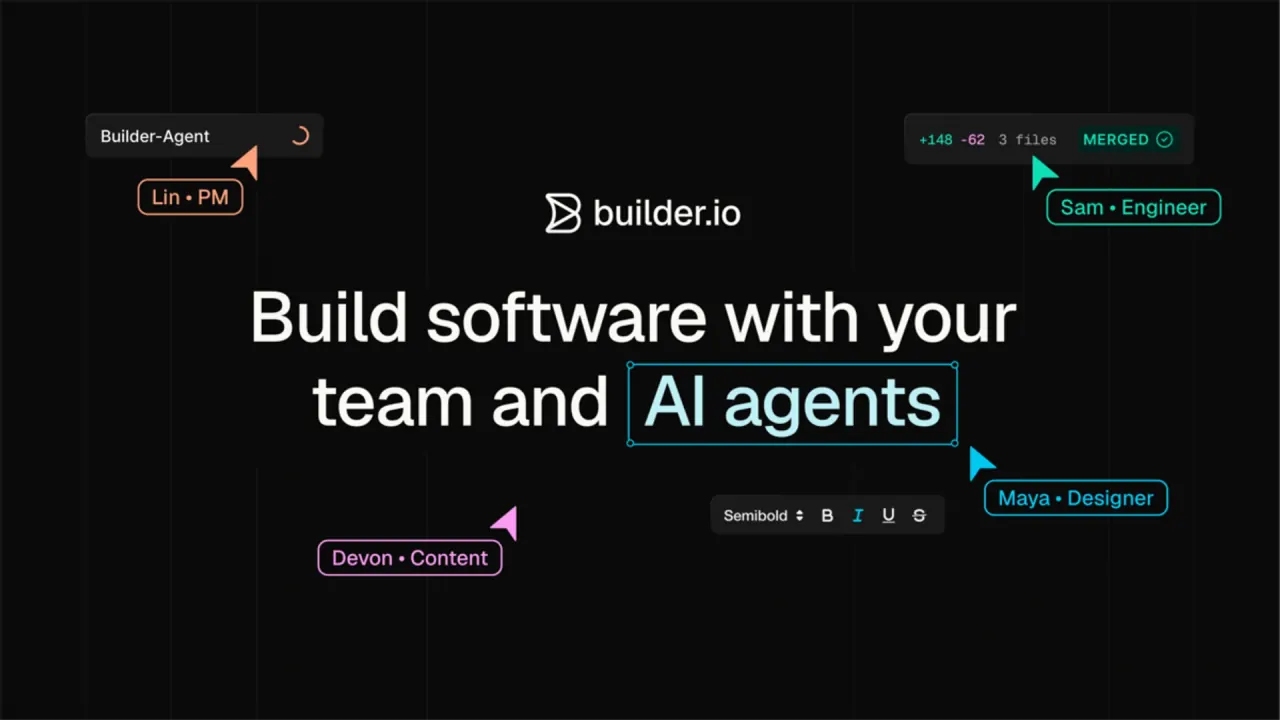
Builder.io is a collaborative platform for building software with a team and AI agents, where engineers, designers, product managers and marketers work on the same production code instead of handing files between tools.

It is sold as two products that can be used separately or combined: Code, a visual IDE that works inside an existing repository, and Content, a visual headless CMS for pages, campaigns and structured content. Builder.io also refers to the two products as Fusion, its AI development platform for product, design and engineering teams, and Publish, its visual headless CMS for content teams.

The company was co-founded by Steve Sewell and Brent Locks, who had built web applications together at the fashion retailer ShopStyle. A 2021 report on the company described a drag-and-drop visual editor and headless content management system that let marketers, product managers and designers build content from existing components, run A/B tests and measure conversions.

The most important thing to know before choosing a plan is that AI work, hosting and Builder-managed databases are all metered in a shared pool of Agent credits, while seats are priced per user.

Core features

Code: a visual IDE on your repository

  • Code-aware generation: Builder Code creates apps, features, prototypes and UI using the connected repo, its components, patterns and project rules as context.
  • Visual code editing: layout, spacing, styling and copy can be edited on a visual canvas while each change updates the underlying code.
  • Figma to code: Figma designs are imported and turned into responsive UI built from the team's own components and design system.
  • Hand-off with coding agents: branches can be pushed from Cursor, Claude Code or Codex into Builder so designers and PMs can polish them, then pulled back when they are ready for engineering review.
  • Parallel cloud agents: according to Builder, each of its parallel agents runs in its own cloud container with a full development environment and browser preview.
  • MCP integrations: built-in MCP servers bring external services into code generation, and custom MCP servers can give the agent access to application-specific databases or services.

The delivery path is deliberately conventional. Approved changes become pull requests that move through the team's existing pipeline, and for codebases behind a firewall Builder connects to internal Git, registries and APIs over a private link. That makes Code closer to a collaborative layer on top of an existing repository than to a standalone app generator.

Content: a visual headless CMS

  • Agentic content workflows: prompts can create pages, update content, generate variants and complete common publishing tasks without filing a developer ticket.
  • Structured content models: reusable content is managed with models, fields, references and APIs, so one entry can power pages, apps, storefronts and other channels.
  • Experimentation and personalization: teams can run tests, create variants, target audiences and personalize experiences from the CMS.
  • Localization: localized content is managed across markets in one workflow that keeps structure, approvals and brand consistency intact.
  • Publishing controls: roles, permissions, approvals, previews, environments and audit trails govern who can publish what.
  • Web layout import: the Builder Chrome extension copies layouts from live pages and resizes the browser during the copy so the layout is captured at multiple screen sizes.

How Code and Content connect

The two products share components in both directions. Components created in Code can be used by the whole team as part of the design system in Content. Content created in Content can be pulled into apps and UIs built in Code.

AI models and credits

Credits are consumed according to input tokens, output tokens and the per-token rate of the selected model. The model dropdown shows each model's quality as a letter grade and its cost as a multiplier of the base credit value, which is pegged to Claude Haiku 4.5; a model with a 0.1x cost gives roughly ten times the prompts for the same credits. Admins can restrict which models are available and pick the default model behind the Auto setting.

Guide

Setting up a Code project

  1. Connect a GitHub, Azure, GitLab or Bitbucket account, grant access to all or selected repositories, and choose the repository to open as a Project.
  2. Connect the design system: on most plans it is added as an additional repository in Project Settings, while Enterprise plans can automate this step through component indexing.
  3. Prompt the agent in the Generate tab, adding context such as Figma designs, screenshots, PDFs or MCP servers.
  4. Encode team conventions by creating a .builder/rules/ folder with .mdc rule files, plus an AGENTS.md file that describes the project's purpose and architecture.
  5. Send the work as a pull request; once it is open, any team member can mention @builder-bot on the pull request to request further code changes.

Builder's documentation notes that adjusting these rules may require the assistance of a developer.

Use cases and examples

  • Prototyping: prompts, ideas and designs become working prototypes that a team can review, test and validate with stakeholders before committing to a full build.
  • App and feature development: new apps, product features and internal tools are built with the shared context that teams and agents need to move from idea to shipped product.
  • Marketing sites: landing pages, campaign pages and site content are created and updated visually, with the brand system and approval workflows built in.
  • E-commerce content: storefront pages are built from products and collections selected in the commerce platform, so titles, images and prices stay tied to the source catalog.
  • Requests raised in Slack or Jira: on the Team plan and above, tagging @Builder.io in Slack or assigning a Jira ticket lets the agent read the context and start building.

The customer stories on Builder's own site are vendor-selected testimonials rather than independent measurements. In one of them, a website optimization manager at Zapier says the team launched more than 250 new pages that attract around one million monthly visitors on average, and that it can now run website experiments.

Who is it for

Builder.io is built around several roles working on the same code:

  • Engineering teams with an existing codebase: engineers can code in Builder or in their own AI tool, then push the branch so designers, PMs and QA can polish pixels, edit copy and run tests in the real app.
  • Marketing and content teams: Builder Content is pitched as an agentic CMS for content teams that need to create and optimize pages, campaigns and personalized content on brand.
  • Product organizations shipping production software: Builder describes itself as built for collaboration and control for product teams building production software.
  • Individuals evaluating the platform: the Free plan is described as being for individuals looking to explore the platform.

It is a weaker fit for teams that need strict data privacy controls but do not want an Enterprise contract, because Privacy Mode is designed for enterprise customers who require strict data privacy controls.

Platforms

  • Browser and desktop: Builder is available in the browser and as Builder Desktop, a native app for macOS and Windows.
  • Execution environments: Builder Desktop offers three execution modes, namely cloud containers, the local machine and local containers.
  • Code editors: a VS Code extension launches Builder's Visual Editor from Visual Studio Code and from VS Code-based editors such as Cursor and Windsurf.
  • Figma import: the preferred way to bring in a design is to paste a Figma URL into the prompt. The Builder Figma plugin is still available, but it requires a Figma seat and edit access to the file being exported.
  • Frameworks: Code runs with React, Next.js, Vue, Svelte and Angular. Content SDKs render CMS content in sites, apps and storefronts built on those same frameworks.
  • Git providers: the getting-started guide lists GitHub, Azure, GitLab and Bitbucket accounts, while the pricing page places connections to Bitbucket Enterprise, GitLab Enterprise and Azure DevOps under the Enterprise plan.
  • Commerce platforms: Content connects to Shopify, commercetools, BigCommerce, Salesforce Commerce and Magento, plus commerce tools such as search, reviews, recommendations and localization.
  • Shopify billing: when Builder is installed from the Shopify App Store, the subscription is managed through Shopify rather than through Builder directly.
  • Privacy Mode access: Privacy Mode settings are only available in the desktop app, not in the browser version.

Pricing

Builder.io pricing for Code is per user, with Agent credits attached to each paid seat. The table reflects the self-serve Code plans as captured on October 6, 2026.

PlanPriceUsers and creditsNotable additions
Free$0Up to 5 users, 60 monthly Agent Credits with a 15 daily limitGitHub, GitLab and Bitbucket connections, Figma plugin, VS Code extension
Pro$24 per user/month billed annually, or $30 billed monthlyUp to 5 usersPay-as-you-go usage and Agent Credit rollovers
Team$40 per user/month billed annually, or $50 billed monthlyUp to 20 usersSlack and Jira agent, peer reviews, team roles, AI training opt-out
EnterpriseCustom pricing, service capacity and termsCustom seats and creditsSSO, Privacy Mode, design system intelligence

Each Pro or Team seat includes 500 Agent credits a month, and the allowance resets each month on the date the subscription started. More credits can be bought in increments of 500 for $25 per month. Unused credits on Pro, Team and Enterprise roll over up to the plan's monthly capacity.

No list prices for Content (the visual CMS) appeared on the pricing pages checked; Content Space subscriptions are configured with a monthly volume of views and bandwidth in addition to seats and credits. Builder notes that plan features, pricing and limits are subject to change.

Builder.io alternatives

Builder.io overlaps with AI app builders on the Code side and with headless CMS platforms on the Content side, so the right comparison depends on which product is being evaluated. Builder's own comparison pages are vendor-authored positioning rather than independent reviews.

  • Bolt.new: Builder's comparison frames the choice as an all-in-one browser runtime for rapid prototyping versus collaborative, production-grade code control in your own repository.
  • Lovable: Builder's comparison describes Lovable as built for speed for solo founders or small teams trying to get an MVP live quickly.
  • v0 by Vercel: v0 says it generates working applications in minutes with AI and publishes them as live websites in seconds.
  • Storyblok: on the Content side, Storyblok is a headless CMS that centers its platform on a visual editor all teams can use and API-first, headless delivery.

Limitations

Usage and plan limits

  • Free plan reset times differ between pages: the pricing FAQ says Free plan credits are 15 per day up to 60 per month, with daily credits resetting at midnight UTC. The credits documentation instead says free daily limits reset at 12 AM PST.
  • No model choice on Free: Free users always use the Auto model setting.
  • Hosting spends credits: publishing with Builder hosting or adding a Builder-managed database draws from the same credit pool as AI usage. Because usage is deducted hourly, the balance can go down even when nobody on the team is working in Builder.
  • Free hosting cap: Free hosting is limited to one published site per Space and 15 deploys per month; once the limit is hit, the live site keeps serving but new deploys are blocked until the next month or an upgrade.
  • Downgrades: users who downgrade to the Free plan lose access to their rollover credits.
  • Content pixel: Content subscriptions require a pixel on the customer's digital property to count Visual Views and determine the fees owed.

AI output and support

Builder makes no warranty about the accuracy, completeness or reliability of AI output and is not liable for errors in it. Output may not be unique, and the AI may generate the same or similar output for other customers. AI output interpretation and prompt optimization are outside the scope of technical support and are not valid grounds for a credit refund.

Data, privacy and security

  • AI training statements differ by page: the homepage's enterprise section says data is kept private and separate from model training. The AI-use documentation says Builder may use customer data to train and improve the AI on Free plans. On self-serve paid plans, customer data may be used for training only if AI content training is toggled on. Builder states that it does not use customer data from Enterprise accounts for AI training. The pricing comparison table lists AI training as On for Free and Pro, Can opt-out for Team, and Off for Enterprise. The same documentation says the third-party LLMs Builder uses do not train on customer data.
  • Prohibited data: the SaaS terms bar submitting HIPAA-regulated health information, personal data of children under 18, full payment card numbers, government ID numbers and biometric data unless Builder permits it in writing.
  • Tracking: Builder's content tracking is on by default and automatically records impressions and clicks on content entries.
  • Security commitments: Builder maintains a SOC 2 Type 2 examination and makes the current report available to customers under NDA on request. It commits to notifying customers of confirmed personal data breaches within 72 hours of becoming aware. Builder also states that it complies with GDPR and current US data protection laws.
  • Privacy Mode scope: Privacy Mode is not fully end-to-end encrypted; it minimizes exposure through client-controlled encryption and selective data redaction.

FAQ

Q1. Who owns the code and content that Builder.io's AI generates?

Under Builder's AI terms, the customer keeps sole ownership of both the input it provides and the output the AI generates, as between Builder and the customer. Builder may use the output to provide the service.

Q2. Which AI models does Builder.io use?

Builder offers models from Anthropic (Claude), OpenAI (GPT), Google (Gemini) and other providers. The Auto setting chooses a model for each task and is the default on self-serve plans.

Q3. What happens when a Builder.io subscription is cancelled or refunded?

A cancelled subscription stays active until the end of the current billing period, after which the account moves to the Free plan. For refunds, the support team reviews each request and initiates refunds as needed after verifying the plan change. The SaaS Services Agreement, by contrast, states that all fees are non-refundable except as expressly provided in that agreement.

Know a Similar Tool?
If you know other great AI tools, feel free to submit them to us