
Toolso.AI
Toolso.AI
All ToolsCategoriesTrendingLatest ToolsPricingBlog
Toolso.AI
Toolso.AI
Toolso.AI
Toolso.AI

Discover the best AI tools to boost your productivity

GitHubGitHubTwitterX (Twitter)YouTubeYouTubeTikTokEmail

Popular Categories

  • AI Writing
  • AI Image
  • AI Video
  • AI Coding
  • More Categories

Explore

  • Latest Tools
  • Popular Tools
  • More Tools
  • Submit Tool
  • Pricing

About

  • About Us
  • Contact
  • Blog
  • Changelog

Legal

  • Cookie Policy
  • Privacy Policy
  • Terms of Service
  • Refund Policy
© 2026 Toolso.AI All Rights Reserved
Limited timeLimited-time offerFeatured Listing24h priority review · No backlink · 30 days featured$29.90then $59.90Price rises to $59.90 after Oct 31Ends in--:--:--Submit now
  1. Home
  2. All Tools
  3. Developer Tools
  4. Kiro
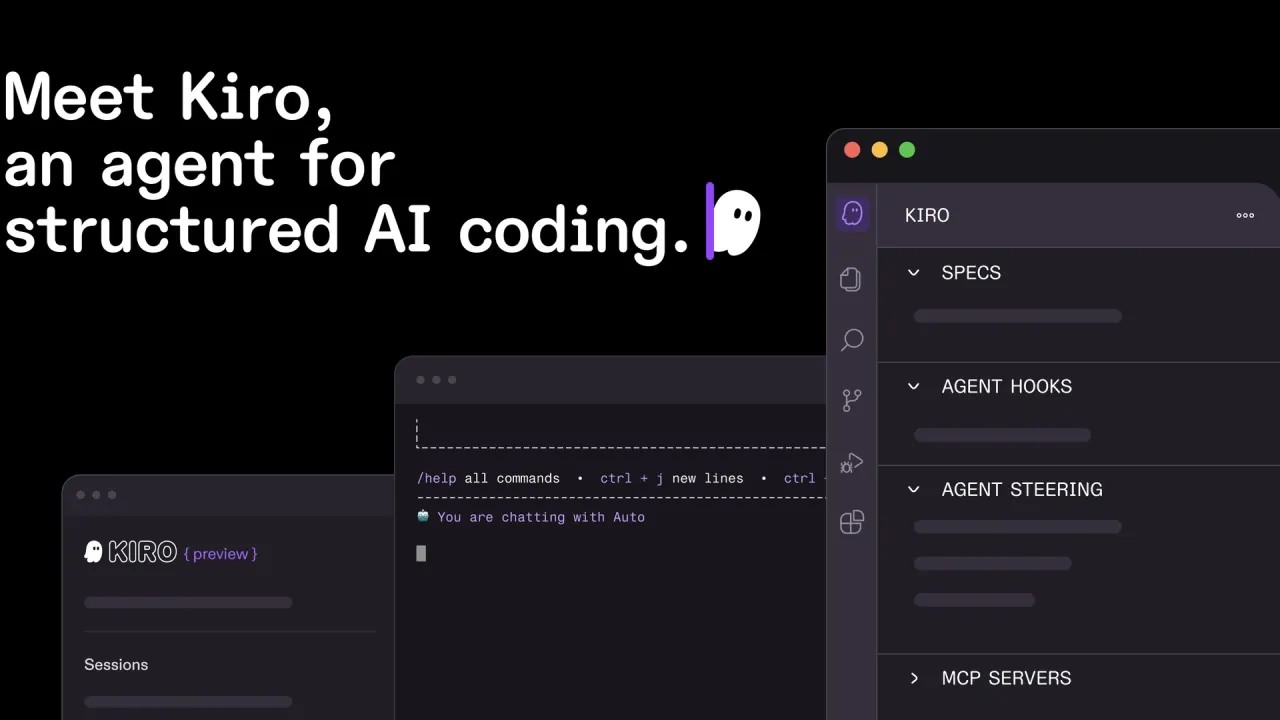
Kiro interface preview
Kiro logo

Kiro

Kiro turns prompts into requirements, designs and task lists, implements them with parallel agents and checks code with property-based tests. It runs as a desktop IDE, CLI, web app and iOS app, with a 50-credit free tier and paid plans from $20 per user per month.

Developer ToolsCode DevelopmentAI Agent#Code Generation#Developer Tools#Pull Requests
Try for Free
Saves
Visits
Views
Pricing
Free
Published
Sep 22, 2026
Domain
kiro.dev
Community rating

Used this tool? Rate it

Rate this tool

Kiro Product Information

Try for Free
Tool Information
Saves
Visits
Views
Pricing
Free
Published
Sep 22, 2026
Domain
kiro.dev
Community rating

Used this tool? Rate it

Rate this tool

Featured Tools

Related Tools

Try for Free

What is Kiro?

Kiro is an AI coding agent that ships as a desktop IDE, a command-line interface, a web app, an iOS app and Kiro Crew, all built around turning prompts into executable specs and working code. Kiro turns a prompt into requirements, an architectural design and a sequenced task list, then implements those tasks with parallel agents.

Kiro is built and operated by a small team within AWS, and the Kiro IDE and Kiro CLI are each licensed as AWS Content under the AWS Customer Agreement. You do not need an AWS account to use it: sign-in works with GitHub, Google, AWS Builder ID or AWS IAM Identity Center. Kiro was unveiled as a preview in July 2025 and is now sold as credit-based plans next to a perpetual free tier.

The IDE is based on Code OSS, so VS Code settings, themes and Open VSX compatible plugins can be imported during onboarding. Other, unrelated businesses also use the Kiro name on different domains; this page covers the AI development tool at kiro.dev.

Core features

Specs capture what should be built, steering files and powers give the agent context, hooks automate follow-up work, and property-based tests check the result. The IDE, CLI, web app and iOS app are front ends to one shared agent harness, so a steering rule configured once behaves the same on every surface where the feature is available.

Spec-driven development

  • Three spec files: every spec produces requirements.md (or bugfix.md for bugs), design.md with architecture and sequence diagrams, and tasks.md with discrete, trackable tasks.
  • Two feature workflows: Feature Specs start either from requirements or from the technical design, and Quick Spec generates all three files in one pass without approval gates for well-understood work.
  • Bugfix Specs: a bug analysis records current, expected and unchanged behavior so the fix does not break anything else.
  • Parallel task waves: when you run all tasks, Kiro builds a dependency graph from tasks.md and runs independent tasks concurrently in waves.

Requirement checks and property-based tests

Before code is written, Kiro checks requirements for contradictions and gaps using automated reasoning techniques. Kiro then extracts properties from EARS-formatted requirements and generates hundreds or thousands of random test cases when you choose to run them. Property-based tests are optional by default, and the correctness feature is available in the IDE only, while Analyze Requirements also works in the CLI.

Hooks, steering and powers

  • Hooks: JSON files in .kiro/hooks/ run a shell command or inject an agent prompt when events fire, such as a prompt being submitted, a tool about to execute or the agent saving a file. File triggers respond only to changes made by the agent, not to manual edits.
  • Steering: markdown files in .kiro/steering/ apply to one workspace, while files in ~/.kiro/steering/ apply to all workspaces; workspace instructions win when the two conflict. AGENTS.md files are also supported.
  • Powers: packages of MCP tools, steering and hooks that load only when keywords in the conversation make them relevant, instead of loading every tool definition up front. There is no additional charge for using powers.
  • Open standards: the Kiro agent is compatible with the Agent Client Protocol (ACP) and supports AGENTS.md, Skills.md and MCP, and Kiro CLI works with bash, zsh, fish and over 500 popular CLIs.

Models and Auto

By default, prompts go to Auto, a router that mixes frontier models with specialized models for intent detection and caching. You can instead choose OpenAI's GPT-5.6 tiers (Sol, Terra and Luna), Anthropic's Claude models (Opus 5, Opus 4.8, Sonnet 5, Sonnet 4.6, Sonnet 4.5 and Haiku 4.5), or open weight models such as DeepSeek 3.2, MiniMax M2.5, GLM-5 and Qwen3 Coder Next. The model choice changes the cost of the same work: Sonnet models use a 1.3x credit multiplier versus 2.2x for Opus, and Qwen3 Coder Next has a 0.05x multiplier, the lowest in the list.

Checkpoints and everyday tooling

  • Checkpoints: each prompt creates a checkpoint, and restoring one rolls back both the agent's file changes and the conversation context.
  • Autopilot mode: the agent runs large tasks without step-by-step instructions, and the IDE shows each prompt's credit use in real time.
  • Languages: supported languages include Python, Java, JavaScript, TypeScript, C#, Go, Rust, PHP, Ruby, Kotlin, C, C++, shell scripting, SQL, Scala, JSON, YAML and HCL.

Guide

Starting a first spec in the IDE

  1. Download the installer for macOS, Windows or Linux, open Kiro and sign in with Google, GitHub, AWS Builder ID or your organization's identity.
  2. Optionally import your VS Code settings and extensions, then open a project folder.
  3. In the Kiro pane, click the + button under Specs, or choose Spec from the chat pane.
  4. Choose Feature and pick a Requirements-First or Design-First workflow, or choose Bug and describe the problem.
  5. Review requirements.md, design.md and tasks.md in turn, then run tasks individually or all at once and watch their status update.

Running Kiro CLI in a CI pipeline

  1. Sign in to app.kiro.dev with a Pro, Pro+, Pro Max or Power account and create an API key in the API Keys section; the full key is shown only once.
  2. Store the key as the KIRO_API_KEY environment variable in your pipeline.
  3. Run kiro-cli chat --no-interactive with your instruction, and grant tool permissions up front with --trust-all-tools or a narrower --trust-tools list, because nobody is present to approve tool calls.

Use cases and examples

  • New application development: describe requirements in natural language, and Kiro builds a structured spec with design details and sequenced tasks before writing code.
  • Brownfield projects: bring existing architecture docs, diagrams or code, and Kiro infers requirements and generates a structured plan.
  • CI failure triage: the headless CLI can take a prompt such as reading the latest CI failure logs, finding the root cause and applying a fix, or review pull requests without opening an editor.
  • Recurring maintenance: cloud automations run on a schedule in their own sandbox and open pull requests with the results; they are available only in Kiro on the web.
  • Cross-repository changes: one web session can coordinate edits and pull requests across GitHub and GitLab repositories, from shared libraries to dependent services.

Who is it for

Kiro is built for professional developers on software teams, businesses and enterprises, with plans sold per user for teams up to 500 people. Choosing it makes most sense in these situations:

  • Teams that want written requirements before code: the spec files give reviewers something to check besides the diff.
  • AWS-centric or regulated organizations: Kiro IDE and CLI are HIPAA eligible, and an AWS GovCloud (US) option exists for regulated workloads.
  • Students at eligible universities: they can get 1,000 credits per month free for one year.
  • Early-stage startups: VC-backed startups up to Series A can apply, for a limited time, for up to one year of free Kiro Pro+ credits, although startups with active AWS Activate credits are not eligible.

Kiro fits less well for developers who want browser or phone access without paying, since the web and iOS apps require a paid plan, or for anyone who needs the smallest possible monthly bill under heavy agent use.

Platforms

  • IDE: macOS (Intel and Apple Silicon), Windows 10/11 on x64 or ARM64, and Linux (Ubuntu 24+, Debian 13+, Fedora 40+, Arch, Mint 22+) on x86_64 or ARM64.
  • CLI: macOS, Windows 11 (PowerShell) and Linux with glibc 2.34+ or a musl variant; it also works inside ACP-supported IDEs such as JetBrains IDEs, Eclipse and Zed.
  • Web: any modern browser at app.kiro.dev, with sessions that run in isolated cloud sandboxes; available on paid plans only.
  • iOS: a native app for managing cloud sessions and reviewing diffs, requiring iOS 26+ and a paid plan, distributed through TestFlight during early access. Android is not supported yet.
  • Kiro Crew: a free, open-source workspace that runs on your own machine on macOS, Linux or Windows and keeps working across sessions.

Enterprise profiles are hosted in US East (N. Virginia), Europe (Frankfurt) or AWS GovCloud (US), and SSO works through Okta, Entra ID and AWS IAM Identity Center.

Pricing

Kiro pricing is credit-based; prices are in USD and exclude taxes, and paid plans are priced per user.

PlanPriceCredits per monthModelsAdd-on credits
Kiro Free$0 per month50Open weight models and Claude Sonnet 4.5Not available
Kiro Pro$20 per user per month1,000Premium models$0.04 per credit
Kiro Pro+$40 per user per month2,000Premium models$0.04 per credit
Kiro Pro Max$100 per user per month5,000Premium models$0.04 per credit
Kiro Power$200 per user per month10,000Premium models$0.04 per credit

A credit is a unit of work, not a request: simple prompts can use less than 1 credit, a spec task typically costs more, and usage is metered down to 0.01 credits. Spec refinement, task execution and agent hook runs all consume credits. The homepage describes the credit-based model as having "no daily or weekly rate limits" without naming a plan, while the pricing page footnote says Free-tier model access "is subject to rate limits"; the two pages are inconsistent on this point.

Plan credits reset at the start of each billing month and do not roll over. Add-on credits are the exception: packs range from $5 (125 credits) to $100, up to five packs can be held at a time, and unused add-on credits expire 12 months after purchase. When plan and add-on credits both run out, requests pause until the next month or a new purchase.

The first upgrade from Free comes with a $20 credit toward the subscription when you sign in with a social login or AWS Builder ID. Billing runs on calendar months: a first upgrade mid-month is prorated, a mid-month downgrade still costs the full fee for the current month, and cancelling keeps the paid plan until the month ends before switching to Kiro Free. The billing pages reviewed list refund requests as a billing-support topic but state no refund window. Pricing in AWS GovCloud (US) is approximately 20% higher and has no free tier.

Kiro alternatives and how it compares

A product-launch listing for Kiro places Cursor, Claude Code and Kilo Code among its similar products. Two of them compare usefully:

  • Cursor offers a free Hobby plan that needs no credit card and includes limited agent requests; its paid Individual plan adds cloud agents plus MCPs, skills and hooks. Kiro's distinguishing features are the spec files and property-based checks.
  • GitHub Copilot works inside editors you may already use, including VS Code, Visual Studio, Xcode, JetBrains IDEs, Neovim, Eclipse and Zed. Its Free plan includes 2,000 completions per month and Pro costs $10 USD per user per month, whereas Kiro's own editor is required for its IDE-only correctness checks.

Limitations

Credit consumption and rate limits

  • In Kiro's public issue tracker, several users report recurring "Too many requests, please wait before trying again" errors, with one describing the tool as almost unusable while the error persisted.
  • Another issue thread describes credit use rising sharply after an update forced agentic features over the older vibe code function, with a second user corroborating it; a Kiro maintainer replied that over-consumption on work that produces no value is a bug under investigation.
  • Model choice multiplies cost: GPT-5.6 Sol carries a 4.4x credit multiplier for requests up to 272K tokens, and requests above 272K tokens are billed at double that rate.

What correctness checks do not prove

Property-based testing provides evidence of correctness, not a proof, and it is not formal verification. A property that is too weak or states the wrong invariant will pass while the real behavior is still wrong, and requirements that depend on external services may need mocking or example-based tests instead.

Plan and surface restrictions

  • Free tier: add-on credits cannot be purchased, so hitting the limit means waiting for the monthly reset or upgrading.
  • Paid-only surfaces: Kiro Web, the iOS app and CLI API keys require a Pro, Pro+, Pro Max or Power plan.
  • Harness rule: using a subscription through third-party automation harnesses such as OpenClaw, which route requests outside Kiro's native interfaces, is not permitted.
  • Regional limits: not all premium models are available in all countries or regions, and for organizations using IAM Identity Center, cloud sessions run in US East (N. Virginia) only, without MCP and other governance controls yet.
  • Version cutoff: on November 9, 2026, Kiro IDE versions earlier than 0.11.133 and Kiro CLI versions earlier than 1.28.2 will stop connecting to Kiro services.

Privacy and model training

On the Free tier and on individual paid plans (social login or AWS Builder ID), Kiro may use your questions, other inputs, and the responses and code it generates for service improvement, including model training. This collection is on by default; in the IDE you can opt out by unchecking Content Collection for Service Improvement under Settings, Application, Telemetry and Content. Content from enterprise users is not used for service improvement, and they are automatically opted out of telemetry and content collection. The enterprise page states more broadly that content is not used for training foundation models on Pro, Pro+, Pro Max or Power subscriptions, which does not match the narrower data-protection page for individual subscribers; the two pages are inconsistent.

Retention also differs by plan. Free-tier inputs may be stored for up to 60 days for abuse detection even after opting out, and classifier-flagged traffic to OpenAI GPT models is retained for up to 30 days. Content from Free and individual users is stored in the US East (N. Virginia) Region. Paid subscribers receive an output indemnity under the AWS Service Terms.

Cloud sandbox network access

Enabling network access for the Kiro Web sandbox exposes the environment to prompt injection, extraction of code and secrets, and malware; Kiro describes connections-only access as the most secure level and recommends it for tasks without external dependencies.

FAQ

Q1. Is Kiro free to use?

The perpetual Kiro Free tier includes 50 credits with access to open weight models and Claude Sonnet 4.5, subject to rate limits. Kiro Web and the iOS app require a paid plan.

Q2. Does Kiro use my code to train models?

Free-tier users and individual subscribers who use a social login or AWS Builder ID can have prompts and generated code used for service improvement, including model training, unless they opt out. Enterprise users signing in through IAM Identity Center or an external identity provider are excluded.

Q3. Do I need an AWS account to use Kiro?

No. You can sign in with GitHub, Google or AWS Builder ID.

Q4. What happens when I run out of Kiro credits?

On Free, requests pause until the monthly reset or an upgrade. On paid plans, you can buy add-on credits at $0.04 each or move to a higher tier.

Q5. Which AI models can I use in Kiro?

Auto is the default. Paid plans can also pick Claude models such as Opus 5, OpenAI's GPT-5.6 tiers or open weight models; the Free tier is limited to Claude Sonnet 4.5 and open weight models.

Know a Similar Tool?
If you know other great AI tools, feel free to submit them to us