
The complete V7 tutorial — parameters, prompting patterns and workflows from Midjourney's 2025 generation — with a full migration map to today's V8.2.
📌 2026 update: This tutorial covers Midjourney V7, the 2025 generation. The current default is V8.2 (July 24, 2026), following V8.1's major workflow changes — native 2K without upscaling, 50% faster / 25% cheaper standard renders, restored Image Prompts. Most V7 prompting skills transfer directly; the migration notes below flag exactly what changed. We keep this guide live because V7 remains selectable, and because its prompting fundamentals are still the best on-ramp to the platform.
V7 (2025) set the pattern the platform still runs on: natural-language prompts over keyword soup, personalization foundations, and the parameter grammar V8 inherited wholesale. Learn prompting on these fundamentals and V8.2 feels like an upgrade rather than a relearn.
V8 was a full codebase rewrite (Alpha shipped March 17, 2026) — and yet V7 styles and moodboards carried over intact. That backward compatibility is the strongest evidence that what you learn here still applies.
V7 remains available as an explicit version choice. There are real reasons to reach for it: a project whose existing assets were generated on V7, or a look that V8's revised aesthetic defaults have shifted away from.
[subject] [doing what] [environment] [lighting/mood] [style/medium] [parameters]
This skeleton originated in the V7 era and survives unchanged. Its value is diagnostic: when a result disappoints, identify which slot the model had to guess at, and fill that one.
| Parameter | Function | Status in V8.2 |
|---|---|---|
--ar | Aspect ratio | Unchanged |
--s | Stylization strength | Unchanged |
--c | Chaos / variety | Unchanged |
--no | Negative terms | Unchanged |
--sref | Style reference | Expanded reference system |
--cref | Character reference | Carried forward |
--p | Personalization | Became V8's headline system |
--sref matured into V8's expanded reference system, and personalization — introduced as V7's signature experiment — became V8's headline system. Both started here. Understanding them in their simpler V7 form makes the V8 versions easier to use well.
| You did this in V7 | In V8.2 |
|---|---|
| Generate then upscale to HD | Skip the upscale — native 2K by default (V8.1+) |
| Budget slow HD renders | HD is 3× faster; standard gens 50% faster, 25% cheaper |
| Fight text rendering | Much improved — short labels and posters now viable |
| Manually curate a style | Rate images to train personalization — V8.2 reads taste far better |
| Image Prompts workflows | Restored in V8.1 after the V8-alpha gap |
Run --sref freely | Costs 4× GPU time on V8 — apply it after composition locks |
Economics. Cheaper and faster generation reshapes iteration budgets: generate more, curate harder. The V7-era instinct to over-engineer a prompt because each attempt was expensive is now counterproductive.
Personalization depth. Two users, same prompt, individually tuned results. In V7 this was a promising experiment; in V8.2 it's the primary differentiator.
Text. V7's garbled-signage problem is largely solved. Workflows that routed text through a separate design tool can often be collapsed.
Prompt fundamentals, parameter grammar, and the iterate-don't-rewrite discipline. Anyone fluent in V7 is already fluent in V8 — the migration is about unlearning cost-avoidance habits, not learning new syntax.
On V8, --sref, moodboards, --hd and --q 4 run 4× slower and consume 4× the GPU time of a standard job. This constraint didn't exist in the V7 mental model, and it's the most common reason V7 veterans blow through their allowance after migrating.
Broad prompt → pick strongest of four → vary → targeted edit. Still the highest-yield loop in V8, and still the thing most beginners skip in favor of rewriting the prompt.
Three reference images beat one for consistent series work. The principle carried into V8's expanded reference system unchanged — a single reference over-constrains toward its specific composition rather than its style.
A short standing --no list — text, watermark, extra fingers — as baseline hygiene. Less necessary on V8 than it was on V7, but still cheap insurance.
Pick candidates on composition and ignore rendering flaws. Details are fixable; framing isn't. This habit predates V7 and will outlive V8.
Name a lens and a light source, drop --s low, and stop adding adjectives. "35mm, overcast north light, shallow depth of field" does more work than five words of mood. The V7 lesson that generalizes: photographic realism comes from photographic vocabulary, not from the word "realistic."
Raise --s, name a medium (gouache, ink wash, cel shading) rather than an artist, and let the model's aesthetic lead. V7 was where naming mediums instead of artists became the reliable technique, and V8 rewards it more, not less.
Lock the reference set before you generate anything for delivery. Consistency across a set is a setup problem, not a prompting problem — a truth V7 taught expensively to anyone who tried to match twenty images after the fact.
Front-facing, evenly lit, unambiguous reference. --cref fails most often because the reference image itself was ambiguous — three-quarter lighting and a turned head give the model too many degrees of freedom.
| Symptom | Likely cause | Fix |
|---|---|---|
| Everything looks "AI-generic" | Abstract subject, no lighting specified | Name the scene and the light |
| Four results nearly identical | --c too low for an open prompt | Raise chaos, or vary the subject noun |
| Style inconsistent across a series | References applied after the fact | Lock --sref before generating any of the set |
| Illustrated when you wanted photo | --s left at default | Drop it sharply, add lens vocabulary |
| Character drifts | Ambiguous --cref source | Replace with a clean front-facing reference |
| Allowance disappearing (V8) | Exploring with --sref enabled | Turn it off until composition locks |
If parameter changes aren't moving the result, the subject is wrong. Change what the picture is of before you change how it looks — this held in V7 and holds today.
Use V8.2. There is no scenario where a new project benefits from starting on V7 — the newer version is faster, cheaper, higher-resolution and backward-compatible with everything you'd learn here.
Finish the set on V7 for visual consistency, then move. Mid-project version switches produce visible seams that no amount of --sref fully hides.
Your V7 moodboards and style references import. Start there rather than reconstructing the look from prompts — the reference system carries the aesthetic more reliably than any prompt description of it.
For current-version specifics — video mode (5–21s clips), V8.2's aesthetic defaults, personalization training — see the current complete guide and the live updates tracker. For how Midjourney stacks against GPT Image 2 and Flux in 2026, see the image-tools comparison.
Sources: Midjourney official version docs · WaveSpeed — What is Midjourney V8 · AIxploria — --cref / --sref prompt guide and pricing · Beginners in AI — V8 explained · Blake Crosley — Midjourney 8.1 guide
Originally published August 2025 · Substantially revised July 30, 2026

A practical six-stage launch guide for AI tool founders, with 30 copyable actions and clear records for owners, dependencies, evidence, and results.


A practical guide to evidence, ten checks, editorial scoring, commercial disclosure, and the limits of an AI tool assessment.
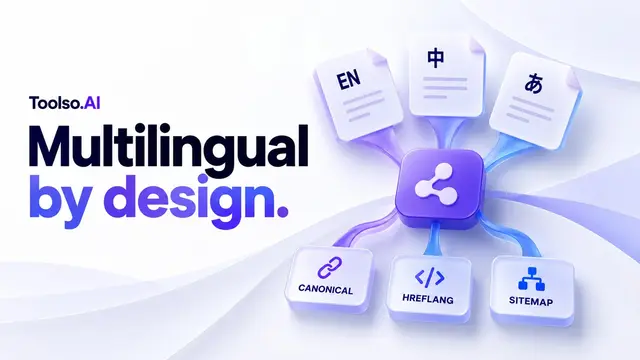
How Toolso structures multilingual URLs, canonical tags, hreflang, sitemaps, and translation fallbacks, with checks for directory builders.
How to produce AI video in 2026: picking a model per shot, prompting for motion, keyframe workflows, real cost math, artifact fixes and Sora migration.
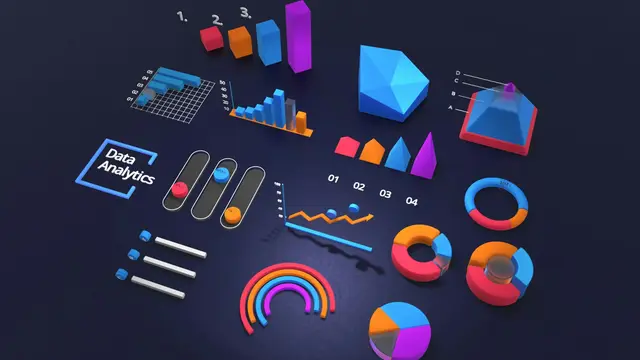
The 2026 automation guide: how Zapier, Make and n8n differ on pricing model, AI agents and self-hosting — plus when a workspace agent beats all three.
Prompt engineering for 2026: why leaner prompts score 10–15% higher, what reasoning modes made obsolete, the five patterns that survived, and agent specs.
The 2026 playbook for coding with Claude: lean CLAUDE.md, plan-first workflows, subagents, parallel worktrees, hooks, and verification loops that work.
A working guide to Copilot in 2026: Agent Mode setup, auto-approve policy, agentic review, cost discipline, and the habits that make agents net-positive.
