
Toolso.AI
Toolso.AI
All ToolsCategoriesTrendingLatest ToolsPricingBlog
Toolso.AI
Toolso.AI
Toolso.AI
Toolso.AI

Discover the best AI tools to boost your productivity

GitHubGitHubTwitterX (Twitter)YouTubeYouTubeTikTokEmail

Popular Categories

  • AI Writing
  • AI Image
  • AI Video
  • AI Coding
  • More Categories

Explore

  • Latest Tools
  • Popular Tools
  • More Tools
  • Submit Tool
  • Pricing

About

  • About Us
  • Contact
  • Blog
  • Changelog

Legal

  • Cookie Policy
  • Privacy Policy
  • Terms of Service
  • Refund Policy
© 2026 Toolso.AI All Rights Reserved
Limited timeLimited-time offerFeatured Listing24h priority review · No backlink · 30 days featured$29.90then $59.90Price rises to $59.90 after Oct 31Ends in--:--:--Submit now
  1. Home
  2. All Tools
  3. AI Chat
  4. Open WebUI
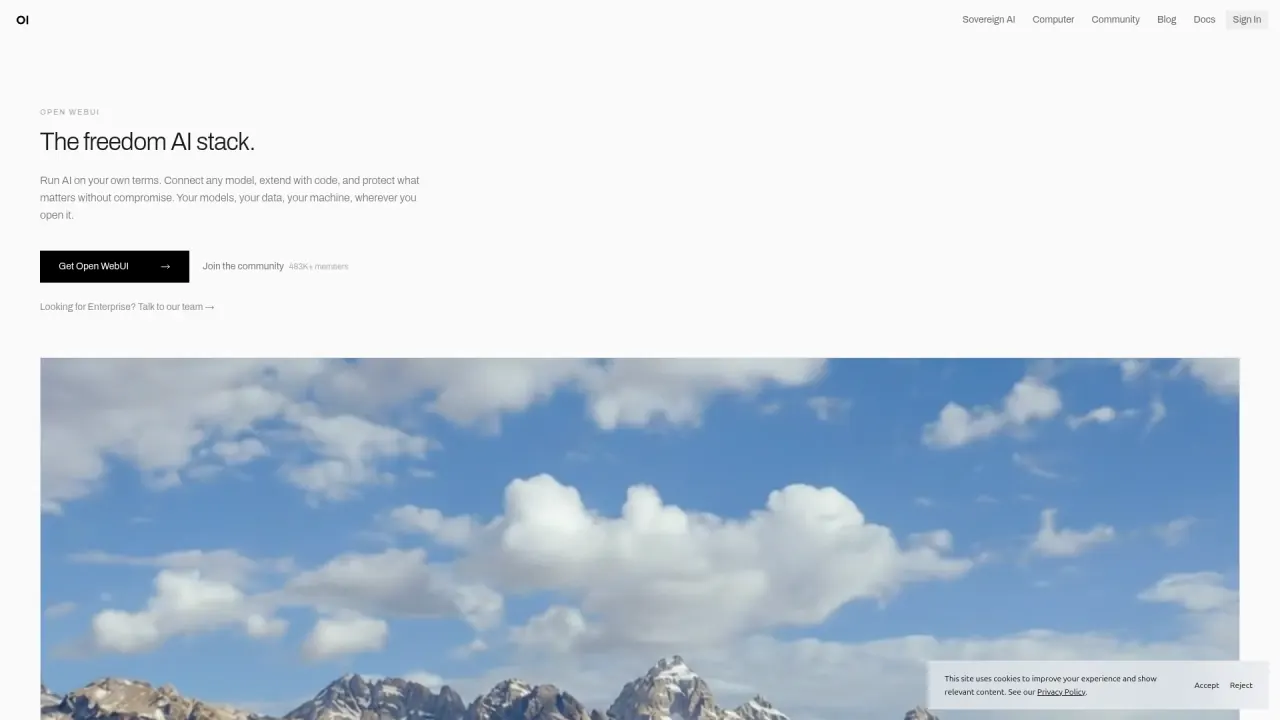
Open WebUI interface preview
Open WebUI logo

Open WebUI

Open WebUI is a self-hosted AI interface that connects local Ollama models and OpenAI-compatible APIs, adding knowledge bases, Python tools and multi-user access control for teams that run their own servers.

AI ChatGenerative AI Platform#AI Chat#OpenAI Compatible#LLM
Try for Free
Saves
Visits
Views
Pricing
Freemium
Published
Oct 6, 2026
Domain
openwebui.com
Community rating

Used this tool? Rate it

Rate this tool

Open WebUI Product Information

Try for Free
Tool Information
Saves
Visits
Views
Pricing
Freemium
Published
Oct 6, 2026
Domain
openwebui.com
Community rating

Used this tool? Rate it

Rate this tool

Featured Tools

Related Tools

Try for Free

What is Open WebUI?

Open WebUI is a self-hosted AI platform: a browser-based chat workspace that you install on a laptop, server or cluster and then connect to the models you choose. It is built to run entirely offline and supports Ollama and OpenAI-compatible APIs, so one interface can serve both local models and cloud-hosted ones.

Open WebUI bills itself as the self-hosted AI interface, a platform for running AI on your own terms. Open WebUI has no models of its own, so every conversation runs on a provider or local runtime that an administrator connects. The project's website, including its community hub, belongs to Open WebUI, Inc.

As captured on October 5, 2026, the homepage showed 406M+ downloads, 506K+ community members and 154K+ GitHub stars; these are vendor-published counters, not audited usage figures.

Licensing is the first thing to check. With v0.6.6 in April 2025, the project kept a permissive base but added a branding-protection clause, which shapes who can rebrand the interface and who needs a paid license.

Core features

Open WebUI combines chat, retrieval, plugins and user management in one deployment. What a given instance can do depends on which model providers, search engines and storage the administrator connects.

Models and chat

  • Provider choice: Chat with Ollama, OpenAI, Anthropic or any OpenAI-compatible provider from one interface, and attach files, search the web, execute code or let the model call tools inside the chat.
  • Side-by-side answers: Multi-model chats run two models side by side so you can compare their responses to the same prompt.
  • Protocol-first core: The core is built around standard protocols such as the OpenAI Chat Completions API rather than each vendor's proprietary API.

Knowledge and retrieval

  • Knowledge bases: You can upload files, build knowledge bases and choose between vector search (RAG) for large collections and full-content injection when precision matters more than scale.
  • Vector stores: ChromaDB and PGVector are the officially maintained vector databases, while Qdrant, Milvus, Elasticsearch and others are non-core integrations.

Plugins, MCP and agents

  • Python and APIs: Python tools run inside the chat, external services connect through OpenAPI or MCP, and pipelines can filter, transform or route every message.
  • MCP support: MCP servers that use the Streamable HTTP transport connect natively; other MCP transports go through the official MCPO proxy adapter.
  • Open Terminal: An agent can get a real terminal and filesystem to analyze data, run scripts, fix its own errors and hand back the files it produced, all inside the chat.

Teams and administration

  • Multi-user by default: Administrators define roles, create user groups, set per-model access and connect an identity provider.
  • Directory integration: Sign-in can be tied to existing LDAP, Active Directory and SSO providers.
  • Channels: Persistent shared spaces let people and AI models take part in the same conversation.
  • Evaluation: The admin side includes a model arena, A/B testing and ELO-based leaderboards.

Because Open WebUI sits between users and models, a local LLM interface and a cloud gateway are the same product configured differently. The selected endpoint decides where inference happens: a cloud model receives the prompt and included context, and a multi-model comparison sends the prompt to every selected endpoint.

Guide

Install with Docker and connect a model

  1. Run the Docker command from the quick start and set WEBUI_SECRET_KEY once; without a fixed key, every recreated container logs everyone out.
  2. Open the interface: Docker serves it on port 3000, while the Python install and the desktop app use port 8080, and the first start takes a minute.
  3. Create the first account, which becomes the administrator that manages users and every instance-wide setting.
  4. Add models under Settings > Admin > Connections, where an Ollama instance on the same machine is picked up automatically. API keys for OpenAI, Anthropic or other OpenAI-compatible providers go under Manage OpenAI API Connections.
  5. Invite colleagues by turning on New Sign Ups, because sign-up closes once the admin exists and new accounts then wait as Pending until an admin approves them.

The Python route is pip install open-webui followed by open-webui serve. No account with the vendor is required to get started. A single-user mode without login also exists, but an instance started that way cannot later be switched to multi-account mode.

Open WebUI use cases and examples

  • Offline and air-gapped assistants: Open WebUI is designed for air-gapped networks, remote deployments and other places where cloud systems are impractical, including running an LLM without internet or a local AI chatbot offline.
  • Campus-wide AI front door: In a testimonial on the vendor's enterprise page, an AI architect at Johannes Gutenberg University Mainz says Open WebUI is the chat frontend of a self-hosted stack serving 30,000+ students and 5,000+ employees.
  • Company-wide custom assistants: Another vendor-published case says Astellas Pharma enabled 3,000+ employees to create and share 420+ custom AI models on Azure, with 68% reporting significant efficiency gains.
  • Role-specific assistants: Teams can build a "Python Tutor" that follows a house style guide or a "Meeting Summarizer" with a company template, because each custom model wraps a base model with bound knowledge, tools and a system prompt.

These customer outcomes are self-reported on vendor-hosted pages and were not independently measured.

Who is it for

Open WebUI suits people who are prepared to run and maintain their own service.

  • Home lab and individual users: Anyone already running Ollama can add a chat interface on the same machine; Docker is the officially supported route and is recommended for most users.
  • IT teams in regulated sectors: Its self-hosted, on-premise and air-gapped options are pitched as a foundation for operating within frameworks such as SOC 2, HIPAA or GDPR, but compliance responsibility sits with the deploying organization.
  • Organizations with a private network: Open WebUI is built for private, trusted networks, much like databases or CI servers, and most deployments run behind a firewall, VPN or similar network boundary.

It is a weaker fit in these cases:

  • Individuals seeking a commercial license: Enterprise licenses are offered only to registered entities and organizations, not to individual users.
  • Teams wanting a hosted service: Open WebUI is software you install and administer, and no vendor-hosted plan was listed on the enterprise and product pages checked.

Platforms

  • Operating systems: Open WebUI runs on macOS, Windows and Linux on x86_64 or ARM64, including Raspberry Pi and NVIDIA DGX Spark.
  • Install routes: Besides Docker and pip, Kubernetes is the route for enterprise deployments that need scaling and orchestration.
  • Python versions: The pip package supports Python 3.11 and 3.12, while Python 3.13 is not supported yet.
  • Image size: The slim tag cuts the download from 1.66 GB to 176 MB for setups whose models run through a hosted API, your own model server or a separate Ollama instance.
  • Slim trade-off: On the slim image, knowledge search and voice need external services.
  • GPU in Docker: GPU support is official only in Docker for Windows and Docker Engine on Linux; Docker Desktop for Linux and macOS do not offer it.
  • Scaling: The application layer is stateless, so replicas share databases and storage, Redis coordinates sessions and real-time events, and more replicas can sit behind a load balancer as demand grows.
  • Phones and tablets: Every instance is a Progressive Web App that can be installed on a phone, tablet or desktop straight from the browser.
  • Notifications: Browser notifications for finished replies and channel messages fire only while the app is open, because there is no push service.
  • iPhone and iPad: On iOS, only Safari can install it, since Chrome and Firefox there cannot add PWAs.
  • Desktop app: A desktop app runs Open WebUI natively without Docker or manual setup, although production deployments are directed to Docker or Python.

Pricing

Deployment modelLicense requirement
Standard use: internal use with the original branding exactly intactFree
Enterprise use: white-labeling, rebranding, branding changes or enterprise-only offerings such as TerminalsEnterprise license, priced by sales quote

You can deploy Open WebUI today without an enterprise agreement, and the vendor says enterprise clients and individual sponsors are what keep it free to use as-is. Terminals, the enterprise layer named in that table, gives every user an isolated environment with resource limits and automatic lifecycle management.

The free path changes once branding matters. Branding requirements apply only to larger deployments of 50+ users in aggregate, and self-hosted internal deployments with 50 or fewer users may fully rebrand. Removing the branding for mass redistribution or resale requires an enterprise or proprietary license.

Optional enterprise licenses add benefits such as white labeling and dedicated support for businesses. No list price appeared on the enterprise pages checked; sales asks for an official work email address and the expected number of end-user seats.

Open WebUI Computer is a separate Open WebUI project with its own pricing. Its use is free even at work with no account or card, the Supporter plan costs $60 / seat / year for extras, and enterprise terms are custom.

Open WebUI alternatives

Two alternatives cover the main directions people weigh against Open WebUI: a multi-provider web platform and a desktop-first private assistant.

  • LibreChat: LibreChat brings all AI conversations into one unified, customizable interface. LibreChat has also announced that it is joining ClickHouse to power an open-source agentic data stack.
  • AnythingLLM: AnythingLLM is positioned as a private AI assistant that runs entirely on your computer, with no accounts, no API keys and no token limits. It ships as one file with no dependencies and works on macOS, Windows and Linux.

Open WebUI differs from the desktop-first option by running as a multi-user server, and its branding clause is the licensing point to compare against each alternative's own license.

Limitations

License and branding

  • Not OSI open source: The project states that the Open WebUI license for v0.6.6 and later is not an OSI-approved open source license because of its branding clause.
  • Older code stays BSD-3: Code merged up to and including v0.6.5 remains BSD-3 licensed without the branding requirement, so forking from that release remains possible without the clause.
  • Contributor agreement: A contributor license agreement (CLA) is required for new contributions after v0.6.5.
  • Small-team threshold: The rebranding exemption is defined as a deployment for 50 or fewer users in any 30-day window.

Security and operations

  • No built-in HTTPS: HTTPS termination is left to the operator for production deployments.
  • Plugins run real code: Tools and Functions run arbitrary Python on the server with the same access as the Open WebUI process.
  • Admin-only plugins by default: By default only administrators can create or import Tools and Functions, and anyone granted that permission effectively gets the same access as the Open WebUI process.
  • Past vulnerability: Independent security reporting described a high-severity flaw that could enable account takeover and, in some configurations, remote code execution.
  • Affected feature: The flaw, tracked as CVE-2025-64496, sat in the Direct Connections feature for connecting to external model servers.
  • Patched release: Versions 0.6.34 and earlier were affected, and users were advised to patch to 0.6.35 or later.
  • Release cadence: The team aims to ship major releases weekly, with bug fixes and minor updates as needed, though not on a rigid schedule.

Cost and answer quality

  • Hidden task calls: Background tasks such as titles, tags, search queries and autocomplete use the chat model by default, which can significantly increase costs with an expensive API model unless a cheaper task model is set.
  • Short context with Ollama: Ollama sets a 4096-token default context on GPUs with less than 24 GiB of VRAM, so retrieved passages may not fit into the context window unless it is raised.
  • Provider-specific APIs: Providers outside the supported protocols are added through pipe functions that you build yourself or take from the community.

Privacy and data rights

  • No default data sharing: Open WebUI does not send data to external services by default; apart from calls to an external model provider you connect, everything runs and is stored on your own machine or server.
  • Mixed setups: Local inference does not make separately configured cloud tools, extraction or embedding services local.
  • Shared links: Every user can review shared chat links under Settings > Data Controls > Shared Chats > Manage and revoke access to any conversation from there.
  • Installs are not collected: The company states that it does not collect conversations from installs, self-hosted or otherwise.
  • Opt-in data program: A separate Open WebUI Data waitlist matches existing chats to buyer requests, which may pay in cash, Open WebUI credits or other rewards. Joining the waitlist does not upload or share any chat.
  • Community website terms: Data synced through optional website features is licensed to the company perpetually, including for machine learning and AI training.
  • Sync stays licensed: Syncing is voluntary, but data already synchronized stays under that license after you stop.
  • Website privacy policy: The policy lists training and improving machine learning models, with consent where applicable, among its uses of personal information.
  • Age rules on the website: The community website requires users to be at least 18. Some areas of it may hold user content intended for adults.

FAQ

Q1. Is Open WebUI free?

Yes for standard use: you can deploy it for internal use with the original branding intact without paying. An enterprise license is needed for white-labeling, rebranding above the small-team threshold or enterprise-only features such as Terminals.

Q2. Is Open WebUI open source?

The source code is public, and code up to v0.6.5 is BSD-3 licensed. From v0.6.6 the Open WebUI license adds a branding clause, and the project itself says this license is not OSI-approved.

Q3. Does Open WebUI include AI models?

No. You connect a local runner such as Ollama, llama.cpp or vLLM, or a hosted API from OpenAI, Anthropic or another OpenAI-compatible provider.

Q4. Can I remove the Open WebUI logo and name?

Only in specific cases: deployments with 50 or fewer users, substantive contributors with written permission, or holders of an enterprise license that allows branding changes.

Know a Similar Tool?
If you know other great AI tools, feel free to submit them to us