
Toolso.AI
Toolso.AI
All ToolsCategoriesTrendingLatest ToolsPricingBlog
Toolso.AI
Toolso.AI
Toolso.AI
Toolso.AI

Discover the best AI tools to boost your productivity

GitHubGitHubTwitterX (Twitter)YouTubeYouTubeTikTokEmail

Popular Categories

  • AI Writing
  • AI Image
  • AI Video
  • AI Coding
  • More Categories

Explore

  • Latest Tools
  • Popular Tools
  • More Tools
  • Submit Tool
  • Pricing

About

  • About Us
  • Contact
  • Blog
  • Changelog

Legal

  • Cookie Policy
  • Privacy Policy
  • Terms of Service
  • Refund Policy
© 2026 Toolso.AI All Rights Reserved
Limited timeLimited-time offerFeatured Listing24h priority review · No backlink · 30 days featured$29.90then $59.90Price rises to $59.90 after Oct 31Ends in--:--:--Submit now
  1. Home
  2. All Tools
  3. AI Chat
  4. NinjaChat
NinjaChat interface preview
NinjaChat logo

NinjaChat

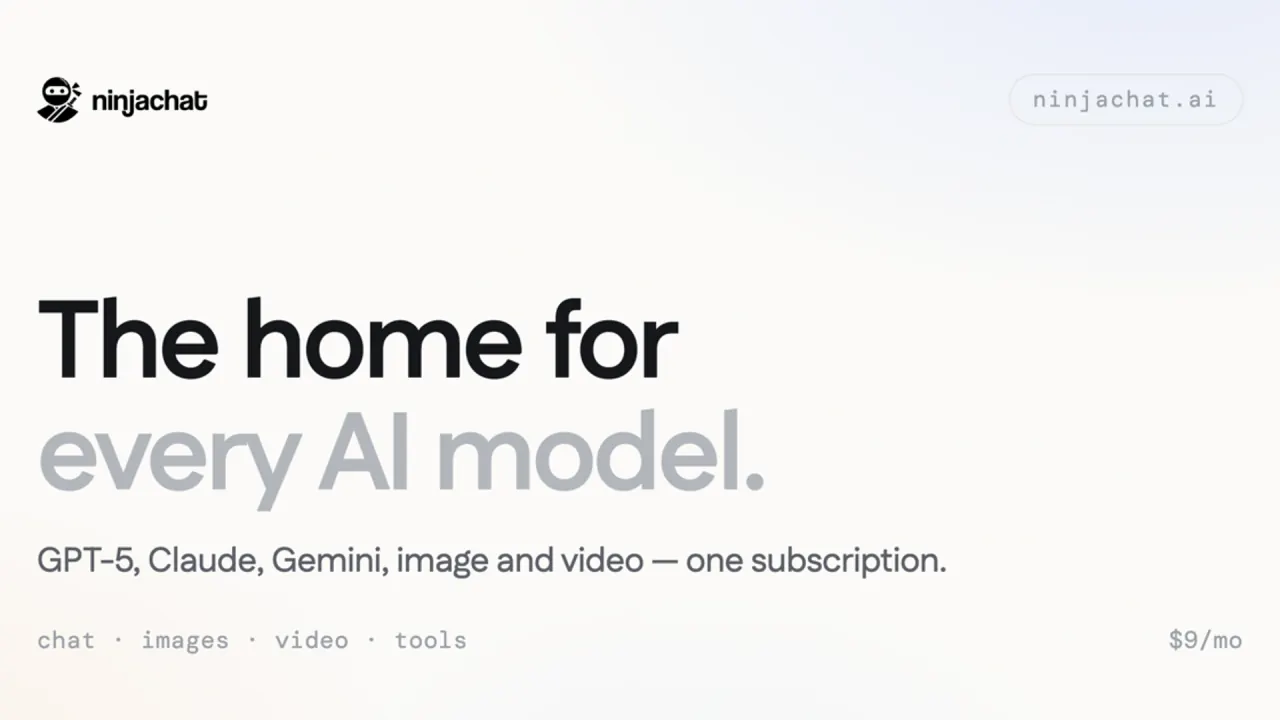
NinjaChat bundles chat with GPT, Claude, Gemini and other models, image and video generation, web search and an OpenAI-compatible API under one account, with credit-based paid plans from $11 a month.

AI ChatImage GenerationAI Assistant#AI Chat#OpenAI Compatible#All-In-One AI
Try for Free
Saves
Visits
Views
Pricing
Freemium
Published
Oct 4, 2026
Domain
ninjachat.ai
Community rating

Used this tool? Rate it

Rate this tool

NinjaChat Product Information

Try for Free
Tool Information
Saves
Visits
Views
Pricing
Freemium
Published
Oct 4, 2026
Domain
ninjachat.ai
Community rating

Used this tool? Rate it

Rate this tool

Featured Tools

Related Tools

Try for Free

What is NinjaChat?

NinjaChat is an all-in-one AI app that puts chat with models from OpenAI, Anthropic, Google, xAI, DeepSeek and other labs, plus image and video generation, behind a single account on the web and on iPhone. Its terms describe the service as AI chat across many models, image and video generation, document and data analysis, code execution, website and app building, a texting companion called ninja, and integrations and automations that connect to third-party services the user authorizes.

The service is operated by Helium Technologies, Inc., and the site footer labels NinjaChat AI as a product of Bloon. Bloon's own products page lists Ninjachat AI alongside Photogenius AI.

The name is easy to mix up with Ninja AI, an AI agent service launched by a different company, NinjaTech AI. NinjaChat's own texting assistant is also called ninja, which adds to the overlap.

The core pitch is consolidation: one subscription instead of separate chat, image and video plans. The trade-offs are that every paid tier is metered in credits, official pages disagree on several numbers (model counts, monthly allowances and whether user content trains models), and answer quality and availability depend on outside model providers.

Core features

NinjaChat works as a multi-model AI chat workspace with creative and research tools attached.

Model lineup

  • Frontier and open models: The FAQ names GPT-5.5, Claude Sonnet 5, Claude Opus 5, Gemini 3.1 Pro, Grok 4.6, DeepSeek V4 Pro and Llama 4, says every plan includes access to all models, and says new ones are added as they launch.
  • Catalog by type: The models page counts 53 chat models, 12 image models and 11 video models.
  • One credit pool for media: The Studio bundles 12 image models and 11 video models and is included from the Starter plan upward.

Comparing answers

  • Side-by-side compare: One question goes to several models at once, and the homepage demo shows three answers next to each other so the user can keep whichever fits.
  • Model Council: Described as NinjaChat's own meta-model, Model Council fans a single prompt out to several frontier models and then synthesizes one response, with the disagreements made visible instead of hidden.

The two tools answer different needs. Compare leaves the final judgment to the user, while Model Council returns a merged answer and points out where the models split.

Research, files and voice

  • Live web search: The company says pages are read on the user's behalf and every line of the answer is cited.
  • Projects: Files added to a project are available to every chat inside that project.
  • Voice mode: Users can talk instead of typing and hear answers spoken aloud, with a choice of voices and languages.

Creation tools

  • Images, video and more: Beyond chat, the FAQ lists image generation with Flux and Imagen 4, video creation with Google Veo 3.1 and Kling, AI mind maps, code that runs in a sandbox and AI-assisted web search.
  • ninja, the texting companion: ninja is pitched as an assistant users text like a friend; it books things, builds things, remembers context and can send the first message, and the company presents it as free.

Guide

Getting started

  1. Create an account and sign in with Google, Discord or email; the same account syncs across the web app and the iPhone app.
  2. Pick a model and start chatting; the model can be changed at any time, even in the middle of a conversation.
  3. Switch a chat to Incognito when it should stay out of chat history and memory.

Calling the developer API

  1. Create an API key; one key and one balance cover text, images, video, search and agent tools.
  2. Reuse existing OpenAI SDK code by changing only the base URL, since NinjaChat exposes an OpenAI-compatible API.

Use cases and examples

NinjaChat is positioned for broad creative use rather than a single specialty: fiction, roleplay, worldbuilding, research, art and video all appear on its list of supported work.

  • Marketing and portrait images from templates: Studio templates cover product photos, professional headshots, sketch to UI, scene changes, poster design, storyboards, product videos and talking portraits.
  • Checking answers that carry consequences: Model Council is pitched for high-stakes answers, hard questions where models disagree, blind-spot hunting and research verification.
  • Handing off web chores by text: ninja is shown finding tickets, tables, returns and comparisons on the web, then texting back the result.

Who is it for

  • People stacking several AI subscriptions: The product is built around replacing separate chat, image and video plans with one account, which suits users who already move between several assistants.
  • Companies rolling AI out to staff: The company plan gives every employee every model with single sign-on and one invoice, from $17.67 per person a month.
  • IT teams that need managed sign-in: Single sign-on works with Okta, Entra or Google Workspace after the company verifies its domain once, and the identity provider decides who can sign in.
  • Developers who need a wider catalog: The company page lists 56 chat, 9 image and 7 film models in the app but 220 through the API.
  • Claude, ChatGPT or Codex users: NinjaChat MCP turns those assistants into an image, video and voice studio.

Less suitable for:

  • Children: Users must be at least 13 years old and able to form a binding contract.
  • Users who need written no-training terms without an enterprise contract: On the pages checked, written no-training commitments are offered through enterprise agreements, which can include a data-processing agreement and no-training terms in writing.

Platforms

  • Web: NinjaChat runs in the browser, and the same account works in the iPhone app.
  • iPhone and iPad: The iOS page lists the app as free, in the Productivity category, rated 4.8 / 5, for iPhone & iPad, requiring iOS 16.0 or later, from developer Helium Technologies. Apple's US lookup data lists a minimum OS version of 15.1 instead, so the two sources disagree on the oldest supported iOS release.
  • App Store signals: The iOS page headline also cites a 5.0 App Store rating. Apple's US lookup data showed an average rating of about 4.2 from 213 ratings, as captured on October 4, 2026.
  • Age rating in the store: Apple's US lookup data lists a 17+ content rating, above the 13+ minimum in NinjaChat's own terms. The store advisories include frequent or intense mature or suggestive themes and infrequent or mild sexual content and nudity.
  • ninja on messaging apps: ninja works over text messages on iPhone and is also available on Telegram and Discord. Using the text companion means agreeing to receive messages at the phone number provided, including automated follow-ups, and message and data rates may apply.
  • Developer and agent access: The API and the MCP server connect NinjaChat models to other software and to Claude, ChatGPT or Codex.
  • Android: No Android app was listed on the pages checked for this review.

Pricing

NinjaChat pricing uses three paid tiers. Every tier includes every model; the tiers differ in monthly chat, image and video credit allowances, and annual billing lowers the effective monthly price.

PlanBilled monthlyBilled annuallyMonthly allowance on the pricing page
Starter$11/month$9/month ($101 a year)1,500 chat, 50 image, 10 video credits
Pro$24/month$18/month ($212 a year)5,000 chat, 150 image, 20 video credits
Expert$36/month$25/month ($294 a year)10,000 chat, 400 image, 35 video credits

The annual toggle advertises savings of up to 32%, and annual plans are billed once a year. Per plan, the annual cards show savings of 23% on Starter, 26% on Pro and 32% on Expert.

The FAQ page quotes the same monthly prices but smaller allowances: 1,000 messages, 30 images and 5 videos on Starter, 4,000, 100 and 15 on Pro, and 8,000, 300 and 30 on Expert. It also says annual billing saves 25%, so the official pages disagree on both the allowances and the annual discount. The iOS page goes further and describes paid plans from $11/month as unlimited access to all models, which does not match the credit allowances listed elsewhere.

  • When credits run out: Credits refresh at the start of the next billing cycle, and upgrading to a higher plan takes effect immediately.
  • What credits are worth: Credits have no cash value, cannot be transferred and may expire or reset according to the plan.
  • Free tier: The free tier gives daily credits that reset every 24 hours, and starting requires no credit card. The size of the daily allowance was not stated on the pages checked, and the pricing page shows only the three paid plans.
  • Team seats: A Team Pro seat costs $17.67 per seat a month, billed yearly, and includes 5,000 messages, 150 images and 20 films a month.
  • API usage: The API charges per request from one prepaid balance that can be topped up from $5.
  • MCP usage: The MCP offering lists 23 creative models, needs no NinjaChat subscription and charges for what is created; on the API price card, MCP usage costs the model price plus 8%.
  • Payment channels: Web payments go through Stripe, while iOS in-app purchases go through the App Store via Superwall.

Cancellation, trials and refunds

  • Cancellation: Plans can be cancelled at any time in settings. Cancelling stops future renewals but does not refund charges already incurred.
  • Free trials: A trial converts to a paid plan at the then-current rate unless it is cancelled before the trial period ends.
  • Yearly plans: Yearly subscriptions are non-refundable once billed, except where a verified platform malfunction prevented cancellation, and such refunds are at the company's sole discretion.
  • Monthly plans: Monthly subscriptions may be refunded if the request is submitted promptly and the problem is traced to a technical error or service malfunction, again at the company's discretion.

NinjaChat alternatives

The realistic alternatives are buying the underlying subscriptions directly or using another multi-model chat app.

  • Direct subscriptions: NinjaChat's homepage calculator lists ChatGPT Plus and Claude Pro at $20, Google AI Pro at $19.99, and Midjourney Basic and Pika Standard at $10, or $80 a month for five separate subscriptions. The calculator uses US monthly prices before tax, notes that those plans have different features and usage limits, and states that third-party app subscriptions are not included in NinjaChat.
  • Poe: An April 2025 independent roundup of multi-chatbot apps describes Poe, developed by Quora, as giving access to a wide range of basic and advanced chatbots and letting users try other models' responses after each prompt.
  • ChatHub: The same roundup describes ChatHub's real-time side-by-side comparison of up to six chatbots and its support for API key usage.

The homepage comparison is the vendor's own, so the competitor prices are its figures. NinjaChat itself adds image and video generation, the ninja texting companion and a developer API to the same account.

Limitations

The biggest constraint is that NinjaChat depends on models it does not control.

  • Provider dependence: Under the terms, response quality, accuracy and availability depend entirely on the third-party model provider.
  • Model substitution is flagged, not prevented: If fair-use protection or provider failover sends a request to a different model, NinjaChat shows the actual model beside the requested one (for example, Kimi K3 → Claude Haiku 4.5) and saves the resolved model with the chat.
  • Inconsistent model counts: The homepage and iOS page say 50+ models, the FAQ says 25+, the App Store description says 20+, and the models page counts 53 chat models alone.
  • Content limits: Explicit sexual content, illegal content and real-world harm are not supported across chat, image and video, and the same policy applies to every model.
  • Accuracy: AI outputs may be inaccurate or incomplete and are not a substitute for professional legal, medical, financial or other advice.
  • Service changes: NinjaChat reserves the right to modify, suspend or discontinue any part of the service at any time without prior notice.

Privacy and data use

  • Training: the pages disagree: The privacy policy says the messages, images and files a user submits, together with the AI's responses, may be used by NinjaChat and its AI providers to operate, evaluate and improve their models, including for model training. The FAQ, by contrast, states that NinjaChat never uses user data to train AI models.
  • Connected accounts: Gmail, Google Calendar, Google Drive or Notion accounts are accessed only to perform the tasks the user asks for, and information from connected accounts is not used to train AI models.
  • Where messages go: Each message is sent to whichever provider powers the selected model or feature, a list that includes OpenAI, Anthropic, Google, Meta, Mistral, DeepSeek, xAI and others.
  • Storage and staff access: Chats, account information and uploaded files are encrypted at rest and in transit, and NinjaChat staff have no routine access to individual chat content.
  • Deletion and export: Account deletion with all associated data can be started from profile settings and is processed within 30 days. Conversations can be exported to PDF or DOCX, and generated images, videos and mind maps can be downloaded or exported.
  • Output rights: Users retain rights to the content they create, subject to NinjaChat's terms and the applicable provider terms, and remain responsible for having rights to anything they submit.

FAQ

Q1. Is NinjaChat the same as Ninja AI from NinjaTech AI?

No. NinjaChat is operated by Helium Technologies, Inc. and labeled a product of Bloon, while Ninja AI is an agent service launched by NinjaTech AI.

Q2. Does NinjaChat use my chats to train AI models?

The official pages conflict. The privacy policy allows submitted content and AI responses to be used by NinjaChat and its providers for model training, while the FAQ says user data is never used for training. Data from connected accounts is excluded from training under the privacy policy, and enterprise agreements can add written no-training terms.

Q3. Is there a free plan?

There is a free tier with daily credits that reset every 24 hours, and no credit card is needed to start. The daily amount was not shown on the pages checked.

Q4. Can I get a refund?

Only in narrow cases. Yearly plans are non-refundable once billed unless a verified platform malfunction prevented cancellation, and monthly plans may be refunded when a prompt request traces the problem to a technical error. Both decisions are at the company's discretion.

Q5. Will I always get the model I selected?

Not always. When fair-use protection or provider failover switches models, the chat shows the requested model with an arrow to the model that actually answered and keeps that record with the conversation.

Know a Similar Tool?
If you know other great AI tools, feel free to submit them to us