
Toolso.AI
Toolso.AI
All ToolsCategoriesTrendingLatest ToolsPricingBlog
Toolso.AI
Toolso.AI
Toolso.AI
Toolso.AI

Discover the best AI tools to boost your productivity

GitHubGitHubTwitterX (Twitter)YouTubeYouTubeTikTokEmail

Popular Categories

  • AI Writing
  • AI Image
  • AI Video
  • AI Coding
  • More Categories

Explore

  • Latest Tools
  • Popular Tools
  • More Tools
  • Submit Tool
  • Pricing

About

  • About Us
  • Contact
  • Blog
  • Changelog

Legal

  • Cookie Policy
  • Privacy Policy
  • Terms of Service
  • Refund Policy
© 2026 Toolso.AI All Rights Reserved
Limited timeLimited-time offerFeatured Listing24h priority review · No backlink · 30 days featured$29.90then $59.90Price rises to $59.90 after Oct 31Ends in--:--:--Submit now
  1. Home
  2. All Tools
  3. Image Editing
  4. Erase.bg
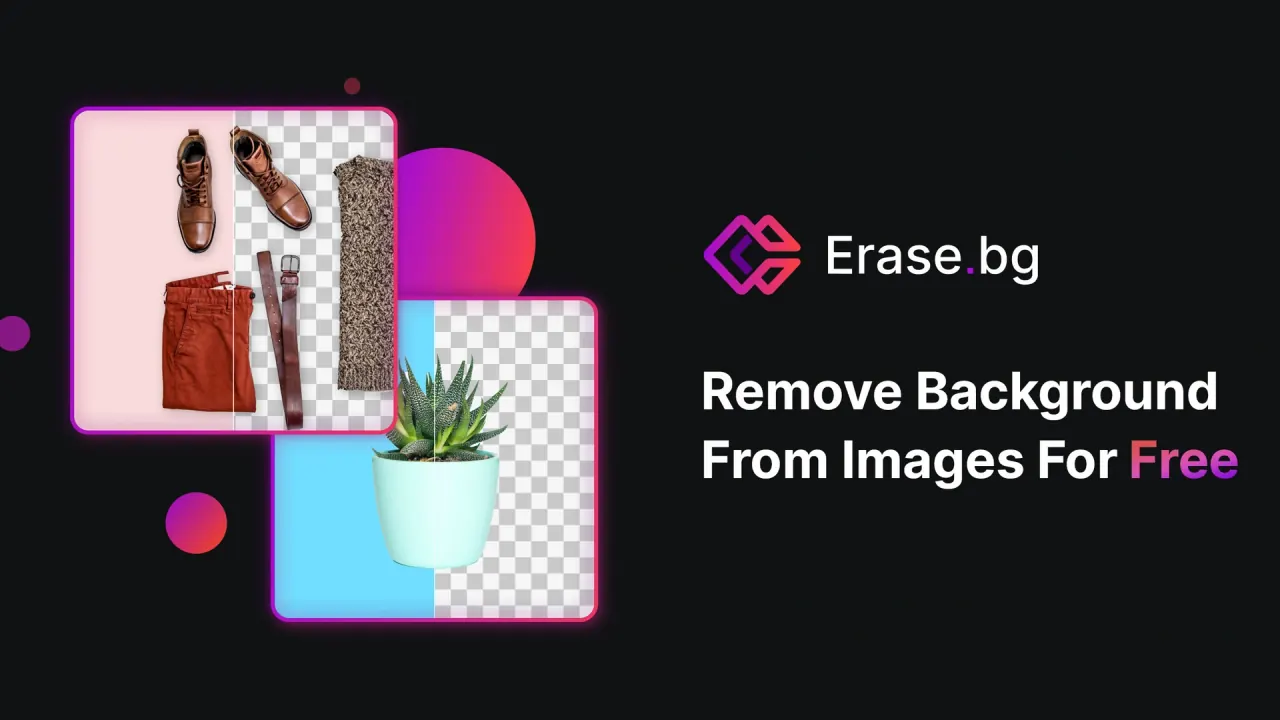
Erase.bg interface preview
Erase.bg logo

Erase.bg

Erase.bg cuts subjects out of photos and 30-second video clips, swaps in colors or new backdrops, and sells credit packs, with plugins and an API delivered through its sister platform Pixelbin.

Image EditingAI Photo Editing & Design#Background Removal#Mobile App#Api Available
Start Free Trial
Saves
Visits
Views
Pricing
Free Trial
Published
Oct 5, 2026
Domain
erase.bg
Community rating

Used this tool? Rate it

Rate this tool

Erase.bg Product Information

Start Free Trial
Tool Information
Saves
Visits
Views
Pricing
Free Trial
Published
Oct 5, 2026
Domain
erase.bg
Community rating

Used this tool? Rate it

Rate this tool

Featured Tools

Related Tools

Start Free Trial

What is Erase.bg?

Erase.bg is an AI background remover that cuts the main subject out of a photo and returns it on a transparent background, with colors or new backdrops available afterwards. Erase.bg describes itself as an AI-powered tool that automatically removes image backgrounds in seconds, and the same service also handles short video clips and passport-style photos.

Erase.bg's terms of use are an agreement with Shopsense Retail Technologies Limited, a Mumbai-registered company that the terms describe as a subsidiary of Reliance Retail Ventures Limited. The same company runs Pixelbin, a separate image platform whose pricing page carries a Shopsense Retail Technologies Limited copyright notice, and Erase.bg's API keys, plugin tokens and bulk processing all go through a Pixelbin account.

Four points shape most decisions about Erase.bg:

  • The free allowance is a few credits rather than an open-ended service, and different Erase.bg pages describe it in different ways.
  • Paid image work on the website is sold as one-time credit packs, while API use is billed through Pixelbin's monthly credit plans.
  • The website license in the terms is written for personal use, and commercial or professional users are pointed to Pixelbin.
  • Uploaded images fall under a privacy policy without a fixed deletion period, plus a terms clause granting the company a perpetual license to user content.

Core features

Erase.bg's core job is one automated cutout that can then be edited and exported. The video tool, passport photo maker, plugins and API are variations on that same background removal step.

  • Automatic cutouts: The terms say Erase.bg works fully automatically and makes the background transparent, so there is no need to manually select background or foreground layers to separate them.
  • Image formats: Erase.bg accepts PNG, JPG, JPEG, WEBP and HEIC images.
  • Size ceiling: The homepage lists a maximum of 10,000 × 10,000 px per image and a 25 MB maximum size.
  • Background editing: After a cutout, an Edit button opens themed backgrounds or solid colors, so the transparent background can be filled again.
  • Custom backdrops: The terms also say users can add a solid color or an image behind the extracted subject.
  • Export formats: Finished images can be saved in JPEG and PNG formats, whatever format the original upload used.
  • Video backgrounds: The video tool accepts MP4, MOV or WEBM clips up to 30 seconds long and up to 1920 × 1080 px.
  • Video downloads: Processed videos can be previewed and then downloaded in high definition without extra cost or watermarks, according to the video page.
  • Passport photo maker: A dedicated tool removes the background, allows customization, crops the portrait to a passport size and enhances facial details.
  • Bulk processing: Batch processing of images is routed to Pixelbin rather than handled on the single-image upload page.

The split between the two platforms matters for anyone planning volume work. A single upload on the website returns one cutout at a time, while batch jobs, API calls and plugin access all depend on a Pixelbin token, so the second platform becomes part of the workflow as soon as work goes beyond occasional images.

Guide

Removing a background on the website

  1. Click Upload Image, or drag and drop the file onto the page.
  2. Wait while the page reports that the image is uploading and then processing.
  3. After upload, the background-removed image appears in a couple of seconds, and the Edit option in the top-right corner opens background changes.
  4. Use the Download Original Size button to save the result at its original size.

Making a passport or ID photo

  1. Choose the country, photo type and print size before uploading the portrait.
  2. Upload the photo and adjust the crop frame on the crop page.
  3. Click Make Photo once the cropping is set to generate the final passport photo.

Getting an API key for plugins and integrations

  1. Sign up or log in to a Pixelbin account.
  2. In the dashboard, open Settings > Tokens > Create Token to generate the API key for the background removal API.
  3. Paste the token into the Figma plugin, the Photoshop panel or the ChatGPT integration, or use it with the Pixelbin SDKs.

Erase.bg use cases and examples

The use cases Erase.bg documents cluster around product imagery and short-form content.

  • Ecommerce catalogs: The terms position Erase.bg for building ecommerce product catalogs and improving product image workflows.
  • Car listings: For car images, the Photoshop plugin includes an Add Shadow option intended to improve how the cutout looks.
  • Short videos: The video tool is pitched for product demos, mini vlogs and short reels.
  • Stickers and graphics: The API FAQ says the background removal API can be used to make custom stickers and graphics for creative projects.

Passport and ID photos are a further documented use, handled by the separate maker described above with its country, photo type and print size presets.

Who is it for

Erase.bg fits small, occasional jobs and teams that are prepared to move volume work onto Pixelbin.

Good fit

  • Personal users with a few images: A handful of free credits covers a profile picture or a passport photo, and the website license is written around personal use.
  • Sellers and agencies: Erase.bg says it serves individuals, agencies and e-commerce companies worldwide with bulk AI design tools.
  • Developers: Erase.bg also says it supports developers who remove image backgrounds through its API, which is issued through Pixelbin.

Less suited

  • Minors on their own: By accepting the terms, users affirm they are 18 or older, and anyone younger is assumed to be using the platform under a parent's or guardian's supervision.
  • Businesses relying on the free website: The personal-use license in the terms does not extend to commercial use of the platform or content.
  • Teams that need local processing: No offline or self-hosted version of Erase.bg appeared in the pages checked; the website, apps, plugins and API all work through the online service.

Platforms

Erase.bg is mainly a browser tool, and the homepage says it supports Windows, Mac and Linux. Mobile apps, three plugins and an API cover other entry points.

  • iOS: The iOS app is listed by Shopsense Retail Technologies Limited as free, rated 4+, and requires iOS 15.6 or later. As captured on October 5, 2026, the US listing showed an average rating of about 3.9 from 40 ratings.
  • Android: As captured on October 5, 2026, the Google Play listing showed 100K+ downloads, in-app purchases and an Everyone content rating. In the same capture, the listing showed 3.8 stars from 2.95K reviews.
  • Figma: The Figma plugin asks for an API key, generated as a token in a PixelBin account, before it runs.
  • Photoshop: The Photoshop plugin needs Adobe Photoshop (2022) 23.3.0 or newer and writes each result to a new pixel layer while hiding the original. Its panel offers image categories to match the subject and a Refine Output option for finer edge detail.
  • ChatGPT: The ChatGPT integration is activated with a PixelBin API token and works from an image URL; images without a URL are uploaded to the PixelBin dashboard first.
  • API: The background removal API page says the API supports multiple programming languages such as React, JavaScript and Python.

The plugin pages say up to 10 images can be processed free with the Erase.bg plugin, an allowance that appears on the plugin pages rather than on the pricing page.

Pricing

Erase.bg sells website image processing as one-time credit packs, and each background removal uses 1 credit. Paid packs run from $6.00 for 10 credits to $50.00 for 1000 credits, so the per-credit price falls from $0.60 to $0.05 as the pack grows.

PackPrice shownPer credit
10 Credits$6.00 billed once$0.60
100 Credits$12.00 billed once$0.12
1000 Credits$50.00 billed once$0.05
EnterpriseCustom quoteNot shown

Credit packs are valid for 1 year and are non-refundable. For bulk processing, the pricing page points to an Enterprise Plan arranged through sales. Accepted payment methods include credit cards, debit cards, Alipay and PayPal.

Free access

The free allowance depends on which Erase.bg page is read, and the pages do not agree:

  • The pricing FAQ says signing up is mandatory before using Erase.bg.
  • On the same page, the free Starter Plan gives 3 free credits and 3 free downloads and is recommended for personal use.
  • The homepage FAQ says Erase.bg is completely free for images processed on the website for personal use, with Pixelbin subscription plans for commercial or professional use.
  • The API FAQ says new users get 3 free credits that reset every day, each processing one image through the API.
  • The video FAQ describes a free plan limited to three video background removals a month.
  • Elsewhere on the video page, the tool is advertised as needing no sign-up and offering unlimited free video enhancements.

Pricing page inconsistencies

  • The pricing FAQ says Pro is a pay-as-you-go option starting at $5 for 10 credits, while the 10-credit pack card shows $6.00.
  • The same FAQ says Pro transformations are unlimited and lists unlimited HD downloads, batch mode and 24/7 chat and email support as Pro benefits, even though the pack cards charge 1 credit per removal.
  • The FAQ also says subscriptions can be cancelled at any time and are non-refundable, although the listed packs are one-time payments.

API pricing through Pixelbin

Pixelbin's monthly plans were listed at $15.00 for 250 credits, $25.00 for 600 credits and $60.00 for 1500 credits as captured on October 5, 2026; an Annual tab is labeled 79% off, but its prices were not shown in the captured page. On Pixelbin, background removal costs 1 credit, and unused monthly credits expire at the end of each billing cycle instead of carrying over.

Erase.bg alternatives

Two alternatives illustrate the main trade-offs: a commercial service with desktop batch processing, and an open-source tool that runs on infrastructure the user controls.

  • remove.bg: remove.bg is a Canva Austria GmbH brand. Its desktop app for Windows, Mac and Linux accepts dragged images or whole folders, which suits batch work without writing API code. It gives 1 free credit at sign-up and 50 free preview API calls a month, with previews capped at 0.25 megapixels.
  • rembg: rembg is an MIT-licensed open-source tool that runs as a CLI, Python library, HTTP server or Docker container, and it includes a folder batch command.

Within this group, remove.bg is the closer match for desktop folder processing, rembg for self-hosted processing without credits, and Erase.bg for occasional browser or mobile cutouts plus Figma, Photoshop and ChatGPT plugin access tied to one Pixelbin token.

Limitations

Usage limits

  • Personal-use license: The terms authorize access solely for personal use, and the license excludes resale of the service and commercial use of the platform or content.
  • Subject requirements: Images must have a clearly defined foreground subject such as a person, animal, product or car.
  • Account requirements: Registration uses an email address and a phone number and is free, but the company may reject or cancel accounts for any reason at its sole discretion.
  • Rights to uploads: Using the platform means guaranteeing that you hold the necessary rights, such as copyright and trademark rights, to process the uploaded images.
  • Regional scope: The platform is operated from India, and the terms make no representation that it is appropriate or available for use outside India.
  • Governing law: The terms are governed by Indian law, with disputes submitted to the courts in Mumbai.

Privacy and content rights

  • Images as sensitive data: The privacy policy lists images, pictures and photos as sensitive personal data it may collect, process or store.
  • Product improvement: Collected information may be used to develop, deliver, process and improve products and services; the privacy policy text checked does not specifically address AI model training.
  • Retention: Information is kept for the period necessary for the policy's purposes, and the policy says images are anonymously stored, without giving a fixed number of days.
  • Deletion requests: Users can request deletion of their information by contacting the company's customer care email.
  • Cross-border processing: Information may be transferred, stored or processed outside the user's country.
  • Sharing: Information may be shared with third-party service providers such as payment gateways.
  • Marketing messages: Accepting the terms includes consent to promotional SMS, calls and email, even for numbers registered on the DND/NCPR list, although users can opt out of promotional messages later.
  • Advertising: Third-party ad servers may show ads on the platform, and the policy says personal information is not used to target those ads.
  • License to your content: Users grant the company a royalty-free, worldwide, sub-licensable, transferable and perpetual license to their content, usable in connection with the service and its business, including promotion.
  • Video page promises: The video page says videos are never shared with anyone and advertises lifetime storage, while the privacy policy allows sharing with service providers and retention for as long as its purposes require.
  • Store declaration: The developer's Google Play data-safety section says no data is collected or shared, data is encrypted in transit and deletion can be requested, which differs from the privacy policy's list of collected data.

The terms checked do not include a clause that separately addresses who owns the background-removed output images.

FAQ

Q1. Is Erase.bg free?

Partly. Signing up unlocks a small number of free credits, but the pricing, API, video and homepage pages describe the free allowance differently, and regular image work runs on paid credit packs.

Q2. Can Erase.bg images be used commercially?

The terms grant a personal-use license that excludes commercial use of the platform or content, and the homepage directs commercial and professional users to Pixelbin plans. The terms checked do not separately state who owns processed output.

Q3. Does Erase.bg offer a background removal API?

Yes. The API runs through Pixelbin, where keys are created as tokens and each background removal costs 1 credit under Pixelbin's credit plans.

Q4. Can Erase.bg make passport photos?

Yes. The passport photo maker asks for a country, photo type and print size, removes the background, and crops the portrait before generating the final photo.

Know a Similar Tool?
If you know other great AI tools, feel free to submit them to us