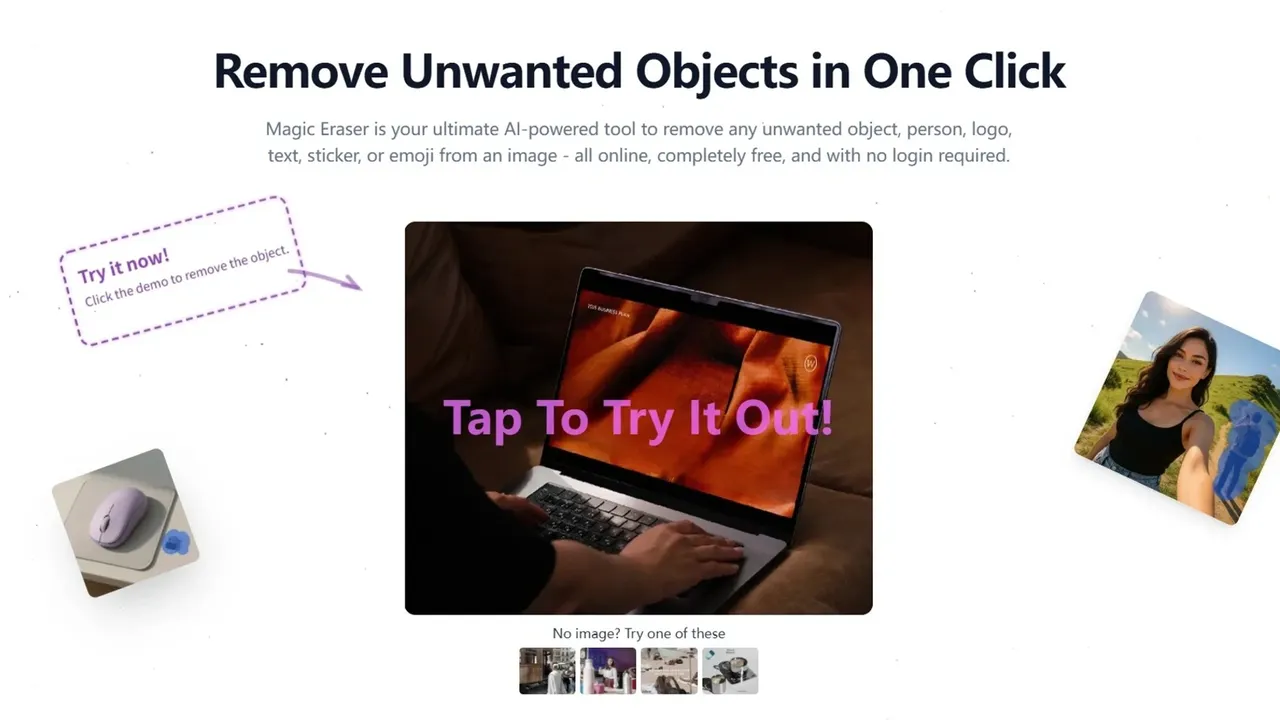

Magic Eraser is a web tool that erases objects, people, text, logos and watermarks from photos and video using generative AI inpainting. It runs in any browser with no install, offering a limited daily free quota plus credit packs and subscriptions for heavier use.
Used this tool? Rate it
Used this tool? Rate it
Magic Eraser is a browser-based photo cleanup tool that removes unwanted elements from images. You upload a picture, brush over what you want gone, and the AI reconstructs what should have been behind it. Its own page title states the pitch directly: Magic Eraser — Free AI Watermark & Object Remover (No Login).
The underlying method is stated plainly by the company: Generative AI Inpainting. Rather than blurring or cloning nearby pixels, the neural networks analyse the surrounding pixels, lighting, and textures to "re-imagine" and reconstruct the background behind the removed object. That distinction matters in practice — blur-based tools leave visible smudges on detailed backgrounds, while inpainting attempts to synthesise plausible replacement content.
"Magic Eraser" is one of the most collided product names in AI imaging, and getting the wrong one wastes your time. This page is about magiceraser.org and nothing else. Here is how it separates from the others:
magicstudio.com/magiceraser, meaning that domain belongs to Magic Studio, a different company entirely.Every fact on this page was verified against magiceraser.org specifically. If you read a review of "Magic Eraser" elsewhere, check which one it is actually testing.
The site publishes a contact address in Singapore — 29 Mayflower Gardens, 31 Mayflower Place, Singapore 568894 — and a support email, but names no corporate entity anywhere. There is no company name, no registration number, and no about page.
The changelog answers the maturity question precisely. The first feature, image object removal, launched on 27 May 2025. At the time of writing that makes the product roughly fifteen months old. That is not disqualifying, but it does mean you are evaluating a young service rather than an established one, which matters for the durability questions raised under Limitations.
The marketing leans hard on free and no-login. Both are partly true and partly not, and the site contradicts itself on the page.
On the homepage, the editor panel displays "Credits Required: 3 Credits" right next to the free messaging. On the watermark removal page, a marketing block declares "100% Free & No Login — No subscriptions, no credits, and no sign-up required" while that same page's editor shows "Credits Required: 1 Credit."
The pricing page settles it. There is a free plan, but it is a daily quota, not unlimited access: 3 auto removals per day, 10 manual removals per day, 3 object remover uses per day. Beyond that you buy credits or subscribe. The changelog confirms payments, Google Sign-In, subscriptions, and credit purchases all launched on 11 September 2025.
So: free for casual use, genuinely usable without an account for a few images, and metered the moment you do real work. Plan accordingly.
As an AI object remover, the core action covers five documented removal types, each with its own dedicated page: objects, people and background photobombers, text and date stamps, watermarks, and logos and brand marks.
The editor gives you four selection tools — brush, rectangle, lasso, and eraser — plus four automatic detection modes that identify objects, marks, text, and emoji without manual selection. Two processing model generations are exposed as V1 and V2, and output can be set to Fast, Balanced, or Quality. That is more control surface than most one-click cleanup tools expose.
This is the site's most heavily promoted capability. The company states it handles obvious watermarks, semi-transparent brand logos, corner badges, date stamps, and scan labels, and that most watermarks are erased in under 3 seconds, powered by high-end GPU clusters.
Quality claims are specific: 0 stretching and 0 resizing, using 1:1 pixel mapping that keeps your original resolution intact. Many free tools silently downscale, so an explicit no-resize commitment is meaningful — though it is a vendor claim without independent testing behind it.
The legal side of watermark removal is covered under Limitations, and you should read that section before using this feature on anything you did not create.
Video is a genuine second capability line rather than a footnote. It launched 1 July 2025 and accepts MP4 or MOV files. You highlight the watermark and, per the company, temporal AI tracks and erases it across all frames while maintaining video clarity and smooth motion.
The important caveat is economic: on the free plan, video gives you a 10-second preview of the result, capped at 10 free previews per week. You cannot export a finished video for free.
The text remover is presented as analysing image texture to remove text from images without blurring the background, aimed at screenshots, memes, and old scanned photos carrying date stamps. It launched alongside image watermark removal on 16 June 2025.
Uploads accept PNG, JPG, JPEG, WEBP, and BMP, with a 20MB per-file ceiling. The homepage FAQ additionally mentions HEIC support, though the uploader's own format list does not show it — if you are working from an iPhone library, test before relying on it.
Beyond the core eraser, the site hosts a broader toolset: batch watermark removal, a batch AI image editor, an AI image editor, an AI video editor, an AI video generator, image-to-video, an image format converter, a background eraser, and a background people remover.
For a fifteen-month-old product, the changelog shows steady shipping: multi-language support and a blog in May 2025, image watermark and text removal in June, video watermark removal in July, automatic background people removal later in July, a faster removal model with improved inpainting plus manual watermark removal in August, and the full payment stack in September.
Removing a bin, a parked car, or a stray sign from an otherwise good exterior shot is exactly the kind of high-value, low-effort edit inpainting handles well. The site's own examples lean into this scenario.
Erasing crowds, tourists, signage, and power lines from scenic shots is the most commonly cited use. The AI needs to reconstruct sky, foliage, or architecture behind the removed subject, which is where quality varies most by image.
Photobomber removal and background tidying. Small removals against simple backgrounds are the easiest case for any inpainting model, and the most reliable use of a tool like this.
Removing props, packaging clutter, or stray objects to produce clean listing photos. The site also markets logo removal for product shots — a use that carries real trademark considerations, discussed under Limitations.
Deleting text overlays, stickers, timestamps, and captions from screenshots or images you intend to repurpose.
Removing date stamps burned into old family photos and cleaning scan artefacts from digitised prints. This is one of the least legally fraught uses, since the material is usually your own.
For repeated work — a catalogue of product images sharing the same corner badge, for instance — the batch watermark removal page exists, though no documented batch limits or throughput figures were available.
Go to magiceraser.org and drop in an image. No signup is needed to try it, and the daily free quota lets you evaluate quality before deciding anything. Formats accepted are PNG, JPG, JPEG, WEBP, and BMP, up to 20MB.
Use the automatic modes (objects, marks, text, emoji) when the target is well defined and separated from the background. Switch to manual brush, rectangle, or lasso when the automatic pass grabs too much or too little. The rectangle tool is fastest for boxy overlays like watermark bars; the lasso suits irregular shapes.
The company's own advice for patterned or detailed backgrounds is to use a small brush size to highlight only the object you want to erase. Over-selecting forces the model to invent more content than necessary, which is where artefacts appear.
Per the official guidance, if the first attempt is imperfect you can brush the area again to refine texture and blending. Budget for this: on the free plan each attempt draws down your daily quota, and on paid plans each attempt costs credits.
Try V2 against V1 on a representative image, and compare Fast, Balanced, and Quality. For anything you will publish, Quality is worth the extra processing. For rough evaluation, Fast conserves your quota.
Inpainting failures are frequently invisible at thumbnail size and obvious at full resolution — repeated texture, smeared edges, or nonsensical reconstruction along straight lines. Check at 100% zoom, particularly where the removed object met a hard edge such as a horizon, wall join, or tiled floor.
Different operations consume different credit amounts — the homepage object remover shows 3 credits per operation while the watermark remover shows 1. If you are planning volume work, run a few representative images first and measure actual consumption rather than estimating.
Casual users doing occasional cleanup are the best fit by a wide margin. If you need to remove a photobomber a few times a month, the daily free quota covers it, no account is needed, and the cost is zero.
Real estate agents, marketplace sellers, and small e-commerce operators get real value from fast, cheap object removal on listing photos — provided the objects are their own and the backgrounds cooperate.
Social media creators cleaning up screenshots, stickers, and text overlays on their own content will find the workflow quick and the pricing tolerable.
Anyone on mobile without wanting an app is well served, since it is a responsive web tool requiring no download.
Poorer fits:
Professional retouchers and agencies. No documented API, no service-level commitments, no independent verification of quality claims, a fifteen-month operating history, and terms of service that do not clearly address ownership of your outputs. For client work with deadlines and liability, that combination is hard to justify.
Anyone whose primary goal is stripping watermarks from images they do not own. The tool can technically do it, but the legal exposure is yours alone and the site's terms offer you nothing on this point. See Limitations.
High-volume production users. Batch pages exist but with no published limits or throughput data, so capacity is unverifiable in advance.
Web is the only platform, and it is the whole product. The tool runs at magiceraser.org in any modern browser with nothing to install.
Mobile browsers are explicitly supported — the company describes it as a fully responsive web tool and notes there is no need to download an app, naming Safari, Chrome, and Samsung Internet.
A browser extension exists, evidenced by a dedicated extension privacy policy page, though the extension's distribution and capabilities are not documented on the main site.
Account and billing live on a separate subdomain, console.magiceraser.org, which is where pricing, credits, and subscription management sit. Google Sign-In is supported.
No native iOS or Android app was found, and none is claimed — the company positions the absence of an app as an advantage rather than a gap.
| Free plan allowance | Limit |
|---|---|
| Auto removal | 3 per day |
| Manual removal | 10 per day |
| Object remover | 3 per day |
| Video watermark removal | 10-second preview only |
| Video previews | 10 per week |
This is genuinely useful for occasional work and genuinely insufficient for production. Note also that different operations draw different credit costs once you are past the free allowance — the object remover shows 3 credits per use, the watermark remover 1.
| Credits per month | Price |
|---|---|
| 50 | $3.90 /mo |
| 200 | $8.90 /mo |
| 500 | $12.90 /mo |
| 1,000 | $16.90 /mo |
At the 500-credit tier the site calculates $0.026 per credit.
| Credits | Price |
|---|---|
| 50 | $4.99 |
| 200 | $14.99 |
| 500 | $30 |
| 2,000 | $70 |
| 5,000 | $90 |
| 10,000 | $120 |
| 30,000 | $330 |
At the 500-credit pack the site calculates $0.060 per credit — roughly 2.3× the subscription rate at equivalent volume. The gap narrows at the largest packs (30,000 credits works out near $0.011 per credit), so very large one-time buyers do better than mid-size ones.
An Enterprise tier exists for custom volume, custom pricing, and team support via sales contact.
The terms are blunt. As a SaaS provider, the company states its products and services are non-tangible and irrevocable, so we do not issue refunds once the order is completed and delivered. Refunds are accepted only in rare cases. Cancelling a subscription takes effect on the last day of the period you paid for, you may keep using it until then, and no refund will be issued.
Combined with the free quota, the practical conclusion is straightforward: evaluate thoroughly on the free tier, because once you pay, that money is very likely spent.
Adobe Photoshop's Generative Fill and Firefly represent the professional benchmark for inpainting, with commercially indemnified training data — the decisive factor for agency and enterprise work — at a much higher cost and learning curve.
Google Photos Magic Eraser is free and built into Pixel phones and the Google Photos app. If you are cleaning up your own phone photos, this is likely the more convenient option and has no upload step at all. It is also, confusingly, the product most people mean by "Magic Eraser."
Magic Studio (magiceraser.io) is the other web product sharing this name, from an established company with a broader design toolkit.
Cleanup.pictures and similar single-purpose erasers compete directly on the same free-tier-plus-credits model.
Where magiceraser.org competes: a usable free daily quota with no account, a broad control surface (multiple selection tools, two model generations, three quality settings) unusual at this price, and video watermark removal, which most single-purpose erasers do not offer. Where it does not: no verified quality benchmarks, no corporate transparency, no independent coverage, and terms that leave important questions unanswered.
Stated plainly, because the marketing does not: the watermark page's claim of "No subscriptions, no credits, and no sign-up required" is contradicted by the credit counter on that same page, by the four-tier subscription menu on the pricing page, and by the changelog entry recording that subscriptions and credit purchases launched on 11 September 2025.
The accurate description is: a limited daily free quota, usable without an account, with paid credits beyond it. That is a perfectly reasonable model. The problem is that the site describes it inaccurately, which is worth knowing before you rely on other claims it makes.
This deserves the most careful reading on the page.
Removing a watermark from an image you do not own may infringe copyright, and in some jurisdictions removing rights-management information is a separate violation independent of the underlying copyright. Stock photo watermarks in particular exist precisely to prevent unlicensed use.
The site markets watermark removal heavily as a headline feature. Its content policy — the document that lists prohibited uses — never mentions copyright, intellectual property, trademarks, or watermarks at all. It prohibits eleven categories including illegal use, harming minors, disinformation, defamation, discrimination, medical advice, and law-enforcement profiling, with violators banned. On the single most predictable legal risk of its flagship feature, it says nothing.
There is a responsible-use note, but only in marketing copy on feature pages: use MagicEraser to clean images you own, created yourself, or have permission to edit. That is the right advice. It simply is not in any binding document.
Practical takeaway: the advice is sound, follow it, and understand that you carry the entire risk if you do not.
The use licence in the terms grants permission to temporarily download one copy of the materials on our Website for personal, non-commercial transitory viewing only, and prohibits using "the materials" for any commercial purpose or public display.
That is boilerplate website-materials language. Read literally against a paid image-editing service, it says nothing about who owns the images you upload or the results you generate, and its non-commercial phrasing sits awkwardly beside a product marketed for product listings and marketing assets.
The most likely explanation is a template applied without adaptation rather than an attempt to restrict your outputs. But the gap is real: there is no clause confirming you own or may commercially use what you produce. If you need that certainty for client or commercial work, request it in writing from support before relying on it.
The upload panel carries a one-line notice: By uploading an image you agree to our Terms of Use and Privacy Policy. There is no separate consent step, so simply dropping a file in binds you to everything discussed in this section.
Separately, the terms assert that The materials contained in this Website are protected by copyright and trademark law, and prohibit removing copyright or proprietary notices from those materials. It is worth sitting with that for a moment: the company protects its own copyright notices in the same document that stays silent on the copyright implications of its headline watermark-removal feature.
The homepage FAQ states: we do not store or use your images for any purpose other than editing, and files are automatically deleted from our temporary servers after your session ends, with SSL encryption in transit.
The actual privacy and cookies policy contains no corresponding image-retention or auto-deletion clause. It instead states that collected data will be stored on servers in the United States or in other territories, may be transferred to third-party data processors or group companies in other countries, and warns those countries may not offer equivalent data protection. It also describes cookies, pixel tags, SDKs, a third-party video hosting provider, and ad networks.
The deletion promise may well be accurate operationally. But a marketing FAQ and a privacy policy are not equivalent instruments, and only one of them is a commitment. For sensitive images, weigh that gap.
No coverage or hands-on evaluation from any established technology publication could be located. Searches for "Magic Eraser" return Google's Pixel feature almost exclusively. The comparison articles that do surface are written by competing tools (vmake.ai, wink.ai, remaker.ai are all image-editing products), which makes them unusable as evidence.
Trustpilot shows 2.9 out of 5 — from 2 reviews. That is not a rating in any meaningful sense, and it is reported here only to show how thin third-party signal is.
Consequently, every performance claim on this page — under-3-second processing, 1:1 pixel mapping, "10 million users" — rests on the vendor's word alone. None of it has been checked by anyone.
The site places a GitHub organisation link (github.com/magic-eraser-org) in its footer. The GitHub API returns 404 Not Found for both that organisation and its repository list. The organisation does not exist.
This is a small thing and says nothing about whether the product works. It is noted because footer GitHub links function as engineering-credibility signals, and this one is decorative.
There is a Singapore contact address and a support email, but no company name, registration number, or about page anywhere on the site. Combined with footer links to ezenhancer.ai and a console log referencing mindvideo.ai, the site appears to belong to a multi-site network — but no ownership relationship is disclosed anywhere. For consumer use this may not matter. For business use it limits your recourse.
Fifteen months of operating history, and terms that state they may be revised at any time without prior notice, with continued use constituting acceptance. The liability disclaimer is correspondingly broad: no accountability for damages arising from use or inability to use the site's materials, even if advised of the possibility.
No vendor-specific criticism here, just the physics of the technique: the AI invents plausible content where the object was. It performs well on uniform textures and poorly on structured detail — text, faces, straight architectural lines, repeating patterns, and reflections. Larger removals fail more often than small ones. Expect to iterate, and expect some images not to work at all.
Video watermark removal exists, but the free tier gives only a 10-second preview, ten times weekly. No documented maximum video length, resolution, or export format was found, so its practical capability cannot be assessed before paying.
No, and this is the most common confusion around this product. This page covers magiceraser.org only. magiceraser.io redirects to magicstudio.com and belongs to Magic Studio, a different company. Google's Magic Eraser is a feature inside Google Photos and Pixel phones, not a website. magicremover.org is yet another separate site with a similar name. Reviews of "Magic Eraser" elsewhere are usually about Google's version.
Partly. There is a real free plan with no account required, but it is a daily quota, not unlimited: 3 auto removals, 10 manual removals, and 3 object remover uses per day, plus video limited to a 10-second preview ten times a week. Past that you buy credits or subscribe. The site's claim of "no subscriptions, no credits" on its watermark page is inaccurate — its own editor shows a credit counter and its changelog records the payment system launching in September 2025.
Subscriptions run from $3.90 per month for 50 credits up to $16.90 per month for 1,000 credits. One-time packs run from $4.99 for 50 credits to $330 for 30,000. At the 500-credit level, subscription works out to $0.026 per credit versus $0.060 for a one-time pack — about 2.3× more expensive. Operations cost different amounts: 3 credits for the object remover, 1 for the watermark remover.
Almost certainly not. The terms state that as a SaaS provider its products are non-tangible and irrevocable, and no refunds are issued once the order is completed and delivered, with exceptions only in rare cases. Cancelling a subscription ends access at the close of the paid period with no refund. Test on the free quota first.
That depends entirely on the image, and the answer is not the tool's to give. Removing a watermark from an image you do not own may infringe copyright, and in some jurisdictions removing rights-management information is a separate offence. The site's own guidance — only clean images you own, created yourself, or have permission to edit — is the right rule to follow. Note that this guidance appears only in marketing copy: the content policy never mentions copyright or watermarks at all, and the liability is yours.
The terms do not say. The use licence covers only "temporarily downloading one copy of the materials on our Website for personal, non-commercial transitory viewing," which is boilerplate about the website itself and does not address your uploads or outputs. There is no clause confirming output ownership or commercial rights. This is most likely an unadapted template rather than a restriction, but if you need certainty for commercial work, get written confirmation from support first.
The homepage FAQ says no — that images are not stored or used for anything other than editing, and are automatically deleted from temporary servers after your session. However, the privacy policy contains no matching retention or deletion clause, and states data will be stored on servers in the United States or other territories and may be shared with third-party processors. The promise sits in marketing copy rather than in the policy. Treat it accordingly for sensitive material.
PNG, JPG, JPEG, WEBP, and BMP, up to 20MB per file. The FAQ also mentions HEIC, but the uploader's own format list does not include it, so test before depending on it. Video accepts MP4 and MOV.
No independent testing exists, so this cannot be answered with evidence. The company claims sub-3-second processing and 1:1 pixel mapping with no resizing. What is predictable from the technique itself: inpainting handles small removals against uniform backgrounds well, and struggles with large removals, straight lines, text, faces, and repeating patterns. Try your own representative images on the free quota — that is the only reliable assessment available.
No native app. It is a responsive web tool that the company explicitly positions as needing no App Store download, working in Safari, Chrome, and Samsung Internet. A browser extension exists, indicated by a dedicated extension privacy policy, though it is not documented on the main site. No public API was found; the Enterprise tier invites contact for larger volume needs.
