
Toolso.AI
Toolso.AI
All ToolsCategoriesTrendingLatest ToolsPricingBlog
Toolso.AI
Toolso.AI
Toolso.AI
Toolso.AI

Discover the best AI tools to boost your productivity

GitHubGitHubTwitterX (Twitter)YouTubeYouTubeTikTokEmail

Popular Categories

  • AI Writing
  • AI Image
  • AI Video
  • AI Coding
  • More Categories

Explore

  • Latest Tools
  • Popular Tools
  • More Tools
  • Submit Tool
  • Pricing

About

  • About Us
  • Contact
  • Blog
  • Changelog

Legal

  • Cookie Policy
  • Privacy Policy
  • Terms of Service
  • Refund Policy
© 2026 Toolso.AI All Rights Reserved
Limited timeLimited-time offerFeatured Listing24h priority review · No backlink · 30 days featured$29.90then $59.90Price rises to $59.90 after Oct 31Ends in--:--:--Submit now
  1. Home
  2. All Tools
  3. Productivity
  4. Dust
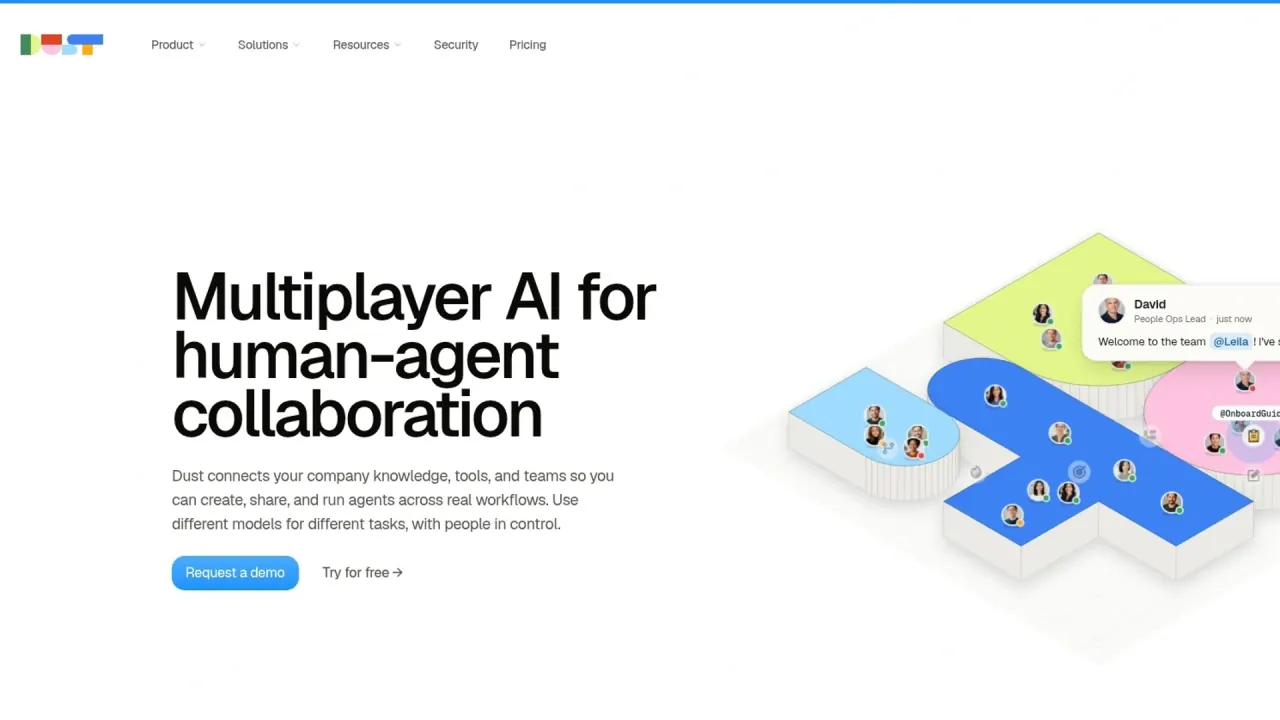
Dust interface preview
Dust logo

Dust

Dust lets teams build and share AI agents that draw on Slack, Notion, Google Drive, CRM and other company systems, with 20+ models and admin controls. It runs on a free option plus Pro and Max seats priced in credits, with Enterprise for SSO, SCIM and audit logs.

ProductivityCollaboration ToolsAI Agent#Agent Workflow#Team Collaboration#Multi-Model
Try for Free
Saves
Visits
Views
Pricing
Free
Published
Oct 6, 2026
Domain
dust.tt
Community rating

Used this tool? Rate it

Rate this tool

Dust Product Information

Try for Free
Tool Information
Saves
Visits
Views
Pricing
Free
Published
Oct 6, 2026
Domain
dust.tt
Community rating

Used this tool? Rate it

Rate this tool

Featured Tools

Related Tools

Try for Free

What is Dust?

Dust is a web-based AI agent platform for companies: teams connect internal knowledge and work tools, then build, share and run agents on top of that context. In its own words, Dust connects your company knowledge, tools, and teams so you can create, share, and run agents across real workflows, using different models for different tasks.

The product is aimed at organisations rather than individuals. Its focus is enterprise AI agents that several people use together, which Dust calls multiplayer AI, instead of a personal chatbot.

Key facts about the company behind it:

  • Operator: Dust is provided by Permutation Labs, whose listed address is in Paris, France.
  • Funding: Dust is a Paris-based scaleup that closed a $40m Series B in May 2026, bringing total funding raised to more than $60m according to independent news reporting.
  • Open code: The platform's main repository is public on GitHub under the MIT license.
  • Reported scale: The homepage claims 300,000+ agents deployed and 3,000+ teams running on Dust, as captured on October 6, 2026; these are vendor figures, not independent counts.

The name is short and generic. This page covers the agent platform at dust.tt, not the unrelated mobile apps or games that share the word "Dust".

Core features

Dust AI agents combine three ingredients: company data pulled in through connectors, a choice of language models, and tools the agent can call. Admin controls then decide who can reach which data and which agents.

Company context and connectors

  • Connector catalogue: The homepage lists 70+ connectors, including Slack, Notion, Google Drive, GitHub, Salesforce, and Zendesk, so agents can work from the systems where company knowledge already lives.
  • MCP tools: Beyond built-in connectors, agents can reach any tool exposed through the Model Context Protocol (MCP), and the self-serve plan lets you connect Slack, Notion, GitHub, Drive and other sources or any tool via MCP.
  • Search across data: Agents can search, query and extract across all connected company data, and Spaces segment that data with their own permissions.

How many connectors you can actually switch on depends on the plan, which the Pricing section spells out.

Models

  • Model choice per agent: Agents can be built with 20+ frontier and open-source models from OpenAI, Anthropic, Google, Mistral, and more.
  • Admin model tiers: Administrators can cap how far up the model list each member can go, grouping models and reasoning efforts into Basic, Standard, Premium and Ultra tiers so everyday work stays in a defined cost range.

Because stronger models may cost more credits per message, the tier cap works as a cost lever as well as a quality setting.

Agents, workflows and outputs

  • Multi-agent conversations: Several agents can be called in one discussion and work together on a task.
  • Scheduled and event-driven runs: Multi-agent orchestration supports triggers, both scheduled and event-driven, so agents can run on a schedule or in response to events.
  • Frames: Frames turns agent output into interactive dashboards, reports and memos that teammates can explore, and Frames content can be shared with workspace members or anyone via public links.

Governance

  • Two-layer permissions: Dust's dual-layer permission model separates what agents can access from who can use them.
  • Monitoring: Admins can set permissions for data, tools, systems, and agents, then use audit logs and analytics to monitor activity, adoption, usage, costs, and ROI; audit logs are listed as an Enterprise feature on the pricing page.

Guide

A typical first rollout follows the sequence below. Admin steps and seat purchases happen inside the workspace's Admin area.

  1. Create a free workspace. You can start with a free workspace and upgrade any member's seat to Pro or Max from Admin > Usage, which starts the checkout flow.
  2. Connect data sources. An admin links the first connectors (for example Slack, Notion or Google Drive) and can fully control which data Dust ingests from each source.
  3. Ask the default agent. The built-in @dust agent is set up by default and uses all internal documentation connected to Dust to answer questions, so you can test retrieval before building anything.
  4. Build a custom agent. Create custom agents with your own skills, knowledge and tools, pick a model, then share them with your team.
  5. Add the browser extension. Install the Dust Chrome Extension from the Chrome Web Store, then pin it to keep it at your fingertips while you work on other sites.
  6. Watch credit use. After each message, Dust shows the credit cost of that interaction directly in the conversation, which helps you spot expensive agents early.

Dust use cases and examples

The vendor groups its examples by department. The ones below are described on the official site; outcomes depend on how well your data sources are connected and permissioned.

  • Customer support: Agents can classify and route tickets to the right team, and draft context-aware replies grounded in your knowledge base.
  • Sales: Account research agents can brief reps in seconds with the latest signal on accounts.
  • Sales follow-ups in the browser: With the extension, a rep can paste a Gong transcript and get a personalized follow-up email without switching tools.
  • Engineering: Incident-response agents can execute automated runbooks, integrate communications and support root cause analysis.
  • Data and analytics: Self-service analytics agents let any teammate ask data questions in plain English.

Common to all of these is that the agent's answers draw on what has been connected. An agent built for support only knows the help-centre articles and tickets that an admin has synced into its space.

Who is it for

Dust fits companies that want one AI agent platform shared across departments, with central control over data access.

  • Small and mid-size teams: The self-serve Business plan is designed for teams up to 100 people.
  • Large or regulated organisations: Enterprise is aimed at organizations that need advanced security and admin controls, dedicated support, custom terms, or more flexible usage arrangements at scale.
  • Mixed usage within one company: Free seats suit occasional users or people trying Dust, while Max seats target power users running complex automations, deep research or tool-heavy workflows regularly.
  • People who build for others: Dust describes its core user as the "AI Operator", someone who builds AI with judgment, deploys it, and runs it for their whole team.

It is a weaker fit for a single person who wants a personal chat assistant: the value comes from shared connectors, shared agents and admin governance, all of which assume a team workspace.

Platforms

Dust runs in the browser as a web app, and agents can also be reached from several other surfaces.

  • Browser extension: Available for Chrome, Arc, Microsoft Edge and other Chromium-based browsers via the Chrome Web Store, and for Firefox via Firefox Add-ons.
  • Microsoft Teams: Only workspace administrators can install the Teams integration, and the Teams tenant must allow custom app uploads.
  • Slack: Dust agents can automatically reply in selected Slack channels without anyone mentioning the @Dust Slack app, besides answering direct mentions.
  • Automation platforms: Zapier, Make, n8n and Power Automate are listed as supported automation platforms.
  • Developer API: A Conversation API is available on Business, and Enterprise adds a Data Source API.
  • API rate limits: Data source writes are limited to 120 document upserts per minute per workspace.

Pricing

Dust pricing is credit-based: each paid seat comes with a monthly credit allowance, and every message and tool action draws on it. Dust announced the move to credit-based pricing in June 2026, saying added agent capabilities require more compute.

Seat types on the Business plan

  • Free seat: 0€, with 500 credits as a one-time lifetime allocation.
  • Pro seat: 30€ per month billed monthly, or 24€ per month billed yearly, with 8,000 credits per month.
  • Max seat: 150€ per month billed monthly, or 120€ per month billed yearly, with 40,000 credits per month.

All plans include access to 20+ models from OpenAI, Anthropic, Google, Mistral, and DeepSeek, and no model is locked behind a higher plan.

These euro figures come from the pricing page, which marks them as excluding VAT. On other visits the same page shows US dollar prices instead: Pro at $30 per month or $24 per month billed yearly, and Max at $150 per month or $120 per month billed yearly. The page does not say which currency applies to which buyers.

Plan limits

PlanUsers or seatsConnectorsSpacesPayment
Business, free optionUp to 5 users35No card required
Business, paid seatsUp to 100 seatsUp to 35Monthly or yearly seats
EnterpriseUnlimitedUnlimitedUnlimitedContract via sales

The free option needs no credit card, while paid Business seats lift the user cap to 100 but keep the same 3-connector and 5-Space limits. Enterprise is sold through sales and adds workspace-pooled credits and volume pricing.

How credits are spent

  • Per message: Credits are charged per message, based on the model used and the actions performed.
  • Per tool action: Tool actions are charged a fixed amount in three tiers: 0 credits for internal helpers, 1 credit for basic actions such as web search, and 3 credits for advanced actions such as knowledge retrieval, file or image generation and third-party integrations.
  • Programmatic use: Programmatic usage is billed at $0.01 per credit on Business and at a custom rate on Enterprise.

Credits are not transferable between users, do not roll over to the next billing period, and are not refundable.

What happens after a seat's credits run out is described differently on two official pages. The pricing page's FAQ says Pro and Max users will be able to continue through workspace overage if enabled by an admin, up to a capped amount. The credit management documentation instead says pay-as-you-go overage is not available on Business, where extra usage comes from workspace top-up packages bought in advance that stay valid for one year from purchase. The pages do not reconcile the two descriptions.

Monthly seats can be cancelled at any time, while annual seats stay available for reassignment until their commitment ends.

Dust alternatives

Independent tool directories list several Dust alternatives. Three that come up there, with how each vendor positions itself:

  • Relevance AI: Offers an embedded deployment team that gets customers live and then trains their team to build on its own.
  • Lindy: Positions itself as an AI teammate that plugs into your tools, learns how you work and takes work off your plate. Its homepage advertises $50 in free credits with no credit card required.
  • Gumloop: Emphasises running agents on open-source models at lower cost, with no lock-in and control over where agents run.

Against these three, Dust's pitch is a shared workspace where admins set data permissions and each agent can use a different model; the right pick depends on whether you want a vendor-led deployment, an assistant per person, or a self-built multi-agent workspace.

Limitations

Usage and plan boundaries

  • Free seats stop hard: Free seat users cannot draw from the workspace pool and are blocked once their 500 lifetime credits are used up.
  • Long tasks pause: A root task started from the web app or browser extension pauses when its cumulative AI spend reaches 600 AWU credits; admins can switch the checkpoint off but cannot change the threshold.
  • Seat required to chat: Members without a seat can access the workspace but cannot post messages or interact with agents until a seat is assigned.
  • Seat refunds: Annual seats vacated when someone leaves are not refunded.
  • Downgrade consequences: If a paid subscription ends, all users except one are removed and connections are deleted, along with the related synced data; data sources with combined data over 50 MB are deleted after 7 days.

Accuracy and input limits

  • Invented links: Models used by Dust tend to make up links, so Dust recommends not asking for links in prompts and using the numbered citations instead.
  • Upload caps: Uploads in a conversation are capped at 20 MB for images, 100 MB for audio and 50 MB for data, code and spreadsheet files, and video files cannot be uploaded directly.
  • Google Docs in the extension: Including page content does not work well on Google Drive and Google Docs, because the document is rendered as a canvas rather than page text.

Privacy and data handling

  • Model training: Dust states that customer data is never used to train models and that no data is stored by third-party model providers.
  • Provider terms: Its privacy policy says model providers (OpenAI, Anthropic, Mistral, Google, Fireworks) are prohibited from using customer and personal data for model training and apply zero data retention.
  • Security claims: Dust describes itself as GDPR compliant and SOC 2 Type II certified, says it enables HIPAA compliance, and encrypts data with AES-256 at rest and TLS in transit.
  • Hosting region: Data residency is offered in the US or EU, and Enterprise adds a dedicated single-tenant deployment option.
  • Transfers: Personal data may be transferred to and processed in the United States, outside the European Economic Area.
  • Browser extension: The extension only reads webpage content when you explicitly request it or when it asks for your permission first.
  • Age limit: The platform is not designed for children under 16.
  • Account deletion: Deleting a workspace entirely is done by emailing support; Dust deletes the account and associated data except data it must legally keep, such as invoicing data.

FAQ

Q1. Is Dust free to use?

Yes, within limits. A Business workspace can start free with no credit card, for up to 5 users, and each Free seat gets 500 credits once, not every month. Regular use needs Pro or Max seats.

Q2. Which AI models can Dust agents use?

All plans include 20+ models from providers such as OpenAI, Anthropic, Google, Mistral and DeepSeek, chosen per agent. Admins can restrict which model tiers members may select.

Q3. Does Dust use my company data to train AI models?

Dust states that customer data is never used to train models and that its model providers operate under zero data retention.

Q4. What happens to unused credits?

Seat credits reset each billing period and do not carry over, and credits are not refundable. Top-up credits bought for the workspace pool on Business stay valid for one year.

Q5. Can Dust be used outside the web app?

Yes. Agents are available through a browser extension for Chromium browsers and Firefox, in Slack and Microsoft Teams, through automation platforms such as Zapier, and via the developer API.

Know a Similar Tool?
If you know other great AI tools, feel free to submit them to us