
Toolso.AI
Toolso.AI
All ToolsCategoriesTrendingLatest ToolsPricingBlog
Toolso.AI
Toolso.AI
Toolso.AI
Toolso.AI

Discover the best AI tools to boost your productivity

GitHubGitHubTwitterX (Twitter)YouTubeYouTubeTikTokEmail

Popular Categories

  • AI Writing
  • AI Image
  • AI Video
  • AI Coding
  • More Categories

Explore

  • Latest Tools
  • Popular Tools
  • More Tools
  • Submit Tool
  • Pricing

About

  • About Us
  • Contact
  • Blog
  • Changelog

Legal

  • Cookie Policy
  • Privacy Policy
  • Terms of Service
  • Refund Policy
© 2026 Toolso.AI All Rights Reserved
Limited timeLimited-time offerFeatured Listing24h priority review · No backlink · 30 days featured$29.90then $59.90Price rises to $59.90 after Oct 31Ends in--:--:--Submit now
  1. Home
  2. All Tools
  3. Productivity
  4. Whimsical
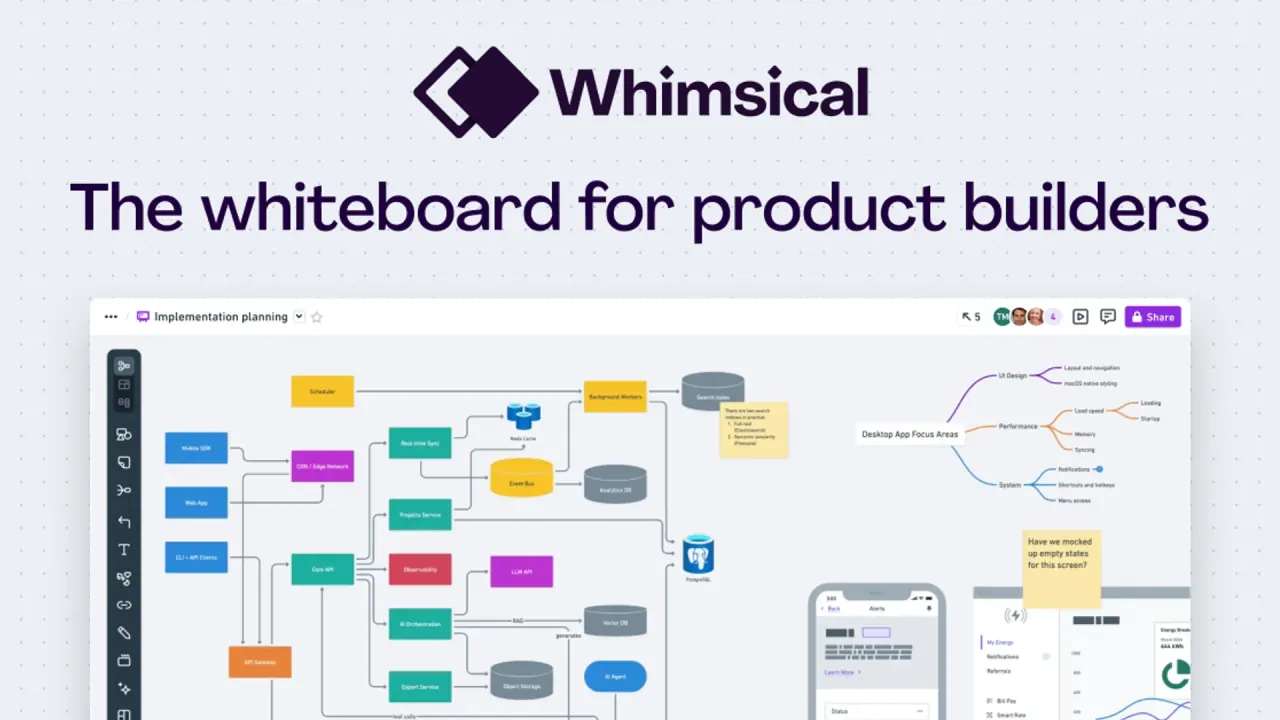
Whimsical interface preview
Whimsical logo

Whimsical

Whimsical combines boards for flowcharts, mind maps and wireframes with docs and a built-in AI agent, so product teams can plan, spec and review in one shared workspace.

ProductivityCollaboration ToolsDesign Tool#Team Collaboration#Online Whiteboard#Visual Collaboration
View Pricing
Saves
Visits
Views
Pricing
Paid
Published
Sep 22, 2026
Domain
whimsical.com
Community rating

Used this tool? Rate it

Rate this tool

Whimsical Product Information

View Pricing
Tool Information
Saves
Visits
Views
Pricing
Paid
Published
Sep 22, 2026
Domain
whimsical.com
Community rating

Used this tool? Rate it

Rate this tool

Featured Tools

Related Tools

View Pricing

What is Whimsical?

Whimsical is a browser-based online whiteboard and visual workspace that pitches itself as "the whiteboard for product builders": diagrams to design and document implementation, wireframes to shape UI, and collaboration with your team and AI. Its workspace combines infinite-canvas boards, text docs and an AI agent that can build or edit both from a chat prompt.

The service is operated by Whimsical, Inc., based in Denver, Colorado. According to 2021 tech press coverage, the company was founded in 2017 by Kaspars Dancis and raised a $30 million Series A led by Accel after four years of bootstrapped growth.

Two facts shape most buying decisions: the Free plan caps new content at 50 board objects and 50 doc blocks per month, and AI is metered separately from every plan.

Core features

Boards are the center of the product: an infinite canvas for diagrams, wireframes, and whiteboards, so a user flow, its wireframe and the brainstorm behind it can sit side by side.

Diagramming and wireframing

  • Flowcharts, mind maps and sequence diagrams: mind maps can be built by pasting a text list onto a node, and Mermaid code converts into flowcharts or sequence diagrams.
  • Wireframes: a full set of drag-and-drop components with adjustable properties and states, an icon library of thousands of icons, and configurable device frames for browsers, phones, tablets, and more.
  • Workshop tools: custom color themes, custom templates, backlinks, voting and a timer are included on every plan, including Free.
  • Media on the canvas: upload images or embed videos from Loom, YouTube, and more to give a board context.

Docs

Docs are built for taking notes, project plans, briefs, specs, wikis, meeting notes, and more, with Markdown, collapsible toggles and syntax-highlighted code blocks.

Whimsical Agent

Whimsical Agent is an AI agent built into the app. It can create diagrams, find content, and iterate on your work through a chat panel without leaving the current file.

  • Generate: flowcharts, wireframes, mind maps, sequence diagrams, sticky notes and docs from a plain-language request.
  • Search: ask what themes recur in sticky notes, or find a plan elsewhere in the workspace.
  • Reference: type @ to mention a file, folder or section, paste a Whimsical URL, or attach screenshots and mockups as visual context.

For wireframes specifically, the AI wireframe generator covers web, mobile, tablet, and smartwatch frames and can connect screens into wireflows. Every generated wireframe stays fully editable, like one built by hand, and the generator is described as powered by Claude. Agent chats are private to the person who started them and are not visible to other workspace members.

Working from other AI tools

Whimsical's remote MCP server connects a workspace to Claude, ChatGPT, Cursor and other MCP clients through OAuth, so an assistant can search and read files and then create or edit boards and docs. Its create tool supports seven file types: flowchart, mind map, sequence diagram, wireframe, freeform board, sticky notes and table. A separate desktop MCP runs through the desktop app, which has to stay open, and is set up by contacting support.

Collaboration and history

  • Multiplayer editing and comments: real-time co-editing, comments, and a notification inbox on all plans.
  • Version history: replay every change, restore an earlier state, or fork a version into a new file.
  • Sharing: public share links can grant view, comment or edit access on every plan; password-protected files require Pro or Business.

Guide

Generating a diagram with Whimsical Agent

  1. Open Agent from the ✨ icon at the top-right corner, or press Command + \ on macOS and Control + \ on Windows/Linux.
  2. Describe one concrete deliverable, for example a three-step onboarding flow with decision points, rather than a vague request.
  3. Type @ to pull in related files, or attach a screenshot to rebuild.
  4. Iterate in small steps: change colors, add steps or reorder items, one request at a time.
  5. Start a new chat when you switch topics, so the agent does not re-read an unrelated conversation.

The last two steps matter for cost: Agent uses credits based on prompt complexity, meaning how much the AI has to read and reason about.

Connecting Whimsical to an AI assistant

  1. In Claude, open the Whimsical connector from the connector directory; in ChatGPT, search for Whimsical under Settings → Plugins; in Cursor or another MCP client, add the remote server named whimsical-remote.
  2. Complete the OAuth sign-in with your Whimsical account.
  3. Ask a test question such as "What Whimsical tools do you have available?" to confirm the connection.
  4. Prompt for a concrete output, such as a sequence diagram of an API request, then open the file in Whimsical to edit it.

The ChatGPT plugin works on all ChatGPT plans, including Free, although Free usage is subject to general ChatGPT rate limits.

Use cases and examples

Whimsical's published customer stories are vendor-selected, but they show concrete jobs teams hand to it.

  • Client-facing product maps: Innovatemap, a digital product agency, turns early concepts into product maps, low-fi wireframes and diagrams for clients, who add feedback through annotations and comments.
  • Feature shaping: Marker.io uses mind maps for brainstorming, maps out user flows, and prototypes product mock-ups with low-fi wireframes.
  • Cycle planning and retros: Sharetribe plans three-week cycles on a single shared board, runs retrospectives with voting and the timer, and embeds a board on its website as a public roadmap.
  • Cross-discipline alignment: Goodpatch, a design company with studios in Tokyo, Berlin and Munich, uses Whimsical for project planning, wireframes, product architecture, brainstorming and tracking OKRs.

A pattern repeats: early shaping happens in Whimsical and pixel-level work moves elsewhere. Sharetribe switches to Figma for high-fidelity design, and Goodpatch keeps its design tools and Keynote.

Who is it for

The plan labels summarize the intended audience: Free is "For evaluating Whimsical", Pro is "For individuals and small teams", and Business is "For large teams and entire organizations".

  • Teams with many reviewers: viewers are free workspace members who can view and comment but cannot create files, and guests are free and unlimited on every plan.
  • Organizations with identity requirements: SAML single sign-on, SCIM provisioning and private teams require Business.
  • Education and non-profits: teachers and students can use an education plan with Pro features free of charge for a year, and non-profit organizations can request a 20% discount.

It is a weaker fit for three groups. Individuals who need offline work will find no offline mode. For teams that need localization, the Whimsical interface is only available in English, although spellcheck works in many languages. Younger users are excluded: access is only for those over the age of 16.

Platforms

Whimsical runs in the browser, with desktop apps for three operating systems and no native mobile app.

  • Desktop: macOS (Universal, Apple Silicon or Intel), Windows (x64 or arm64) and Linux (DEB or RPM packages for x64 and arm64). The desktop app supports tabs and multiple windows, and the Linux DEB package adds an APT repository for automatic updates.
  • Mobile: there is no dedicated mobile app; phones use the mobile browser to view boards, switch workspaces and add comments.
  • iPad: works in the browser and can be added to the home screen from Safari.
  • Connectivity: Whimsical has no support for working offline.
  • Integrations: GitHub and Linear backlinks, Notion and Obsidian embeds, Google Docs smart links, Slack previews and Jira previews, plus embeds in tools such as Asana, Canva, ClickUp, Coda, Confluence and Trello.
  • API: a beta, read-only API retrieves workspace content over OAuth 2.1, and acceptance into the beta is not guaranteed.

Pricing

Whimsical charges per editor; viewers and guests are free. The pricing page opens on annual billing with a "Save 17%" label, where Pro shows as $10 and Business as $20 per month per editor; a monthly option is also listed.

PlanAnnual billingMonthly billingMonthly allowanceVersion historyFile uploads
Free$0$050 board objects, 50 doc blocks7 days5MB per file, 1GB total
Pro$120 per editor per year$12 per editor per monthUnlimited objects and blocks90 days1GB per file, 100GB total
Business$240 per editor per year$24 per editor per monthUnlimited, plus private teams, SAML SSO and SCIMUnlimited10GB per file; total differs between pages

Annual billing is presented as two months free, so Pro costs $120 a year instead of twelve monthly payments of $12. Business storage is listed as "starting at 2TB total storage" in the pricing comparison table, while the help article on uploads lists a 500GB total. Free exports carry a "Made with Whimsical" watermark, which Pro and Business remove. Upgrading to Pro lifts both monthly caps, removes that watermark and extends version history to 90 days.

AI credits

AI is not bundled into any plan. Every account gets 10 AI credits as a one-off allowance that does not reset and is the same on every plan. After that, credits cost $0.10 each in three bundles: 250 credits for $25, 1,000 for $100, and 10,000 for $1,000. Purchased credits expire a year after purchase. They can be personal, usable only by you in any workspace, or workspace credits shared by all editors; when both exist, workspace credits are used first. Consumption varies by task, and wireframe generation typically uses more credits than simpler requests.

Pages describe the free allowance differently. The pricing FAQ says the Free plan includes "10 AI credits per member", and the AI Supplementary Terms, last updated October 2, 2024, still say Whimsical AI is offered as part of the subscription at no additional cost. The help articles describe the per-account, pay-as-you-go model above.

Billing, cancellation and refunds

  • Proration: adding an editor mid-cycle is charged pro rata; removing one does not produce a refund, but the paid seat can be reassigned.
  • Payment: all major credit and debit cards; Business customers with more than 10 editor seats can also pay by invoice, including wire and ACH.
  • Cancellation: only workspace admins can cancel; benefits last until the end of the paid cycle, files are not deleted, and the workspace drops to Free, where the monthly allowance applies only to new objects and blocks.
  • Renewal and refunds: paid plans renew automatically for the same interval, and refunds are issued at Whimsical's sole discretion.
  • Workspaces: each user can create 2 free workspaces.

Whimsical alternatives

When shortlisting Whimsical alternatives, an independent software directory lists Miro, LucidChart and draw.io as the top competitors and files Whimsical under diagrams, flowcharts and wireframing. The same directory also lists OmniGraffle, yEd, Mural and Milanote.

OptionHow the directory describes itWhen it may fit better than Whimsical
draw.ioOnline diagramming, tagged free and open sourceDiagrams without per-editor fees
yEdFree desktop application that automatically arranges diagramsFree desktop diagramming with auto-layout
LucidChartFlowcharts and other diagrams created and published from a browserTeams comparing a dedicated diagramming suite
MuralVisual collaboration workspace for modern teamsWorkshop-style collaboration
OmniGrafflePrecise graphics such as website wireframesPrecise static layouts rather than quick low-fi drafts
MilanoteNote-taking app for creative workLoose creative notes

These entries are category descriptions, not head-to-head tests. Whimsical's own differentiators are free viewers and guests on every plan, and an in-app agent plus MCP access for outside assistants.

Limitations

Usage and AI boundaries

  • AI costs extra on every plan: a Pro or Business seat does not include AI credits beyond the one-off 10.
  • Agent is in beta: the same prompt won't always produce exactly the same result, output can occasionally be unexpected, and how credits are counted may change.
  • No accuracy warranty: the AI terms warn against relying on factual assertions in output without independent fact-checking, note that output may not be unique, and reserve the right to disable or degrade AI access for fair use.

File and workspace behavior

  • Deleted uploads do not come back: restoring an earlier board version does not recover a deleted upload. Images over 32,000 pixels wide or high and .exe or .mpkg files cannot be uploaded.
  • Forks drop context: forked files do not keep comments or earlier version history.
  • Importing is manual: there is no general-purpose board importer for other diagramming tools; content comes in as images, pasted text, Mermaid code or Markdown files, and Markdown files larger than 1 MB are skipped.
  • Work email changes ownership: the terms warn that using an Organization Email may affect ownership of content in that workspace, and Organization Administrators can access, restrict or remove content in an Organization Workspace.

Privacy and data handling

  • AI training: the AI terms state that Whimsical does not use Customer Data, or permit others to use it, to train the models behind Whimsical AI; data collected from AI use may be used to improve models when you voluntarily give feedback or grant permission. The checked pages do not describe a separate account-level opt-out setting.
  • Model providers: help content says diagram generation uses Claude by Anthropic and that Anthropic does not preserve the data or use it for training, while the subprocessor list names both Anthropic and OpenAI for AI-enabled functionality, and Turbopuffer, located in Canada, as the database for searching user content and storing embeddings.
  • Security: data is encrypted at rest with AES-256 and in transit with at least TLS 1.2, hosted on AWS, with SOC 2 Type II compliance and TOTP two-factor authentication. The security page was last reviewed on June 26, 2023.
  • Jurisdiction and deletion: the service is hosted in and provided from the United States, and deleting an account is permanent.

FAQ

Q1. Is Whimsical free?

Yes, with limits: 50 new board objects and 50 doc blocks per month, 7-day version history and watermarked exports.

Q2. How many AI credits do I get?

Each account gets 10 AI credits once; they do not reset monthly. More credits are bought separately at $0.10 each, on any plan.

Q3. Does Whimsical use my boards to train AI?

The AI terms say Customer Data is not used to train the models behind Whimsical AI; data from AI use may be used to improve models if you voluntarily give feedback or grant permission.

Know a Similar Tool?
If you know other great AI tools, feel free to submit them to us