
Toolso.AI
Toolso.AI
All ToolsCategoriesTrendingLatest ToolsPricingBlog
Toolso.AI
Toolso.AI
Toolso.AI
Toolso.AI

Discover the best AI tools to boost your productivity

GitHubGitHubTwitterX (Twitter)YouTubeYouTubeTikTokEmail

Popular Categories

  • AI Writing
  • AI Image
  • AI Video
  • AI Coding
  • More Categories

Explore

  • Latest Tools
  • Popular Tools
  • More Tools
  • Submit Tool
  • Pricing

About

  • About Us
  • Contact
  • Blog
  • Changelog

Legal

  • Cookie Policy
  • Privacy Policy
  • Terms of Service
  • Refund Policy
© 2026 Toolso.AI All Rights Reserved
Limited timeLimited-time offerFeatured Listing24h priority review · No backlink · 30 days featured$29.90then $59.90Price rises to $59.90 after Oct 31Ends in--:--:--Submit now
  1. Home
  2. All Tools
  3. Open Source AI
  4. Unsloth
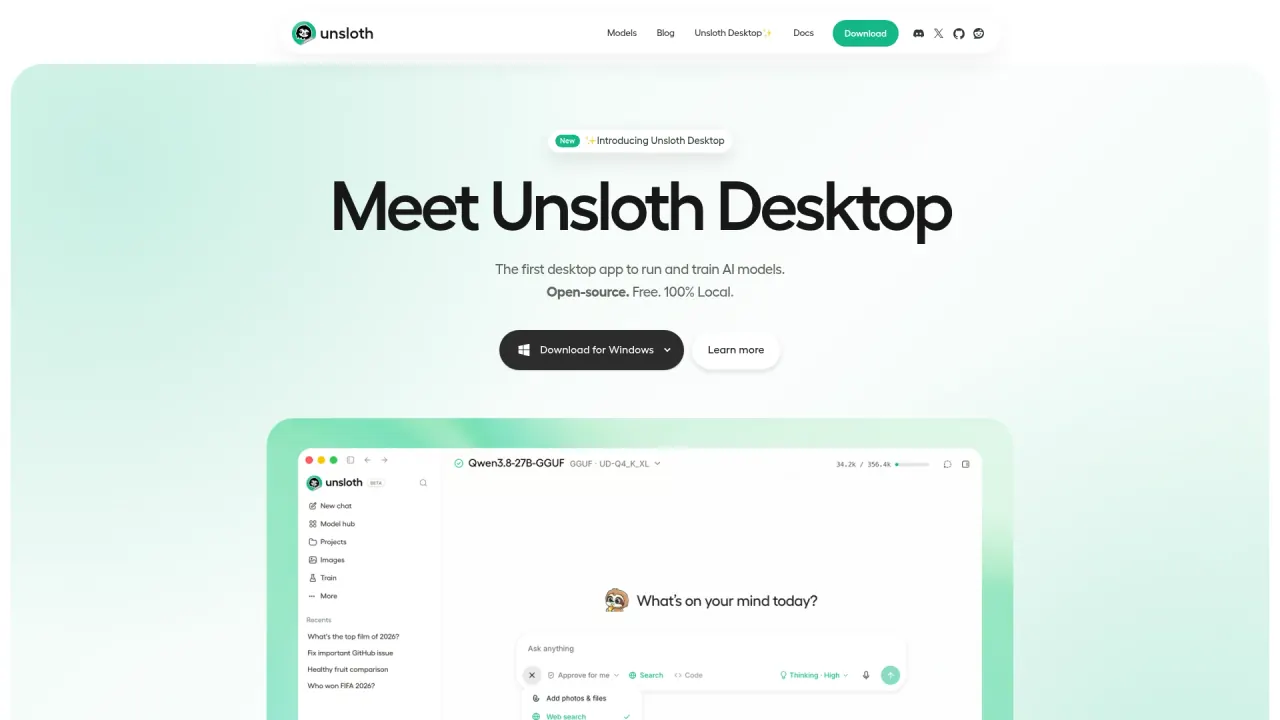
Unsloth interface preview
Unsloth logo

Unsloth

Unsloth is an open-source framework, desktop app and web UI for fine-tuning and running LLMs, diffusion, audio and embedding models on your own hardware. It covers no-code training, LoRA, QLoRA and RL methods, dataset building and GGUF export.

Open Source AIAI DevelopmentAI Training Platform#Open Source#No Code#LLM
Try for Free
Saves
Visits
Views
Pricing
Free
Published
Oct 3, 2026
Domain
unsloth.ai
Community rating

Used this tool? Rate it

Rate this tool

Unsloth Product Information

Try for Free
Tool Information
Saves
Visits
Views
Pricing
Free
Published
Oct 3, 2026
Domain
unsloth.ai
Community rating

Used this tool? Rate it

Rate this tool

Featured Tools

Related Tools

Try for Free

What is Unsloth?

Unsloth is an open-source framework for running and training LLMs, and it lets you run and train AI models on your own local hardware through an open-source UI. It covers text, vision, diffusion image and video, audio and embedding models, for both local inference and LLM fine-tuning.

Unsloth can be installed in three distinct ways: Unsloth Desktop as the native app, Unsloth Studio as the browser-based web UI, or Unsloth Core as the original code-based Python package. Desktop and Studio are the no-code interfaces; Core is the library that developers call from their own training scripts and notebooks.

Unsloth Desktop is labelled Beta and described as a free, open-source app for running and training AI models on your own hardware, available for macOS, Windows and Linux. Unsloth Studio is also in Beta, positioned as an open-source, no-code web UI for training, running and exporting open models in one local interface. The homepage frames Unsloth Desktop with three words: open-source, free and 100% local. A 2024 business-press profile reported that the company's co-founders are brothers Michael and Daniel Han, who were then taking part in Y Combinator.

Core features

Unsloth's headline claim is that it trains LLMs, diffusion, TTS and embedding models 2× faster with 70% less VRAM and no accuracy loss. This is the vendor's own figure, and the test conditions behind it are set out below.

Training methods and model coverage

  • Training methods: Unsloth supports reinforcement learning, LoRA, QLoRA, full fine-tuning, pretraining, GRPO, DPO and FP8 training.
  • Model range: the company says it supports inference and training for 500+ models, with vision, TTS, embedding and RL workflows documented separately.
  • No-code training: in Unsloth Desktop you drop in a PDF, CSV or JSON file and choose LoRA, full fine-tuning or pretraining; the same page repeats the 2x faster, 70% less VRAM claim and states that multi-GPU works.
  • Training observability: Unsloth Studio tracks training loss, gradient norms and GPU utilization in real time, and the progress view can be opened on other devices such as a phone.

Benchmark conditions behind the speed claim

The published training benchmarks were run on H100 and Blackwell GPUs using the Alpaca dataset, a batch size of 2, gradient accumulation steps of 4, rank 32 and QLoRA on all linear layers. Against a Hugging Face + FA2 baseline, the table lists 2x speed, more than 75% VRAM reduction and 13x longer context for Llama 3.3 (70B), and 2x speed, more than 70% VRAM reduction and 12x longer context for Llama 3.1 (8B), both on 80GB GPUs.

Unsloth attributes its long-context results to its gradient checkpointing algorithm plus Apple's CCE algorithm, and says the more data there is, the less VRAM it uses. These are vendor benchmarks, not independent measurements.

Running models, tools and research

  • Self-healing tool calls: Unsloth says tool calls that detect, repair and retry failures give up to 50% more accurate tool-calling, and models can execute Bash and Python in a secure environment.
  • Web search and deep research: normal web search runs while the model is still thinking, and deep research plans first, searches for sources and then writes a detailed report with citations.
  • Image and video generation: Unsloth generates with Qwen-Image-2.1, FLUX, Z-Image, LTX, Wan and fine-tuned LoRA adapters. Its own example says a MiniMax-H3 FP8 run on an NVIDIA B200 cut a 960×544, 124-frame, 8-step generation from 70+ seconds to 13 seconds.
  • New model releases: Unsloth says it can run and train nearly every model, including upcoming ones, and promises Day Zero support for families such as Qwen3.8, Gemma, Meta, NVIDIA and GLM, crediting llama.cpp and Hugging Face for the groundwork.
  • Model comparison and inference: Studio can battle models side by side, and its llama.cpp and Hugging Face backends handle multi-GPU inference, automatic offloading and fitting.

Export, API and providers

Unsloth Studio exports models, including fine-tuned ones, to safetensors or GGUF for use with llama.cpp, vLLM, Ollama, LM Studio and other runtimes. That export step is what moves a model trained in Unsloth into other software.

In the other direction, Unsloth serves local models through an OpenAI-compatible API, and it can also connect a ChatGPT/Codex subscription and cloud providers. The unsloth run command serves a model and changes settings such as context size, GPU layers, threading, sampling, networking and tool configuration.

Guide

Installing Unsloth Desktop

  1. Download the installer for your system: a .dmg file on macOS, an .exe on Windows or a .deb on Linux.
  2. On macOS, open the .dmg installer, drag Unsloth to Applications, then launch the app and wait for installation to complete; Windows and Linux follow the installer prompts.
  3. Open the Select model dropdown or the Model hub tab, choose a model and a quantization that fits your device, download it, and start chatting once it finishes.

Fine-tuning workflow in Unsloth Studio

  1. Launch Unsloth and load a model from local files or a supported integration.
  2. Import training data from PDFs, CSVs or JSONL files, or build a dataset from scratch.
  3. Clean and expand the dataset in Data Recipes, then train with recommended presets or a custom config.
  4. Chat with the trained model, compare it against the base model, then save or export it locally to the stack you already use.

Studio can also import a YAML training config and pre-fill the relevant settings instead of starting from the presets.

Remote access

By default unsloth studio binds to 127.0.0.1, so only the local machine can reach it. The --secure option serves it only through a free Cloudflare HTTPS link and does not start at all if the tunnel cannot come up, so the raw port is never exposed.

Unsloth use cases

  • Local coding agents: Unsloth Start connects Claude Code, Codex and other agents to local models through the unsloth start command, so an agent workflow can run against a model on your own GPU.
  • Turning documents into training data: Data Recipes converts uploaded PDFs, CSV and JSON files into usable or synthetic datasets through a graph-node workflow powered by NVIDIA NeMo Data Designer, so a fine-tuning dataset can start from your own documents.
  • Custom image styles: Unsloth trains LoRA adapters for SDXL, FLUX.2, Qwen-Image and Z-Image on your own images, with captioning and rank selection done inside the app, and the result can be exported and loaded back for inference.
  • Local speech workflows: the app generates, fine-tunes or transcribes audio entirely locally, covering text-to-speech, speech-to-text, Whisper and Qwen3-ASR.
  • Trying fine-tuning without a local GPU: a free Google Colab notebook runs Unsloth Studio on Colab's T4 GPUs, where most models up to 22B parameters can be trained and run before moving to a larger GPU.

Who is it for

  • Developers with one GPU: an independent 2026 framework comparison recommends Unsloth for a single consumer GPU with a supported architecture and LoRA or QLoRA, citing its context-length headroom.
  • People who want to run LLMs locally without training: the UI does not require fine-tuning at all; you can download any GGUF or model and use it as it is.
  • Users without a dedicated GPU: Unsloth still works without a GPU for Chat and Data Recipes, so a CPU-only machine can still chat with models and build datasets.
  • Teams that need advanced parallelism are a weaker fit: the same comparison says Unsloth breaks when tensor, context or expert parallelism is needed as first-class config, and when a model is not on its supported list, because its gains come from architecture-specific kernels.

Platforms

  • Desktop downloads: Unsloth Desktop is offered as a .dmg for Mac (Apple Silicon and Intel), an .exe for Windows 10 and later, and a .deb for Ubuntu and compatible Linux distros.
  • Operating systems and chips: Unsloth supports Mac, Windows, Linux and WSL, and NVIDIA, Intel, AMD and Mac GPUs and CPUs, although older hardware may not be well supported.
  • Studio training hardware: Unsloth Studio training currently works on NVIDIA, AMD, MLX and Intel devices and requires Python 3.11–3.13; Unsloth Core can also train on AMD and Intel devices.
  • Windows: Studio runs on Windows without WSL, but the listed training requirements are Windows 10 or 11 (64-bit) and an NVIDIA GPU with drivers installed.
  • Unsloth Core on NVIDIA: Core needs a GPU with CUDA capability 7.0 or higher, such as V100, T4, RTX 20 and 50 series, A100, H100 or L40; GTX 1070 and 1080 cards work but are slow.
  • Unsloth Core on other hardware: AMD and Intel GPUs work through dedicated guides, while Apple Silicon/MLX support for Core is described as in the works.
  • Docker: an official Docker image works for Unsloth, with Mac compatibility still being worked on.
  • Local network serving: serving over LAN keeps traffic inside your network and works with no internet connection; remote access goes through the Cloudflare tunnel described in the guide.

Pricing

PlanListed priceSpeed boostVRAM reductionGPU support
FreeFree2x60%Single
Unsloth ProNot displayed (Contact us)2.5x no. of GPUs80%Multi
Unsloth EnterpriseNot displayed (Contact us)32x no. of GPUs90%Multi + node

Unsloth Pro is pitched at 2.5x faster training, 20% less VRAM and support for up to 8 GPUs, and Unsloth Enterprise at 30x faster training, multi-node support and 30% accuracy, but both show only a Contact us button, so no public price is displayed for either. Enterprise additionally lists up to +30% accuracy, 5x faster inference, full training, all Pro features, multi-node support and customer support.

The plan cards read differently from the documentation. The Free card describes itself as freeware of the standard version of Unsloth, marks it open-source, names Mistral, Gemma and Llama 1, 2, 3 support, and still lists MultiGPU as coming soon. The plan-difference table rates the Free tier at a 2x speed boost and 60% VRAM reduction, which differs from the 2× faster, 70% less VRAM figure used across the documentation.

Licensing is part of what "free" means here. Unsloth uses a dual-licensing model: the core Unsloth package remains Apache 2.0, while certain optional components such as the Unsloth Studio UI are AGPL-3.0. The company says this structure helps support ongoing development while keeping the project open source.

Unsloth alternatives

An independent 2026 comparison of open-source fine-tuning frameworks sets Unsloth against three other projects and assigns each a different job:

  • Axolotl: the comparison points teams with two to eight GPUs, long context, full fine-tuning or RLHF pipelines to Axolotl, calling FSDP2 plus sequence parallelism the best-documented path.
  • LLaMA-Factory: it is the recommended pick for the broadest model coverage, non-engineer operators and the fastest first run, with a move to its CLI when scaling.
  • TRL: custom training loops, novel post-training algorithms and tight Hugging Face coupling point to TRL, described as the layer the other frameworks wrap.

These choices are not mutually exclusive: LLaMA-Factory can run Unsloth as a backend, TRL ships an Unsloth integration, and Axolotl calls TRL trainers internally. Choosing LLaMA-Factory or TRL can therefore still mean running Unsloth underneath.

Limitations

Maturity and scaling

  • Multi-GPU setup: Unsloth's own multi-GPU guide says the process can be complex and requires manual setup, with official multi-GPU support still to be announced.
  • Independent view: an independent 2026 comparison concludes that Unsloth wins on single-GPU speed and context length while multi-GPU remains its documented weak point.
  • New architectures: Unsloth works with any model supported by transformers, but some newer models may need a small manual tweak because of its optimizations.

Hardware and performance caveats

  • VRAM floors: the VRAM requirement table gives absolute minimums, and some models need more. For an 8B model it lists 6 GB with QLoRA (4-bit) and 22 GB with LoRA (16-bit).
  • CPU-only Studio: on CPU-only devices Studio supports Chat for GGUF models and Data Recipes, with Export described as coming very soon.
  • Inference speed: web search, code execution and tool-call healing slow inference; with them turned off, speed should match other llama.cpp apps.
  • Warm-up time: training may seem slower at first because torch.compile typically takes about 5 minutes or longer to warm up and finish compiling.
  • Exported models: when a model that worked in Unsloth gives poor, gibberish or repeated output in Ollama, vLLM or another runtime, the most common cause is an incorrect chat template; the template used in training has to be used there too.

Privacy, security and licensing

  • Telemetry: Unsloth Desktop states it has no telemetry; it detects your GPU type and device for compatibility and can run entirely offline.
  • Studio access control: Unsloth Studio can be used fully offline and uses token-based authentication with encrypted passwords and JWT access and refresh flows.
  • Tool permissions: permission controls mean the model and Unsloth cannot access, modify or edit your files or use the internet without your approval.
  • Exposed servers: server-side tools (web search, Python and terminal code execution) run as your user and are on by default, so anyone who can reach the server with the API key can run code on the machine; the documentation pairs exposure with a --disable-tools flag.
  • License split: the repository LICENSE puts the core library, tests and scripts under Apache 2.0, while the optional-to-install Studio and CLI folders are AGPLv3 licensed (studio/* and unsloth_cli/*).

FAQ

Q1. Is Unsloth free to use?

Unsloth Desktop is described as a free, open-source app, and the Free plan is the standard version. Unsloth Pro and Unsloth Enterprise exist, but the pricing page shows Contact us instead of a price.

Q2. Do I need an NVIDIA GPU?

Not for every task. Chat and Data Recipes work on CPU, and Studio training supports NVIDIA, AMD, MLX and Intel devices. Training on Windows lists an NVIDIA GPU as a requirement.

Q3. Can Unsloth use models I have already downloaded?

Yes. Models you already downloaded are found automatically, and you can specify custom folders if yours are not detected.

Q4. Can a model trained in Unsloth run in Ollama or LM Studio?

Yes. Unsloth exports to GGUF or safetensors for runtimes including llama.cpp, Ollama, vLLM and LM Studio, as long as the chat template matches the one used in training.

Q5. Which license applies to Unsloth?

The core package is Apache 2.0, while optional components such as the Unsloth Studio UI are AGPL-3.0.

Know a Similar Tool?
If you know other great AI tools, feel free to submit them to us