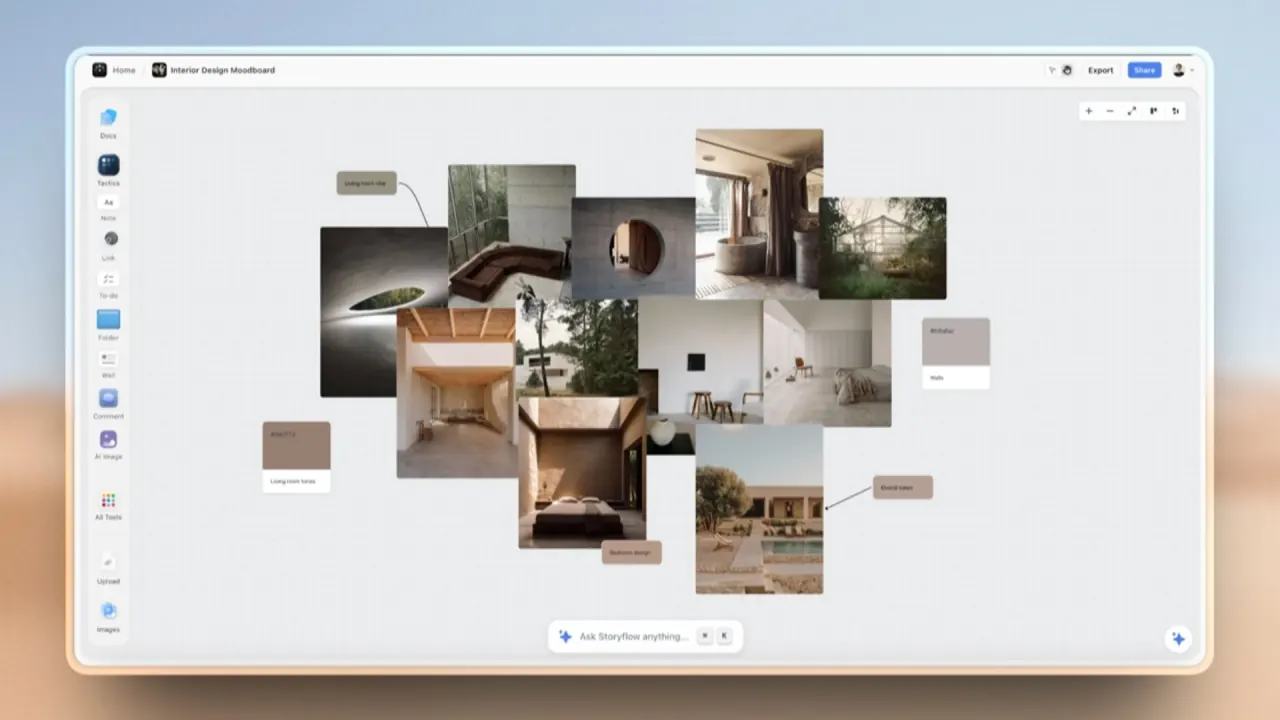

Organize research, scripts, references and deliverables on a visual canvas. Storyflow's AI builds boards and documents from that material, with live collaboration for creative teams.
Used this tool? Rate it
Used this tool? Rate it
Storyflow is an AI visual workspace for creative project planning, aimed at founders, agencies and creative teams. It brings the pitch, the production plan and the launch onto a shared canvas, with an assistant that can build and revise the material around them. The working surface combines walls, notes, pictures, tables, documents and tasks in an endless board.
A brief, references, script and schedule can stay beside the output they inform. Storyflow turns an uploaded brief, PDF, spreadsheet or script into an editable board where the work can continue.
The assistant uses the currently open project, board or document, selected elements or highlighted text, attachments and saved AI settings as context. Other material is opened when needed: a file starts as a filename until read, and a link starts as a URL until fetched. Conversations are saved per project and can be reopened with their context.
Storyflow can produce .xlsx files for Excel, Numbers or Google Sheets. Columns carry types such as currency, percentage, date and duration.
Totals use live formulas. When a canvas table is converted directly, column types and footer calculations carry into the spreadsheet; the conversion handles up to twelve tables at once, with a separate sheet for each.
AI-generated PDFs, spreadsheets, Word files and board exports arrive as downloads. A request made on a board also adds a file card, with a first-page preview where possible. Home chat and document requests return the download in the conversation.
Revisions replace the existing file card unless both versions are requested. The old file remains visible while its replacement renders.
Boards can be exported as PNG or PDF, and documents can be exported as PDF. AI board export takes the whole board and requires that board to be open.
For a request about existing work, the assistant fetches the current board or document state.
AI storyboarding is a concrete Storyflow use case. Storyflow accepts a script as a PDF, Final Draft .fdx or Fountain file, or works from a pasted brief. Its storyboard layout has one wall per scene, with a frame, beat note and shot checklist.
Frames have three sources: AI-generated images on Pro or Max, web photographs captioned as references, or placeholders filled with the user's own photographs.
A shot list can be generated from the storyboard on the same board. The output has one entry per camera setup, either as shot cards with frames or as a table containing shot size, angle, movement and lens.
Scenes can also be grouped into shoot days with page counts for a strip board. A call sheet request produces a PDF and leaves information that was not supplied visibly blank.
An AI-made file card can list open items such as a missing client name, date or figure. Answering them fills a subsequent version.
Creative project planning can include a production budget with working totals, a content calendar for someone using Excel, a comparison of vendor quotes, and a tracker with typed dates and currencies.
Images, AI memory and the shared Team Workspace have separate plan requirements.
Storyflow runs in a browser and has no native app.
Sharing distinguishes edit links from read-only links, and each link type can be enabled or disabled independently. The sharing modal shows who has accessed the material; access can be revoked by disabling a link or removing particular users. Read-only sharing is intended for clients and stakeholders who need to see the board without changing it.
A paid member can invite someone with an edit link, and that person can create a free account without a card to work on the shared board. Invited people can also invite others in turn.
The Storyflow MCP connection is described for assistants including Claude, ChatGPT, Gemini and Grok. MCP supplies access to the user's permitted Storyflow projects, allowing an assistant to read boards and documents and build work inside them. Users select the projects, whether changes are allowed, and whether documents outside projects are also accessible.
The setup is based on adding the Storyflow server address as a connector or remote MCP server, signing in, and selecting access. Some assistant products need their own eligible account or plan.
An invited free account gets 25 external-assistant actions a week, resetting each Monday in UTC. Plus, Pro and Max are described as having no limit on these MCP actions. This action allowance is separate from the metered AI performed inside Storyflow, whose plan multipliers are shown below.
A connection can be removed in Settings under Connected apps, with access lost within a minute. Connections also end after 30 days; the assistant then requests another sign-in, or a personal key must be recreated.
Storyflow is paid-only during early access, as captured on October 22, 2026. A Free plan is announced for before the end of 2026, while people invited to a paid member's board can already sign up at no cost.
Monthly prices are $9.99 for Plus, $19 for Pro and $49 for Max. The annual options are charged upfront for the whole year, rather than collecting the displayed monthly equivalent each month.
| Paid plan | Monthly equivalent on annual billing | Upfront annual charge | Storyflow AI allowance relative to Free |
|---|---|---|---|
| Plus | $7.99/month | $95.88/year | 6× per billing period |
| Pro | $14/month | $168/year | 30× per billing period |
| Max | $39/month | $468/year | 60× per billing period |
Plus includes the full Tactics library and unlimited uploads. Pro and Max include AI image generation. The vendor says the AI remembers the user's business on Pro and Max. Max adds the shared Team Workspace with roles and permissions.
AI usage includes chat messages, canvas edits, board generation and image generation where included. Paid plans renew their AI allowances, while the Free baseline is a one-time grant. Reaching the AI allowance leaves the rest of the canvas working. The published multipliers describe relative budgets, not fixed counts of completed boards or images.
The AI panel displays remaining allowance and reset information after three quarters of the budget has been used. At 100%, a limit notice replaces that warning.
The announced Free tier includes a one-time AI allowance and 20 file uploads, with no object, board or time limit.
Subscriptions renew automatically until canceled. Cancellation stops later charges and keeps paid access through the period already purchased. Account content remains afterward, subject to the limits of the plan the account then uses; cancellation and account deletion are separate events.
The terms say payments are final except where a refund is required by law. They explicitly exclude a trial period, satisfaction window and money-back guarantee, as well as refunds for unused subscription time or AI usage. Canceling does not refund the billed period.
Price changes require at least 14 days' notice and take effect at the next billing period. Fees exclude applicable taxes unless stated otherwise.
Storyflow states that it has no animatic or frame timing, no saved character cast for consistent generated characters, and no frame-level approval status. Those are concrete reasons a storyboard project can require a different tool even when generating and arranging a visual plan is useful.
The current AI help describes cards appearing as they are created, without a preview or approval step. The current storyboarding article instead describes staging the board as a proposal to accept or discard. These vendor descriptions differ on whether the board must be approved before the changes take effect.
One undo reverses an AI turn, and deleted board items remain in trash for 7 days. File generation has a narrower reversal boundary: undo removes its board card, while the file has already been created and charged for. Removing the card does not reverse the rendering work.
A file can be re-rendered three times in one turn. After that, the assistant returns its best version and describes what remains wrong, rather than continuing indefinitely.
AI output can be inaccurate, incomplete or unsuitable for a particular use, according to the terms. Responsibility for reviewing and validating the result stays with the user. Visible blanks and open items identify missing inputs; generated content still carries that review responsibility.
Storyflow states that it has not completed SOC 2, ISO 27001 or a comparable third-party audit. It also says it does not currently provide single sign-on, SAML, enforced two-factor authentication, audit logs or customer-managed encryption.
A data processing agreement, negotiated liability terms, security or availability commitments, and invoicing outside the normal subscription flow are not automatic. The terms say these apply only when separately agreed in writing with the organization.
Users keep ownership of content they create or upload. The terms give Storyflow a limited license to host, store, display, process, transmit and modify that content as needed to provide and improve the service. Users remain responsible for having the rights needed to upload, use and share their material.
The privacy policy says Storyflow collects provided account details, workspace content, messages, files and billing-related information. When an AI feature is used, the prompt and submitted workspace context are sent to a third-party AI provider to return the result. Content never put through an AI feature is not sent to that provider, according to the policy.
Storyflow says it does not train a model on workspace content. The policy treats its providers' retention and own-model training separately, offering provider-specific details on request.
Information can be processed internationally, including in the United States. For transfers from the UK or EEA, the policy describes reliance on mechanisms made available by its providers, such as Standard Contractual Clauses or an adequacy decision.
Account and workspace content is kept while the account remains open. A deletion request removes the account and workspace content from live systems, but encrypted backup copies can persist for a limited period until their normal expiration. The policy does not give that backup period a fixed number of days in the verified text.
Depending on residence, the policy describes rights to access, correct, delete, export, restrict or object to processing, and to withdraw consent where consent is the basis.
