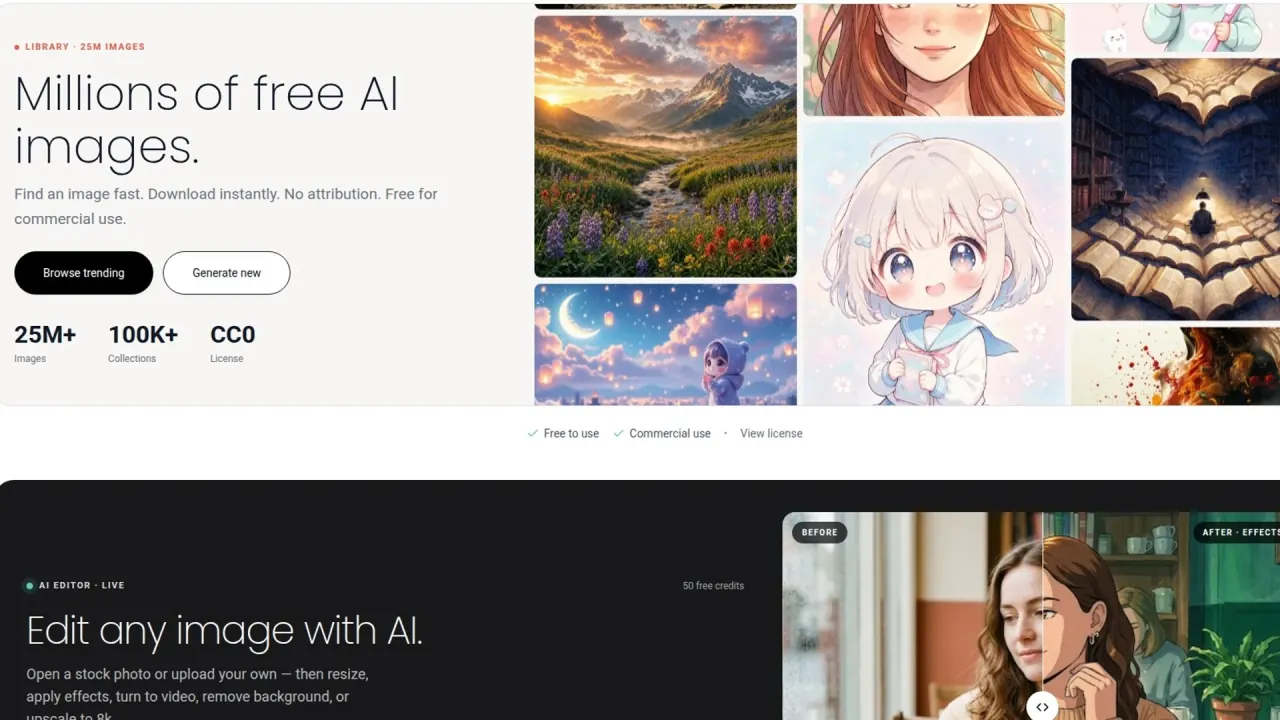

Search a large library of AI-generated stock images, download CC0 material, or open a library image or your own upload in StockCake's browser editor.
Used this tool? Rate it
Used this tool? Rate it
StockCake is a web-based AI image library and editing service operated by StockCake LLC. It combines a searchable catalogue of generated stock photographs with tools for creating and modifying visual assets in the browser. The current homepage displays more than 25 million AI images, more than 100,000 collections, and a CC0 label; those are vendor-published counters rather than independently audited totals.
StockCake's About page says image downloads do not require creating an account. Its free AI stock images can supply a draft, while the AI image editor, larger downloads, and generation may use credits. The CC0 images grant does not cover the site, software, brand, or uploads.
StockCake's current tool directory covers ten visual operations. The collection is broader than a stock-photo search box, but each operation has a different input, output, credit cost, and plan boundary.
The editor can start from a StockCake image or a user upload, then resize, apply effects, turn a still into video, remove the background, or use the upscaling feature.
The library exposes search results, collections, downloads, and an edit path from each image. It is generated imagery rather than documentary photography. A current plan comparison lists Small and Medium downloads as free on the Free tier and Standard downloads at 10 credits, so a free size is useful for layout checks before a paid export.
Create Image turns text into a new visual when search results miss the needed subject or framing. Generation spends credits priced per action, so check the listed cost before running variations.
These tools adapt one source to heroes, square posts, vertical stories, slides, or cutouts, but uploads carry separate rights and privacy terms.
The tools directory says Image Upscale reaches up to 8× resolution, while the homepage says upscale to 8k; check the exported pixel size. Upscaling predicts detail rather than recovering verified information, so text, faces, hands, products, and technical objects need review at output size. Create SVG adds vector output.
Video Creation turns a still into motion; the most expensive entry on the current credits page is an eight-second 720p Veo 3.1 clip. Create 3D Model transforms an image into a GLB model. Confirm which plan unlocks each model and resolution before paying.
The safest workflow separates discovery, rights review, editing, and final inspection. The Terms explicitly say generated content can contain errors and may not have been reviewed.
Before placing a personal or client image in the editor, confirm that the uploader owns or has permission for the file and has explicit consent from every identifiable person. Use a local editor when StockCake's promotion, modification, training, sublicensing, or retention terms conflict with confidentiality or client policy.
StockCake's license expressly names marketing, advertising, websites, blogs, social posts, books, magazines, presentations, education, merchandise, client deliverables, textures, backgrounds, and composite designs. The editor expands those uses when the library image needs a new size or treatment.
StockCake releases its AI images under CC0 for personal and commercial use without required attribution. Final work still needs factual, trademark, privacy, and contract review.
The best fit values speed and a permissive image license over photographic provenance; evidence-oriented publishing is a poor fit.
StockCake presents the service to designers, marketers, students, and indie founders. Its stated audience also includes hobbyists, individual creators, academic users, and design professionals.
Users must be at least 13. Anyone under 18 needs parent or guardian permission, and the adult accepts responsibility under the Terms; this makes supervised use relevant for schools and family accounts.
StockCake is a web app. The FAQ says no software or mobile app installation is required and that features are accessed through a browser. The homepage likewise describes the editor's tools as browser-based.
| Path | Account position | Main purpose | Important boundary |
|---|---|---|---|
| Public library | About page: no account for downloads | Search and download | Free-tier matrix: Small/Medium free, Standard 10 credits |
| Registered free access | Free account | Try editor actions | Published allowance conflicts |
| Paid subscription | Standard or Pro | Credits, models, resolution, concurrency | Auto-renews unless cancelled before period end |
| Credit top-up | Upgrade page says subscribers | Add credits marketed as non-expiring | Homepage block lists packs from $26.99 |
No public API, desktop app, native mobile app, or team administration was verified on the reviewed official pages; that is not proof none exists.
StockCake pricing is inconsistent across current official pages. The figures below are page-specific snapshots; verify checkout before paying.
The homepage advertises subscriptions from $4.99 per month and credit packs from $26.99 one time, says first-month subscribers pay 50% less, and labels pack credits non-expiring. The current upgrade page instead lists Standard at $9.99 per month with 500 monthly credits and Pro at $24.99 per month with 2,500 monthly credits. It also describes credit packs as top-ups for subscribers.
| Official surface | Free access shown | Paid subscription shown | Credit-pack position |
|---|---|---|---|
| Homepage | Not captured in this review | From $4.99/month; first month 50% less | From $26.99 once; non-expiring |
| Upgrade page | 125 per 30 days; Small/Medium free | Standard $9.99/500; Pro $24.99/2,500 monthly | Subscriber top-ups; non-expiring |
| Credits page | 125 per 30 days | Upgrade link | Per-action costs |
| FAQ | 50 daily | Plus/Pro/Ultra at 1,500/3,500/5,000 monthly | No pack clarification |
Check checkout for currency, interval, introductory duration, models, resolution, concurrency, and top-up eligibility.
The FAQ still describes Plus, Pro, and Ultra at 1,500, 3,500, and 5,000 monthly credits and promises 50 free credits daily. By contrast, the current credits page and upgrade comparison display 125 credits every 30 days for a free account.
The current credit page ranges from 5 credits for Remove Background to 240 for an eight-second 720p Veo 3.1 video. Image generation, editing, upscaling, downloads, SVG, vectorization, other video models, and 3D creation fall between; values can change by model and action.
Comparison searches place StockCake beside stock-photo and visual-asset services; the deciding factor is the required evidence and rights model.
The alternative decision begins with provenance: StockCake's Terms define photographs, videos, and other images and content marked AI Generated as Generative Content, while excluding the website, software, brands, text, and organization from that definition.
Discovery results named Vecteezy, Shutterstock, Dreamstime, Pixabay, iStock, Adobe Stock, and Unsplash as candidates, not equivalents. Check each one's provenance, rights, and price.
The Terms characterize Generative Content as experimental, potentially erroneous, and possibly unreviewed before publication. A 2024 community discussion provides a dated independent signal: at least four participants raised visibly implausible equipment, anatomy, lettering, or finger counts, and several included links to specific StockCake images. It is not a current prevalence estimate.
A third-party listing snapshot returned during this review displayed 4.3/5 from 3 reviews and explicitly said the sample was insufficient for buying insight. It cannot support a broad quality conclusion.
StockCake releases its AI images under CC0, but the Terms limit public-domain Generative Content to photographs, videos, and other images and content marked AI Generated. Website text, software, architecture, organization, trademarks, logos, and service infrastructure remain outside that grant.
The Terms generally prohibit automated means to download, monitor, or use the service or its content. CC0 image use does not grant permission to scrape the site, copy software, or reuse branding.
Public-domain status does not certify factual accuracy or resolve endorsement, trademark, privacy, or client-contract issues. The license statement names StockCake's own AI images; check the Terms before assuming the same for images you generate.
Uploads are not library CC0 images. StockCake receives the stated service, business, promotion, modification, transfer, sublicensing, and training license; when content is uploaded for other users to experience, they receive only the access the service enables.
Licenses continue for a commercially reasonable time after deletion, and StockCake may retain a copy, subject to its stated limits on public display or distribution. Avoid private or confidential uploads when that boundary is unacceptable.
The privacy statement says StockCake collects uploaded materials as well as account, payment, communication, technical, usage, and marketing data where applicable. It names Clerk, Stripe, PostHog, Google services, and CookieYes as providers. It also says user information may be used to train AI, machine-learning, or other systems.
Retention is purpose-based rather than a short fixed deletion schedule: information may be kept as long as reasonably necessary for the service or stated purposes, or as required by law, whichever is longest. Data may move across jurisdictions. Depending on location, a user may have access, correction, erasure, restriction, objection, portability, complaint, automated-decision, or consent-withdrawal rights, subject to applicable legal exceptions.
Official surfaces disagree on free credits, plans, prices, allowances, and pack access. Capture checkout terms before budgeting.
Yes, for eligible AI images: CC0 permits personal and commercial use without attribution. The grant excludes the site, software, branding, and uploads.
The About page says downloads need no account, and the Free-tier matrix lists Small/Medium as free. Standard downloads and editor actions use credits.
Official pages conflict: the credits page and upgrade comparison show 125 every 30 days, while the FAQ still promises 50 daily. Verify the allowance inside your account.
Yes. The Terms permit training with uploads, and the privacy statement lists training as a use of user information. Avoid uploads when that conflicts with your obligations.
No. Generated content may be erroneous and unreviewed. CC0 addresses offered rights, not accuracy or third-party concerns.
