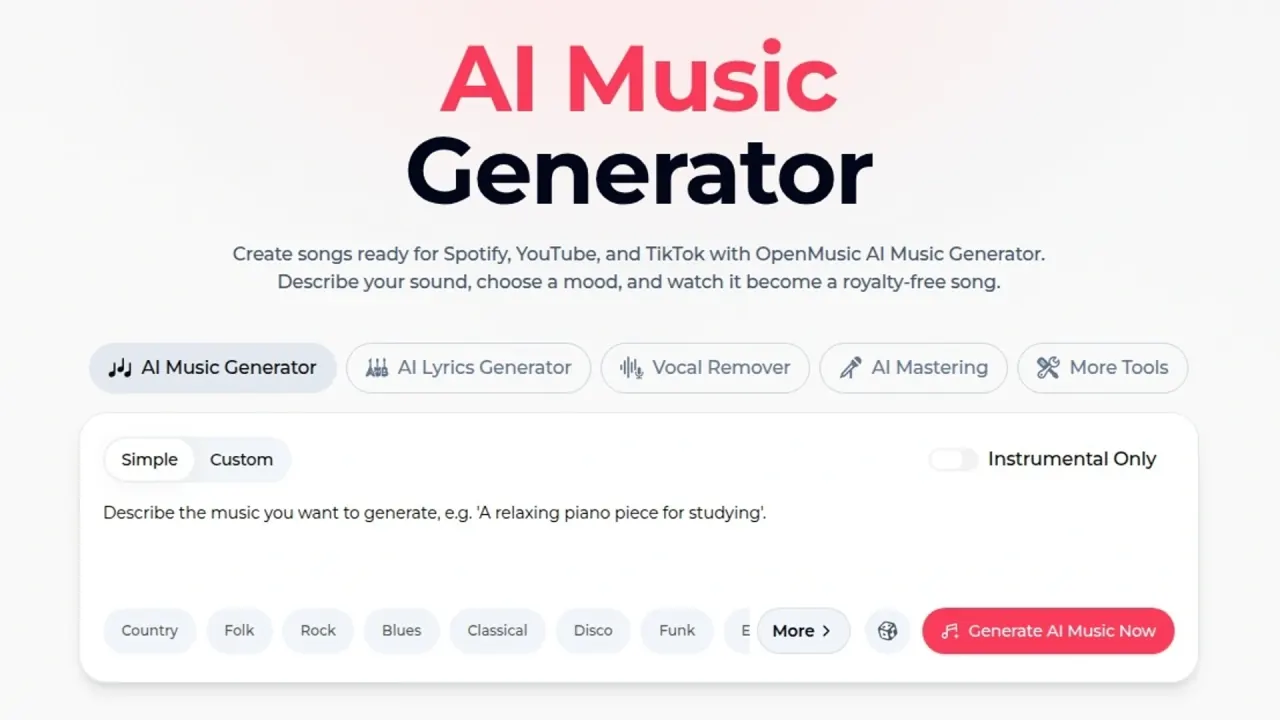

OpenMusic AI turns prompts or your own lyrics into songs of up to 8 minutes in the browser, with lyric writing, AI covers, stem splitting, mastering and MIDI tools. Commercial rights depend on plan and license terms.
Used this tool? Rate it
Used this tool? Rate it
OpenMusic AI (the site also writes it as OpenMusic.ai) is a browser-based AI music generator that turns a text prompt or your own lyrics into a finished song, then surrounds that generator with lyric writing, AI song covers, vocal and stem separation, AI mastering, MIDI conversion and simple music-video makers. The company positions the service as "the free all-in-one AI music generator" for creating full songs and lyrics from text.
The legal documents do not use one company name. The commercial license agreement names the licensor as OpenMusic AI, Inc., while the Terms of Service say site content, logos and trademarks belong to OpenMusic Inc. The About page says the company was founded by a musician who built an audience on YouTube and Spotify, but it does not name that founder.
The rendered generator shows a model selector set to V2.5, and the company describes the engine only as advanced generative models trained on thousands of musical styles. The visible page text does not identify who developed the model behind that label.
The "Open" in the name is not explained as open source: none of the pages reviewed describe the software or its models as open-source code. The product is also unrelated to OpenMusic, the object-oriented visual programming environment for music composition that shares its name.
For scale, a third-party traffic estimate put the site at roughly 1.0 million monthly visits for May–August 2026, as captured on September 26, 2026.
The biggest decision point is licensing: marketing pages, the pricing FAQ and the license agreement describe commercial rights in three different ways.
The AI stem splitter offers three separation modes. A 4-stem split produces vocals, drums, bass and others; a 6-stem split adds guitar and piano; and an "All Detected Stems" mode returns up to 12 instrument and vocal stems, but that mode is labelled "AI Songs Only". A separate AI vocal remover focuses on pulling vocals away from the backing track.
The AI Music Video page offers a Music Visualizer and a Photo Video maker. Two further formats, Story Music Video (scenes built from your lyrics) and Singing Video (a virtual performer), were marked "Coming Soon" as captured on September 26, 2026.
The song library's batch-download menu lists MP3 Audio, WAV Audio and FLAC Audio. Paid plans include downloads, and the pricing FAQ adds that songs created on the free plan become downloadable after an upgrade. Accounts without a membership see an "Unlock Download" prompt offering to spend credits on that single download or to upgrade for unlimited downloads.
The license and product pages point to a handful of concrete uses rather than one core audience.
OpenMusic AI is aimed at people who want finished songs quickly without a studio. The About page names bedroom producers, content creators and professional artists as the intended users.
Good fit
Weaker fit
OpenMusic AI sells subscriptions that come with credits, the platform's internal currency. Generating a song costs 2 credits, and other tools show their own credit cost on the generate button. The pricing page opens on the yearly toggle; the monthly prices below come from plan data embedded in the same page, which does not display the monthly credit allowance.
| Plan | Yearly billing (shown) | Monthly billing | Yearly credits and songs | Downloads |
|---|---|---|---|---|
| Free | No charge | Not applicable | 30 credits / 15 music generations per year | Not included |
| Starter | $10.49/month, $125.92 billed yearly | $14.99/month | 2,400 credits / 1,200 generations | 1000 download times |
| Hobby | $20.99/month, $251.92 billed yearly | $29.99/month | 6,000 credits / 3,000 generations | Unlimited |
| Professional | $34.99/month, $419.92 billed yearly | $49.99/month | 14,400 credits / 7,200 generations | Unlimited |
| Studio | $90.99/month, $1091.92 billed yearly | $129.99/month | 40,800 credits / 20,400 generations | Unlimited |
The yearly toggle is labelled "30% Off". The Free card lists a Basic AI Music Generator and shows music video, commercial license, music download and email support struck through.
Credits do not carry over. Unused credits are cleared on the renewal date, and credits refresh on the same date each month, for example on February 1 and March 1 for a January 1 subscription.
Commercial rights follow the billing period, not the tier. The pricing FAQ says commercial rights are included with any annual plan and not with monthly plans, and that this applies retroactively: songs made on the free plan can have their commercial license PDF downloaded after upgrading to an annual plan.
The site gives two answers on buying extra credits. The pricing FAQ says you cannot currently buy extra credits without upgrading, yet the pricing page also has a "Pay Once" toggle whose embedded text offers credit packs and states that credit packs are non-refundable, non-transferable, non-exchangeable for membership and non-withdrawable.
Subscriptions renew automatically, monthly or annually. According to the Terms, you can cancel at any time from the account dashboard, and cancellation takes effect at the end of the current billing cycle.
Three official pages describe refunds differently:
Two alternatives with clearly published licensing rules make useful comparison points.
| Alternative | How commercial use is handled | Notable plan detail |
|---|---|---|
| Suno | Free plan has no commercial rights; Pro and Premier include commercial use rights | Pro lists 20 song downloads per month; the free plan has no monthly song downloads |
| Mubert | Creator plan is labelled Non-Commercial; Pro is labelled Commercial Usage | Creator and Pro list 500 tracks per month and tracks up to 25 min |
Suno ties commercial use to its paid tiers rather than to the billing period, whereas OpenMusic AI's pricing FAQ ties it to annual billing. Mubert separates non-commercial and commercial use by plan name. OpenMusic AI's difference is breadth: covers, stem splitting, mastering, MIDI and video tools sit in the same account and credit balance.
The account's credit log also lists entries named "Unlock Song Download" and "Unlock Song Commercial Rights".
The license states that OpenMusic AI does not guarantee that any licensed music is eligible for copyright protection in any jurisdiction, or that it will be free from third-party claims, takedowns, content-matching issues or Content ID actions on platforms such as YouTube. It also does not warrant that a track will be unique or that it will not resemble other AI-generated or human-created works. The company's total liability under the license is capped at what you paid for the relevant Commercial License(s) in the 12 months before the claim.
The celebrity voice page tells users to provide 30–60 seconds of clear audio from a target voice or a celebrity vocal sample and says the resulting covers are "yours to use, share, and monetize." The license, however, forbids intentionally imitating a specific copyrighted song, recording, composition or distinctive artist identity in a way that may infringe third-party rights, and makes users responsible for publicity and other third-party rights. The celebrity page's 30–60 second sample length also differs from the voice-training screen's 1-minute minimum.
The Terms require users to be at least 18 years old (or the age of majority), while the Privacy Policy says the service is not intended for users under 13.
In the IT-media, review-platform and community channels checked through September 26, 2026, no independent in-depth review of OpenMusic AI was found, and the consumer review samples located were too small to support a quality conclusion.
There is a free plan with 30 credits and 15 music generations per year, using the Basic AI Music Generator and the AI Lyrics Generator. Music downloads, music video, the commercial license and email support are shown as not included on the free card.
It depends on which official page you follow. The pricing FAQ ties commercial rights to annual plans, the license agreement grants rights per purchased song, and the Terms say you own your output.
None of the pages reviewed describe OpenMusic AI's software or models as open source.
