Create branded QR codes for websites, vCards, PDFs and restaurant menus, then update linked content and view scan analytics from one service.
Used this tool? Rate it
Used this tool? Rate it
MyQRCode (also styled My QR Code) is a QR code generator for turning links, vCards and files into QR codes. It combines a public content-type selector with design controls, editable linked content and scan analytics. A code can therefore serve as an access point to a business page, a document or a digital menu, while the destination is managed through the service.
The central choice is whether continuing management is part of the job. MyQRCode describes its codes as dynamic: linked content can change while the same QR image remains in use. Its published trial terms also connect continued scanning to account access, so downloading an image does not by itself establish that its destination will remain available indefinitely.
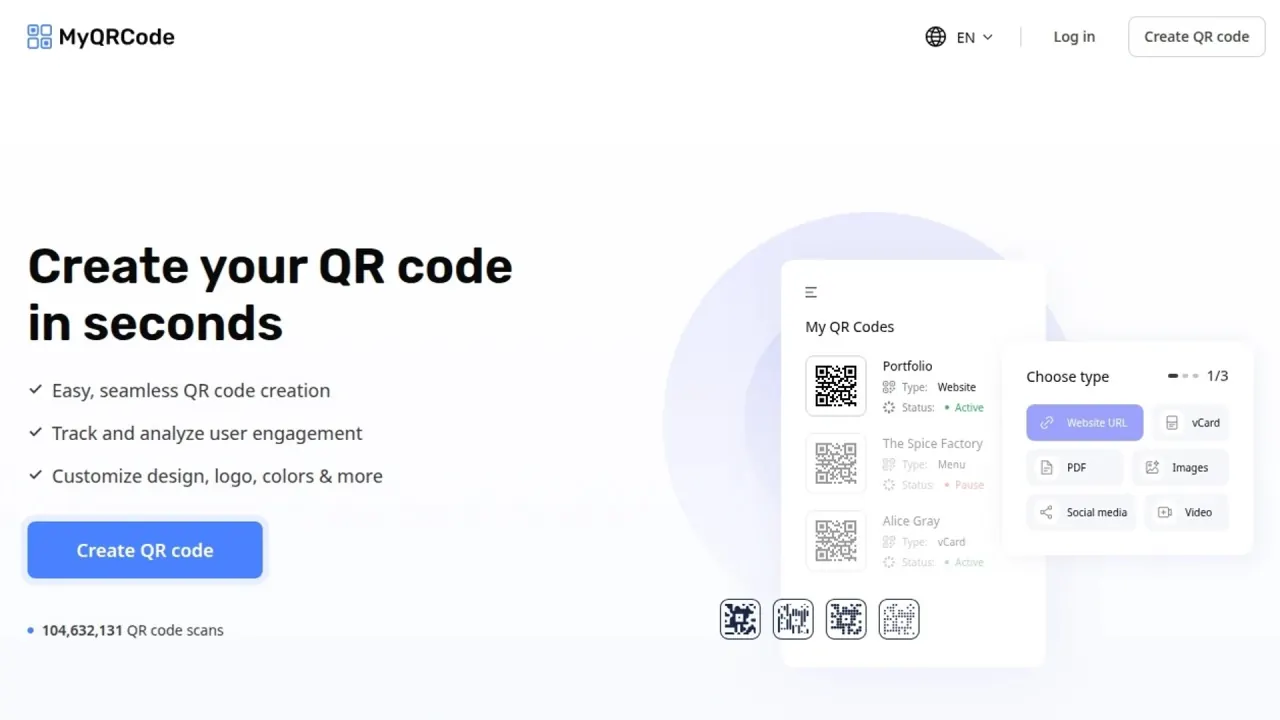
The public creator offers Website URL, vCard, PDF, Images, Social Media, Video, Simple Text, Business Page, Facebook, Wi-Fi, App and Menu types. These choices cover both links to existing destinations and content presented through a purpose-specific page. The App option is described as linking to the iOS App Store or Google Play; Images displays a gallery, while Video can share one or multiple videos.
MyQRCode says its dynamic QR codes let users change linked content or the destination without replacing the QR code. A newly styled QR image still needs to be distributed wherever that design is wanted.
Design controls include six QR patterns, corner squares, borders, colors and a logo. The service also offers design templates in its documented creation flow. Customization here describes the QR image, while the content-type selection determines what a person reaches after scanning it.
The analytics dashboard reports scan time, location and the device used for a scan. The disclosed measures concern scans; they do not by themselves establish a sale or a unique customer. MyQRCode's published paid offers include access to analytics, while the trial-expiry terms restrict tracking metrics after downgrade.
The public creation flow has three stages: choose the content, customize the design, then download the QR code. Logos, colors, frames, patterns and styles are available, with PNG, SVG and JPG downloads for printing or digital sharing.
The workflow separates the destination from its visual carrier. The uploaded PDF is the document to reach; the exported graphic is the code used to reach it. Dynamic editing maintains the linked material after the image is distributed.
The homepage structured FAQ advertises commercial and marketing use, including links to business, advertisement and product pages as well as digital restaurant menus. The terms separately prohibit commercial or non-personal use of the Services without express consent; the reviewed texts do not explain how the two statements interact.
MyQRCode says users can track scans and customize designs without technical expertise. Its forms and staged content/design flow suit a code and destination assembled through a browser. The company positions the service for both business and personal needs, although the continuing access conditions matter in either setting.
The public terms require an account for certain services and put responsibility for the supplied account information and credentials on the creator.
AI-art QR creation is advertised in homepage metadata. Current AI-art availability remains unconfirmed across the reviewed homepage, public creator and direct AI-art route.
As captured on November 12, 2026 (UTC), the public USD pricing state shows the following offers. The annual figure is displayed as a monthly equivalent while payment is collected upfront; the shorter offer renews every four weeks, rather than on a calendar-month schedule.
| Offer | Initial amount | Continuing billing |
|---|---|---|
| 7-Day Full Access | $1.95 for seven days | $49 every four weeks after the first seven days |
| Yearly Plan | $228 upfront, displayed as $19/mo | Renews every year |
The yearly card advertises a 50% saving with the $228 upfront payment. Both displayed offers list unlimited QR codes and scans, unrestricted customization, unlimited analytics access and downloads, all download formats, and all QR types.
The amounts above are USD for the captured state. The terms say plans may be charged in USD or local currencies and exact charges can vary by location. The reviewed public pricing cards do not specify whether tax is included.
Subscriptions renew automatically, with the stored payment method charged for the additional periods disclosed at enrollment without another permission request. The pricing cards' “cancel anytime” wording describes the ability to cancel; the terms add a timing condition for avoiding the next charge.
Cancellation is available through the account's Billing tab, by contacting support, or through the public cancellation form using the registration email. Under the terms, changes or cancellations to the Trial Plan or a subscription must be made at least one day before the next billing period to avoid another charge.
The pricing metadata advertises a 30-day money-back guarantee. The termination clause separately says users will not receive a partial refund or reimbursement of subscription fees already paid. The public guarantee and the termination rule express different scopes; their interaction is not resolved into an unconditional refund entitlement in the reviewed material.
QRCode Monkey describes its generated codes as free static codes with no expiration or scan limits; their content cannot be edited after creation. It also permits commercial use. This suits a fixed destination rather than MyQRCode's managed editing workflow.
QRCode Monkey lists foreground, background, gradient and eye color controls. PNG, SVG, PDF and EPS downloads are listed by QRCode Monkey. It specifies that the PDF and EPS formats support classic codes without design or logo options, while PNG and SVG support the design settings. A fixed-content vector file answers a different requirement from ongoing scan analytics and destination changes.
goQR.me permits free commercial and print use and explains that normal static codes store fixed data that cannot be changed. Its generator says it does not track or analyze generated QR codes, does not store vCard address data for marketing, and caches generated image files for about thirty seconds for technical reasons. Dynamic editing and analytics are described through its separate QR-Server management service.
The free generator suits fixed data where scan reporting is unnecessary; changing the encoded data requires a different static code.
The terms say the Trial Plan expires seven days after the first QR code is created. On downgrade, dynamic QR codes become unscannable; users cannot create new QR codes or edit existing ones, tracking metrics are restricted, and downloads are disabled. The image may remain on paper while its linked content can no longer be reached by scanning that dynamic code.
The terms say the company may offer new users a one-time free Trial Plan. They require cancellation before the promotional period ends to avoid regular fees for the next billing period. Those charging conditions appear alongside the stated downgrade restrictions. The paid seven-day Full Access offer is described separately on the pricing page.
The company also reserves the ability to close an account or delete its data after more than 33 days of inactivity, if there is no subscription, or if only free services have been used. This allows deletion of an unused or unsubscribed account rather than promising permanent preservation.
The privacy policy says people with access to a QR code can scan it and much activity on and through the Services is public by default. It warns against using the Services to create, post or distribute sensitive personal information, such as identity documents, biometrics, medical details or payment information. The policy says further security for linked content might be possible, but MyQRCode does not influence it.
The terms prohibit posting content that infringes intellectual property, is illegal, obscene, threatening or defamatory, invades another person's privacy, or contains a commercial solicitation or another form of spam. They put responsibility for content to the Site on the user and say content is not routinely reviewed.
Users retain intellectual-property or proprietary rights in their content, but grant the company a worldwide, nonexclusive, royalty-free, perpetual, irrevocable and fully sublicensable licence to use, reproduce, modify, publish, distribute and display it. Retained ownership therefore coexists with an extensive licence granted to the service.
The terms say that posting content to the Site or making it accessible to the Site by linking the user’s Site account to a social networking account triggers a further licence to the company, including commercial and advertising use, sale and resale, derivative works, and use of supplied names, company and franchise names, marks and images. The clause also contains a moral-rights waiver. These are the terms' stated permissions for that sharing.
MyQRCode's print guidance says the suitability of a small code depends on scanning distance, encoded data, QR version and error correction. A supported export format does not by itself establish readability in every placement.
Yes. The published Trial Plan rules say dynamic codes become unscannable after the seven-day trial expires and the account is downgraded. Saving the QR image and preserving access by scanning that code are separate matters.
MyQRCode says dynamic-code destinations and linked content can be edited without replacing the QR code. Static codes have fixed encoded content. After trial expiry and downgrade, the terms say existing codes cannot be edited.
The named formats are PNG, JPG and SVG. SVG is a vector graphic, while PNG and JPG are image formats. The full-access offers list all download formats and unlimited downloads; the terms say users can no longer download their QR codes once the Trial Plan expires and the account is downgraded.
