
Toolso.AI
Toolso.AI
All ToolsCategoriesTrendingLatest ToolsPricingBlog
Toolso.AI
Toolso.AI
Toolso.AI
Toolso.AI

Discover the best AI tools to boost your productivity

GitHubGitHubTwitterX (Twitter)YouTubeYouTubeTikTokEmail

Popular Categories

  • AI Writing
  • AI Image
  • AI Video
  • AI Coding
  • More Categories

Explore

  • Latest Tools
  • Popular Tools
  • More Tools
  • Submit Tool
  • Pricing

About

  • About Us
  • Contact
  • Blog
  • Changelog

Legal

  • Cookie Policy
  • Privacy Policy
  • Terms of Service
  • Refund Policy
© 2026 Toolso.AI All Rights Reserved
Limited timeLimited-time offerFeatured Listing24h priority review · No backlink · 30 days featured$29.90then $59.90Price rises to $59.90 after Oct 31Ends in--:--:--Submit now
  1. Home
  2. All Tools
  3. Video Generation
  4. MusicAI
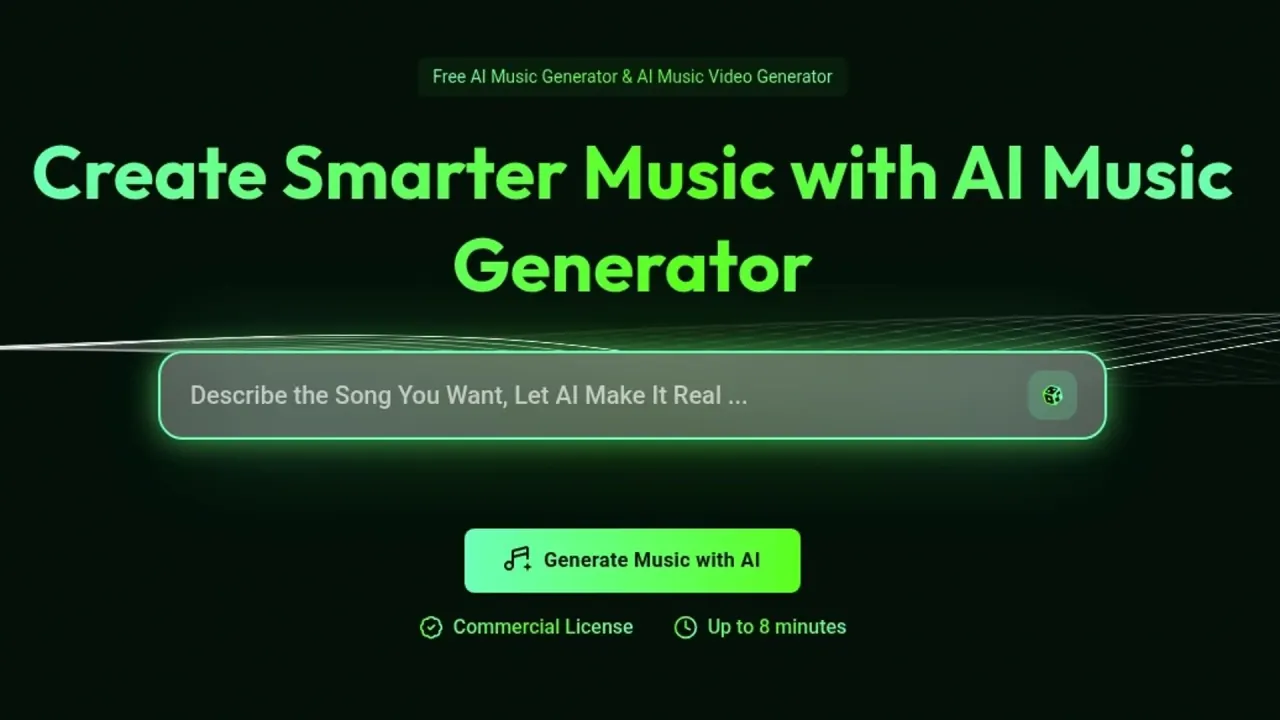
MusicAI interface preview
MusicAI logo

MusicAI

MusicAI is a browser-based AI music generator that turns a text prompt or your own lyrics into full songs, then adds voice-model covers, stem splitting, AI mastering and simple music video tools.

Video GenerationAudio MusicMusic Generation#Voice Cloning#Text To Music#Music MV Generation
Try for Free
Saves
Visits
Views
Pricing
Freemium
Published
Sep 28, 2026
Domain
musicai.ai
Community rating

Used this tool? Rate it

Rate this tool

MusicAI Product Information

Try for Free
Tool Information
Saves
Visits
Views
Pricing
Freemium
Published
Sep 28, 2026
Domain
musicai.ai
Community rating

Used this tool? Rate it

Rate this tool

Featured Tools

Related Tools

Try for Free

What is MusicAI?

MusicAI is a browser-based AI music generator that creates complete songs, including vocals and lyrics, from a short text prompt or from lyrics you supply. Around that core it bundles voice-model covers, a vocal remover and stem splitter, AI mastering, MIDI utilities and a music video section, all reached from one workspace.

The site's marketing describes every track as royalty-free and fully owned by the user, but the pricing FAQ and a separate Commercial License Agreement attach conditions to commercial use.

The legal pages do not name one consistent operator. The Terms of Service assign the site's trademarks, code and branding to MusicAI Technologies Ltd. The Commercial License Agreement instead names the licensor as MusicAI AI, Inc., and neither page explains how the two names relate. Several unrelated products use similar "Music AI" names; this page covers only the service at musicai.ai.

Core features

MusicAI's tools fall into five groups: song generation, editing of existing songs, voice models and covers, audio separation and mastering, and music video creation.

Song generation

  • Prompt mode: you describe the song you want, including genre, mood, instruments, atmosphere and vocal gender, and the model writes both the music and the lyrics.
  • Own Lyrics mode: this is the lyrics to song route, where you paste your own lyrics or press Auto Generate to let the system draft them, then still choose genre, mood, instruments and vocal gender.
  • Other starting points: the homepage says a song can also start from lyrics, images or melodies.
  • Generation time: the beginner guide says most songs are ready within 1–2 minutes.

The speed claims differ between pages. Marketing copy says the AI Music Maker turns inspiration into sound within seconds, while the help guide gives the 1–2 minute figure above for a typical song.

Finished songs land in a workspace panel on the right of the generator page, where you can play a track in the browser, download the audio, view its full lyrics, remix or edit it, and mark it Like or Dislike.

Editing an existing song

  • Extend: you pick a start point on the timeline, the AI keeps the original audio up to that point, and new music is written from there onward.
  • Cover (edit mode): this replaces the lyrics or musical style of a song you already made without rebuilding it from scratch.
  • Advanced options: both views expose Exclude Styles, Vocal Gender, Weirdness, Style Influence and Audio Influence, where Audio Influence sets how closely the new material follows the original track.

Voice models and AI song covers

  • Covers: the AI song cover generator applies a chosen voice model to a song you upload or to a track you generated earlier on MusicAI.
  • Custom voice training: training accepts 1–30 minutes of audio, and the guide recommends at least 10 minutes of clean vocals without noise, reverb, echo or background music.
  • Ready-made voices: if you do not want to train a model, a Library tab offers voice models provided by MusicAI.
  • Celebrity voices: a dedicated celebrity voice page asks users to upload a clear clip of the celebrity voice they want to replicate, from which the system builds a voice model.

Separation, mastering and MIDI tools

  • Stem splitting: the AI Stem Splitter offers a 4-stem split (vocals, drums, bass, others), a 6-stem split that adds guitar and piano, and an All Detected Stems mode of up to 12 stems labelled "AI Songs Only".
  • AI mastering: the mastering tool is described as enhancing clarity, balance and loudness to give a track a more finished sound.
  • MIDI and utilities: a separate tools area adds browser utilities such as a MIDI-to-MP3 renderer that downloads an MP3.

AI music video generator

The AI music video generator currently lets you create two formats, Music Visualizer and Photo Video, while Story Music Video and Singing Video are both marked Coming Soon. Its FAQ says videos built entirely from AI-generated assets can be used commercially, but the usage rights of any audio you upload depend on the license terms of that original content.

Guide

Generate your first song

  1. Open the AI Music Generator page, where songs are created, previewed and managed.
  2. Choose Prompt mode to describe the track, or Own Lyrics mode to paste or auto-generate lyrics.
  3. Set genre, mood, instruments, atmosphere and vocal gender; if you are unsure, the Get Inspired button suggests ideas to explore.
  4. Click Generate and wait for the track to appear in the workspace panel on the right.
  5. Play, download, remix or extend the song from the workspace.

Make a cover with your own voice

  1. On the AI Singing Voice Generator page, name your voice model and upload recordings or record in the browser.
  2. Select the voice's gender and decide whether the model should be public or private.
  3. On the AI Song Cover Generator page, pick a model under "My Voice Model" or from the "Library" tab.
  4. Upload the song to cover, or pick one from "My Music", then set "Gender of this Music"; the guide says this setting directly affects the singing result.
  5. Click Cover and wait about 1–2 minutes before previewing and downloading the result.

Split a song into stems

  1. Open AI Vocal Remover or AI Stem Splitter, or switch between Vocal and Stem modes with the Mode control.
  2. Upload an audio file or choose a track from My Music, then start the split.
  3. Preview the results in the History panel, where you can adjust the volume of each separated stem to judge the separation quality before downloading.

Use cases and examples

MusicAI's own pages pitch the product at several creator groups. These are the company's positioning, not independent results:

  • Video creators: background music generated to sit under videos made with its AI music video generator, which the company says is ready to monetize anywhere.
  • Podcasters: custom intros, transitions and ambient themes matched to a show's voice.
  • Musicians and songwriters: a co-pilot that proposes melody ideas, lyrics and arrangements when a writer is stuck.
  • Advertisers and brands: short, brand-aligned jingles to pair with visual ads and campaign videos.

Who is it for

Likely fits

  • Beginners without music training: the FAQ says the generator handles melody, harmony, rhythm and vocals automatically.
  • Companies and teams that need music across channels: the license lets organizational users place licensed tracks on brand channels, social posts, promotional videos, ads, presentations and event materials.
  • Hobbyists who want stems, covers and mastering in the same place as song generation.

Weaker fits

  • Anyone under 18: the Terms of Service require users to be at least 18 or the age of majority in their jurisdiction.
  • The privacy policy, however, says the service is intended for users aged 13 and above, so the two legal pages set different minimum ages.
  • Buyers who want commercial rights on a monthly plan, extra credits without upgrading, or exclusive control of a track, for the reasons set out in the pricing and limitations sections.

Platforms

  • Web only: the help center says MusicAI runs entirely in the browser around one main action, creating music with AI.
  • No installation: the About page lists "no downloads, no plugins, no friction" among the service's traits.
  • Upload formats: the cover, stem and mastering tools accept MP3, WAV, OGG, M4A, AAC, FLAC and WMA files.
  • Payments: the Terms of Service say payments are processed through third-party providers such as Stripe and PayPal.
  • Mobile apps: the MusicAI homepage checked for this page links to no app store listing, and mobile apps with similar names are not covered here.

Pricing

The pricing page has Monthly, Yearly (marked 30% Off) and Pay Once tabs. The figures below come from the Yearly view as captured on September 28, 2026; monthly prices and the Pay Once contents were not shown in that view and are not listed.

PlanPrice shownBilled yearlyCredits per yearSong generations per yearDownloadsSupport
FreeFree—3015Paid plans onlyNot stated
Starter$8.33/month$1001,9209601,000 download timesEmail
Hobby$30.00/month$3609,6004,800Unlimited24/7 email
Professional$49.90/month$598.8022,20011,100Unlimited24/7 email

How credits work

Generating one song costs 2 credits, and every other tool shows its own credit cost on its generate button. Unused credits are cleared on the renewal date and refresh on the same date each month. The FAQ says extra credits cannot currently be bought mid-cycle; the only route is upgrading to a higher plan.

Downloads and commercial rights

All paid plans include song downloads, and upgrading also unlocks downloads of songs you created on the free plan. Commercial rights come with annual plans only: the FAQ states that monthly plans do not include them. Songs made on the free plan can have their commercial license PDF downloaded after upgrading to an annual plan.

Subscriptions can be cancelled from the dashboard, and access stays active until the end of the billing period.

Refund terms

Three official pages describe refunds differently:

  • Pricing FAQ: a full refund if you have used fewer than 20 credits and ask within 3 days of purchase.
  • Refund Policy: requests must arrive within 3 days, anyone who has used more than 20 credits is ineligible, and approved refunds may carry a processing fee of up to 6% of the initial payment.
  • Terms of Service: refunds are generally not available once access has been granted, are approved only for verified technical issues, duplicate charges or system errors, and should be requested within 7 days of purchase.

MusicAI alternatives

Two better-known AI music generators handle rights and downloads differently, which is often the deciding factor:

  • Suno: its free plan lists no monthly song downloads and no commercial rights. Its Pro plan adds commercial use rights but caps song downloads at 20 per month. MusicAI's Hobby and Professional tiers list unlimited downloads instead, but tie commercial rights to annual billing.
  • Mureka: its homepage says tracks can be downloaded with full commercial rights for use across all platforms and projects, and that its output works with DAW software such as Ableton.

Limitations

Ownership claims versus the license agreement

MusicAI's pages make broad ownership claims that its license agreement narrows:

  • The homepage says every song is 100% royalty-free and fully yours. Its FAQ adds that each track comes with a unique digital license confirming full ownership.
  • The Terms of Service likewise say you fully own and control the rights to your generated output.
  • The Commercial License Agreement grants a non-exclusive, worldwide, perpetual, non-transferable license, and only for a specific track whose Commercial License was purchased.
  • The same agreement says generated music without a purchased Commercial License is not licensed for commercial use under it.

These pages do not agree with each other, and the site does not reconcile them. The license also forbids registering licensed music in Content ID, fingerprinting databases, copyright registries or collecting societies in a way that blocks other users' lawful use of similar outputs, and forbids claiming exclusive ownership beyond the rights it grants.

Copyright and platform risk

The homepage FAQ says songs can go to Spotify, YouTube, TikTok or Apple Music without any copyright issues. The license disclaims more: MusicAI AI does not guarantee that licensed music is eligible for copyright protection in any jurisdiction. It also does not guarantee freedom from third-party claims, takedowns, content-matching issues or platform enforcement. The agreement further states that it does not warrant any licensed track will be unique.

Voice cloning and artist imitation

The license bars intentionally imitating a specific copyrighted song, recording, composition or distinctive artist identity in a way that may infringe third-party rights. The celebrity voice page's own FAQ adds only that users should make sure they hold proper rights to the underlying song composition.

Service terms

The Terms of Service say features may be updated, replaced or removed without prior notice. They also state that the service comes with no guarantees on uptime, output accuracy or creative results. The Terms are governed by the laws of the United States.

Privacy and data

  • Prompts are collected: the privacy policy lists prompts entered for AI music generation among the usage data it gathers.
  • Service providers: data is shared with providers for payments (such as Stripe and PayPal), analytics (such as Google Analytics) and hosting (such as AWS and Cloudflare).
  • No sale: the policy says personal data is not sold or shared with unauthorized third parties.
  • Deletion: after account deletion, personal data is permanently deleted or anonymized within 30 days.
  • Public voice models: a voice model set to Public may appear in the platform's voice library, where other users can try it.
  • Model training: the privacy policy and terms checked for this page do not say whether prompts, uploads or voice recordings are used to train AI models.

FAQ

Q1. Is MusicAI free to use?

Yes, with a small allowance. In the Yearly view of the pricing page, the Free plan lists 30 credits and 15 song generations per year. Downloading songs requires a paid plan, although songs made on the free plan become downloadable after upgrading.

Q2. Can I use MusicAI songs commercially?

Only under conditions. The pricing FAQ limits commercial rights to annual plans, and the Commercial License Agreement grants a non-exclusive license per purchased track rather than exclusive ownership. Marketing pages describe full ownership, so the pages conflict.

Q3. Can I get a refund?

Possibly, but the official pages disagree. The pricing FAQ and Refund Policy both use a 3-day window and a 20-credit threshold, the Refund Policy allows a processing fee of up to 6%, and the Terms of Service limit refunds to technical issues, duplicate charges or system errors within 7 days.

Q4. Can MusicAI clone a voice?

Yes. You can train a voice model on 1–30 minutes of vocals and use it in the AI song cover generator, and a celebrity voice page invites users to replicate a celebrity's voice. The license, however, bars intentionally imitating a distinctive artist identity in a way that may infringe third-party rights.

Q5. Do unused credits roll over?

No. Unused credits are cleared on the renewal date, and extra credits cannot currently be bought without upgrading to a higher plan.

Know a Similar Tool?
If you know other great AI tools, feel free to submit them to us