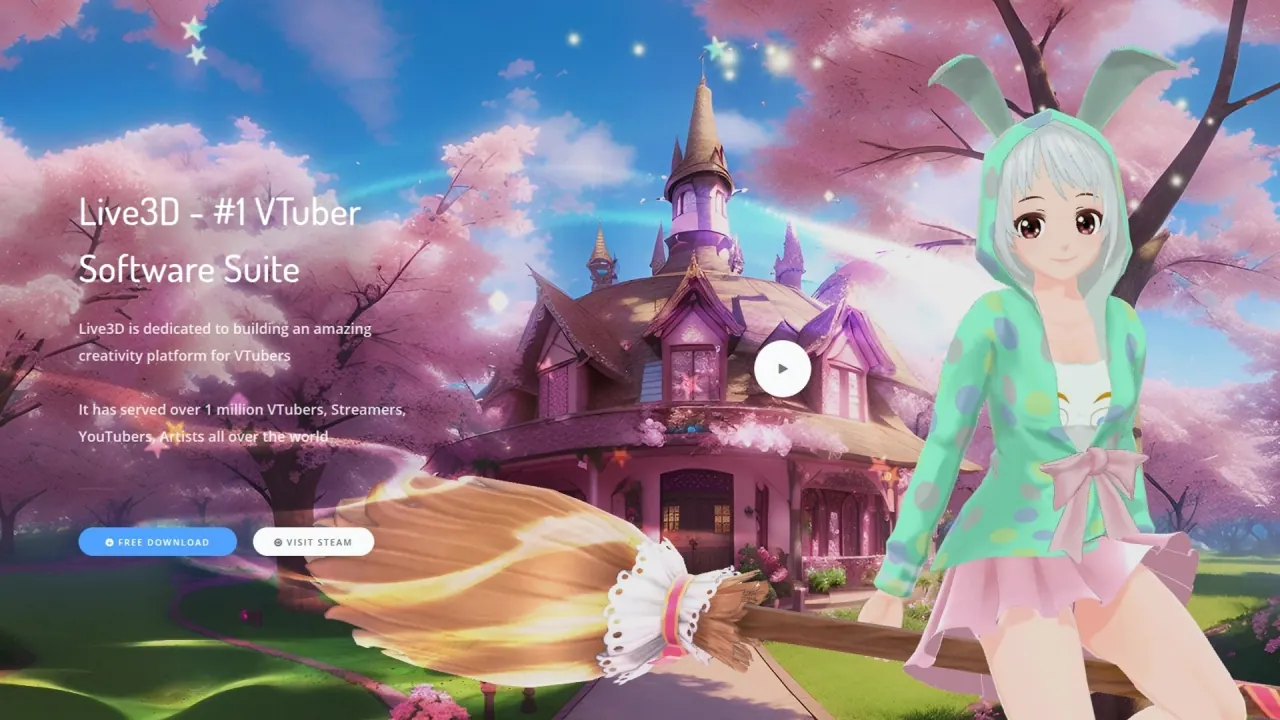

Live3D is a Windows VTuber software suite that tracks your face and hands from a webcam, drives a 3D VRM avatar, and sends it into a stream through an OBS virtual camera, green screen or transparency capture.
Used this tool? Rate it
Used this tool? Rate it
Live3D is a Windows desktop VTuber software suite that drives a 3D avatar from an ordinary webcam, whether you upload your own 3D VTuber avatar and start live streaming or creating video content, or use virtual avatars in online meetings. The company says it is dedicated to building an amazing creativity platform for VTubers and has served over 1 million VTubers, Streamers, YouTubers, Artists all over the world — a vendor figure, not an audited one.
Four products make up the suite: VTuber Maker for tracking and live output, VTuber Editor for rigging avatars, VTuber Gallery : Anime Pose for pose references, and VTuber Extension for stream-side interaction.
The scope is deliberately narrow. Asked whether its software only supports 3D VTuber models, the official FAQ answers yes, we focus on providing 3d model services, because the effect of 3d models on emotional expression and body language will be far more than 2d.
Three company names appear across the official pages: the privacy policy opens in the name of Live3D Limited, directs policy inquiries to ZingFront Limited, and the footer carries the copyright line of LIVE3D INC. The terms never name the country of incorporation, routing disputes to the courts located in the jurisdiction of the Service operator's incorporation.
Before recommending the site inside a school or an employer's network, note that the official sitemap lists explicit adult AI image generators on the same domain.
With just one web camera, you can enjoy stable, high-precision face and head tracking technology, and VTuber Maker enables hand tracking regardless of whether you have Leap Motion or not. Tracking channels are gated by plan, not by hardware: Basic Tracking (Facial, Head) sits in the free tier; Advanced Face Tracking, Lip Sync and Upper Body Tracking start at the cheapest paid tier; Hand Tracking, Body Rotation Tracking and Tongue Out Expression one tier above; and professional capture suits — Xsens Motion Tracking and Noitom Motion Tracking — only on the top subscription tier.
Using the OBS virtual camera powered by VTuber Maker in conjunction with the OBS streaming tool, VTuber content is delivered to the audience in real-time, with green screen capture or transparency capture as alternatives — all three in the free tier.
Editing lives in a separate app: use and editing are separated so that the proportion of local computer memory resources is greatly reduced. The editor uploads your own VRM models and rigs them by adding props, VTuber backgrounds, painting, and builds animation with professional Google Blockly Flow, whose event nodes connect action elements into a sequence. Expressions run on blendshapes, and our blendshape comes from apple iphone blendshape standard.
The catalogue covers 40+ vtuber models, 100+ vtuber assets, 50+ vtuber animations, 40+ vtuber backgrounds, split into 14 kinds of vtuber assets from hats and props to horns, wings and tails. The stated cadence is a two-week iteration of a major version, and an optimization update of a small version a week.
VTuber Extension moves part of the performance to the chat side: it customises virtual effects, plays flows and emotes during a broadcast, and lets viewers spend bits to trigger them — the vendor's route to drive engagement and earn bits.
The whiteboard turns the scene into a presenter view: for VTuber avatar maker it supports importing PowerPoint, pictures, videos, PDFs and other files and presenting them in the eyes of your audience.
A good fit for:
A poor fit for:
Support runs through community channels, email and an instant-messaging group, and the vendor claims its channels are 24 hours online answering questions — which sits uneasily next to third-party reviews describing unanswered tickets.
The plan page opens on a monthly tab with four cards, and every paid card routes payment through the games store rather than a card form: the header reads We Only Support Payment by Steam and each paid button reads Go to Steam Pay. The asterisks beside the rates point at the commercial-use ceilings inside each card, not at a discount.
| Plan | Monthly tab price | Tracking the tier unlocks | Watermark and commercial use |
|---|---|---|---|
| Free | $0 /mo | Basic Tracking (Facial, Head) | With Watermark; Limited Commercial Use* |
| Lite Suite | $3.9 /mo* | Advanced Face Tracking, Lip Sync, Upper Body Tracking, Leap Motion | Removable Watermark; Monthly revenue* ≤ $2000 |
| Plus Suite | $16.9 /mo* | Hand Tracking, Body Rotation Tracking, Tongue Out Expression | Removable Watermark; Monthly revenue* ≤ $5000 |
| Pro Suite | $99.9 /mo* | Xsens Motion Tracking, Noitom Motion Tracking | Removable Watermark; Unlimited Commercial Use |
A second tab labelled Yearly(up to 25% OFF) carries two cards, each printing the same annual commitment twice: Lite Suite - 1 Year shows $3 /mo and $36 billed with a Save $11 badge, and Plus Suite - 1 Year shows $12 /mo and $149 billed with a Save $54 badge. No annual card exists for the free or the top tier. An enterprise lane is priced only as $1K~? with a Contact us button, and its list — full body motion capture, multiplayer online, action recording, iPhone capture, 3D scene — holds capabilities absent from the subscription tiers.
Refund terms are stated two different ways on two official pages, and neither acknowledges the other. The terms of service say all purchases are final and non-refundable unless otherwise required by applicable law. The refund policy instead grants a narrow window: errors that occur due to our system bug entitle users to receive a full refund within 24 HOURS of the first payment, where the first payment means initial payment with an identified account, It doesn't include renewal, plan upgrade, or repurchase. The same page adds that if you subscribe to our products through STEAM, we do not support refunds — and since every paid tier routes through that store, the window is unreachable for anyone who bought the normal way.
Cancelling is self-service: Profile → My Plan → cancel the subscription, effective as of the last day of the period for which you paid a fee, with no refund for the remainder.
The decisive comparison is format, not price. Because Live2D models cannot be used in VTuber Maker, anyone committed to a 2D avatar is choosing a different program whatever the tiers cost, and anyone who wants to sculpt an avatar needs a modelling tool alongside it.
Reviewers who left negative ratings name their replacements directly: in the sample of 100 most recent English negative reviews, VSeeFace was named 5 times, VRoid Studio 5 times, Warudo 3 times, VTube Studio twice and VNyan once. VRoid Studio is the vendor's own reference point too, since the official FAQ recommends it for authoring the VRM file. The suite therefore competes on its stocked library, its editor and its chat extension, not on being the only route to a VRM avatar on screen.
The vendor's own comparison against three named competitors reads as a vendor claim rather than a test result: more free editing ability and more accurate face tracking technology than one of them, better accuracy, stability, and low cpu consumption than an open-source tracker in dark or bright environments, and a 3D-versus-2D advantage over a Live2D-first tool. No independent benchmark covering these products surfaced in this round's media search.
VTuber Maker does not make VTuber models. No, you cannot directly create a 3D model using VTuber Maker — build the VRM elsewhere, then import and edit it.
On a third-party review platform, 80% of the 1,554 user reviews for this software are positive when filtered to English-language reviews. Within that platform, the sample of 100 most recent English negative reviews breaks down with 25 focused on the gap between a free download and paid features, including reviewers reporting that features they had used without paying moved behind a subscription after an update. A second cluster is operational: 8 of those 100 describe an account verification email that never arrived, which blocks first use because the app requires a separate account.
VTuber Editor only supports vrm model format, so FBX, GLB or Live2D assets must be converted or abandoned first. There is no mobile client and no documented macOS or Linux build.
The two mid-tier plans attach a monthly revenue ceiling to the licence — Monthly revenue* ≤ $2000 on the cheaper and Monthly revenue* ≤ $5000 on the next — while only the top tier states Unlimited Commercial Use.
You retain ownership of your User Content, and the licence granted back is limited to operating the service. On model training the terms take an explicit position — We do not use your uploaded User Content for training our AI models — qualified by unless we clearly notify you otherwise in advance for a separate program or feature.
What the policies do not address is the webcam itself. The privacy policy covers registration data, billing details and server logs, and records your IP address when you use the Service for fraud prevention, but the words webcam, camera and facial appear nowhere in it, so nothing has been said about how facial-tracking data is processed or retained. Age handling is split: the terms set a floor of at least 13 years old, while the privacy policy asks users to represent that they are at least 18, or that you are at least 13 years old and have your parents' or guardians' permission.
The acceptable use policy forbids any sexual content involving minors but does not restrict adult content generally, and the official sitemap lists explicit AI generators alongside the VTuber pages — unreachable from the main navigation, but indexed under the same brand.
You can stream for free, with visible constraints. The free card lists basic facial and head tracking, the virtual camera, green screen and transparent streaming, six avatars, six backgrounds and one upload seat — and it adds With Watermark. Lip sync, upper-body tracking and watermark removal start at the first paid tier.
No. The app animates avatars, it does not sculpt them. Author the VRM in a modelling tool, upload it through the editor, then dress it with props and paint. A paid commission service designs an exclusive model if you would rather not model at all.
No. The editor accepts only the vrm format, and the vendor calls this a deliberate choice in favour of 3D rather than a missing feature.
Every paid tier routes to the games store, which is exactly the path the refund policy excludes from refunds, and the terms go further and call all purchases final. The 24-hour bug-related window therefore applies to a route most buyers never use.
The terms say no: uploaded content is not used as training data for the operator's AI models unless you are separately notified and give any consent the law requires. The privacy policy never extends that language to webcam or facial-tracking data.
