
Toolso.AI
Toolso.AI
All ToolsCategoriesTrendingLatest ToolsPricingBlog
Toolso.AI
Toolso.AI
Toolso.AI
Toolso.AI

Discover the best AI tools to boost your productivity

GitHubGitHubTwitterX (Twitter)YouTubeYouTubeTikTokEmail

Popular Categories

  • AI Writing
  • AI Image
  • AI Video
  • AI Coding
  • More Categories

Explore

  • Latest Tools
  • Popular Tools
  • More Tools
  • Submit Tool
  • Pricing

About

  • About Us
  • Contact
  • Blog
  • Changelog

Legal

  • Cookie Policy
  • Privacy Policy
  • Terms of Service
  • Refund Policy
© 2026 Toolso.AI All Rights Reserved
Limited timeLimited-time offerFeatured Listing24h priority review · No backlink · 30 days featured$29.90then $59.90Price rises to $59.90 after Oct 31Ends in--:--:--Submit now
  1. Home
  2. All Tools
  3. Education
  4. LabEx
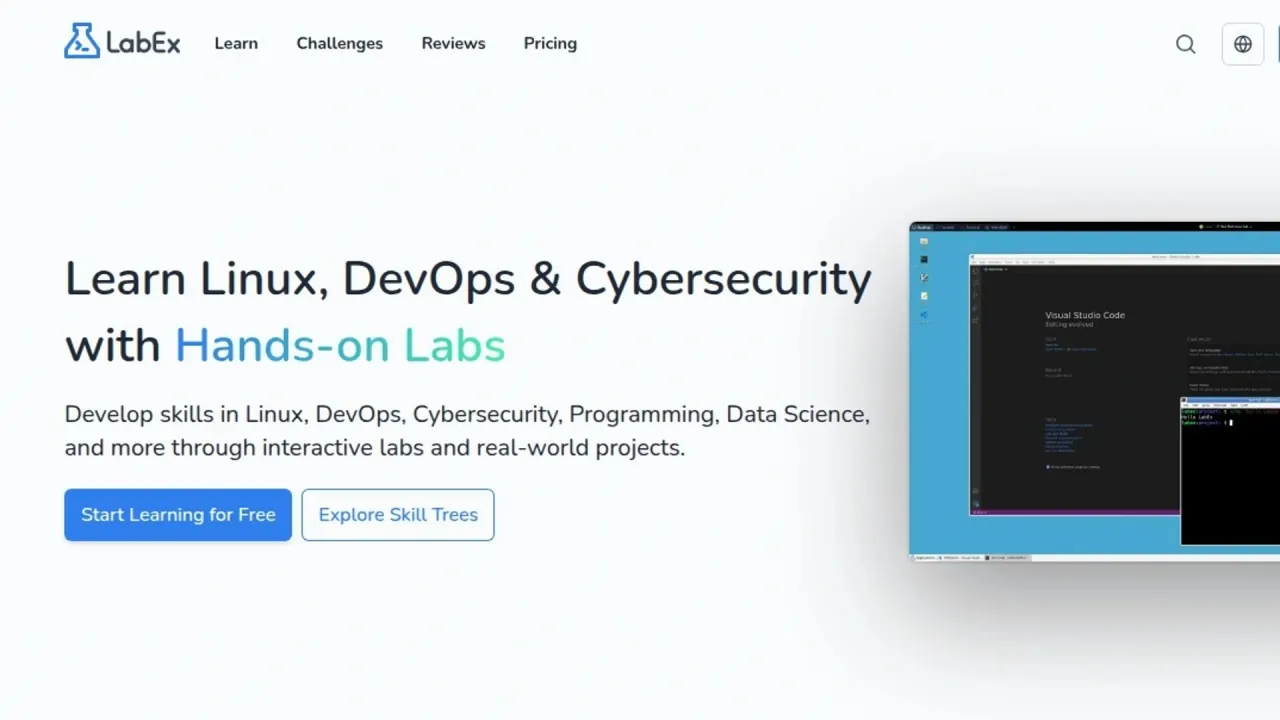
LabEx interface preview
LabEx logo

LabEx

LabEx is a no-video learning platform where each lab opens a browser-based Linux machine with step checks and the Labby AI assistant. A free plan allows 3 lab starts a day; LabEx Pro removes the cap and adds certificates.

EducationLearning Assistant#Cybersecurity#Coding#Devops
Try for Free
Saves
Visits
Views
Pricing
Free
Published
Sep 22, 2026
Domain
labex.io
Community rating

Used this tool? Rate it

Rate this tool

LabEx Product Information

Try for Free
Tool Information
Saves
Visits
Views
Pricing
Free
Published
Sep 22, 2026
Domain
labex.io
Community rating

Used this tool? Rate it

Rate this tool

Featured Tools

Related Tools

Try for Free

What is LabEx?

LabEx is a browser-based learning platform for Linux, DevOps, cybersecurity, programming and data science in which every lesson is a hands-on lab rather than a video. Each lab starts a virtual machine in the browser, Skill Trees organise the labs by topic, and an AI assistant called Labby checks your steps.

LabEx's terms name the company as LabEx Technology Limited with an address in Wan Chai, Hong Kong, and state that the laws of Hong Kong SAR China govern the terms. The pricing page states 9+ years as a platform, 6,000+ hands-on labs and 1,200,000+ active learners; these are the vendor's own figures. LabEx also now hosts Linux Journey, the free beginner course Cindy Quach created in 2015; linuxjourney.com redirects to labex.io/linuxjourney.

In short, the free plan is a real way to try hands-on Linux labs but is rationed by a daily lab-start quota; certificates, unlimited machines and full Labby access need LabEx Pro, sold as an annual or two-year purchase.

Core features

Lab machines in the browser

  • Automatic VM per lab: starting a lab creates a VM for it, and a Restart button resets the environment.
  • Three interfaces: a Linux GUI Desktop, a VSCode-like WebIDE and a Terminal.
  • Environment depends on the lab: Free labs include environments such as Ubuntu Linux, Docker and Kubernetes, and the environment depends on the lab you choose. The VM help article describes Ubuntu 22.04 with a default sudo user named labex, while individual courses use other images, such as the UBI 9 challenges in the older RHCSA exercise course.
  • Start-up time varies: Linux-related VMs typically start within tens of seconds, while Docker, Kubernetes and RHEL setups may take several minutes.

Labby AI assistant

The homepage says Labby is powered by ChatGPT and helps debug code and answer technical questions. In a lab it covers four jobs:

  • Guided steps: validated instructions for each step in the VM.
  • Step verification: after you complete a step, Labby runs a verification script in the VM and offers tips or solutions if something is wrong.
  • Debugging: paste an error message, plus the code if needed.
  • Explanations: ask about a concept you are stuck on.

The free pricing card does not mention Labby, the Pro card lists full access to it, and the pricing page publishes no free-tier Labby allowance.

Skill Trees, guided labs and challenges

A Skill Tree maps a topic such as Linux, Python, Docker, Git or SQL into practical skills, and completing labs and challenges updates the related skills. Guided Labs teach step by step, while Challenge Labs give a goal and check whether you can apply the skill independently. The Linux Skill Tree, for example, lists 86 skills, 8 courses and 24 projects, beginning with a ten-lab Quick Start with Linux course.

Certification practice paths

The homepage lists lab environments for 10 Linux and DevOps certifications: RHCSA and RHCE, CompTIA Linux+, A+, Network+ and Security+, CKA, CKAD and CKS, and LFCS. The RHCSA path targets exam EX200 on Red Hat Enterprise Linux 10 and currently lists an RHCSA Prep course with 32 guided RHEL labs plus two practice exams of 16 independent challenges each, with more content promised over time. An older RHCSA exercise course adds 58 challenges with 170 automated checks and a reference solution per task.

Playgrounds, Linux Journey and MCP

  • Playgrounds: browser workspaces for Linux distributions, DevOps tools, security tools such as Nmap and Wireshark, and databases. The popular list starts with an online Linux terminal. Most playground pages offer a limited guest terminal preview and signing in unlocks the full environment; Kali Linux, Docker, Kubernetes and Jenkins require sign-in to run commands.
  • Linux Journey: described on the homepage as always free, open source on GitHub, with no sign-up and a real Linux terminal in the browser.
  • LabEx MCP: lets compatible AI agents use LabEx learning data to find Linux Journey lessons, recommend labs, courses or projects for your level, and draft learning paths.

Guide

Starting your first lab

  1. Create an account with Google or GitHub login, or with an email address and password. Email sign-ups must click the verification link before they can start labs.
  2. Pick a Skill Tree or course. On the Linux tree, the ten-lab Quick Start with Linux course is listed first.
  3. Start a lab and wait for its VM; Docker, Kubernetes and RHEL machines take longer than plain Linux.
  4. Work through each step in the Desktop, WebIDE or Terminal tab and let Labby verify it. If a check fails, ask Labby for a tip or paste the error.
  5. If the environment breaks, use Restart instead of repairing it by hand.

On the free plan, repeating a lab also uses one of the daily starts.

LabEx use cases and examples

  • Certification practice: The RHCSA path pairs 32 guided RHEL labs with two practice exams, and the older RHCSA exercise course is framed as a way to identify weak areas across many administration domains.
  • Classroom assignments: Courses, labs and tutorials carry a Share to Google Classroom button, so educators can assign a lab as homework.
  • Team upskilling: LabEx Teams gives an organiser a free workspace to invite members, create groups, assign Skill Trees and follow lab attempts and progress.
  • Cybersecurity labs for beginners: Free lab topics include Kali Linux, Nmap, Wireshark and Hydra, alongside DevSecOps and CompTIA tracks.

Who is it for

LabEx suits people who learn better by typing commands than by watching lectures, and who want a disposable machine for each exercise.

  • Beginners in Linux and DevOps: the free-labs FAQ says free labs suit beginners who start with introductory labs and follow the guided steps.
  • Certification candidates: RHCSA, Kubernetes and CompTIA learners who want many graded, repeatable tasks. The RHCSA exercise course itself warns that complete Linux newcomers should first take a guided course, because most of its tasks expect you to turn requirements into commands without step-by-step instructions.
  • Educators and team leads: free Teams workspaces and Google Classroom sharing support assigning and tracking work.
  • Less suitable: learners who want video instruction, anyone who needs a persistent server, and people who need content they can reuse commercially, since the licence is personal and noncommercial.

Platforms

  • Web: labs run in the browser in a real cloud environment with nothing to install.
  • iPhone and Mac app: the LabEx app uses a chat-first flow of step instructions, Labby, checks and optional VMs, requires a LabEx account, and supports Sign in with Apple, Google or email and password. The App Store lists LabEx – Linux & Cybersecurity from seller LABEX, LLC as a free download requiring iOS 18.0 or later, rated 4+; the September 21, 2026 capture showed a 4.5 average from 14 ratings, too small a sample to judge quality.
  • Android: in this round's check, the Google Play developer page for LabEx listed only the Linux Journey app, not the main LabEx app.
  • App purchases: non-Pro app users see one-year and two-year plan cards, and purchases complete in the App Store.

In the app, VMs expire after a scheduled time. Pro users may be offered a session extension near expiry, while free users are pointed to pricing, and hitting a VM quota limit opens the pricing screen.

Pricing

The web pricing page shows three options and no monthly toggle.

PlanListed priceWhat the page lists
FreeFreeFree hands-on labs; 3 virtual machines per day
Pro$99.9 / year (≈ $0.27/day, billed annually)6000+ hands-on labs, unlimited virtual machines, 2000+ challenge solutions, 400+ real-world projects, certificates of completion, full access to the Labby AI Assistant
Pro 2 Years$149 one-time (next to a struck-through $199), marked LIMITEDEverything in Pro; "Save 25% on two years of access"

The page is not fully consistent: its banner reads "Only $99 Annual Access", while the Pro card shows $99.9 per year. The two-year card carries a LIMITED badge, and the page does not say what the struck-through $199 represents or when the offer ends.

LabEx advertises 1000+ free interactive labs across 30+ tech fields, against 6000+ labs listed for Pro. Free users can start labs up to 3 times per day, and repeating a free lab still counts. The quota resets 16 hours after you last used a VM rather than at midnight, three uses a day is not guaranteed, and free quotas may be temporarily reduced when load is high because Pro users are prioritised. LabEx Pro removes the daily start limit and its benefits list adds unrestricted internet access, but the same list says Cloud Lab is not included.

Renewal, cancellation and refunds

  • The annual plan renews automatically, with an email reminder before each renewal; the two-year plan is a one-time purchase that does not renew.
  • Cancelling auto-renewal keeps Pro access until the current billing cycle ends; the option sits in the Subscriptions tab of your profile.
  • Buying again extends your expiry date and automatically cancels any existing auto-renewal.
  • The Pro FAQ gives annual and two-year purchases a 7-day cooling-off period with a full refund only if you have completed no more than 10 labs; purchases made with vouchers or coupon codes are non-refundable, and requests go to info@labex.io.
  • The terms of use, last updated December 25, 2023, word refunds differently: requests within a reasonable time "may be considered at LabEx's discretion". The same terms describe monthly or annual billing cycles and require cancellation at least 24 hours before a cycle ends.

Discounts, payment and teams

  • LabEx says it generally does not offer coupon codes, ongoing discounts, education pricing or student discounts, and usually runs one time-limited discount around Black Friday.
  • Payment options are Stripe (recommended), PayPal, Alipay on the Chinese version of LabEx, YooMoney for Russian users, and USDT (TRC20) or USDC (Arbitrum One), which are activated manually after on-chain confirmation.
  • LabEx Teams workspaces are free for up to 100 members, and Pro for teams requires a minimum of 5 seats. Pro Seats add full Pro access per assigned member and can be reassigned up to 4 times per seat. Groups of 50+ members are asked to contact LabEx for custom pricing.

LabEx alternatives and how it compares

On a third-party review platform, the labex.io profile lists KodeKloud under "People also looked at"; as captured on September 21, 2026, KodeKloud showed 4.7 from 486 reviews against LabEx's single review. Two other lab platforms illustrate the main trade-offs:

PlatformFree accessPaid access and billingRefund terms
LabExFree labs, 3 lab starts per dayPro $99.9 / year or $149 for two years; no monthly option on the pricing page7-day window, no more than 10 labs completed
KodeKloudNot compared hereAnnual and monthly billing; Standard includes 1,280 hands-on labs plus certifications and mock exams30-day money-back guarantee
KillercodaFree scenarios as much as you want (excluding courses)PLUS raises scenario time to up to 4 hours instead of one; a COURSE membership adds CKA and CKAD scenario coursesNot compared here

Choose LabEx if you want broad topic coverage with Labby-guided steps and certificates at a low annual price. KodeKloud is the closer fit if you prefer monthly billing or a longer refund window, and Killercoda suits Kubernetes learners who mainly want unmetered free scenarios.

Limitations

Free-tier boundaries

  • Challenge solutions, certificates, unlimited machines and full Labby access are listed only for LabEx Pro.
  • Certificates require finishing every lab in a course or acquiring 60% of the skills in a Skill Tree, are issued only to people who hold Pro at completion time, and some courses or trees in beta may not grant one. Once earned, a certificate stays accessible after Pro ends.

Certificates and exam preparation

LabEx certificates are completion certificates issued by LabEx. The pages checked in this round do not state that Red Hat, CompTIA, CNCF or the Linux Foundation recognise them or are affiliated with LabEx, so they are not industry certifications. The practice content has caveats too: the older RHCSA exercise course says it should not be treated as a complete or current objective map and is not a timed mock exam.

Content licence and AI accuracy

  • The terms grant a non-transferable licence limited to personal and noncommercial purposes and prohibit reproducing, modifying or distributing LabEx content.
  • Content may be AI-generated, accuracy is not guaranteed, LabEx is not liable for errors in Labby's responses, and Labby is provided for educational purposes only.

Acceptable use and accounts

  • Users must be over 13 years old to use LabEx.
  • Using the VMs for cryptocurrency mining, illegal activity, attacking the platform or consuming resources beyond educational needs is prohibited.
  • Account sharing is not allowed; detected sharing or abuse can lead to suspension without refund eligibility.

Privacy and data use

The privacy policy, last updated December 25, 2023, lists email address, first and last name, and usage data such as IP address, browser and pages visited. LabEx also tracks inputs and operations in the lab VMs, records inputs and clicks in Labby conversations, and collects AI-generated responses, which it says helps fine-tune its AI.

Personal information may be shared with service providers, affiliates including a parent company, and business partners. It may also be processed and stored outside your own jurisdiction, where data protection laws may differ. The CCPA disclosure states that LabEx does not sell personal information. EEA and UK residents can request access, correction, deletion, restriction, objection and portability, though some data may be kept for backups, fraud prevention or legal reasons. You can delete your account from Settings, and a deleted account cannot be recovered.

Independent reviews

Searches up to September 2026 turned up no independent media review of LabEx, and its only review-platform profile had one review when captured on September 21, 2026, so most facts here come from LabEx's own pages and terms.

FAQ

Q1. Is LabEx free?

Partly. Free labs, playgrounds and Linux Journey cost nothing, but free users can start labs only up to 3 times per day, and that quota can shrink at busy times.

Q2. How much does LabEx Pro cost?

The pricing page lists $99.9 per year, billed annually, or $149 one-time for two years under a LIMITED badge.

Q3. Can I get a refund on LabEx Pro?

The Pro FAQ allows a full refund within 7 days if you have completed no more than 10 labs, excluding voucher or coupon purchases. The terms of use describe refunds as discretionary.

Q4. Are LabEx certificates recognised by certification bodies?

They are LabEx's own certificates of completion for Pro members. The pages checked do not claim recognition by any certification body, so they do not replace official exams.

Know a Similar Tool?
If you know other great AI tools, feel free to submit them to us